2.4k stars · MIT · 0.24.0 (2026-09-02), read from /releases/latest and confirmed on PyPI · Track this in Scout
A chat window for AI models that runs in your terminal and keeps your conversations.
▶Repo detailsthe review · specs · pros & cons · install
What it is
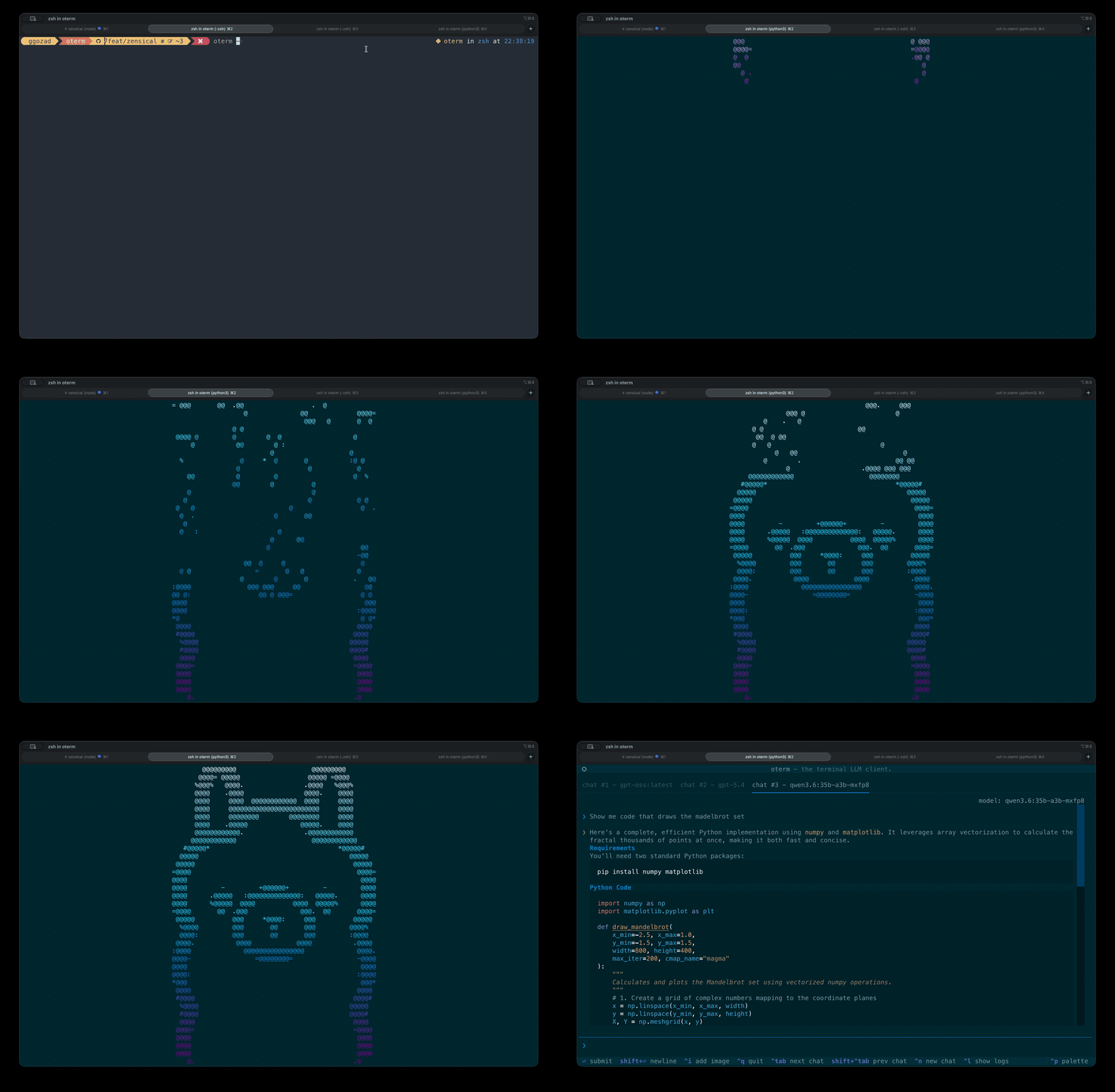
A terminal user interface for large language models, written in Python. It holds persistent chat sessions in a local database, supports several providers at once, and connects to local runners such as Ollama, vLLM, LM Studio and llama.cpp as well as hosted ones including OpenAI and Anthropic. Version 0.24.0 added spoken responses.What it is good for. Anyone who already works in a terminal and keeps switching to a browser tab to ask a question. The problem it removes is the switch. It is also the easiest way to try a local model seriously, because the conversation is saved and you can compare the same question across providers without leaving the window. Simon Willison's llm (Edition 7 #7) is the scripting answer to the same need; this is the sitting-and-talking answer.
- Conversations are kept, so a session from last week is still there.
- One tool in front of many providers. You can point it at a free local model today and a paid one tomorrow without changing how you work.
- MIT licence, and
uvx otermruns it without installing anything permanently.
- It does not include a model. You need Ollama or another runner installed first, or an API key that costs money.
- A terminal window is a poor place to read long answers with code in them. It is good for questions, less good for essays.
- Running a model locally is where the real hardware cost sits, and that belongs to the model, not to this. oterm itself states no requirement at all.
 simonw/llm
Sends prompts from the command line and logs every prompt and answer to a SQLite file, which makes it the better tool inside scripts where oterm is the better tool for sitting and talking.
Track this in Scout- ollama/ollama
Not a competitor but the thing underneath: it downloads and runs open-weight models on your own machine and offers them over a local API.
Track this in Scout - open-webui/open-webui
The same chat idea as a self-hosted web page rather than a terminal, with user accounts and document upload; its licence is a custom one that requires you to keep its branding.
Track this in Scout
# Run it without installing anything (needs uv):
uvx oterm
# Or install it properly:
python3 -m venv venv && source venv/bin/activate
pip install oterm
oterm
# macOS:
brew install oterm
# You also need somewhere for the model to run. The usual free route:
#   https://ollama.com  — then:  ollama pull llama3.2
# Python 3.10 or newer is required.