
Edition No. 21 · 15 Sep 2026
Edition No. 21
Most software that stores your users, their files and their data arrives as a pile.
The web version carries the English / Русский switch. The Russian text is in the file radar-2026-09-15-ru.md, delivered into the chat on the day. This archive stays English only.
Most software that stores your users, their files and their data arrives as a pile. A database to install, a cache, a queue, a folder of settings. Today's first entry is one file. You download it, you run it, and you have a database, a login system, file storage and an admin screen. That is the most interesting true thing in today's twelve, so it is the title.
There is no theme. Twelve repositories, picked on how good they are, spread across twelve of the sixteen areas — one each, and the widest spread of any edition so far. Three of them have fewer than three thousand stars.
We aim for twelve every day. Some candidates fall out while we check them — those are listed at the end, with the reason.
If you only do three things
- ai-robots-txt/ai.robots.txt (#12) — tonight, five minutes, nothing to install and nothing left running. You copy one file onto your web server. From then on the robots that harvest text to train AI models are asked to stay off your pages, and the more aggressive ones are refused outright. The list is rebuilt roughly every week by people who watch for new robots, so you get the updates for free.
- rustic-rs/rustic (#3) — this weekend, about an hour. It copies your files somewhere safe, encrypted, and it only ever stores each piece once, so the second backup takes minutes rather than hours. It reads and writes the same store as restic (Edition 8 #11), so you are not choosing a side.
- pocketbase/pocketbase (#1) — an evening. One downloaded file gives you a database, user accounts, file uploads and an admin screen. It is the fastest way to find out whether a side idea is worth building properly.
Every link in one place
| # | Repository | Official site or docs | Stars | Licence | Latest |
|---|---|---|---|---|---|
| 1 | pocketbase/pocketbase | pocketbase.io | 60.7k | MIT | v0.40.4 (12 Sep 2026) |
| 2 | paperless-ngx/paperless-ngx | docs.paperless-ngx.com | 44.9k | GPL-3.0 | v3.1.3 (4 Sep 2026) |
| 3 | rustic-rs/rustic | rustic.cli.rs | 3.1k | Apache-2.0 or MIT | v0.11.4 (18 Aug 2026) |
| 4 | okbob/pspg 💎 | repository README | 2.7k | BSD-2-Clause | 5.8.16 (18 Feb 2026) |
| 5 | ggozad/oterm 💎 | ggozad.github.io/oterm | 2.4k | MIT | 0.24.0 (2 Sep 2026) |
| 6 | charmbracelet/vhs | repository README | 20.8k | MIT | v0.12.0 (9 Sep 2026) |
| 7 | marp-team/marp-cli | repository README | 3.8k | MIT | v4.5.1 (6 Sep 2026) |
| 8 | usewaypoint/email-builder-js 💎 | emailbuilderjs.com | 1.7k | MIT | no releases; npm 0.0.9 (9 Jan 2026) |
| 9 | pyannote/pyannote-audio | pyannote.ai | 10.4k | MIT | 4.0.7 (30 Jun 2026) |
| 10 | stanfordnlp/dspy | dspy.ai | 36.7k | MIT | 3.3.1 (21 Aug 2026) |
| 11 | edtechre/pybroker | pybroker.com | 3.5k | Apache-2.0 with Commons Clause | v2.0.1 (28 Aug 2026) |
| 12 | ai-robots-txt/ai.robots.txt | repository README | 4.1k | MIT | v1.52 (7 Sep 2026) |
The whole backend is one file you download and run
Twelve repositories, checked and reviewed. Every version verified against the GitHub API and dated.

60.7k stars · MIT | v0.40.4 (12 Sep 2026) · Track this in Scout
▶Repo detailsthe review · specs · pros & cons · install
What it is
A backend written in Go and shipped as a single executable. It carries an embedded SQLite database, a REST-style API generated from your collections, realtime subscriptions over a socket, user authentication with OAuth2 providers, file storage, and an admin dashboard in the browser. You can also import it as a Go library and build your own program around it.What it is good for. Any solo builder who wants to find out whether an idea works before committing to a real stack. The problem it removes is the first day. You are writing screens within ten minutes instead of configuring a database, and the thing you end up with is good enough to put in front of real users. It is also the right answer for small internal tools that nobody wants to maintain.
- One file. There is nothing to install, nothing to configure, and backing it up is copying a folder.
- The admin screen is genuinely good, so you can fix a bad row by hand instead of writing a script.
- MIT licence, which means you can use it in a paid product with no conditions attached.
- It uses SQLite, which keeps everything in one file on one machine. That is fine for a lot of apps and wrong for anything that needs several servers.
- The version number is 0.40.4, so it is still before 1.0 and things do change between versions. Pin the version you use.
- Extending it beyond the built-in features means writing Go, or running a second program beside it.
# Download the Linux build from the releases page:
#   https://github.com/pocketbase/pocketbase/releases/latest
# then unzip it and run it:
unzip pocketbase_*_linux_amd64.zip
./pocketbase serve
# It prints two addresses. Open the admin one in a browser and
# create the first account. That is the whole setup.
# To build it from source or use it as a Go library you need Go 1.25+:
go install github.com/pocketbase/pocketbase@latest

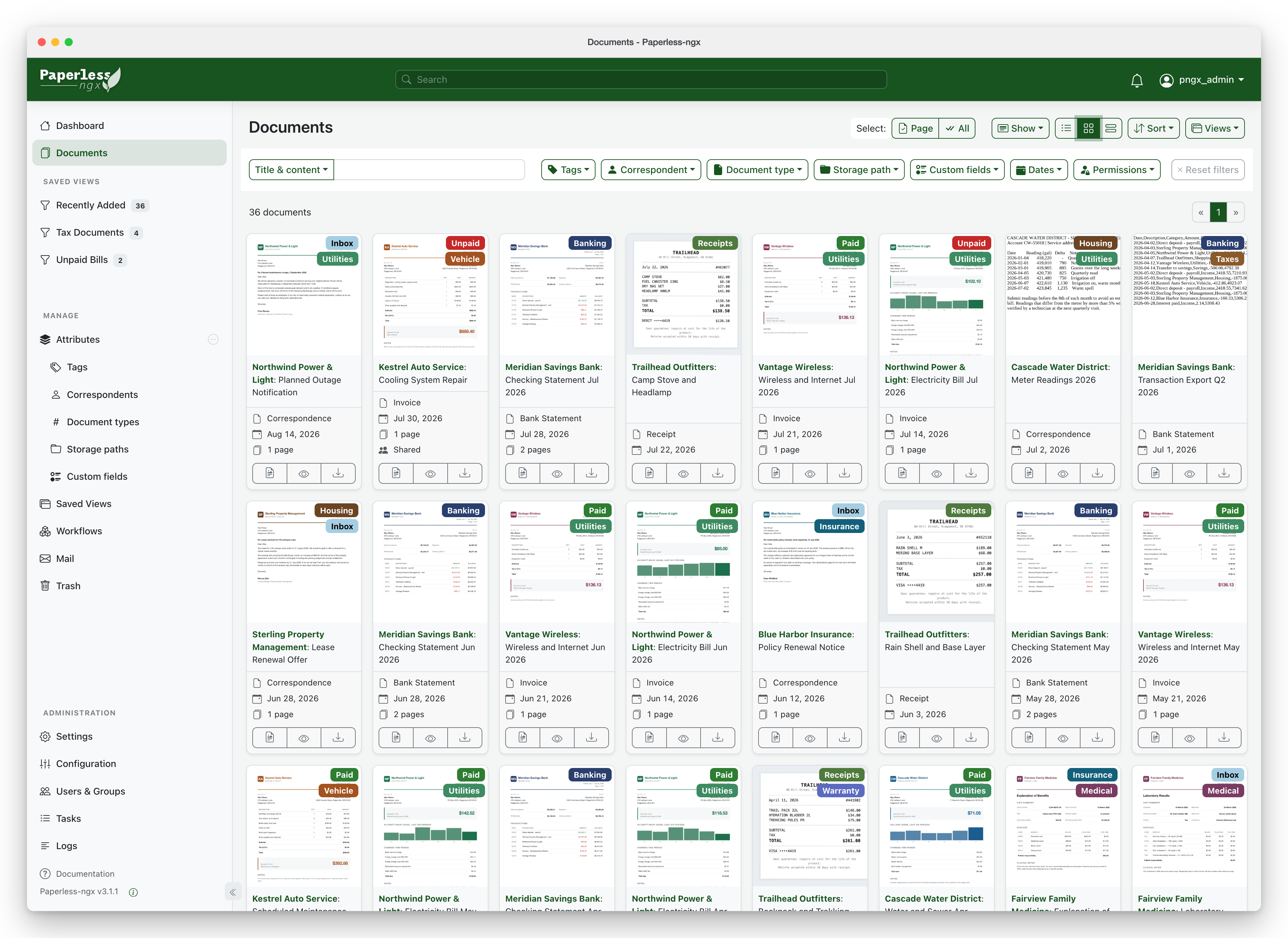
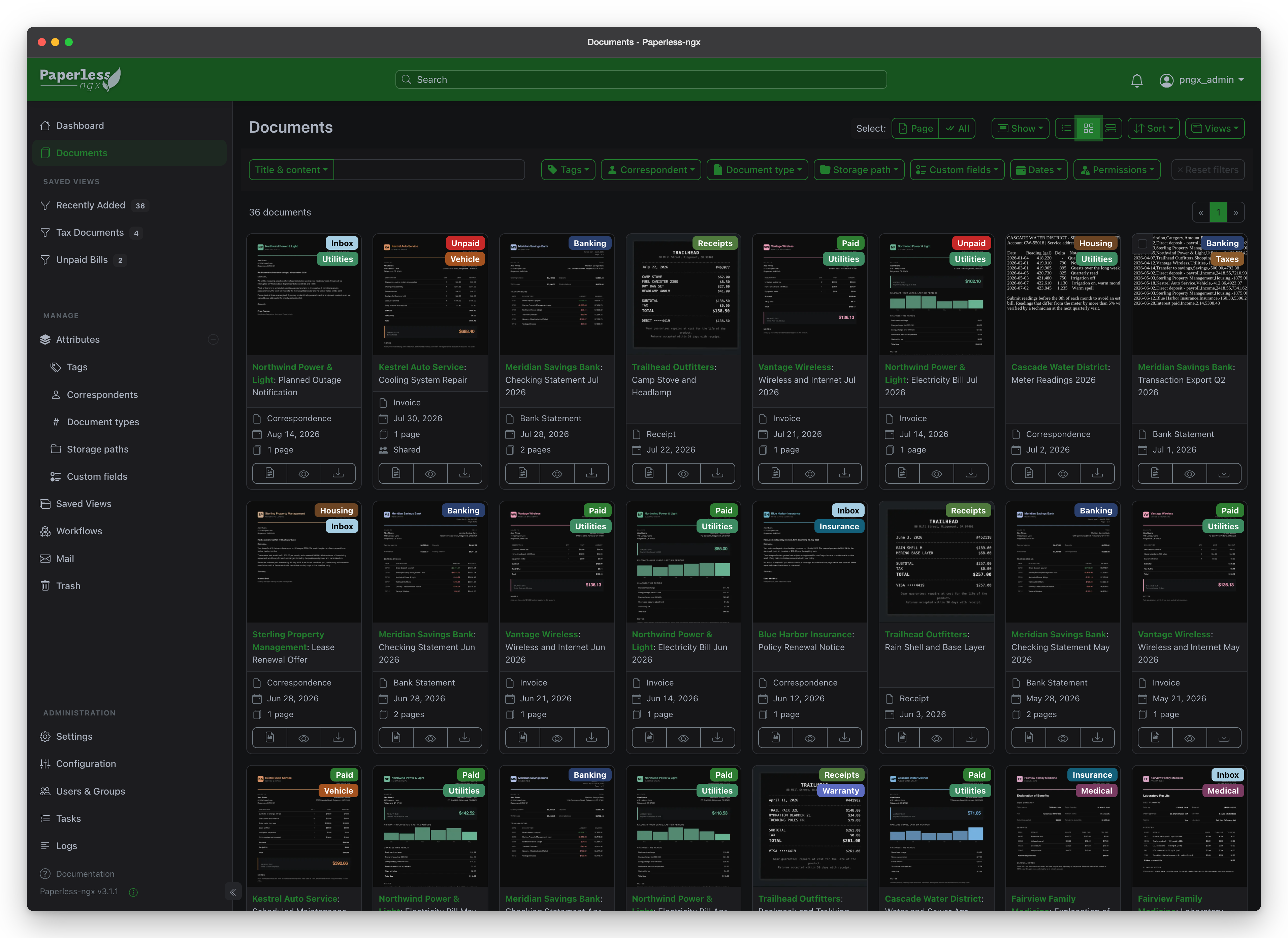
44.9k stars · GPL-3.0 | v3.1.3 (4 Sep 2026) · Track this in Scout
▶Repo detailsthe review · specs · pros & cons · install
What it is
A self-hosted document management system written in Django. It watches a folder, runs OCR (reading text from a picture of a page) over anything that arrives, stores the original file plus a searchable PDF copy, and classifies each document by correspondent, document type and tags using a model that learns from your own corrections.What it is good for. Anyone who is the only person responsible for their own paperwork, which is every solo founder. The problem it removes is the annual panic. Tax time stops being an archaeology project, and a supplier asking about an invoice from March takes ten seconds instead of an afternoon. It also works well for contracts, receipts and anything you scan once and need again in two years.
- It is honestly good at finding things. Full-text search across everything you have ever scanned, including the words inside pictures of pages.
- The classifier learns from you. After thirty corrections it starts filing new documents correctly on its own.
- Everything stays on your machine, and the original files are kept untouched beside the searchable copies.
- Setting it up means Docker Compose (a way of running several sealed programs together from one settings file). That is a real evening's work if you have never used it.
- The project states no minimum memory. Its own documentation has a section on running it on slower machines, which tells you that OCR is the heavy part, and a Raspberry Pi will be slow.
- GPL-3.0. Fine for running it yourself, and something to read carefully before building a product on top of it.
# The guided installer is the easiest route. It asks you questions
# and writes the files for you:
bash -c "$(curl --location --silent --show-error \
  https://raw.githubusercontent.com/paperless-ngx/paperless-ngx/main/install-paperless-ngx.sh)"
# By hand instead:
# 1. From https://github.com/paperless-ngx/paperless-ngx, in docker/compose/,
#    take ONE docker-compose.*.yml matching the database you want and save
#    it as docker-compose.yml. Pick the file with -tika in the name if you
#    also want Word documents read.
# 2. Take docker-compose.env and .env into the same folder.
# 3. Edit docker-compose.env. On Linux set USERMAP_UID and USERMAP_GID to
#    your own user and group, or the files it writes will not be yours.
docker compose pull
docker compose up -d
— stars · Apache-2.0 / MIT (dual) · verified alive on 2026-09-10 · Track this in Scout
A Rust backup tool that reads and writes restic's own repository format.
▶Repo detailsthe review · specs · pros & cons · install
What it is
A backup program written in Rust, shipped as one executable. It splits files into chunks, stores each unique chunk once, encrypts everything before it leaves your machine, and can write to local disks, SFTP, S3-compatible storage and more. It reads and writes the same repository format as restic, so the two tools can share one backup store.What it is good for. Every solo builder with one server they cannot afford to lose, which is most of them. The problem it removes is the gap between "I should back things up" and a command you can actually paste. Two commands set up a store and take the first backup, and the second backup usually finishes in seconds. Grasppy lives on one Hetzner server, and the honest test of any backup is not whether it ran but whether you have ever restored from it — do that once, this weekend, while nothing is wrong.
- Same store format as restic (Edition 8 #11), so you can use either tool against the same backups and switch later without converting anything.
- Everything is encrypted before it leaves the machine, so the storage provider never sees your files.
- Apache-2.0 or MIT, your choice, and there is no server component to keep alive.
- Lose the password to the backup store and every backup in it is gone for good. There is no recovery path, by design.
- Backing up a database by copying its live files can produce a broken copy. Back up the output of
pg_dumpinstead, or use pgBackRest (Edition 18 #1) for PostgreSQL specifically. - The version is 0.11.4, which is before 1.0. It is widely used, but pin the version and test a restore after any upgrade.
# Debian or Ubuntu, using the prebuilt binary from the releases page:
#   https://github.com/rustic-rs/rustic/releases/latest
# Or, if Rust is already on the machine:
cargo install --locked rustic-rs
# macOS:
brew install rustic
# Set up a store and take the first backup:
rustic -r /mnt/backup/grasppy init
rustic -r /mnt/backup/grasppy backup /var/www /etc
# The part people skip. Do it now, not later:
rustic -r /mnt/backup/grasppy snapshots
rustic -r /mnt/backup/grasppy restore latest /tmp/restore-test

2.7k stars · BSD-2-Clause | 5.8.16 (18 Feb 2026) · Track this in Scout
▶Repo detailsthe review · specs · pros & cons · install
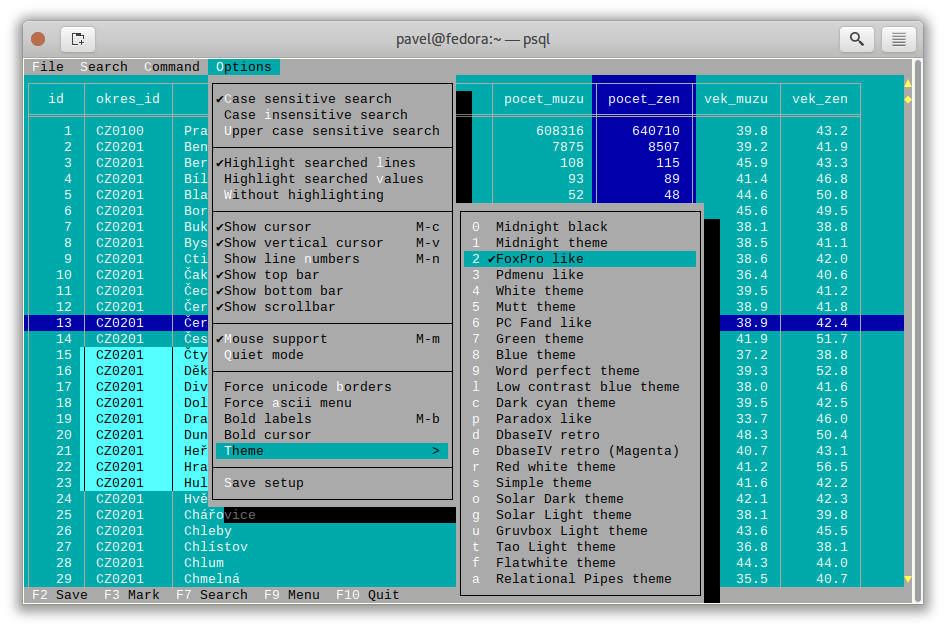
What it is
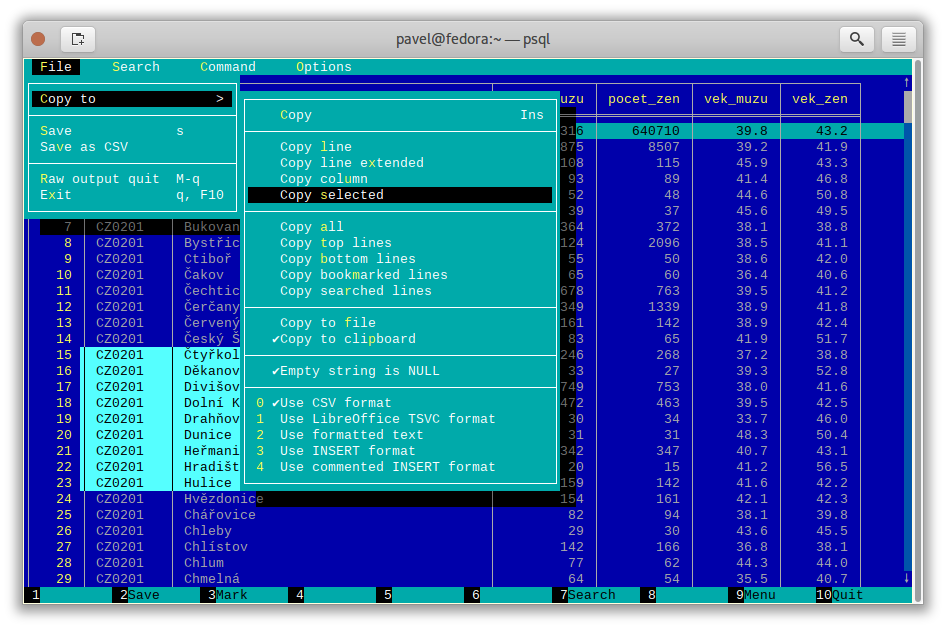
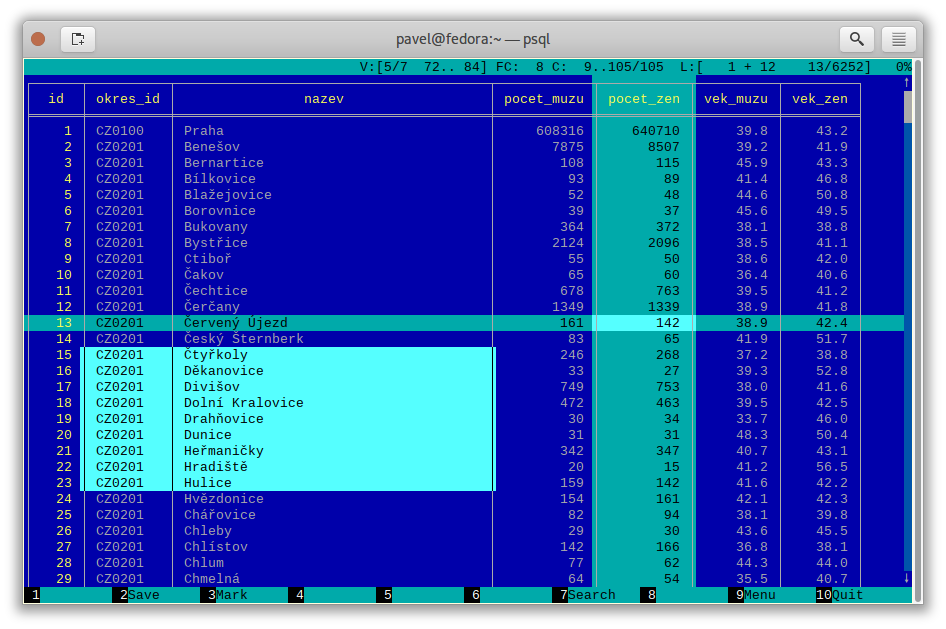
A pager, which is the small program that displays long output one screen at a time, built specifically for tables. It freezes header rows and key columns, scrolls in both directions, highlights the current row and column, searches, sorts, and copies a selected block to the clipboard. It works with PostgreSQL, MySQL and plain CSV or TSV files.What it is good for. Anyone who reads query results in a terminal more than once a week. The problem it removes is small and constant, which is why it is worth two minutes. Grasppy's data lives in PostgreSQL, and every time you read a wide result in psql you are doing arithmetic in your head about which column you are looking at. This is the cheapest improvement on today's page.
- Two minutes to install and one line of configuration, and it applies to everything from then on.
- It works on plain CSV files too, so it doubles as a viewer for exports.
- BSD-2-Clause, no conditions worth worrying about, and it is a single small program written in C.
- It only displays. It does not run queries, so you still need
psqlor another client in front of it. - The keyboard shortcuts take a day to learn. Press F1 for the help screen until they stick.
- There is no project website. Everything you need is in the README, which is good, but there is no tidy documentation site.
# Debian or Ubuntu:
sudo apt-get install pspg
# Fedora:
sudo dnf install pspg
# macOS:
brew install pspg
# Switch it on for psql, permanently:
echo "export PSQL_PAGER='pspg'" >> ~/.bashrc
source ~/.bashrc
# Then just use psql as normal:
psql grasppy -c "SELECT * FROM documents LIMIT 200;"
# It also reads a CSV file directly:
pspg --csv export.csv

2.4k stars · MIT | 0.24.0 (2 Sep 2026) · Track this in Scout
▶Repo detailsthe review · specs · pros & cons · install
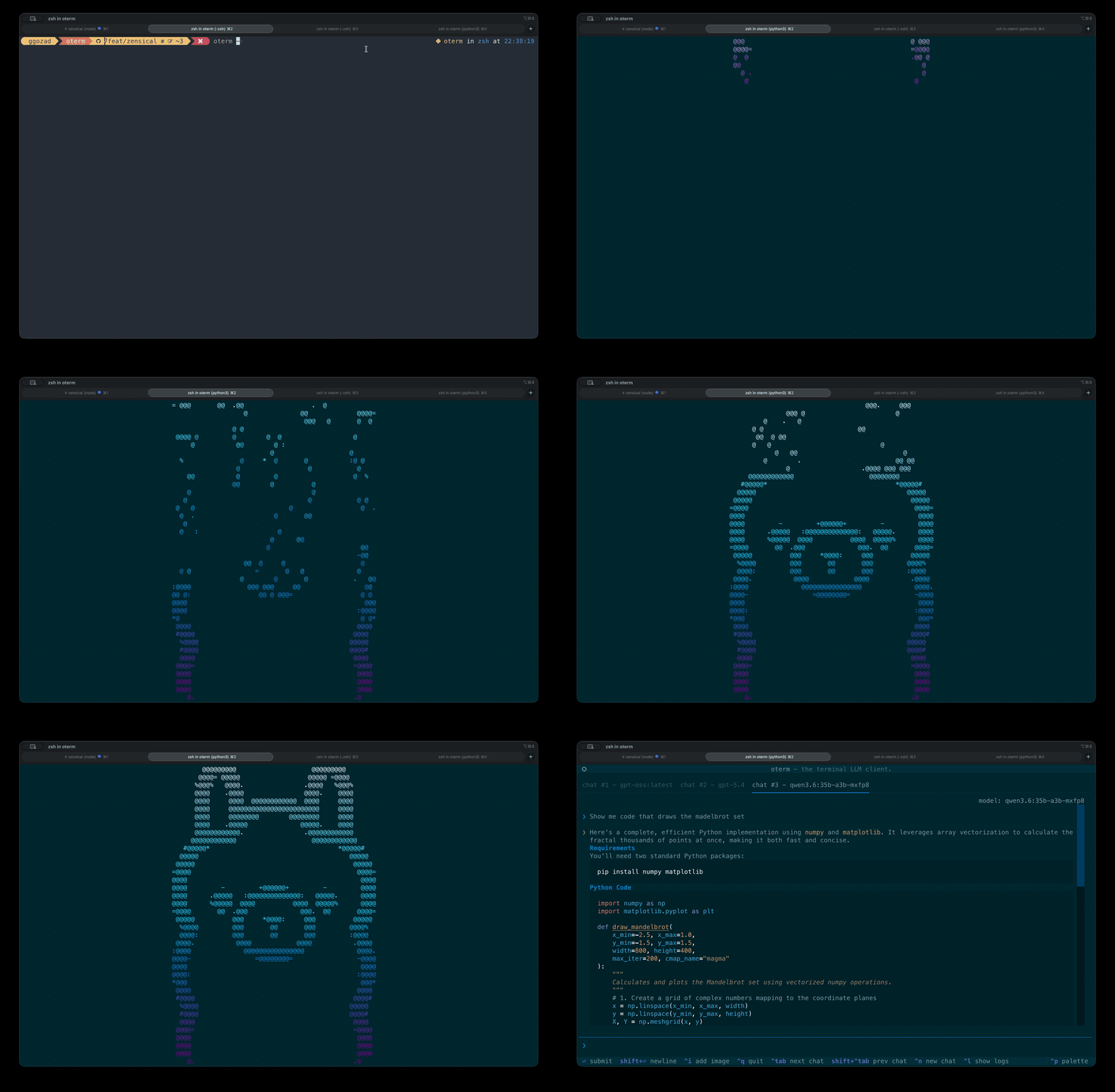
What it is
A terminal user interface for large language models, written in Python. It holds persistent chat sessions in a local database, supports several providers at once, and connects to local runners such as Ollama, vLLM, LM Studio and llama.cpp as well as hosted ones including OpenAI and Anthropic. Version 0.24.0 added spoken responses.What it is good for. Anyone who already works in a terminal and keeps switching to a browser tab to ask a question. The problem it removes is the switch. It is also the easiest way to try a local model seriously, because the conversation is saved and you can compare the same question across providers without leaving the window. Simon Willison's llm (Edition 7 #7) is the scripting answer to the same need; this is the sitting-and-talking answer.
- Conversations are kept, so a session from last week is still there.
- One tool in front of many providers. You can point it at a free local model today and a paid one tomorrow without changing how you work.
- MIT licence, and
uvx otermruns it without installing anything permanently.
- It does not include a model. You need Ollama or another runner installed first, or an API key that costs money.
- A terminal window is a poor place to read long answers with code in them. It is good for questions, less good for essays.
- Running a model locally is where the real hardware cost sits, and that belongs to the model, not to this. oterm itself states no requirement at all.
# Run it without installing anything (needs uv):
uvx oterm
# Or install it properly:
python3 -m venv venv && source venv/bin/activate
pip install oterm
oterm
# macOS:
brew install oterm
# You also need somewhere for the model to run. The usual free route:
#   https://ollama.com  — then:  ollama pull llama3.2
# Python 3.10 or newer is required.

20.8k stars · MIT | v0.12.0 (9 Sep 2026) · Track this in Scout
▶Repo detailsthe review · specs · pros & cons · install
What it is
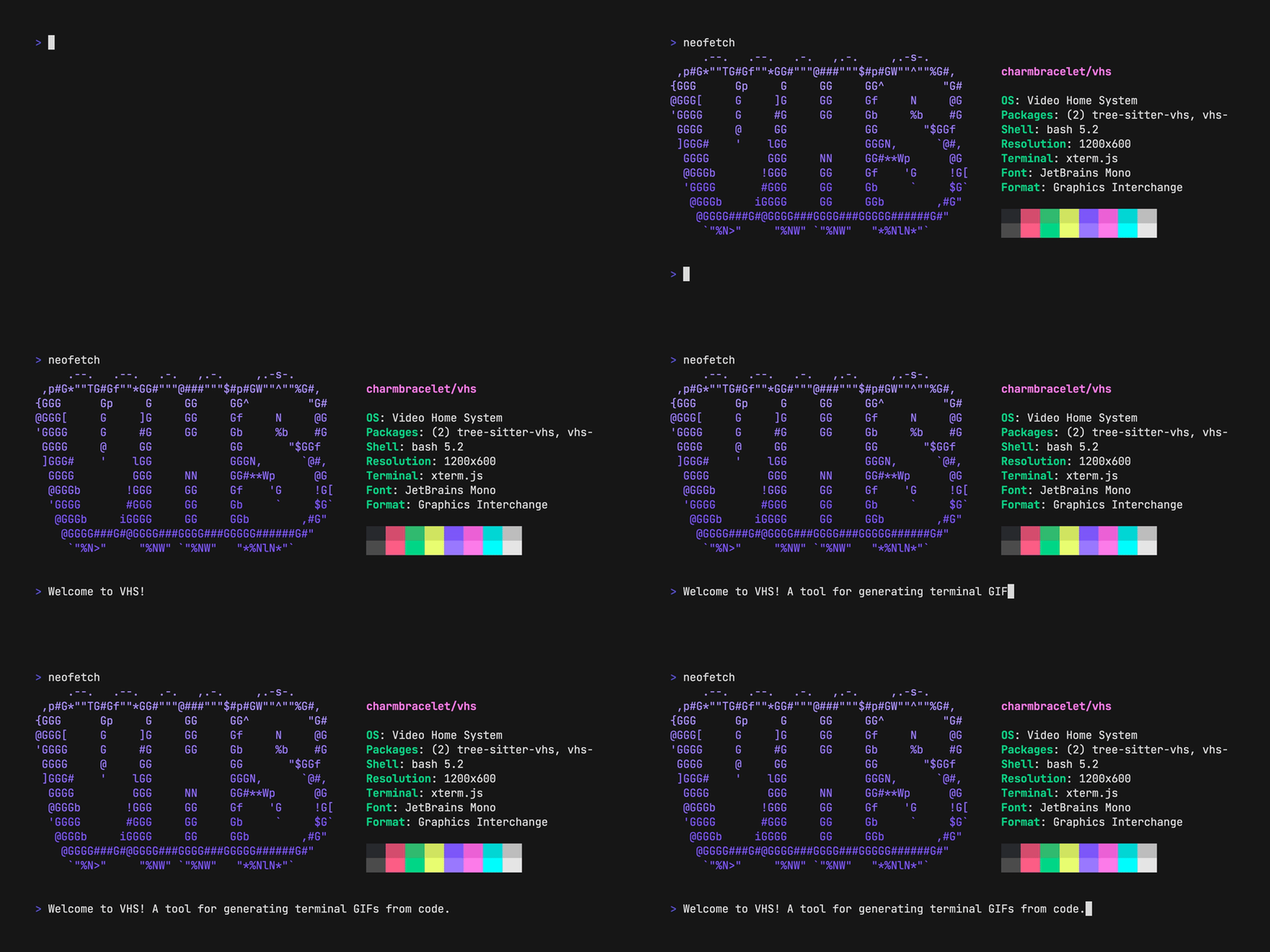
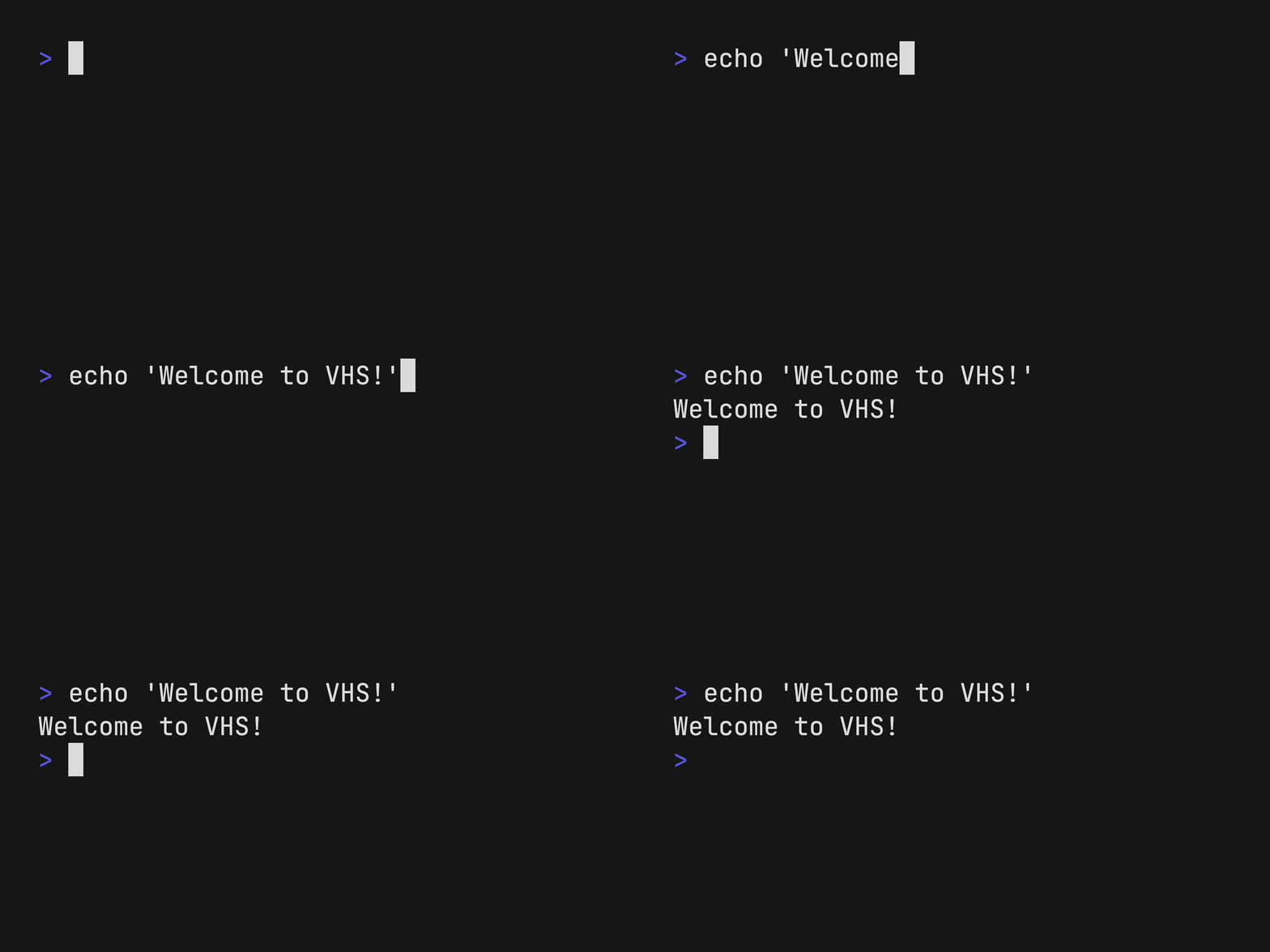
A command-line tool written in Go that reads a .tape file, a small script of keystrokes, pauses and settings, and renders the resulting terminal session as a GIF, MP4 or WebM. It controls the window size, the font, the theme and the typing speed, so the output looks the same every time.What it is good for. Anyone who writes documentation, a README or a tutorial about something that runs in a terminal. The problem it removes is re-recording. A demonstration that lives in a text file can be regenerated after every release, and it can sit in the repository beside the code it demonstrates. For a YouTube channel this is the cleanest way to produce a short, correct terminal clip to drop into a longer video, without a screen recorder and without retakes.
- The demonstration is a text file, so it goes in git and you can see what changed.
- Every recording comes out identical: same size, same colours, same typing speed.
- There is a Docker image, so you can produce the video without installing anything on your own machine.
- Installed normally it needs two other programs on your machine first:
ttydandffmpeg. The Docker route avoids both. - It only records a terminal. It will not record a browser or a desktop window.
- A long demonstration takes as long to render as it does to play, so a three-minute clip costs three minutes every time.
# macOS or Linux with Homebrew (it pulls in ttyd and ffmpeg):
brew install vhs
# Or on Debian and Ubuntu, from the project's own package repository:
sudo mkdir -p /etc/apt/keyrings
curl -fsSL https://repo.charm.sh/apt/gpg.key \
  | sudo gpg --dearmor -o /etc/apt/keyrings/charm.gpg
echo "deb [signed-by=/etc/apt/keyrings/charm.gpg] https://repo.charm.sh/apt/ * *" \
  | sudo tee /etc/apt/sources.list.d/charm.list
sudo apt update && sudo apt install vhs ffmpeg
# Write your first tape and render it:
vhs new demo.tape
vhs demo.tape
# Or with no local installation at all:
docker run --rm -v $PWD:/vhs ghcr.io/charmbracelet/vhs demo.tape


3.8k stars · MIT · 4.4.1, read from registry.npmjs.org as @marp-team/marp-cli; the registry's own publish timestamp places it in mid-2026 · Track this in Scout
Turns one Markdown file into an HTML deck, a PDF, a PowerPoint file or a set of images, from the command line with no editor involved.
▶Repo detailsthe review · specs · pros & cons · install
What it is
A command-line converter for Marp, a Markdown-based slide format. It reads a Markdown file where --- separates slides and exports HTML, PDF, PPTX or a set of PNG images. It can also serve the deck and rebuild it while you edit, and it takes a CSS theme if you want your own look.What it is good for. Anyone who has to produce a deck and resents the afternoon it takes. The problem it removes is the dragging. It is also useful for anything you have to produce repeatedly, because a deck built from text can be regenerated from new numbers. Slidev (Edition 12 #4) does the same job in the opposite way, and the difference is worth stating plainly: Slidev runs a development server for a live talk with interactive components, while this is one command that produces a file and exits. If you are speaking, use Slidev. If you are sending a PDF, use this.
- One command, one file in, one file out. Nothing keeps running afterwards.
- It exports PowerPoint, which matters when the other person will not open anything else.
- MIT, and
npxruns it without installing anything permanently.
- It needs Node.js 18 or newer, which is an extra thing on the machine if you work in Python.
- Exporting to PDF, PowerPoint or images needs a browser installed — Chrome, Edge or Firefox — because it renders the slides in one.
- The default look is plain. Making it yours means writing CSS, which is a real skill to pick up.
# Try it with no installation at all (needs Node.js 18+):
npx @marp-team/marp-cli@latest slide-deck.md
# macOS:
brew install marp-cli
# Inside a project:
npm install --save-dev @marp-team/marp-cli
# Write slides, then export. Three dashes start a new slide:
npx @marp-team/marp-cli@latest slide-deck.md --pdf
npx @marp-team/marp-cli@latest slide-deck.md --pptx
# Edit and watch it rebuild in a browser:
npx @marp-team/marp-cli@latest -s slide-deck.md

1.7k stars · MIT | no releases; npm 0.0.9 (9 Jan 2026) · Track this in Scout
▶Repo detailsthe review · specs · pros & cons · install
What it is
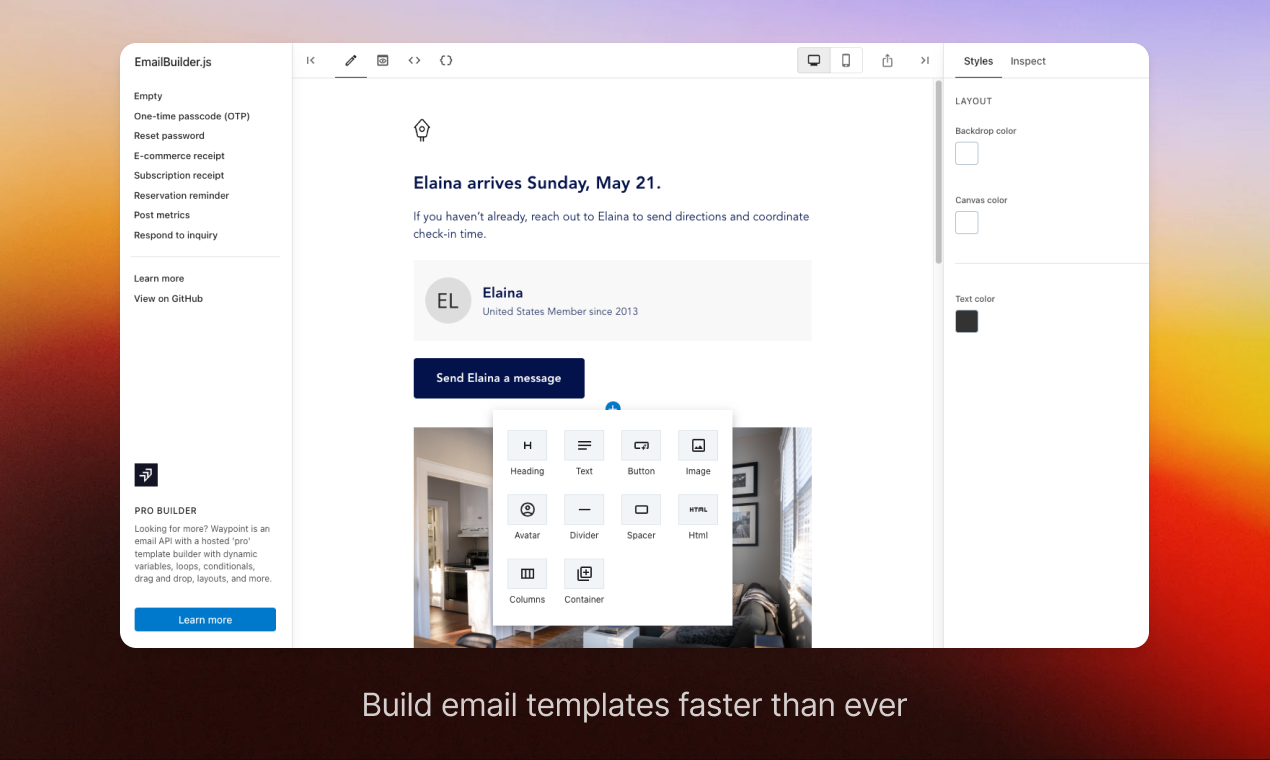
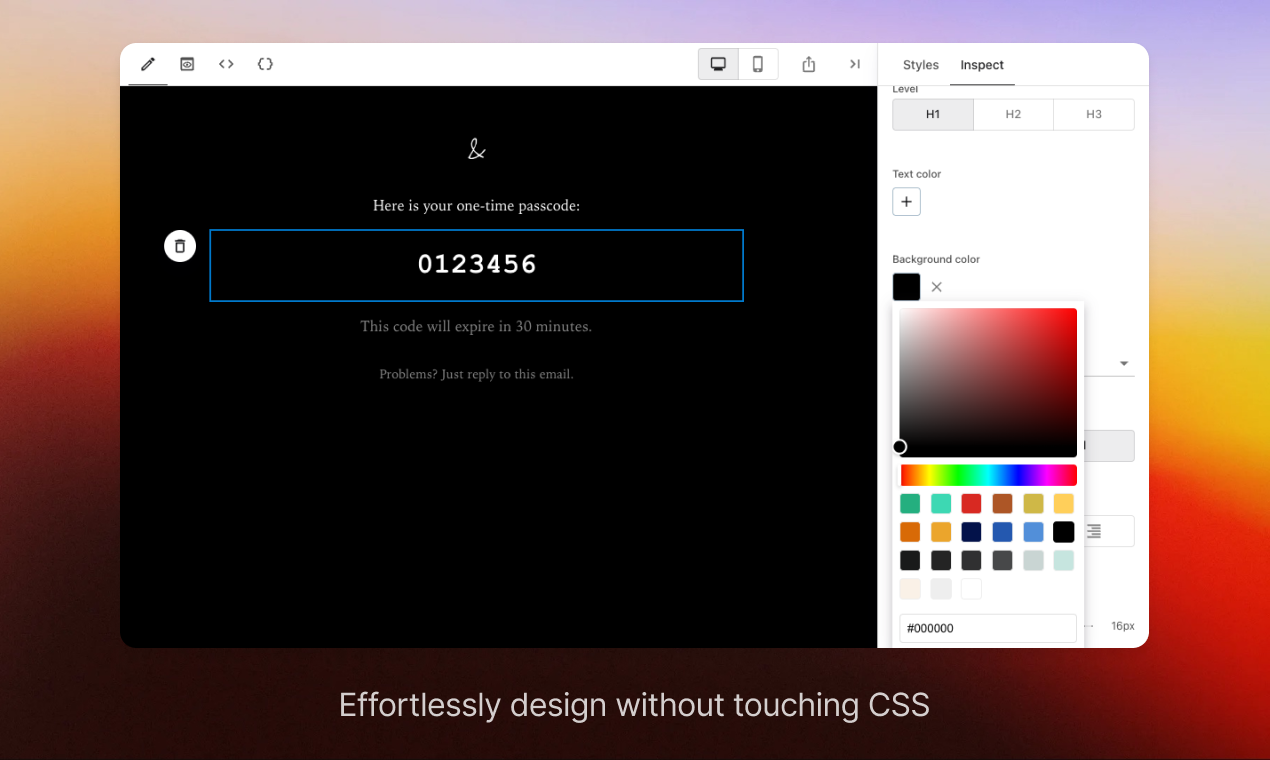
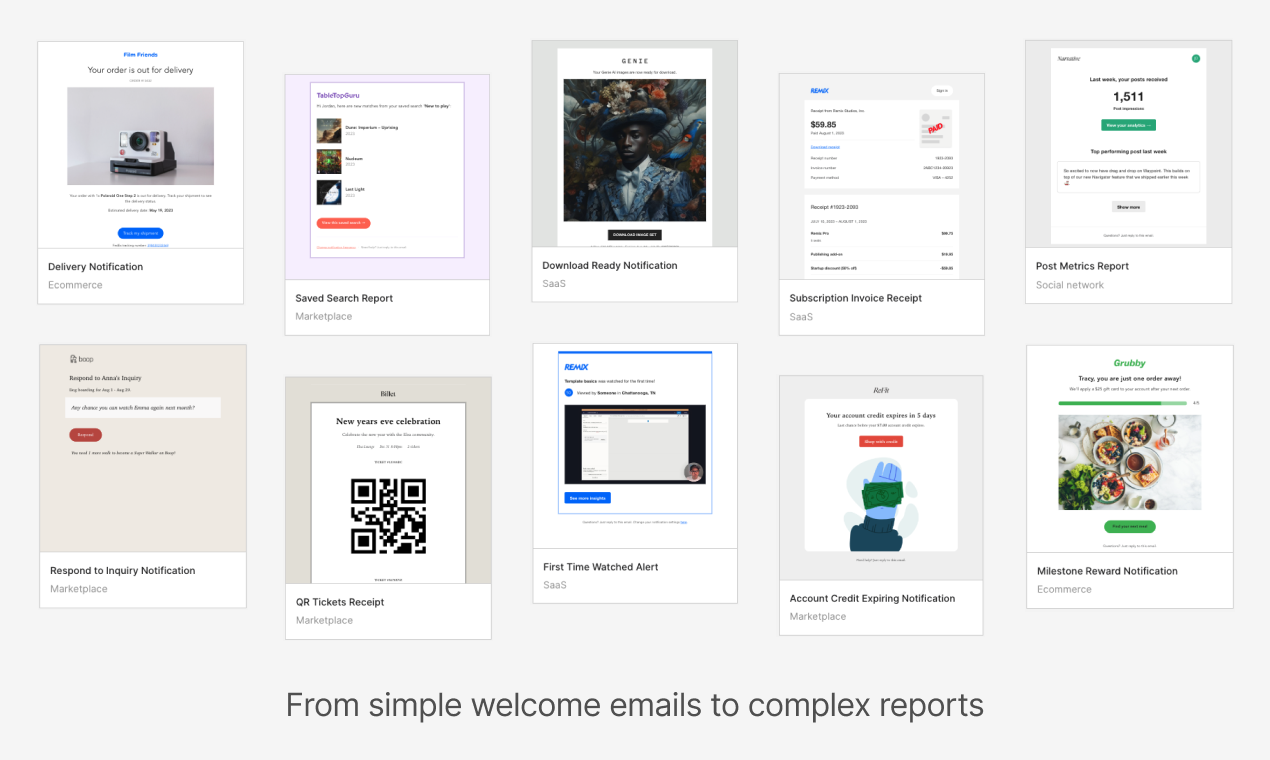
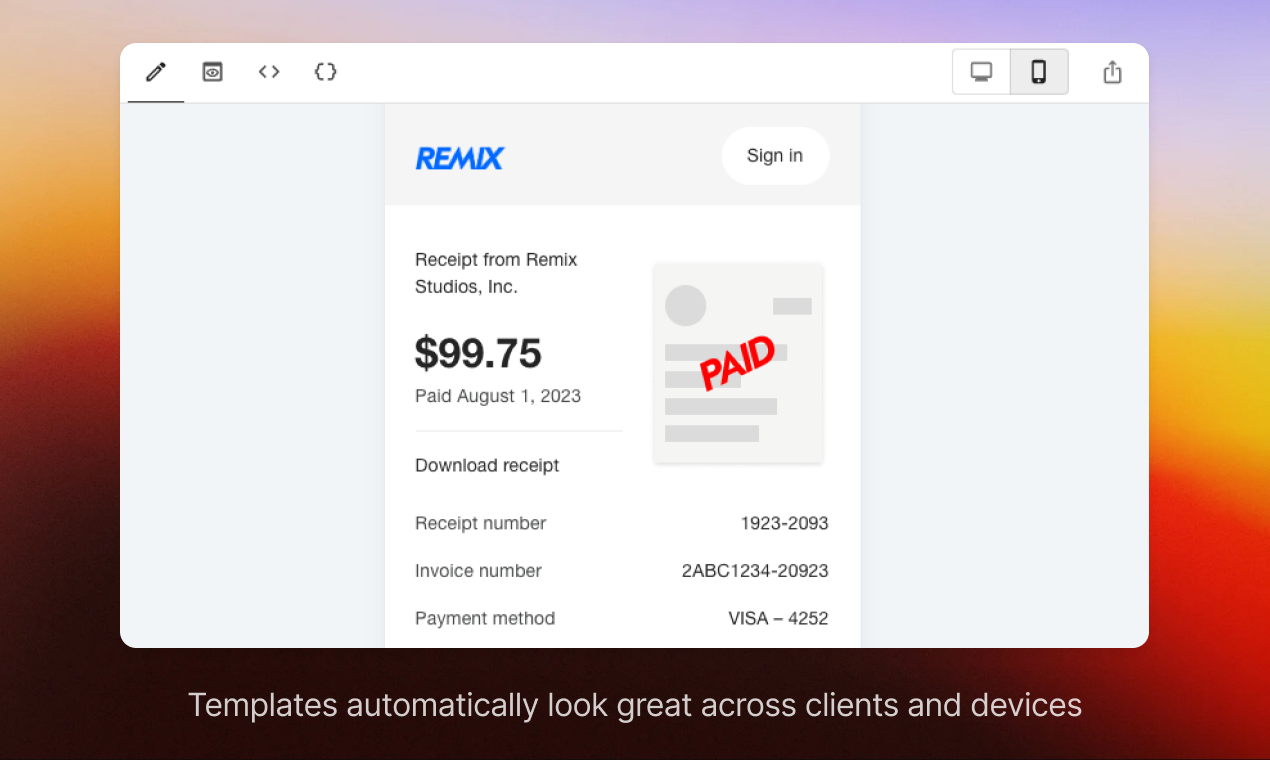
A set of React components that render a block-based email template builder. You compose from built-in blocks — heading, text, image, button, columns, divider, avatar, spacer — and it emits both a JSON description and the final HTML. There is no server side; it runs entirely in the browser.What it is good for. Anyone sending email from their own product and tired of hand-editing table-based HTML. The problem it removes is the gap between writing an email and it arriving looking correct. Listmonk (Edition 2 #1) sends lists and Dittofeed (Edition 14 #8) triggers messages from behaviour, and both expect you to arrive with HTML already made. This is where that HTML comes from, and because it is a component rather than a product, the editor can live inside your own admin screen.
- It runs in the browser with nothing behind it, so there is no service to host and no cost.
- It gives you the email as structured JSON as well as HTML, which means you can store it, edit it later and re-render it.
- MIT licence, so you can put it inside a paid product without conditions.
- It is a component, not an application. You have to be building something in React already for it to be useful.
- The project has never cut a release. The npm package was published in January 2026 and the repository was pushed to in February 2026, so it is current, but there are no version notes to read.
- The block set is deliberately small. Anything unusual means writing your own block.
# Inside an existing React project:
npm install --save @usewaypoint/email-builder
# Try the editor first, with nothing installed, at:
#   https://usewaypoint.github.io/email-builder-js/
# Or run the project's own example locally:
git clone https://github.com/usewaypoint/email-builder-js
cd email-builder-js
npm install
npm run dev
10.4k stars · MIT · 4.0.7 (2026-06-30), read from PyPI · Track this in Scout
Works out who spoke when in a recording, with speech activity detection, speaker change detection and speaker embeddings as separate building blocks.
▶Repo detailsthe review · specs · pros & cons · install
What it is
A Python toolkit built on PyTorch for speaker diarization, the task of dividing a recording into stretches labelled by speaker. It also exposes the building blocks separately: voice activity detection, speaker change detection, overlapped speech detection and speaker embeddings.What it is good for. Anyone who records conversations and needs the transcript to name the speakers. Interviews, podcasts, two-host videos, recorded calls. The problem it removes is the hour you would otherwise spend listening back and splitting the text by hand. For a YouTube channel that publishes interviews, this is what turns one wall of transcript into subtitles that say who is talking, in both languages.
- It runs on an ordinary processor. The project reports about 31 seconds of work per hour of audio on standard hardware, so no graphics card is needed.
- MIT licence on the code, and the pipeline is a few lines of Python.
- It gives you the separate pieces as well as the finished pipeline, so you can use only the part you need.
- Getting the model is not just a download. You need a Hugging Face account, you must accept the model's conditions, which include agreeing to share your contact information and receive occasional emails, and you must create an access token. The model itself is CC-BY-4.0.
- It needs
ffmpeginstalled and Python 3.10 or newer, and it pulls in PyTorch, which is a large download. - It tells you who spoke, not what they said. You still need a transcription tool beside it.
# ffmpeg must be on the machine first:
sudo apt install ffmpeg          # or: brew install ffmpeg
python3 -m venv venv && source venv/bin/activate
pip install pyannote.audio
# Then, once, in a browser:
# 1. Make an account at https://huggingface.co
# 2. Accept the conditions at
#    https://huggingface.co/pyannote/speaker-diarization-community-1
# 3. Create a token at https://huggingface.co/settings/tokens
36.7k stars · MIT · 3.3.1 (2026-08-21), read from PyPI; a 3.4.0b1 pre-release was published on 2026-09-11 · Track this in Scout
Lets you declare what you want from a language model as code and then tunes the instructions and examples automatically, instead of rewriting prompts by hand.
▶Repo detailsthe review · specs · pros & cons · install
What it is
A Python framework for building applications on language models. You declare typed input and output signatures and compose them into modules, and DSPy compiles those into prompts. Its optimisers then search over instruction wordings and few-shot examples against a metric you define, so the program is tuned rather than hand-edited.What it is good for. Anyone whose product depends on a model behaving consistently. The problem it removes is a real one: prompt quality is usually managed by feel, and feel does not survive a model upgrade. For Grasppy, whose whole value is that the subtopics it pulls out of a long conversation are the right ones, this is the tool that turns "these subtopics look better" into a number you can defend. It sits beside Instructor (Edition 5 #11), which shapes the output, and Ragas (Edition 14 #10), which scores it.
- You write Python, not prompt strings, so the logic is testable and readable a month later.
- Changing model changes one line. The optimiser re-tunes for the new model instead of you starting again.
- MIT, very actively developed, and the documentation is unusually good.
- Every optimisation run makes many model calls, and those calls cost real money. Set a budget before the first run.
- There is a genuine concept to learn first. Expect a day before it clicks, not an hour.
- You have to write a scoring function, and if that score does not match what you actually want, the optimiser will cheerfully improve the wrong thing.
python3 -m venv venv && source venv/bin/activate
pip install dspy
# Python 3.10 or newer is required (and below 3.15).
# The older package name dspy-ai is now only an alias. Install dspy.
3.5k stars · Apache-2.0 with Commons Clause · v2.0.1 (2026-08-28) · Track this in Scout
Walk-forward analysis and bootstrapped confidence intervals as first-class features — the anti-curve-fitting layer.
▶Repo detailsthe review · specs · pros & cons · install
What it is
A Python framework for backtesting rule-based and machine-learning trading strategies. You write a strategy as a function over bar data; it handles data sources, caching, position and portfolio bookkeeping and performance metrics. Its two distinguishing features are hooks for training and using a model inside the strategy, and walk-forward analysis with bootstrapped confidence intervals.What it is good for. Anyone testing a trading idea who wants to know whether it is real. The problem it removes is self-deception, which is the main way a backtest wastes a year of someone's life. For ScalpingMate, which tests EURUSD strategies against OANDA data, walk-forward analysis is the right shape of test: a scalping strategy tuned on one month and never checked on the next is not a strategy, it is a description of that month.
- Walk-forward testing and bootstrapped confidence intervals are built in, not bolted on. The honest test is the default one.
- Training a model inside the strategy is a first-class feature rather than something you assemble yourself.
- Results are cached, so re-running a long test after a small change is fast.
- The licence is Apache 2.0 with the Commons Clause, which means it is not open source in the usual sense: you may use it, but you may not sell the software itself. Read it before it goes anywhere near a paid product.
- The package is called
lib-pybrokeron PyPI, notpybroker. Installing the obvious name gets you something else. - It is built around bars, so it is a poor fit for anything that depends on the order book or on tick-by-tick timing. See the note on hftbacktest at the end of this edition.
python3 -m venv venv && source venv/bin/activate
pip install -U lib-pybroker
# Python 3.11 or newer. Note the package name: lib-pybroker.
4.1k stars · MIT · v1.52 (2026-09-07) · Track this in Scout
A maintained list of AI crawler user-agents with ready-made robots.txt, nginx, Caddy and HAProxy rules.
▶Repo detailsthe review · specs · pros & cons · install
What it is
A community-maintained list of AI crawler user-agents, published as ready-made configuration files for several web servers: robots.txt, an Apache .htaccess, an Nginx include, a Caddyfile, an HAProxy list and a Lighttpd include. The robots.txt file asks politely. The server files refuse the request outright.What it is good for. Anyone publishing writing they would rather not have harvested, which is most people who write anything. The problem it removes is not the blocking, which is easy, but the keeping up, which is not. Version 1.52 was published on 7 September 2026 and adds several newly spotted robots, which is the whole value: somebody else is watching. The Repo Radar archive at grasppy.com/radar is exactly the sort of page this is for — long, original, and useful to a scraper.
- Five minutes, one file, nothing running afterwards, and no cost of any kind.
- The list is updated constantly and tagged as a release, so you can subscribe to the releases feed and know when to update.
- It ships configuration for six different web servers, so you almost certainly do not have to translate anything.
- A
robots.txtfile is a request, not a wall. Well-behaved crawlers obey it and badly behaved ones ignore it. The web server files are what actually refuse them. - Blocking by user-agent name is easy to get around. A scraper that lies about its name walks straight past this.
- Blocking too widely can hide you from search engines or AI assistants that send you readers. Read the list before you apply it, and decide which ones you actually want kept out.
# Nginx. Fetch the include file and point your server block at it:
sudo curl -o /etc/nginx/nginx-block-ai-bots.conf \
  https://raw.githubusercontent.com/ai-robots-txt/ai.robots.txt/main/nginx-block-ai-bots.conf
# Then inside your server { } block add:
#   include /etc/nginx/nginx-block-ai-bots.conf;
sudo nginx -t && sudo systemctl reload nginx
# The polite half, for any web server. Put this at the site root:
curl -o robots.txt \
  https://raw.githubusercontent.com/ai-robots-txt/ai.robots.txt/main/robots.txt
# To be told when the list changes, subscribe to:
# https://github.com/ai-robots-txt/ai.robots.txt/releases.atomChecked, and left out
These were opened for this edition and did not make it, with the reason.
AnswerDotAI/rerankers
AnswerDotAI/rerankers — *unverified*. 1.6k stars, Apache-2.0, a single simple interface over many reranking models. Its newest GitHub release shows a date with no year that would fall in the future, so the year is unknown, and the newest thing provable anywhere is the PyPI release 0.10.0 of 22 May 2025. It is explicitly not being called dormant; it needs a sweep from the Mac.
NotJoeMartinez/yt-fts
NotJoeMartinez/yt-fts — *unverified*. 1.8k stars, Unlicense, full-text search across every subtitle of a YouTube channel. Its last release is v0.1.62, 4 July 2025, confirmed with an explicit year on PyPI, and commit dates cannot be read from this sandbox. The ledger already carried a note that the author had declared it finished, and nothing found today contradicts that.
eikek/docspell
eikek/docspell — *unverified*. 2.3k stars, AGPL-3.0 or later, and it does the same job as paperless-ngx (#2) at a much smaller size. Its last release is v0.43.0, 15 March 2025, confirmed on the project's own changelog and on its SourceForge mirror, and commit dates are unreadable here. Listed under #2 as a comparison, queued for a proper check.
VladUZH/harken
VladUZH/harken — *unverified*. Self-hosted social listening across Hacker News, Reddit, Mastodon, Bluesky and RSS. It has 3 stars, no releases at all, and is not on PyPI, so there is no dated source anywhere. Too new and too unproven to recommend, which is a different statement from saying it is bad.
Yupcha/waitless
Yupcha/waitless — *unverified*. A single-binary Go waitlist platform, MIT. Its one release, v0.1.0, carries a date with no year, and there is no Go module page, no changelog and no third-party mention to settle it. One star.
nkaz001/hftbacktest
nkaz001/hftbacktest — alive at release level: rust-v0.9.4 and py-v2.4.4, 10 December 2025, confirmed with an explicit year on PyPI. 4.2k stars, MIT. It models your order's position in the queue and the delay on the wire, which is exactly the shape ScalpingMate needs and PyBroker (#11) does not have. Left out because the markets slot went to PyBroker, which shipped two weeks ago, and because commit-level activity could not be read from here. Queued near the front.
tconbeer/harlequin
tconbeer/harlequin — alive: v2.14.0 on GitHub, 14 September 2026, which is yesterday. 6.4k stars, MIT. A full SQL editor inside the terminal. Left out only because pspg (#4) took the database slot and costs two minutes where this costs an afternoon. Queued.
jgraph/drawio
jgraph/drawio — alive: v31.4.5, 8 September 2026, Apache-2.0. The diagram editor behind draw.io, which runs entirely in your browser and never sends the diagram anywhere. Left out because the twelve were full. Queued.
sharkdp/numbat
sharkdp/numbat — alive: v1.24.0, 23 August 2026, confirmed by the publish date on crates.io. 2.6k stars, dual Apache-2.0 and MIT. A calculator that understands physical units and refuses to add metres to seconds. Left out because VHS (#6) took the workshop slot. Queued, and it would have been a fourth gem.
dbcli/litecli
dbcli/litecli — alive: 1.17.1 on PyPI, 31 January 2026, BSD-3-Clause, 3.3k stars. A SQLite client with autocompletion. Left out because pspg took the slot. One thing worth recording: the repository's own changelog lists a version 1.19.0 dated 2026-01-30, which is higher than anything published on GitHub or PyPI. Both figures are printed rather than resolved.
arikchakma/maily.to
arikchakma/maily.to — alive: the `@maily-to/core` package was published to npm on 3 February 2026. 4.0k stars, MIT. It overlaps email-builder-js (#8) almost exactly and is listed there as a comparison. Left out because one email editor is enough for one edition; queued so the two can be compared properly.
TheCraigHewitt/seomachine
TheCraigHewitt/seomachine — left out for a reason worth stating. It is a Claude Code workspace for SEO writing, MIT by its LICENSE file, and its issue tracker shows activity into September 2026. It also carries an open issue, #62 from 14 August 2026, alleging that its star count was manipulated. The complaint gives no numbers and has no reply, and it cannot be confirmed or refuted from here. Rather than publish a recommendation resting on a number that is publicly disputed, it stays queued with the complaint recorded.
Coming tomorrow