1,574 stars · MIT, read from /blob/master/LICENSE — plain and unmodified, holder named 'Copyright (c) 2019-2025 Chris Griffith', although the README and the website both say 2019-2026, so the file is a year stale. pyproject.toml declares NO license field and no classifiers, and there is no setup.py · 6.2.1 (2026-03-21), read from /releases/latest as a yearless '21 Mar 22:56' and settled by the ungh releases/latest record (2026-03-21T22:56:20Z). The repo's CHANGES file carries no dates at all and PyPI could not settle it, being stuck at 5.12.0 · Track this in Scout
A small window for HEVC and AV1 video encoding that drives an FFmpeg you install yourself, and carries HDR brightness data through instead of dropping it.
▶Repo detailsthe review · specs · pros & cons · install
What it is
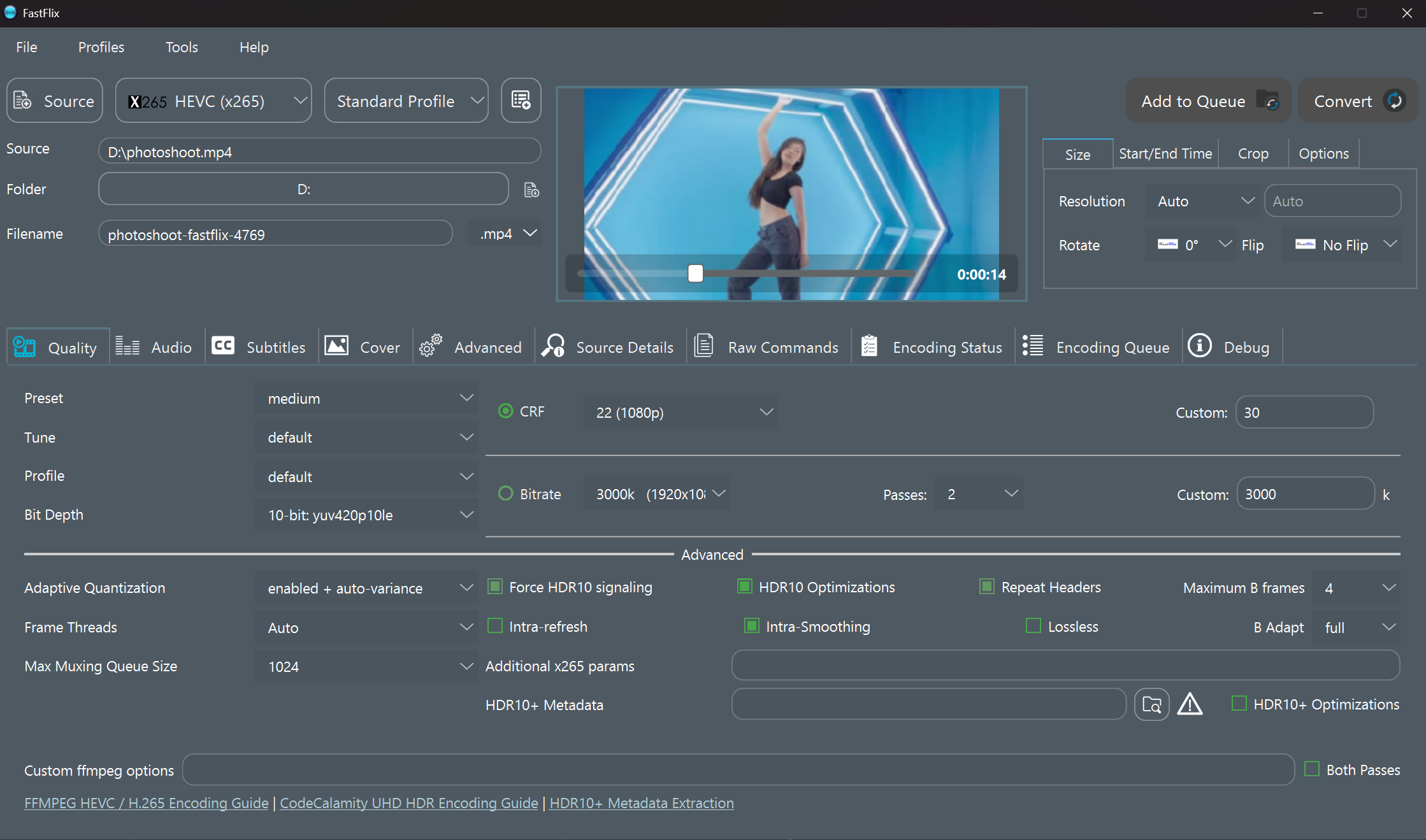
FastFlix is a Python application with a graphical window that builds and runs FFmpeg commands. FFmpeg is the program almost every video tool uses underneath. Its focus is the modern codecs — HEVC, AV1, VP9 — and the careful handling of HDR10, HDR10+ and Dolby Vision brightness information.
What it is good for. Someone who wants AV1 or careful HDR output and finds a full transcoding suite more than they need. The brightness metadata is the real argument: a simple converter usually discards it, and the result looks washed out on a television that could have shown it properly. At 1,574 stars it is a genuine hidden gem, and it is the smallest project in this edition after fontc.
- Plain, unmodified MIT with a named holder, "Copyright (c) 2019-2025 Chris Griffith", and no conditions on what you make with it.
- HDR10, HDR10+ and Dolby Vision metadata are carried through rather than dropped, which is unusual in a small tool.
- Because it only writes FFmpeg commands, the output is reproducible outside the window, and the window is a thin layer over something standard.
- FFmpeg is not included and must be supplied separately. The README says you need
ffmpegandffprobeon the system path, version 4.3 or later, and recommends the newest development build because some features need it. It also warns that an FFmpeg from a package manager may not support all the encoders. This is the hidden cost: the window is small and free, and finding a correctly built FFmpeg is the actual work. - Its package-index version is seventeen months and two major versions behind its own releases.
pip install fastflixinstalls 5.12.0, dated 4 May 2025, while the current release is 6.2.1 of 21 March 2026. Download the build from the releases page instead. Prebuilt packages exist for Windows, for macOS 14 on Apple Silicon only, and for Ubuntu 22.04 and 24.04 on 64-bit Intel — there is no Intel Mac build and no ARM Linux build. - Hardware encoding needs more downloads again: the separate NVEncC, QSVEncC or VCEEncC programs, which it can fetch by itself on Windows only. It publishes no memory, disk or processor figure; the only resource note anywhere in the project is a troubleshooting line saying that burning in subtitles is probably what is using the memory. Its own third-party licence list is stale: it still names Python 3.7.2 and PyQt5, while the current code needs Python 3.13 and uses PySide6, and the licence file says 2019-2025 while the website says 2019-2026.
 HandBrake/HandBrake
It bundles its own engine and publishes builds for every desktop system, so nothing external is needed, at the cost of a much larger application.
Track this in Scout- paulpacifico/shutter-encoder
Another window over FFmpeg, covering audio and image conversion and broadcast formats too, so a general media converter rather than a focused video encoder.
Track this in Scout - staxrip/staxrip
The same encoders with far more exposed settings and filter chains, Windows only.
Track this in Scout
git clone https://github.com/cdgriffith/FastFlix.git
cd FastFlix
python3.13 -m venv venv
source venv/bin/activate
pip install setuptools
pip install .
venv/bin/python -m fastflix