In simple English
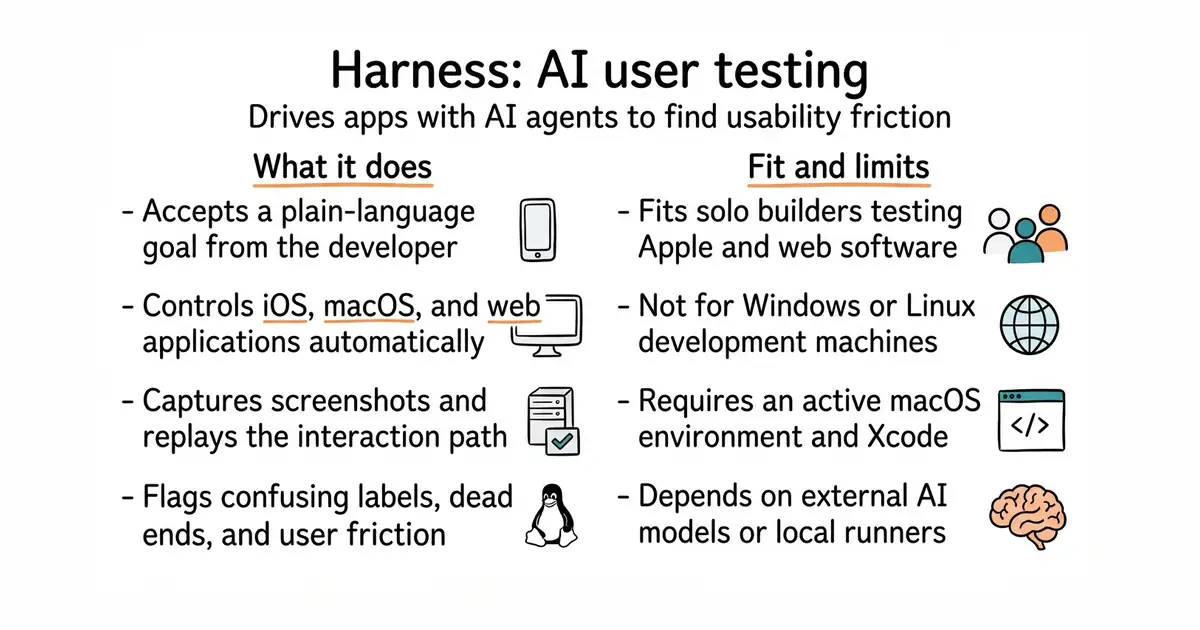
Building an app means checking if buttons work and flows make sense. Doing this by hand takes hours every time you change something. This tool lets an AI agent use your app like a real customer. You write a simple goal, such as creating an account. The agent clicks, types, and reports where people get stuck.
What it is
Harness is a native macOS developer tool that connects an AI agent to an iOS Simulator, a macOS app, or a web app. It reads screenshots, performs clicks and keystrokes, and outputs a step-by-step report of any user experience friction it finds.
What it is good for
Solo developers and small teams who want automated user testing on Apple platforms and the web without writing complex test scripts.
- Tests iOS, macOS, and web applications from a single tool.
- Uses natural language goals instead of scripted test code.
- Integrates with local models or cloud AI providers.
- Requires macOS 14 or newer and Xcode to build from source.
- Needs screen recording and accessibility permissions to control apps.
- Relies on third-party AI service availability and token costs.
Manual UI testing and scripted user interface test files.
Xcode and local AI runners like Ollama.
- appium/appium22k stars
Automates mobile and web applications using WebDriver protocols, but requires manual script creation rather than autonomous AI agents.
- microsoft/playwright98k stars
Automates web browsers for testing and scraping, though it relies on written code rather than natural language goals.


- microsoft/playwright-mcp39k stars
A server that lets an AI assistant drive a real browser, using the page's own structure rather than screenshots.
- Kilo-Org/kilocode28k stars
An open-source coding assistant for VS Code, JetBrains editors and the terminal, which can edit several files at once.
- dyad-sh/dyad22k stars
A desktop program that builds a web application from a written description, running locally with keys the user supplies.
git clone https://github.com/awizemann/harness.git
cd harness
git submodule update --init --recursive
brew install xcodegen
xcodegen generate
open Harness.xcodeproj