Radar check
What we found when we opened it. Every bar is one fact, with its date.
Last code pushed 17 Oct 2026, 10 days before this check.
Latest release v12.23 on 19 Jul 2026.
Public since November 2015, a little over 10 years.
864 stars and 53 forks.
16 commits and 16 new issues in the last 90 days.
4 contributors. 3 pull requests merged in 90 days. A small team carries it.
No security policy file says how to report a problem. No published security advisories.
How the bars are scored
- Alive. Days since the last code push: a week or less 100, a month 90, three months 70, six months 50, a year 30, eighteen months 15, older 0.
- Releases. Age of the latest GitHub release, on a similar scale; no bar when the project publishes no releases.
- Maturity. Age of the project: eight years 100, five 90, three 70, two 55, one 40, six months 25, younger 10.
- Adoption. Stars on a log scale: 100,000 stars is 100, 10,000 is 80, 1,000 is 60, 100 is 40.
- Activity. Commits in the last 90 days: 300 or more 100, 100 85, 30 65, 10 45, any 25.
- Community. People who have contributed: 100 or more 100, 30 80, 10 60, 5 40, 2 25, one 10.
- Security. A published security policy 80, none 40; published advisories are listed, not scored.
Checked by Repo Radar on 28 Oct 2026 from the repository on GitHub.
In simple English
This tool takes large video files or discs and turns them into smaller ones that play on your phone or computer. You load a video, pick a preset, and let it process. It uses another popular tool called HandBrake under the hood. You do not need to pay anything to use it. It runs only on Windows and needs some disk space to work.
What it is
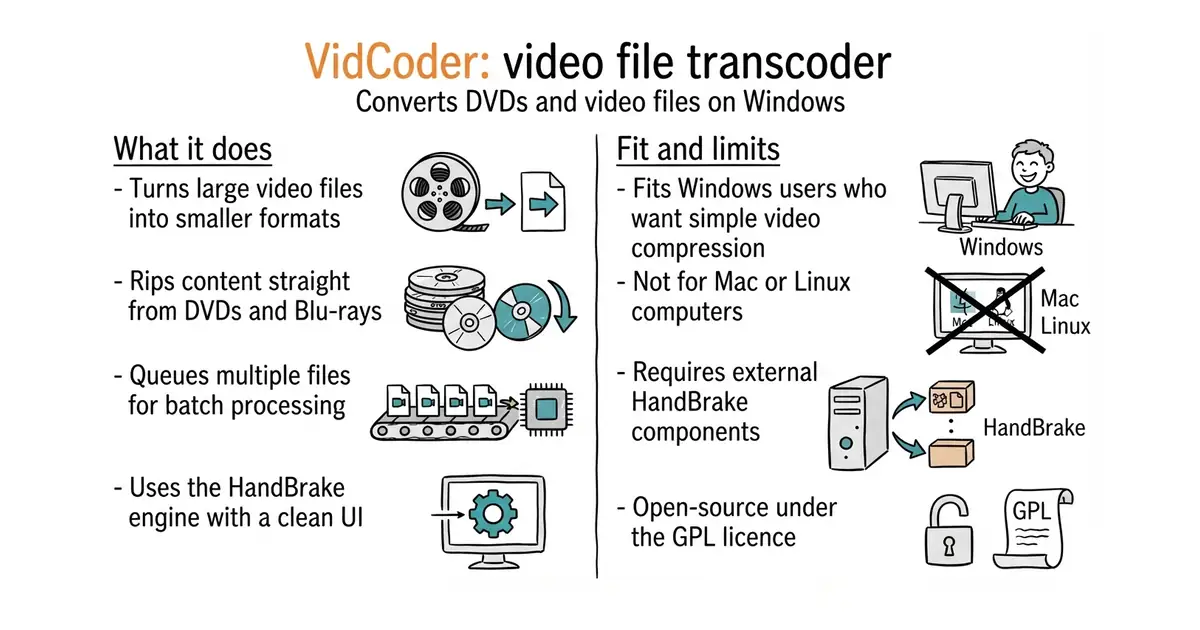
VidCoder is a desktop app for Windows that wraps the core engine of HandBrake in a simpler interface. It reads DVDs, Blu-rays, and regular video files and encodes them into formats like MP4 or MKV.
What it is good for
This is useful for solo builders who want to compress large screen recordings or rip physical media into digital files without dealing with complex command-line settings.
- Provides a clean, easy-to-use window for HandBrake's powerful encoding engine.
- Queues multiple video files so you can convert them overnight.
- Offers a portable version that does not require system installation.
- Runs only on Windows, leaving Mac and Linux users out.
- Relies on HandBrake components, which you must manage alongside it.
- Large number of open issues on GitHub suggests slow bug fixes.
HandBrake GUI
HandBrake
- HandBrake/HandBrake25k stars
The underlying video encoder that powers VidCoder with its own interface.

- mltframework/shotcut16k stars
A mature cross-platform desktop video editor with installers for Linux, macOS and Windows, reading almost any format through FFmpeg.
- spotify/pedalboard6.4k stars
Applies audio effects to recordings from Python, including studio plug-ins, without calling another program.
- iver56/audiomentations2.3k stars
Spoils sound recordings on purpose, 39 ways, so a model trained on them copes with real rooms.
Download the installer or portable zip file directly from the official website at http://vidcoder.net.