15,524 stars · GPL-3.0, named in the About sidebar on 28 October 2026; the README points at a COPYING file for the full text · No release shown in the sidebar; the project publishes installers from shotcut.org instead. Code pushed 27 October 2026 per the mirror at ungh.cc, read on 28 October 2026 · Track this in Rising ↗
A mature cross-platform desktop video editor with installers for Linux, macOS and Windows, reading almost any format through FFmpeg.
Radar check
What we found when we opened it. Every bar is one fact, with its date.
Last code pushed 27 Oct 2026, the same day before this check.
Latest release v26.9.27 on 28 Sep 2026.
Public since April 2012, a little over 14 years.
15,524 stars and 1,553 forks.
154 commits and 34 new issues in the last 90 days.
83 contributors. 28 pull requests merged in 90 days.
No security policy file says how to report a problem. 1 published security advisory.
How the bars are scored
- Alive. Days since the last code push: a week or less 100, a month 90, three months 70, six months 50, a year 30, eighteen months 15, older 0.
- Releases. Age of the latest GitHub release, on a similar scale; no bar when the project publishes no releases.
- Maturity. Age of the project: eight years 100, five 90, three 70, two 55, one 40, six months 25, younger 10.
- Adoption. Stars on a log scale: 100,000 stars is 100, 10,000 is 80, 1,000 is 60, 100 is 40.
- Activity. Commits in the last 90 days: 300 or more 100, 100 85, 30 65, 10 45, any 25.
- Community. People who have contributed: 100 or more 100, 30 80, 10 60, 5 40, 2 25, one 10.
- Security. A published security policy 80, none 40; published advisories are listed, not scored.
Checked by Repo Radar on 28 Oct 2026 from the repository on GitHub. Covered in Edition 64.
▶Repo detailsthe review · specs · pros & cons · install
What it does
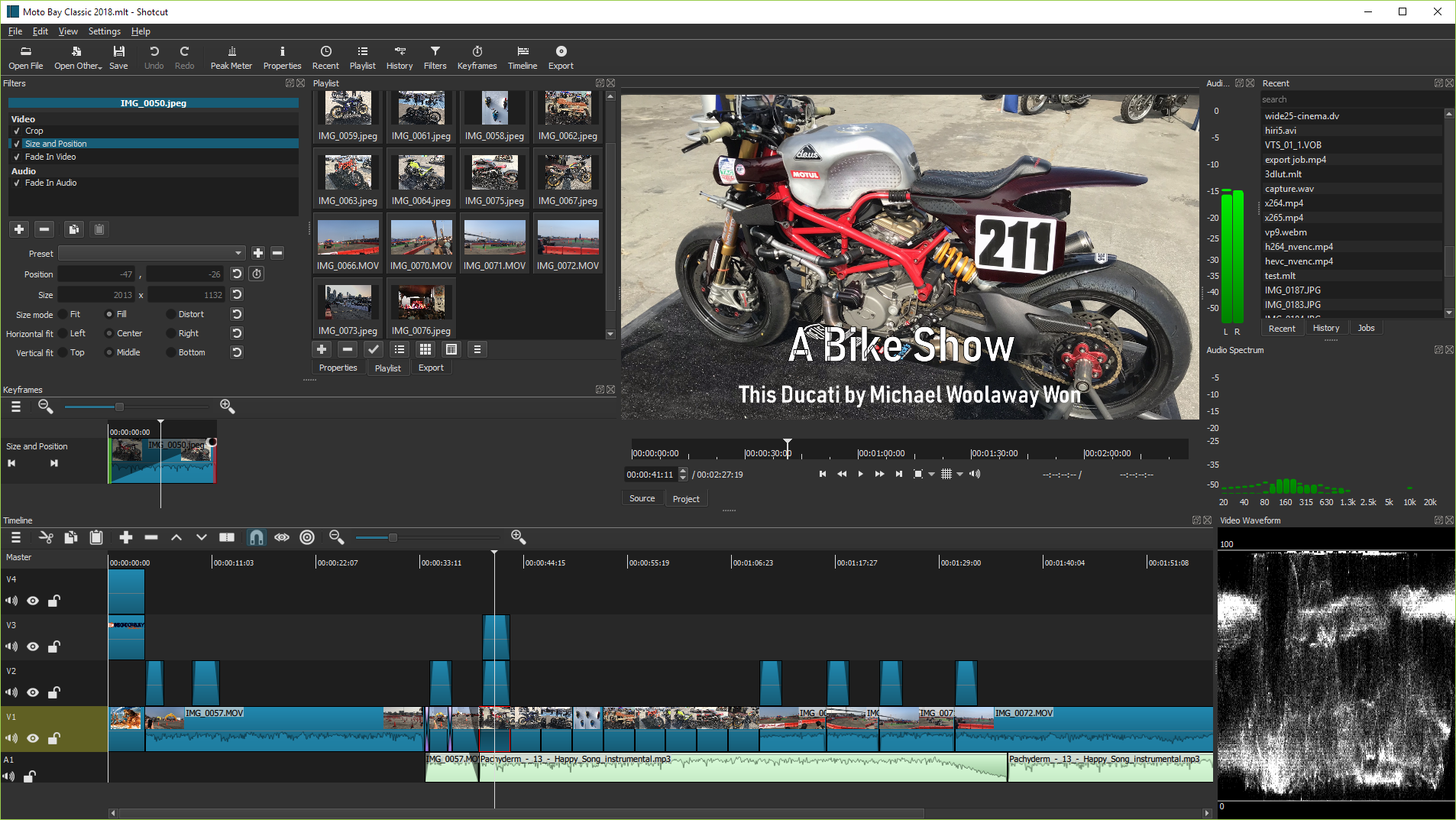
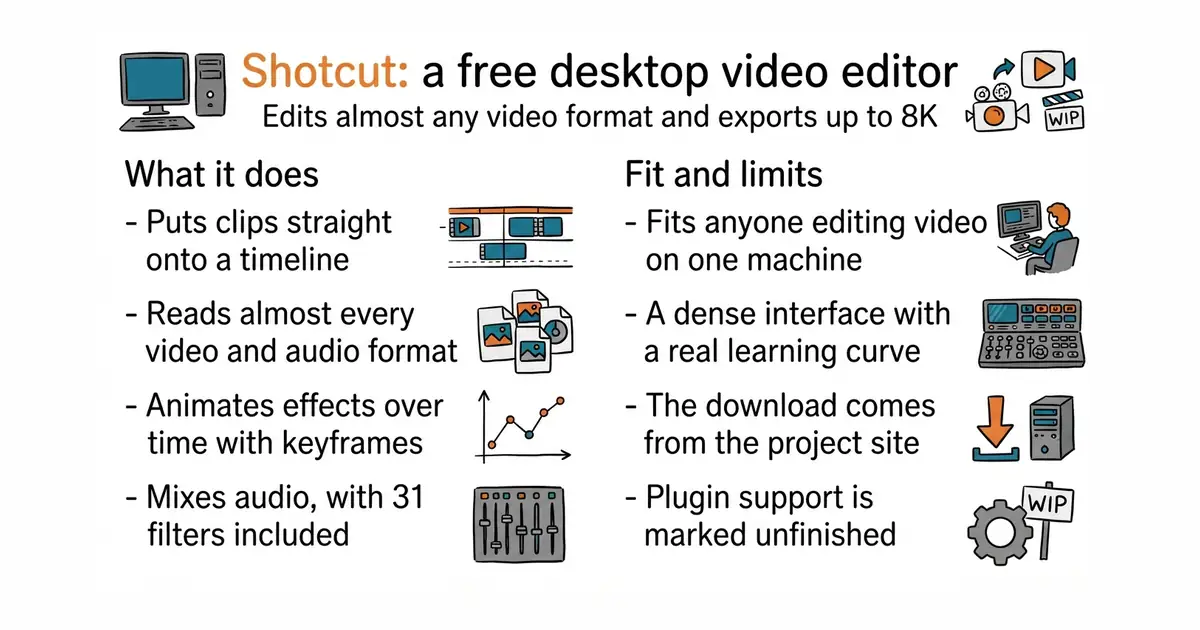
It reads video and audio through FFmpeg, which is the library almost every media program uses, so the list of formats it opens is effectively the list of formats that exist. Clips go straight onto the timeline with no import or conversion step first. It handles resolutions up to 4K and 8K, processes in ten bits from start to finish, and supports the two common high-dynamic-range formats along with converting them back down for ordinary screens. The timeline does multiple tracks, three-point editing, ripple delete and roll edits, and effects can be animated over time with keyframes, including speed ramps, reverse and object motion tracking. There are 31 audio filters, mixing across tracks, voiceover recording and automatic ducking, which lowers the music when somebody speaks. It imports subtitles in the SRT, VTT, ASS and SSA formats and animations made in Lottie, Rive or After Effects, and it bundles a separate program for editing vector animations. Hardware encoding and Blackmagic capture cards are supported. Its own feature list marks VST2, LV2 and OpenFX plugin support as unfinished work, so anyone relying on third-party audio or video plugins should check before committing.
Why it matters
Who it suits. Anyone editing video who does not want a monthly bill and does not want the files leaving the machine. It suits a one-person operation particularly well, because the installer carries everything and there is no project server, no asset manager and no sign-in. Skip it if the work needs collaborative editing with several people on one timeline, or deep third-party plugin chains, since neither is what this is for.
Verdict. The most capable free video editor that arrives as a plain download, and that last part is why it is here rather than its competitors. Code landed on 27 October 2026, the day before this was written, and the project has been going since 2012. Two warnings. The releases section on the repository page is empty, so the version to install comes from the project's own website rather than from GitHub, which trips up anyone expecting the usual download links. And the interface is dense: panels, filters and keyframes all live in different places, and the first hour is spent finding them rather than editing. KDE/kdenlive is the nearest alternative and is built on the same underlying engine, so a reader who dislikes one should genuinely try the other rather than assuming they are the same.
Summary (Key Points)from the README
Key features
- Free and open source: Shotcut is released under GPLv3, with the license text in COPYING.
- Cross-platform: The project describes itself as a cross-platform video editor.
- Regular binaries: The README says binaries are regularly built, so pre-built downloads are available.
- Built on MLT and FFmpeg: Editing runs on the MLT multimedia framework and the FFmpeg codec libraries.
- Qt 6 interface: The UI uses Qt 6, with a 6.4 minimum version.
- Frei0r video plugins: Video effects can use Frei0r plugins.
- Translation through Transifex: Contributors can translate the interface on Transifex.
Ways to install
| Platform or method | What it needs | Effort |
|---|---|---|
| Pre-built binaries | The download location is named in the README but the address is missing from this copy | Low |
| Qt Creator build | Qt Creator and the listed dependencies (Qt 6.4 or newer, MLT, FFmpeg, FFTW, Frei0r, SDL) | Moderate |
| Command-line build | Dependencies and library paths set up, a separate build directory, optional Ninja generator, then build and install | High |
Important
- Beta and contributor use: The README says building from source should be reserved for beta testers or contributors who know what they are doing.
- Install step required: Skipping the install step can make Shotcut fail at run time because it cannot find its QML files.
- Dependency setup: Qt, MLT, Frei0r and related libraries must be found through correctly set paths before a build.
- Incomplete README: The Features and Roadmap sections are empty, and the full dependency list is referenced but not included.
Written by an AI model from the project’s README; not part of the review, and it can be wrong.
- Reads essentially any format, with no conversion step before editing.
- Installers for Windows, macOS and Linux that carry everything needed.
- Real colour depth and high-dynamic-range support, which free editors usually skip.
- A dense interface with a real learning curve, and no guided first project.
- No releases on the repository page, so the download has to come from the project website.
- Plugin support for the common audio and video plugin standards is marked unfinished.
 KDE/kdenlive
A free editor built on the same underlying engine: a different interface over much the same capability.
Track this in Rising ↗- OpenShot/openshot-qt
A free editor aimed at complete beginners: much simpler, and much less capable on long timelines.
Track this in Rising ↗ - mltframework/mlt
The engine underneath this editor and Kdenlive: a toolkit for building editors rather than a program to use.
Track this in Rising ↗
flatpak install flathub org.shotcut.Shotcut
flatpak run org.shotcut.Shotcut