Edition No. 64 · 28 Oct 2026
The wiki with 41,000 stars that is not open source
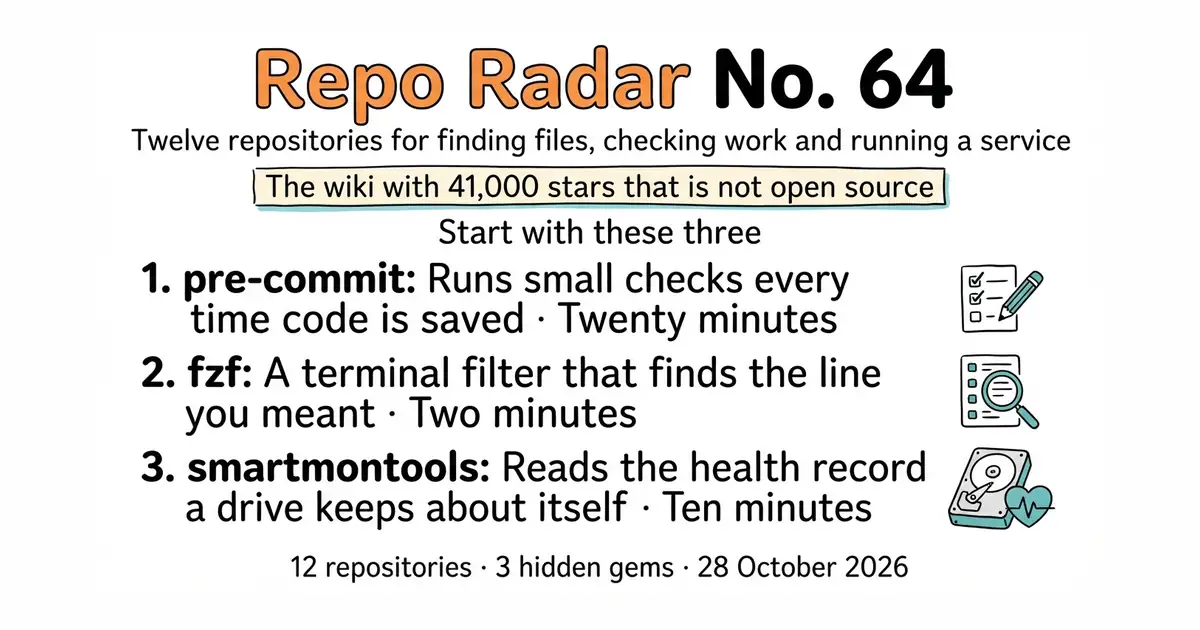
A team wiki with forty-one thousand stars whose own licence says it is not open source, a data framework that now belongs to the Linux Foundation, and the small program that can tell a disk is dying before it dies.
A daily review of twelve open-source projects on GitHub, chosen for how good they are rather than for what they are about. Today: a team wiki whose own licence file says in plain words that it is not open source, a data framework that now belongs to the Linux Foundation, the small program that can tell a disk is failing before it fails, and a ticket shop that lets anyone run it free and forbids reselling it.
We aim for twelve every day. Some candidates fall out while we check them — those are listed at the end, with the reason.
If you only do three things
- pre-commit/pre-commit — twenty minutes, once, on any project with code in it. It runs a list of small checks every time code is saved into the project's history. Mistakes get caught on the machine where they were made, not later. Version 4.7.0 landed on 12 October 2026.
- junegunn/fzf — two minutes. Type a few letters and it narrows a long list down to the one line you wanted. It changes how a terminal feels to use, and it costs one install command.
- smartmontools/smartmontools — ten minutes. Hard disks keep a private record of their own errors and wear. This reads that record and can schedule its own tests. Code landed two days ago.
Every link in one place
| # | Repository | Project site | Stars | Licence |
|---|---|---|---|---|
| 1 | junegunn/fzf | junegunn.github.io/fzf | 82.8k | MIT |
| 2 | smartmontools/smartmontools | smartmontools.org | 1,450 | GPL-2.0 |
| 3 | exiftool/exiftool | exiftool.org | 5.1k | GPL-3.0 or the Artistic Licence |
| 4 | mltframework/shotcut | shotcut.org | 15,524 | GPL-3.0 |
| 5 | fonttools/fonttools | fonttools.readthedocs.io | 5.2k | MIT |
| 6 | alexjlockwood/ShapeShifter | shapeshifter.design | 4.1k | Apache-2.0 |
| 7 | pre-commit/pre-commit | pre-commit.com | 15.6k | MIT |
| 8 | proptest-rs/proptest | proptest-rs.github.io/proptest | 2,300 | Apache-2.0 or MIT |
| 9 | outline/outline | getoutline.com | 41,082 | Business Source Licence 1.1 — not open source |
| 10 | pretix/pretix | pretix.eu | 2,600 | AGPL-3.0 with added terms |
| 11 | SQLMesh/sqlmesh | sqlmesh.readthedocs.io | 3.3k | Apache-2.0 |
| 12 | juanfont/headscale | headscale.net | 43.4k | BSD-3-Clause |
The wiki with 41,000 stars that is not open source
Twelve repositories, checked and reviewed. Every version verified against the GitHub API and dated.

82,800 stars · MIT, named in the About sidebar on 28 October 2026 · v0.74.5, read from /releases/latest as a yearless '11 Oct', which falls in the past this year and is therefore 11 October 2026 · Track this in Rising ↗ · Share this tool
A command-line fuzzy finder that any script can shell out to for interactive selection from a list.
▶Repo detailsthe review · specs · pros & cons · install
What it does
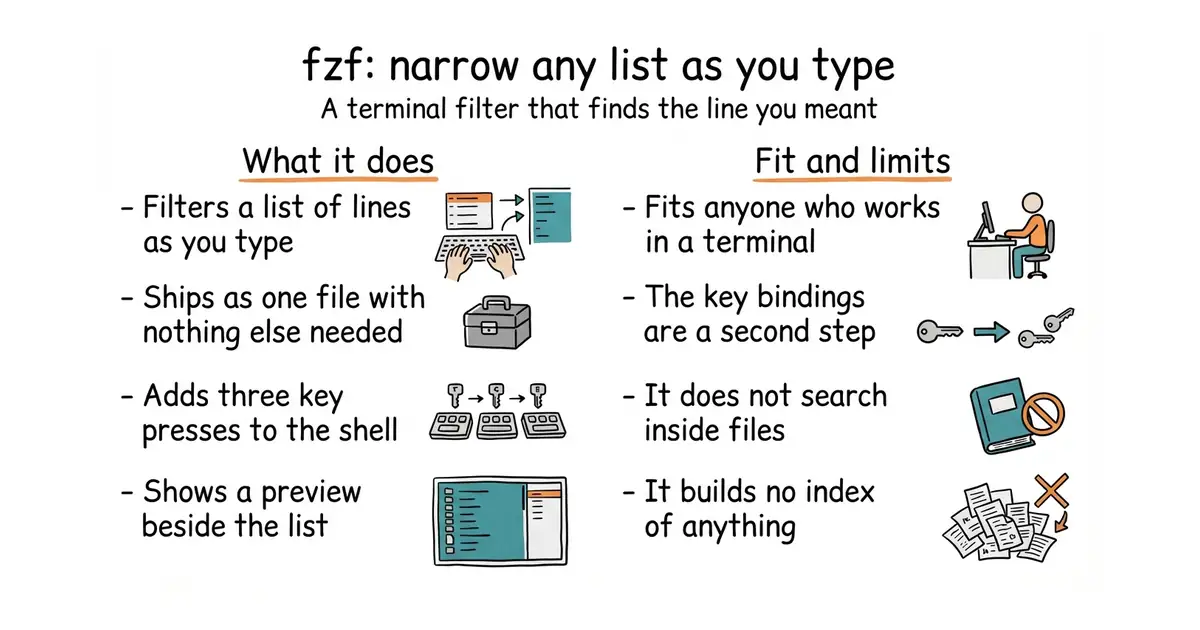
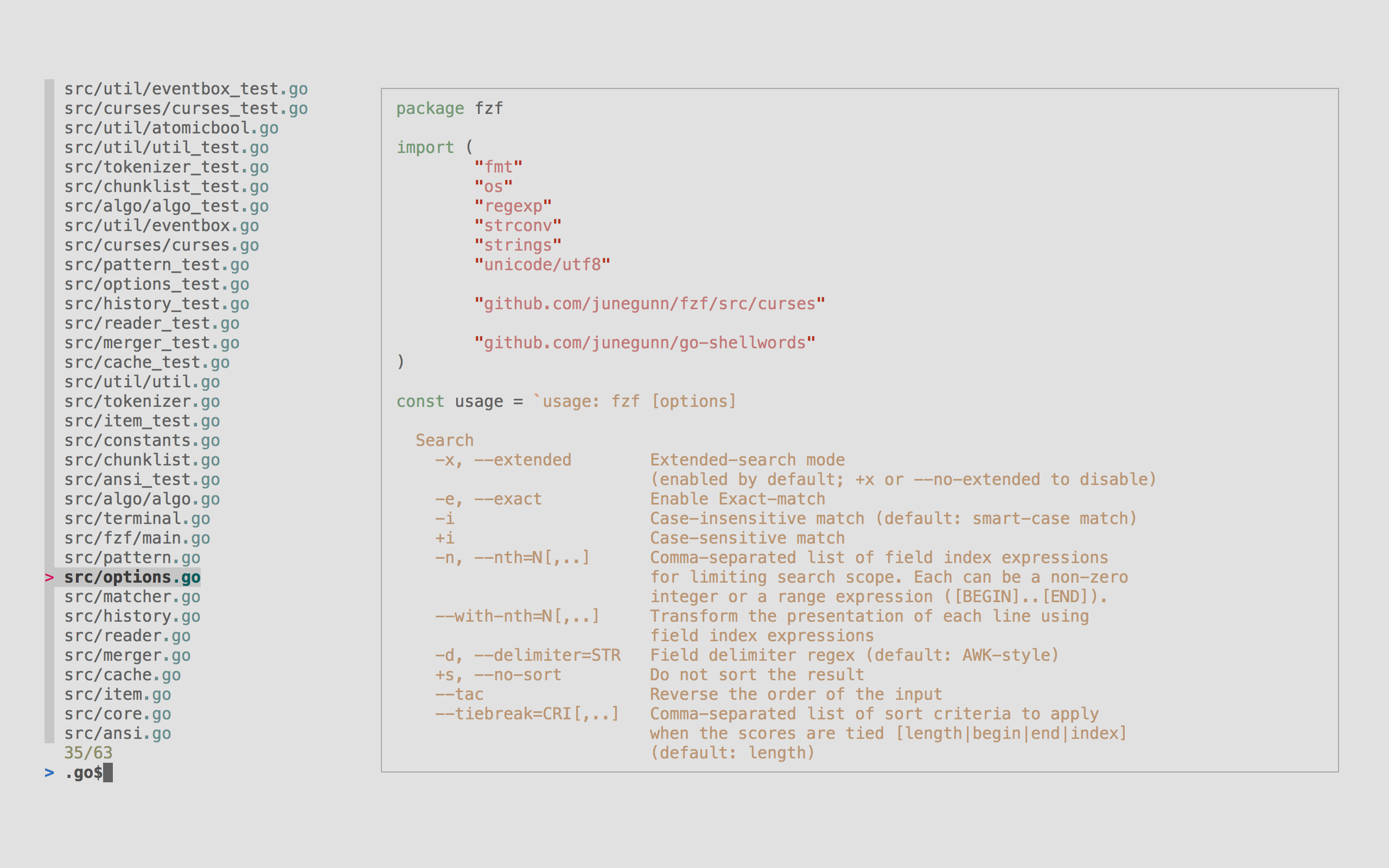
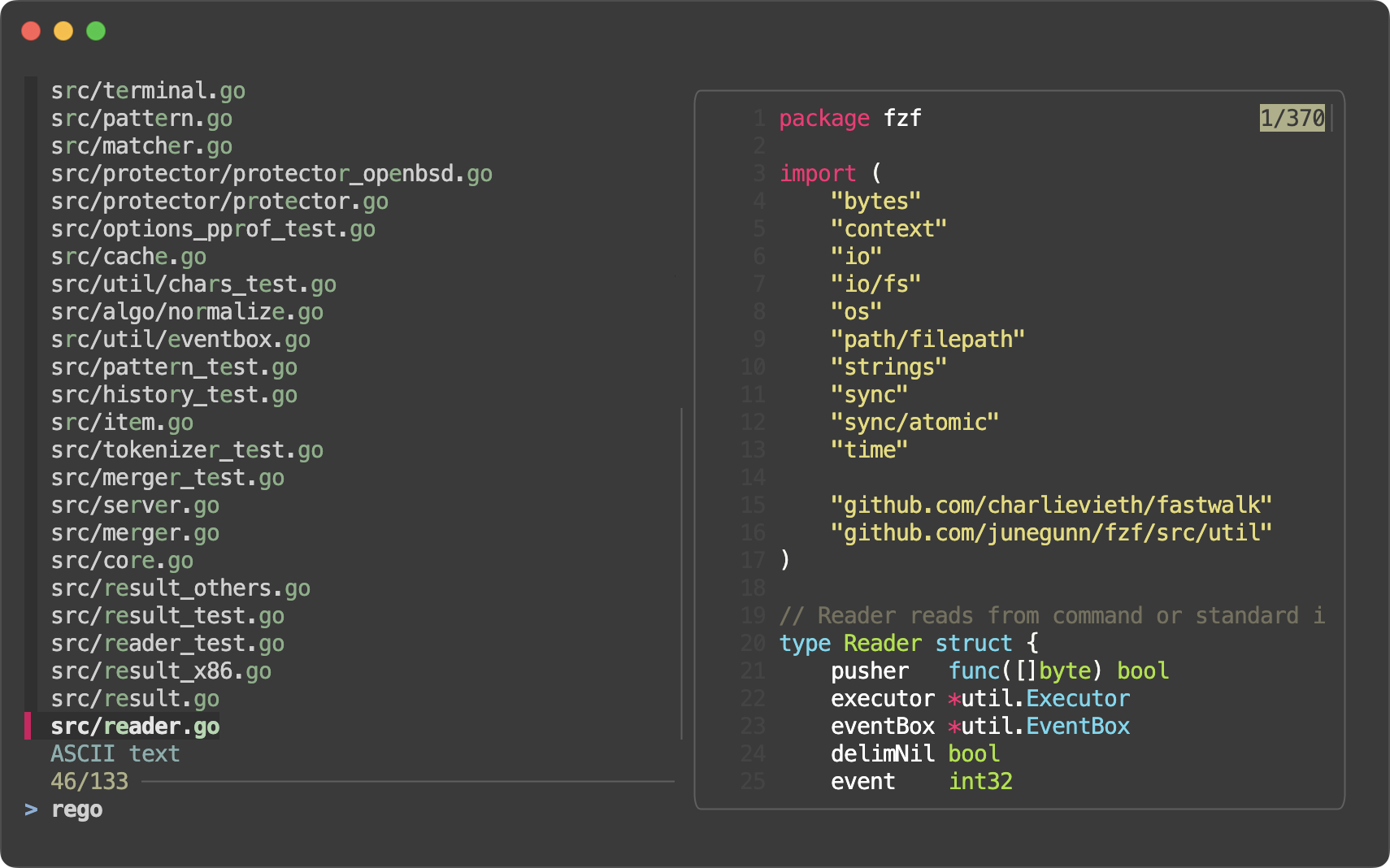
It reads a list of lines and shows them on screen with a box to type in. Every letter you type filters the list, and the letters do not have to be next to each other, which is what "fuzzy" means here. The project says it is built to handle millions of lines in milliseconds. It ships as one compiled file with nothing else to install, and packages exist for thirteen Linux package managers and four on Windows. Installing its shell helpers adds three key presses: CTRL-T picks a file, CTRL-R searches the commands you typed before, and ALT-C jumps into a folder. It works with Bash, Zsh, Fish, Nushell, Vim and Neovim, and it can show a preview beside the list, including pictures in terminals that support the Kitty, iTerm2 or Sixel image methods. The search box understands exact matches, prefixes, suffixes, inverted matches and "either or". It does not search inside files and it builds no index of anything: it filters the list it is handed, and something else has to produce that list.
Why it matters
Who it suits. Anyone who spends part of the day in a terminal and keeps losing time to typing out long paths or scrolling back through old commands. It also suits anyone writing a small script who needs a human to choose from a list, because a script can hand this a list and read back the choice in one line. Skip it if the terminal is not where the work happens, because the gain is entirely in that one place.
Verdict. The best two minutes in today's twelve, and the least risky. There is nothing to configure, nothing running in the background, and removing it leaves no trace. The one honest caution is that the shell key bindings are the part that makes it feel magic, and they are a separate step after the install, so anyone who stops after the package manager will wonder what the fuss was about. The popup window mode needs tmux 3.3 or newer, or Zellij 0.44 or newer, so an older setup gets the full-screen mode instead. skim-rs/skim is a close alternative written in Rust, and Edition 45 covered charmbracelet/gum, which is the better pick when a script needs menus and text boxes rather than a filter.
Summary (Key Points)from the README
Key features
- Single binary: Distributed as one binary, so installation is simple.
- Speed: Optimized to process millions of items in milliseconds.
- Search syntax: Extended-search mode accepts space-separated tokens such as `^music`, `.mp3$`, `!fire`, and `'wild'`, and a single bar `|` acts as OR.
- Shell integration: Key bindings and fuzzy completion work in Bash, Zsh, Fish, and Nushell, plus Vim and Neovim plugins.
- Key bindings: CTRL-T pastes selected files and directories, CTRL-R searches command history, and ALT-C changes into a selected directory.
- Display modes: Runs fullscreen by default, inline with `--height`, or in a popup with `--popup` on tmux 3.3+ or Zellij 0.44+.
- Preview window: Runs an external command on the current line, supports ANSI colors, and can show images via the Kitty, iTerm2, or Sixel protocols.
- Style presets and schemes: Start from `--style` presets (default, full, minimal) and tune the algorithm with `--scheme` (default, path, history).
- Programmable: An event-driven design supports custom bindings, reloading candidate lists, and `become(...)` to hand off to another process.
Ways to install
| Platform or method | What it needs | Effort |
|---|---|---|
| Homebrew (macOS or Linux) | Homebrew installed | Low: one command |
| MacPorts | MacPorts installed | Low: one command |
| Mise | mise installed | Low |
| Linux packages | The distribution's package manager (APK, APT, DNF, Pacman, Nix, and others) | Low: one command |
| Windows packages | Chocolatey, Scoop, Winget, or MSYS2 | Low: one command |
| Git clone | git, then running the included install script | Medium: the script edits your shell configuration |
| Binary releases | Downloading the binary from the releases page and placing it yourself | Medium: manual setup |
Important
- Shell integration is separate: Installing the package does not enable key bindings or completion; you must add the sourcing line to your shell configuration file.
- Version limits: The `--bash`, `--zsh`, `--fish`, and `--nushell` options exist only in recent versions; older versions need the script files sourced directly.
- Nushell requirements: Fuzzy completion needs Nushell 0.116.1 or newer, and on 0.103.0 or later `**` completion works only for external commands.
- Fish completion limits: Wildcard expansion is limited by the number of results the shell returns.
- Custom completion is experimental: The custom completion API is marked experimental and may change.
- Environment variable gaps: `FZF_DEFAULT_COMMAND` is not used by shell integration, and a non-empty `FZF_CTRL_R_COMMAND` override is not yet supported and triggers a warning.
- Disabling bindings: Variables such as `FZF_CTRL_R_COMMAND` must be set when sourcing the script; setting them afterward has no effect.
- Popup fallback: `--popup` is silently ignored outside tmux or Zellij.
- Preview in defaults: The README advises against adding `--preview` to `FZF_DEFAULT_OPTS`, because fzf is a general text filter rather than a file finder.
- Performance costs: `--ansi` slows the initial scan, `--nth` and `--with-nth` slow processing, and regex delimiters are slower than plain string delimiters.
Written by an AI model from the project’s README; not part of the review, and it can be wrong.
- One compiled file, installable in a line, with nothing to run afterwards.
- The three shell key presses pay for themselves in the first hour.
- Any script can use it as a chooser, which removes a lot of fiddly prompt code.
- The key bindings are a second installation step, and the tool is far less useful without them.
- It filters a list and nothing else, so it does not replace a tool that searches inside files.
- The popup mode needs a recent tmux or Zellij, and older versions fall back to full screen.
- skim-rs/skim
The same idea as a single sk command, written in Rust, with a slightly different scoring of matches.
Track this in Rising ↗ - jhawthorn/fzy
A small, quick fuzzy selector with fewer features and a scoring method that favours word beginnings.
Track this in Rising ↗  charmbracelet/gum
Adds menus, prompts and styled output to shell scripts: a toolkit for asking questions rather than a filter.
Track this in Rising ↗
sudo apt install fzf          # Debian or Ubuntu
brew install fzf              # macOS or Linuxbrew


1,450 stars · GPL-2.0, named in the About sidebar on 28 October 2026 · No release shown in the sidebar; code pushed 26 October 2026 per the mirror at ungh.cc, read on 28 October 2026 · Track this in Rising ↗ · Share this tool
Reads and schedules checks of the health figures that hard drives keep about themselves.
▶Repo detailsthe review · specs · pros & cons · install
What it does
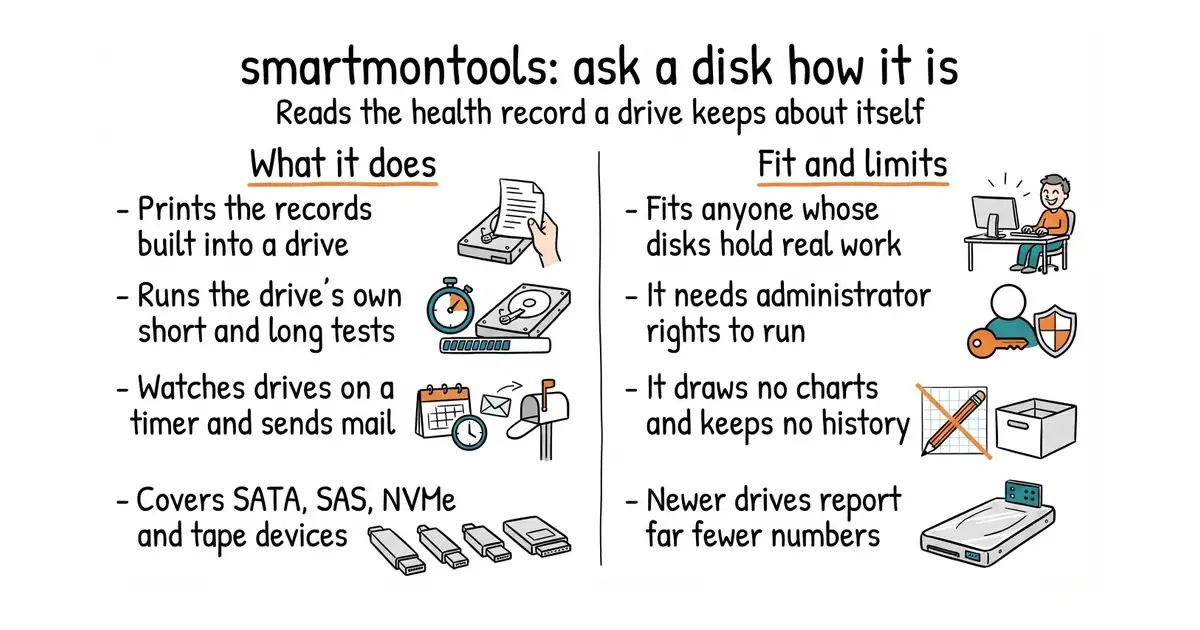
It is two programs. smartctl asks a drive a question once and prints the answer, and smartd sits in the background, asks on a timer and sends an email when something looks wrong. Both speak to the records built into the drive, which the industry calls SMART. It covers ATA and SATA disks, SCSI and SAS disks, NVMe solid-state drives, and SCSI or SAS tape devices. It runs on Linux, FreeBSD, NetBSD, OpenBSD, macOS, Solaris, Windows, Cygwin, OS/2 and QNX, and it is on several rescue discs, which is how it ends up being the tool used on a machine that will no longer start properly. It can run two kinds of self-test, a short one that takes a couple of minutes and a long one that reads the whole surface. It changes nothing on the disk and repairs nothing. It also draws no charts and keeps no history, and the project is careful to say it gives early warning only "in many cases", so it is a better warning than nothing and not a promise.
Why it matters
Who it suits. Anyone with a machine whose disks hold work that would be painful to lose: a home file store, a small office machine, a rented server with a database on it. The case for it is that drives usually give notice and nobody is listening. Reallocated sectors climb for weeks, and the failure still arrives as a surprise. Skip it if the data already has a tested backup somewhere else and the machine itself is disposable, because then a dead disk is an afternoon rather than a disaster.
Verdict. Worth ten minutes, and the ten minutes are mostly reading the output. Three practical notes. It must be run with administrator rights, because the commands that interrogate a drive are not available otherwise. Modern NVMe drives publish far fewer numbers than older SATA ones, so expect a shorter report from a new machine. And the sensible habit is to watch for a counter that moves, not for a counter that is simply not zero, because the raw figures are noisy and a single reading means very little. Nothing in the repository's own releases section settles when the current version was cut, but code landed on 26 October 2026, two days before this was written. Edition 63 covered prometheus-community/smartctl_exporter, which publishes these same figures for a monitoring system to watch, and AnalogJ/scrutiny is the right choice for anyone who wants a screen and a history rather than a command.
Summary (Key Points)from the README
Key features
- Disk monitoring: The smartctl and smartd utilities control and monitor storage through SMART, the Self-Monitoring, Analysis and Reporting Technology built into most modern disks.
- Disk type coverage: Supports ATA/SATA, SCSI/SAS and NVMe disks, plus SCSI/SAS tape devices.
- Early warning: In many cases, the utilities can give advance warning of disk degradation and failure.
- Broad OS support: Should run on modern Linux, FreeBSD, NetBSD, OpenBSD, Darwin (macOS), Solaris, Windows, Cygwin, OS/2, eComStation and QNX.
- Live media: Can also be run from one of many Live CDs/DVDs.
- Lineage: Originally derived from the Linux smartsuite package.
- Code signing: Release binaries use free code signing provided by SignPath.io and a free certificate from the SignPath Foundation.
- Open license: Released under the GNU GPL Version 2.
Important
- Hardware dependence: Monitoring only works on disks with SMART built in, which the README describes as most modern ATA/SATA, SCSI/SAS and NVMe disks.
- No guaranteed warning: The README says "in many cases" for advance warning, so it should not be relied on as a guarantee of detecting failure.
- Platform claims: The README says the program "should run" on the listed systems, which does not promise full support on each one.
- No install steps: The README gives no installation commands or instructions; it only links to the project homepage, CI builds and releases.
- License terms: Use and redistribution are governed by GPL Version 2.
Written by an AI model from the project’s README; not part of the review, and it can be wrong.
- Covers SATA, SAS and NVMe drives and tape devices, on ten operating systems.
- Runs the drive's own short and long self-tests, so the disk checks itself.
- Thirty years of accumulated knowledge about which manufacturer reports what, which is the part nobody can rewrite quickly.
- Needs administrator rights, which is a real decision on a shared machine.
- The output is a wall of numbers with no explanation, and reading it is a skill.
- No charts, no trends and no history, so a single reading tells you less than it looks.
 AnalogJ/scrutiny
A web screen built on top of this one, which keeps history and uses realistic failure thresholds.
Track this in Rising ↗ prometheus-community/smartctl_exporter
Publishes these figures for a monitoring system, needs this program installed and raises no alarm of its own.
Track this in Rising ↗
sudo apt install smartmontools      # Debian or Ubuntu
brew install smartmontools          # macOS

5,100 stars · ⚠ TWO LICENCES, ONE NAMED. The About sidebar names GPL-3.0; the README says the code may be redistributed under the same terms as Perl itself, which means the Perl Artistic Licence OR the GPL. Both are open source, so this is permission rather than restriction, and it is recorded because the sidebar alone is misleading. · 13.59 per the repository README; the Perl package archive has 13.55 from 7 April 2026, so the repository runs AHEAD of its registry — the second project found in that state, after auto-editor · Track this in Rising ↗ · Share this tool
Reads, edits and removes the hidden information stored inside image, video, audio and document files.
▶Repo detailsthe review · specs · pros & cons · install
What it does
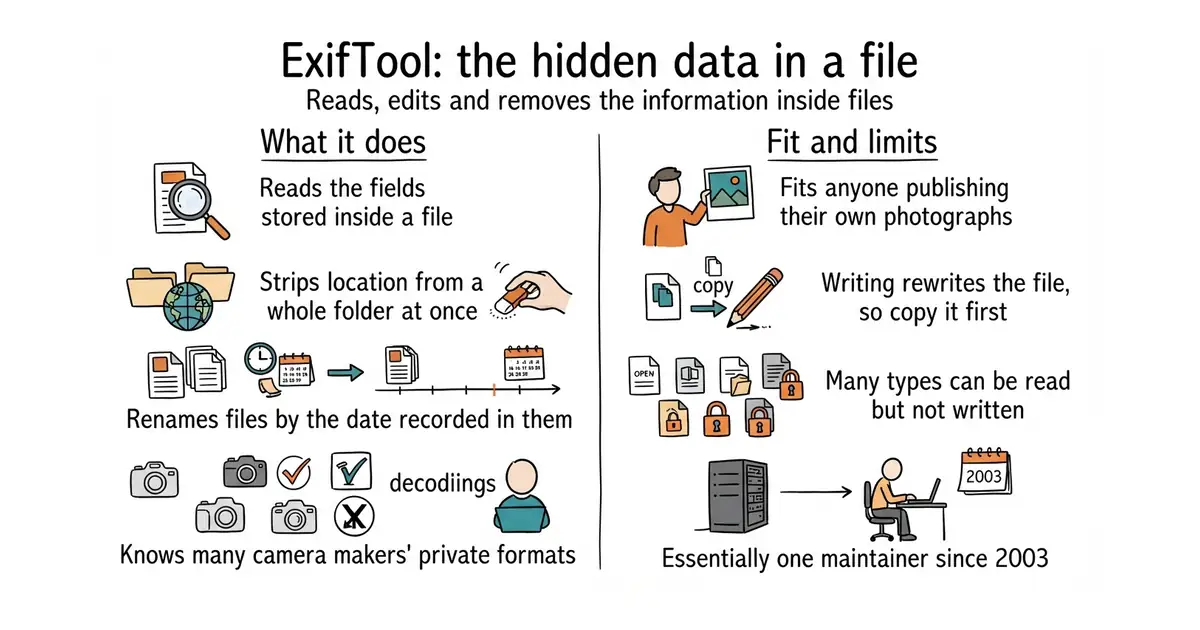
It is a set of Perl modules with a command-line program on top, and Perl is the language it is written in rather than something you need to learn. It handles the main metadata standards, among them EXIF, GPS, IPTC, XMP, the maker notes that camera manufacturers add, embedded colour profiles and the information fields inside a PDF. Its documentation carries a long table of file types, each marked for whether it can be read, written or created, and the honest part of that table is how many types are read-only. It knows the private maker-note formats of a great many camera brands, which is the thing nothing else does as well. Copy every field from one file to another, rename files from the date they were taken, or write a whole folder's worth of changes in one pass. The repository's README shows version 13.59, while the Perl package archive has 13.55 from 7 April 2026, so this is one of the rare projects where the repository runs ahead of its package registry. It does not touch the image itself: nothing is resized, recompressed or corrected, and some less common formats need extra Perl modules installed before they can be decoded.
Why it matters
Who it suits. Anyone publishing photographs who would rather not publish their home address along with them, because a phone writes the exact position into the file and most websites do not remove it. It also suits anyone with a disorganised archive, since renaming thousands of files by the date inside them is a single command. Skip it if the need is to edit pictures rather than the information attached to them, which is a different tool entirely.
Verdict. This is one of the most quietly important programs on this list, and it has been maintained by essentially one person since 2003. That is both the recommendation and the caution. The knowledge inside it about obscure camera formats is close to irreplaceable, and it also means the project's future rests on one maintainer. Practical advice: always test on a copy, because writing metadata rewrites the file, and use -overwrite_original only once the command has been proven on something expendable. The licence is worth a glance, since the About panel names GPL-3.0 while the README says the code may be used under the same terms as Perl, which means the Artistic Licence or the GPL. Either is open source, so in practice this is permission rather than a restriction. For reading a handful of fields inside a Python program, ianare/exif-py is far lighter.
Summary (Key Points)from the README
Key features
- Broad format coverage: Reads metadata from a long list of file types, with write (w) and create (c) support marked per format, such as JPEG, TIFF, PNG, PDF, HEIC, CR3, DNG and XMP.
- Camera maker notes: Decodes maker note information from many manufacturers, including Canon, Nikon, Sony, Olympus/Epson, Panasonic/Leica, Pentax/Asahi, Phase One, DJI and FLIR.
- Metadata standards: Handles EXIF, GPS, IPTC, XMP, Photoshop IRB, ICC Profile, MakerNotes, PDF, QuickTime, Matroska and other metadata formats.
- Perl library and CLI: Works both as a command-line application (the `exiftool` script) and as the Image::ExifTool Perl module for other scripts.
- Metadata conversion: Ships argument files such as exif2xmp.args, xmp2iptc.args and xmp2gps.args for converting between metadata formats.
- Configuration files: Includes sample config files, for example age.config, gps2utm.config, local_time.config and frameCount.config, for custom tag definitions and calculations.
- Output formatting: Provides format files (gpx.fmt, kml.fmt, kml_track.fmt) for generating GPX and KML output.
- Geolocation: Includes a build_geolocation script for building a custom Geolocation database.
- Test suite: Includes verification tests and test images, run with `make test` during installation.
Ways to install
| Platform or method | What it needs | Effort |
|---|---|---|
| Run from the unpacked distribution (`./exiftool file`) | Perl 5.004 or later; the exiftool script and lib directory kept together | Low |
| Install the Image::ExifTool package (`perl Makefile.PL`, `make`, `make test`, `make install`) | Perl, make, and root access for the final step | Medium |
| Manual copy to a PATH directory (for example /usr/bin) | Perl, plus copying the exiftool script and the lib directory | Low |
| Windows cmd shell | Perl; rename `exiftool` to `exiftool.pl`, or run `perl exiftool` | Low |
Important
- Perl required: ExifTool needs Perl 5.004 or later, and some Perl installs (the README cites standard OSX) may lack files needed for the Makefile-based install.
- Keep the lib directory: If you move the exiftool script alone, it will not find its libraries unless you also move lib or install the package.
- Root access: The `make install` step needs root access.
- Optional modules: Several features depend on recommended modules that are not required, such as Compress::Zlib for PNG, PDF and DNG data, and Digest::SHA for PDF with AES-256 encryption. Without them, some compressed or encrypted content may not decode.
- Platform-specific modules: Win32 modules are needed for proper Windows file names and times, and File::StatX is needed for FileCreateDate on Linux.
- Read and write support varies: Many formats are read-only (r), so check the file-type table before relying on writing or creating metadata.
- License: Redistribution is under the Perl Artistic License or GPL, as stated in the README.
Written by an AI model from the project’s README; not part of the review, and it can be wrong.
- Knows the private metadata formats of a very large number of camera brands.
- Strips location and other identifying fields from a whole folder in one command.
- Available in nearly every package manager, with no services and no configuration.
- Writing metadata rewrites the file, so a mistake is permanent unless you worked on a copy.
- Many file types can only be read, not written, and the table of what is possible is long.
- Essentially one maintainer, after more than twenty years, which is a risk worth naming.
 quodlibet/mutagen
Reads and writes audio tags from Python: audio only, and far easier to call from code.
Track this in Rising ↗- ianare/exif-py
Reads image metadata in pure Python with no dependencies: reading only, and nothing like the format coverage.
Track this in Rising ↗ - sylikc/pyexiftool
Keeps one of these processes open so Python can talk to it quickly, so it needs this program installed.
Track this in Rising ↗
sudo apt install libimage-exiftool-perl    # Debian or Ubuntu
brew install exiftool                      # macOS

15,524 stars · GPL-3.0, named in the About sidebar on 28 October 2026; the README points at a COPYING file for the full text · No release shown in the sidebar; the project publishes installers from shotcut.org instead. Code pushed 27 October 2026 per the mirror at ungh.cc, read on 28 October 2026 · Track this in Rising ↗ · Share this tool
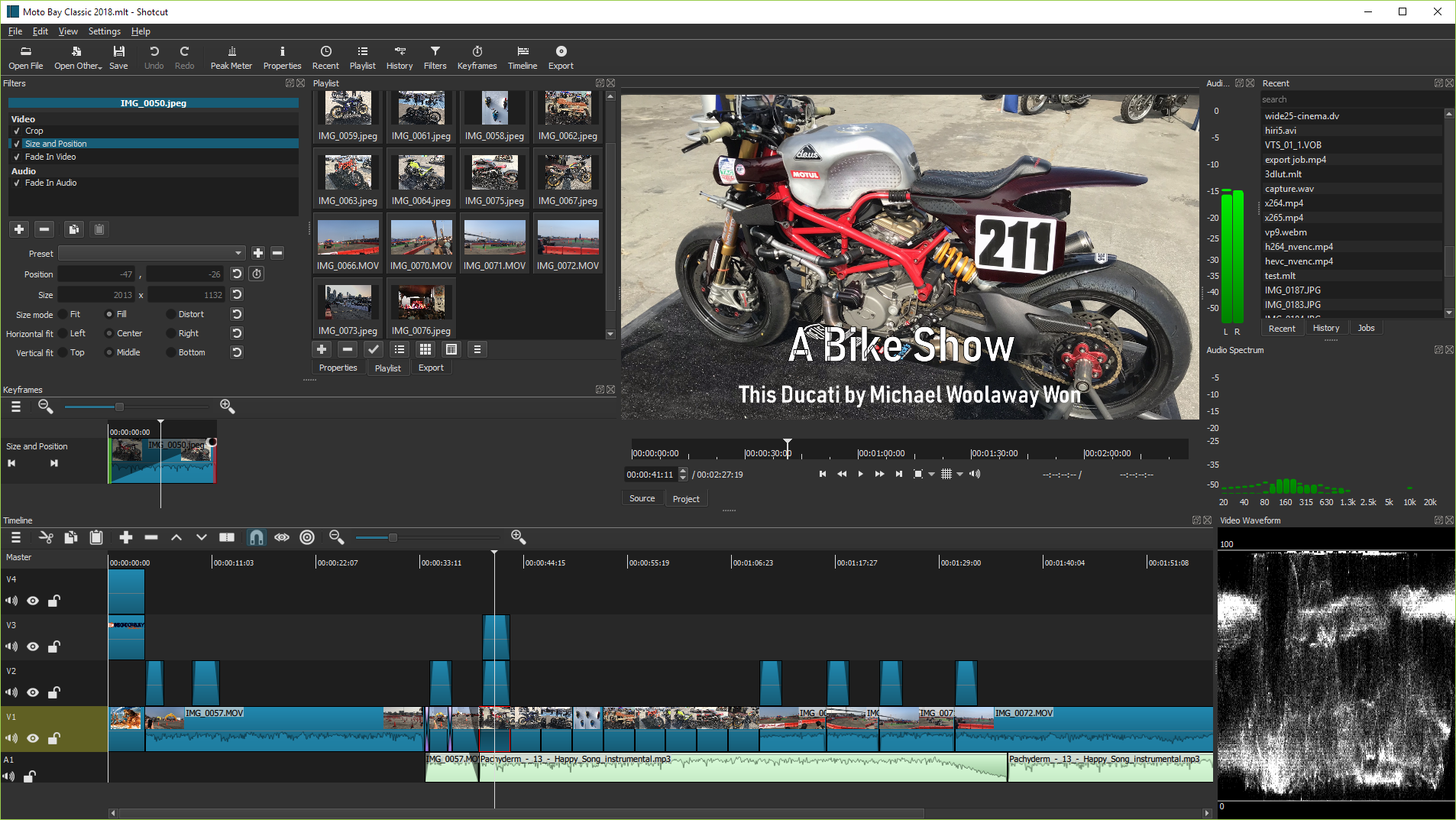
A mature cross-platform desktop video editor with installers for Linux, macOS and Windows, reading almost any format through FFmpeg.
▶Repo detailsthe review · specs · pros & cons · install
What it does
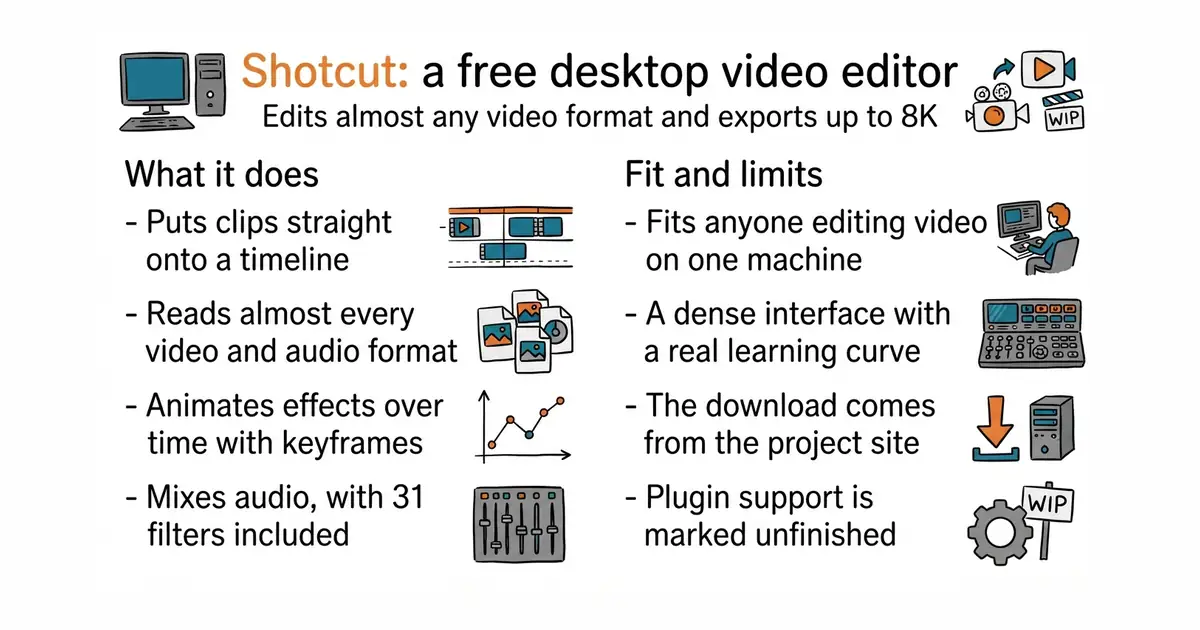
It reads video and audio through FFmpeg, which is the library almost every media program uses, so the list of formats it opens is effectively the list of formats that exist. Clips go straight onto the timeline with no import or conversion step first. It handles resolutions up to 4K and 8K, processes in ten bits from start to finish, and supports the two common high-dynamic-range formats along with converting them back down for ordinary screens. The timeline does multiple tracks, three-point editing, ripple delete and roll edits, and effects can be animated over time with keyframes, including speed ramps, reverse and object motion tracking. There are 31 audio filters, mixing across tracks, voiceover recording and automatic ducking, which lowers the music when somebody speaks. It imports subtitles in the SRT, VTT, ASS and SSA formats and animations made in Lottie, Rive or After Effects, and it bundles a separate program for editing vector animations. Hardware encoding and Blackmagic capture cards are supported. Its own feature list marks VST2, LV2 and OpenFX plugin support as unfinished work, so anyone relying on third-party audio or video plugins should check before committing.
Why it matters
Who it suits. Anyone editing video who does not want a monthly bill and does not want the files leaving the machine. It suits a one-person operation particularly well, because the installer carries everything and there is no project server, no asset manager and no sign-in. Skip it if the work needs collaborative editing with several people on one timeline, or deep third-party plugin chains, since neither is what this is for.
Verdict. The most capable free video editor that arrives as a plain download, and that last part is why it is here rather than its competitors. Code landed on 27 October 2026, the day before this was written, and the project has been going since 2012. Two warnings. The releases section on the repository page is empty, so the version to install comes from the project's own website rather than from GitHub, which trips up anyone expecting the usual download links. And the interface is dense: panels, filters and keyframes all live in different places, and the first hour is spent finding them rather than editing. KDE/kdenlive is the nearest alternative and is built on the same underlying engine, so a reader who dislikes one should genuinely try the other rather than assuming they are the same.
Summary (Key Points)from the README
Key features
- Free and open source: Shotcut is released under GPLv3, with the license text in COPYING.
- Cross-platform: The project describes itself as a cross-platform video editor.
- Regular binaries: The README says binaries are regularly built, so pre-built downloads are available.
- Built on MLT and FFmpeg: Editing runs on the MLT multimedia framework and the FFmpeg codec libraries.
- Qt 6 interface: The UI uses Qt 6, with a 6.4 minimum version.
- Frei0r video plugins: Video effects can use Frei0r plugins.
- Translation through Transifex: Contributors can translate the interface on Transifex.
Ways to install
| Platform or method | What it needs | Effort |
|---|---|---|
| Pre-built binaries | The download location is named in the README but the address is missing from this copy | Low |
| Qt Creator build | Qt Creator and the listed dependencies (Qt 6.4 or newer, MLT, FFmpeg, FFTW, Frei0r, SDL) | Moderate |
| Command-line build | Dependencies and library paths set up, a separate build directory, optional Ninja generator, then build and install | High |
Important
- Beta and contributor use: The README says building from source should be reserved for beta testers or contributors who know what they are doing.
- Install step required: Skipping the install step can make Shotcut fail at run time because it cannot find its QML files.
- Dependency setup: Qt, MLT, Frei0r and related libraries must be found through correctly set paths before a build.
- Incomplete README: The Features and Roadmap sections are empty, and the full dependency list is referenced but not included.
Written by an AI model from the project’s README; not part of the review, and it can be wrong.
- Reads essentially any format, with no conversion step before editing.
- Installers for Windows, macOS and Linux that carry everything needed.
- Real colour depth and high-dynamic-range support, which free editors usually skip.
- A dense interface with a real learning curve, and no guided first project.
- No releases on the repository page, so the download has to come from the project website.
- Plugin support for the common audio and video plugin standards is marked unfinished.
 KDE/kdenlive
A free editor built on the same underlying engine: a different interface over much the same capability.
Track this in Rising ↗- OpenShot/openshot-qt
A free editor aimed at complete beginners: much simpler, and much less capable on long timelines.
Track this in Rising ↗ - mltframework/mlt
The engine underneath this editor and Kdenlive: a toolkit for building editors rather than a program to use.
Track this in Rising ↗
flatpak install flathub org.shotcut.Shotcut
flatpak run org.shotcut.Shotcut

5,200 stars · MIT, named in the About sidebar on 28 October 2026 and on the package index page · 4.68.0, published to the Python package index on 27 October 2026 — the day before this edition · Track this in Rising ↗ · Share this tool
Converts a font file into editable text and back, and manipulates and subsets fonts from Python.
▶Repo detailsthe review · specs · pros & cons · install
What it does
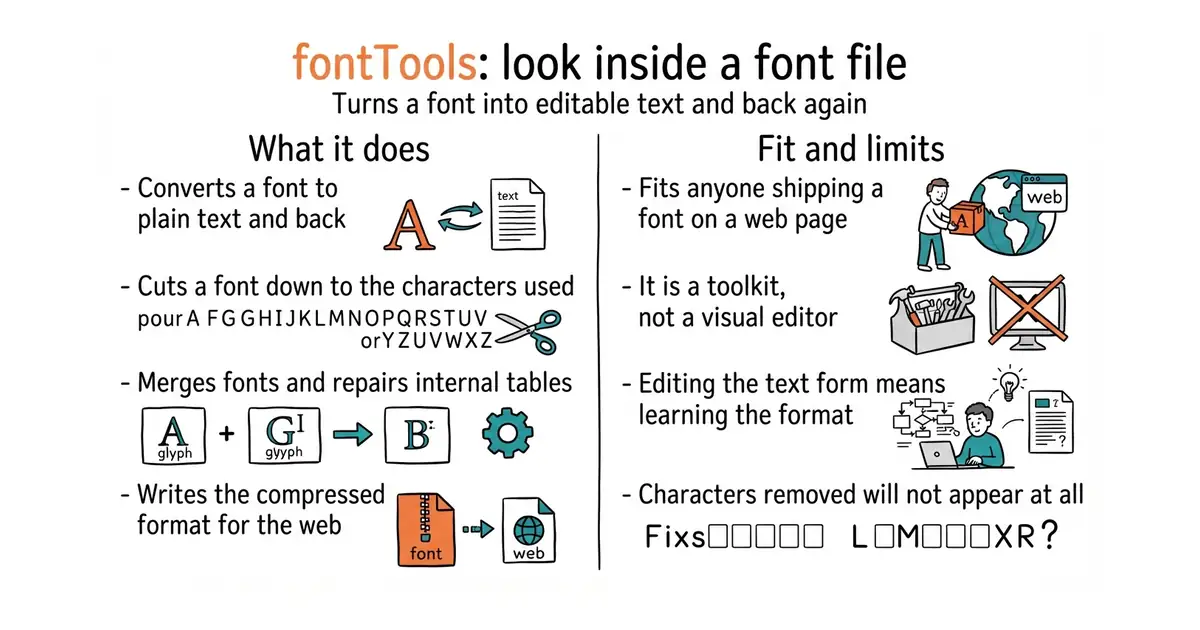
It installs as a Python library with a command-line program called ttx on top. ttx reads a font and writes an XML file, which is a plain-text format a person can open and edit, and then reads that file back and writes a working font. It handles TrueType and OpenType, the two formats used almost everywhere today, plus the older AFM metrics format, and the project says Type 1 and some Mac-specific formats are supported only partly. Beyond conversion it carries the tools a font pipeline needs: subsetting, which removes every letter a page does not use and can cut a file to a fraction of its size, merging, converting to the compressed web format, and inspecting or repairing individual internal tables. Version 4.68.0 was published on 27 October 2026, the day before this was written, and releases arrive most weeks. It is not a font editor: there is no canvas, no drawing, and no way to change the shape of a letter by eye. Everything here is done by editing structured text or by writing Python.
Why it matters
Who it suits. Anyone shipping a web page with a custom font, because subsetting is usually the single largest saving available on a slow-loading page, and this is the standard way to do it. It also suits anyone automating a font build, or anyone who has been handed a font that misbehaves and needs to see what is actually inside it. Skip it if the task is designing letter shapes, which needs an editor with a canvas.
Verdict. This is infrastructure, and almost every other font tool depends on it, which makes it an unusually safe thing to build on. The practical case is simple and worth stating plainly: a full font can be several hundred kilobytes, a subset holding only the characters a page uses can be a few tens of kilobytes, and that difference is felt on a phone. Two cautions. The XML form is faithful rather than friendly, so editing it by hand means learning what the tables mean, and the documentation assumes you already know the vocabulary of the format. And subsetting is a trap when the text on a page is not known in advance, because a letter left out simply does not appear. fontforge/fontforge is the tool for actually drawing letters, and the Google Fonts conversion libraries below sit on top of this one in a real font pipeline.
Summary (Key Points)from the README
Key features
- XML round-tripping: The TTX tool converts TrueType and OpenType fonts to and from an XML text format.
- Format coverage: It supports TrueType, OpenType and AFM, and to an extent Type 1 and some Mac-specific formats.
- No required dependencies: The core library uses only the Python Standard Library; extras are opt-in.
- Faster XML backend: The XML layer prefers lxml when it is installed, as it is generally faster and more secure than the built-in xml.etree.
- WOFF support: WOFF 2.0 compression uses brotli, and WOFF 1.0 can use zopfli instead of zlib for better compression.
- Contour overlap removal: The removeOverlaps module merges overlapping TrueType contours and components using skia-pathops.
- Variable font checks: The varLib interpolatable module finds wrong contour or component order between masters, using SciPy for speed or Munkres as a pure-Python fallback.
- Glyph drawing pens: Pens draw glyphs to Cocoa, Quartz, Qt, ReportLab (PNG) and FreeType raster output.
- Accurate Unicode names: The optional unicodedata2 backport supplies Unicode 18.0 character names when dumping the cmap table with ttx.
Ways to install
| Platform or method | What it needs | Effort |
|---|---|---|
| pip from PyPI | Python 3.11 or later | Low: one pip command |
| Clone from GitHub, editable install | Git, Python 3.11 or later, a virtual environment recommended | Higher: clone, set up a venv, install in editable mode |
Important
- Python version: FontTools requires Python 3.11 or later.
- Partial Type 1 support: Type 1 handling is only supported "to an extent."
- macOS-only extras: The xattr module (for Type 1 file creator and type) and PyObjC (for the Cocoa and Quartz pens) work only on macOS.
- pycairo wheels: Pre-built pycairo wheels are currently available only for Windows; other platforms need pycairo's own installation instructions.
- Optional features need extra packages: Features such as WOFF compression, the interpolatable checks, plotting and the pens each need their own dependencies, installed separately or through extras.
- Pen dependencies: The Qt pen needs PyQt5, the ReportLab pen needs reportlab, and the FreeType pen needs freetype-py.
Written by an AI model from the project’s README; not part of the review, and it can be wrong.
- Turns a font into text and back, which makes an opaque format inspectable.
- Subsetting can cut a web font to a fraction of its size with one command.
- Published most weeks, with the newest version dated the day before this was written.
- No visual editor at all, so changing a letter's shape is out of scope.
- The text form mirrors the format exactly, which means learning the format to edit it.
- Subsetting removes characters permanently, and a page with unexpected text will show gaps.
- fontforge/fontforge
A desktop font editor with a drawing canvas, for designing letters rather than processing files.
Track this in Rising ↗ - googlefonts/ufo2ft
Turns font source files into finished OpenType and TrueType fonts, using this library rather than replacing it.
Track this in Rising ↗ - googlefonts/glyphsLib
Converts one popular editor's source files into the open source format, at the front of the same pipeline.
Track this in Rising ↗
python3 -m venv venv
source venv/bin/activate
pip install fonttools[woff,unicode]

4,100 stars · Apache-2.0, named in the About sidebar on 28 October 2026 · No release shown in the sidebar; code pushed 28 September 2026 per the mirror at ungh.cc, read on 4 October 2026 and NOT re-settled today because the mirror refused this repository · Track this in Rising ↗ · Share this tool
Builds an animation between two SVG paths and exports it for the web or for Android.
▶Repo detailsthe review · specs · pros & cons · install
What it does
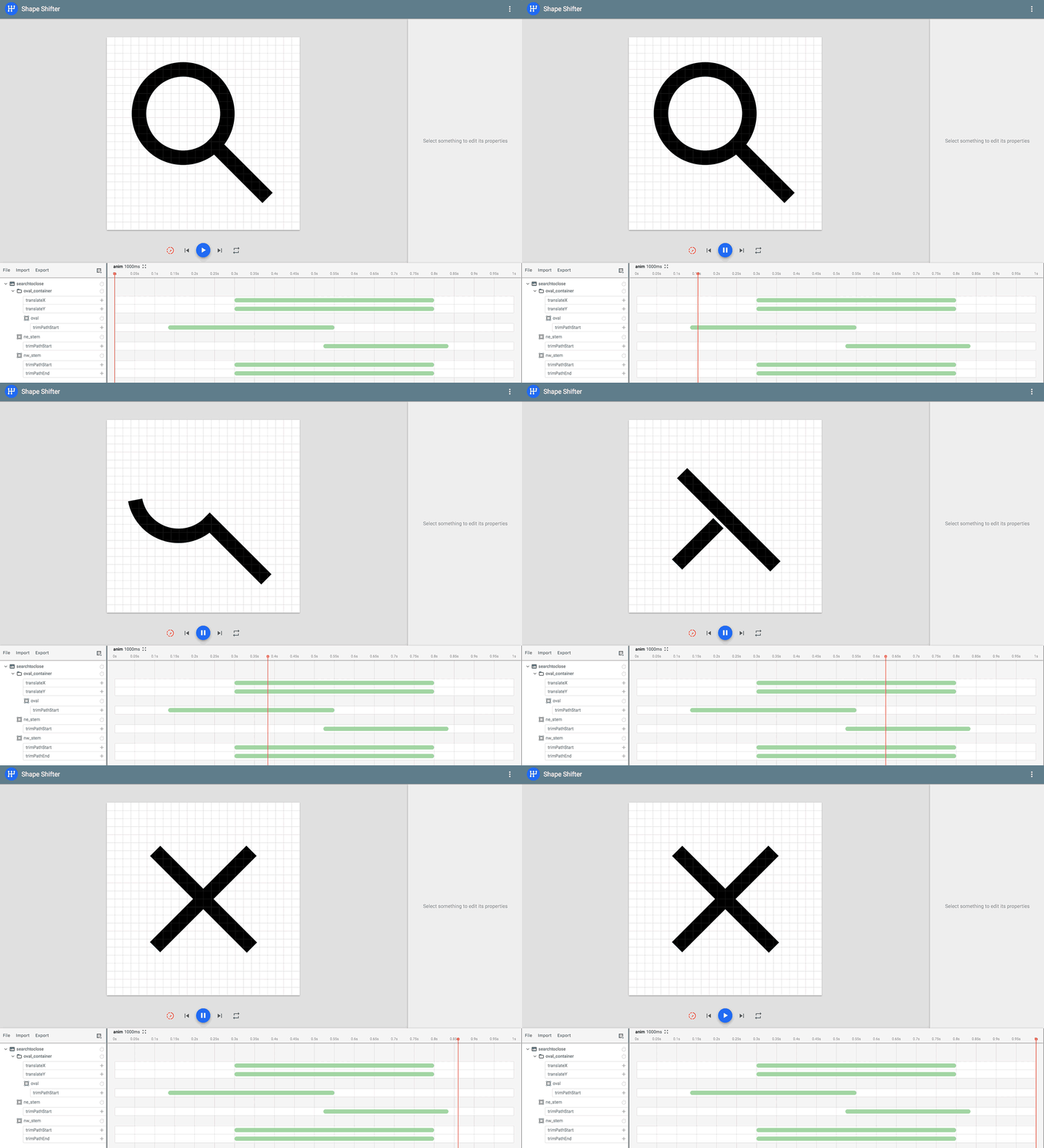
It runs in a browser at its own address, with nothing to install. You give it two versions of a shape, drawn in the SVG format that every design program exports, and it shows both as lists of points you can edit. The hard part of this job is that two shapes can only be animated between each other if they are described with the same number of points in the same order, and the tool exists to fix exactly that: add a point, remove one, reorder them, or let its automatic repair attempt the whole job. It then exports the result four ways, as a standalone SVG, as an SVG spritesheet, as a CSS keyframe animation for a web page, and in the AnimatedVectorDrawable format that Android uses. The project is honest that the automatic repair "may or may not generate a satisfying final result", so manual work remains part of it. Drawing paths directly on the canvas exists only in a separate preview version, so the ordinary tool edits shapes that something else drew. There is no releases section on the repository page; code was last seen landing on 28 September 2026, which is noted below with the date that reading was taken.
Why it matters
Who it suits. Anyone building an interface where a small icon needs to change state smoothly, and who has tried to do it by editing SVG by hand and given up. It suits an Android developer best of all, because the AnimatedVectorDrawable export is otherwise an unpleasant file to write. Skip it if the animation needed is a full illustration or a character moving, since that is a different class of tool.
Verdict. A narrow tool that does its one job better than anything else, and the right way to judge it is by that narrowness. Open it, finish in twenty minutes, and never think about it again. Two notes. It is one person's project and it has been quiet for stretches, so treat the exported files as the deliverable and do not build a workflow that depends on the site staying up. And the automatic repair is genuinely hit and miss on complex shapes, which means a complicated logo will still need somebody moving points by hand. For animations exported from a professional animation program, airbnb/lottie-web is the usual answer, and svg/svgo is the tool to run afterwards to shrink whatever this produces.
Summary (Key Points)from the README
Key features
- Point editing: Add or remove points on each path without changing its original appearance, then drag added points along the path. Points can be deleted from the keyboard.
- Point reordering: Reverse or shift the relative positions of a path's points, which often strongly affects how the resulting animation looks.
- Automatic command conversion: Incompatible pairs of SVG commands are converted into a compatible format behind the scenes, so users no longer need to turn Ls into Qs or As into Cs by hand.
- Auto fix: Takes two incompatible paths and tries to make them compatible in an optimal way. Results depend on path complexity, so manual tweaks may still be needed.
- Multiple export formats: Exports standalone SVGs and SVG spritesheets for the web, and AnimatedVectorDrawable for Android.
- Bezier-based rendering: Graphics are powered by bezier curve approximations, with splitting and projecting of points done so the original appearance is preserved.
- Needleman-Wunsch alignment: Auto fix adapts this bioinformatics sequence-alignment algorithm to align the SVG commands of each path. The implementation lives in AutoAwesome.ts.
Ways to install
| Platform or method | What it needs | Effort |
|---|---|---|
| Live web version | A web browser and a link to the hosted app | None beyond opening the link |
| Local build for contributors | Node.js 24 or later (see .nvmrc), npm 11.10 or later, and a clone of the repository | Install tools, clone, then build and serve locally |
Important
- Node and npm versions: Local builds need Node.js 24 or later and npm 11.10 or later. Older Node 24 releases ship an older npm, so running npm install -g npm may be needed if installs fail with EBADENGINE.
- Auto fix limits: Auto fix does not guarantee a satisfying animation for complex paths, so manual adjustment may be required.
- Export scope: The tool exports only to the formats listed above. Other formats are not yet supported and depend on future feature requests.
- Known issues: The author asks users to check the list of known issues before filing a bug report.
- Test browsers: End-to-end tests run in Chromium, Firefox and WebKit, and can be limited to a single browser by project name.
Written by an AI model from the project’s README; not part of the review, and it can be wrong.
- Nothing to install, and nothing is uploaded: it runs in the browser.
- Solves the specific problem that makes shape animation hard, which is matching up points.
- Exports four ways, including the Android format that is painful to write by hand.
- The automatic repair often fails on complex shapes, leaving manual point editing to do.
- One maintainer and no releases listed, so it is a tool to use rather than to depend on.
- It cannot draw a shape from scratch in the ordinary version, so something else must supply the SVG.
- airbnb/lottie-web
Plays animations exported from professional animation software in a browser: much broader, and it needs that software.
Track this in Rising ↗  svg/svgo
Shrinks SVG files by removing data nothing uses: a cleanup step rather than an animator.
Track this in Rising ↗- svgdotjs/svg.js
A small library for building and animating SVG from code, with no visual editing at all.
Track this in Rising ↗
git clone https://github.com/alexjlockwood/ShapeShifter.git
cd ShapeShifter
npm install
npm start



15,600 stars · MIT, named in the About sidebar on 28 October 2026 and on the package index page · v4.7.0 (2026-10-13) · Track this in Rising ↗ · Share this tool
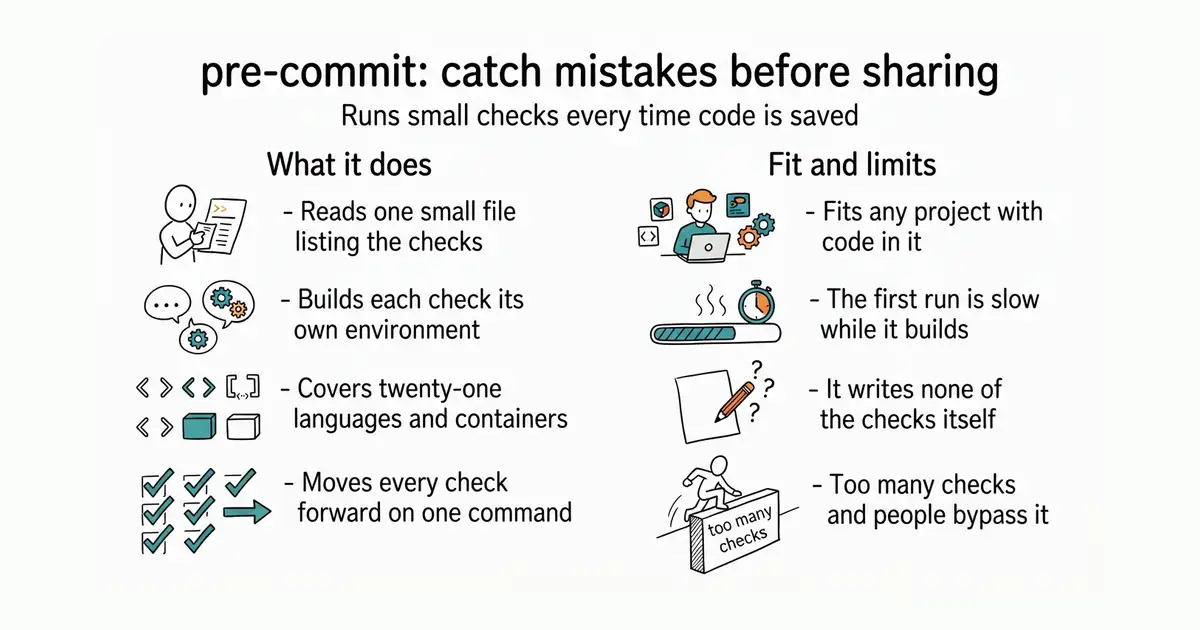
Runs a list of small checks automatically whenever code is saved into a project's history, building each check its own environment.
▶Repo detailsthe review · specs · pros & cons · install
What it does
It reads one file in the project called .pre-commit-config.yaml, which lists the repositories the checks come from, the exact version of each, and which checks to run. The first time a check runs, it builds a private environment for that check and installs whatever that check needs, so nothing is added to the machine's own software. It can do this for 21 different languages, including Python, Node, Go, Rust, Ruby, Perl, Lua, Dart, Swift, Haskell, Julia and R, as well as running a check inside a container. Each check can be limited to particular files by name or by type, given its own arguments, or set to run only at particular moments. pre-commit sample-config writes a starting file, pre-commit install wires it into the project, pre-commit run --all-files checks everything at once, and pre-commit autoupdate moves every check to its newest version. It needs Python 3.11 or newer for itself, although the checks it runs can be written in anything. It writes none of the checks: it is the thing that fetches and runs other people's, and the versions you name must be fixed tags or exact revisions, because branch names are deliberately not supported.
Why it matters
Who it suits. Any project with more than one person in it, and most projects with one. The argument is about where a mistake is caught. A check that runs on a build server catches the same problem twenty minutes later, after it has been shared, and someone then has to go back and fix it. A check that runs on the machine where the code was written catches it before anyone else ever sees it. Skip it if the project already runs the same checks in an editor that everyone uses, since the gain then is small.
Verdict. The gold entry today, and the reason is that it changes a habit rather than adding a tool. Start with three or four checks and no more: trailing whitespace, end-of-file fixing, a check that no large file is being saved, and a scan for anything that looks like a password. Those four alone prevent most of the small annoyances. Then add a formatter for whatever language the project is in, and stop there, because a long list of slow checks makes people work around the whole thing. Three warnings. The first run of each check is slow while it builds its environments, which surprises people into thinking it is broken. A few languages need a system tool installed already, among them R, .NET and Perl's package manager. And checks can rewrite files as they run, so the first save after installing it will often stop and ask you to look at what changed. evilmartians/lefthook is the alternative worth knowing, and it is faster because it does less environment management.
- Builds each check's environment itself, so nothing is installed on the machine by hand.
- Covers 21 languages plus containers, so one tool manages checks for a mixed project.
- Versions are pinned to exact tags, so a check cannot change under the project without a deliberate update.
- The first run is slow while environments are built, which reads as a fault when it is not.
- Some languages need a system tool present already, and the failure message is not always clear.
- A long or slow list of checks makes people bypass it, so restraint is part of using it well.
- evilmartians/lefthook
A hook manager that runs checks in parallel: faster, and it expects the tools to be installed already.
Track this in Rising ↗ - typicode/husky
Wires shell commands into a project's save steps: much simpler, with no environment management.
Track this in Rising ↗
python3 -m venv venv
source venv/bin/activate
pip install pre-commit
pre-commit --version

2,300 stars · Dual Apache-2.0 or MIT, named in the About sidebar on 28 October 2026 · 1.12.0, published to the Rust package registry on 10 October 2026, read from crates.io's API · Track this in Rising ↗ · Share this tool
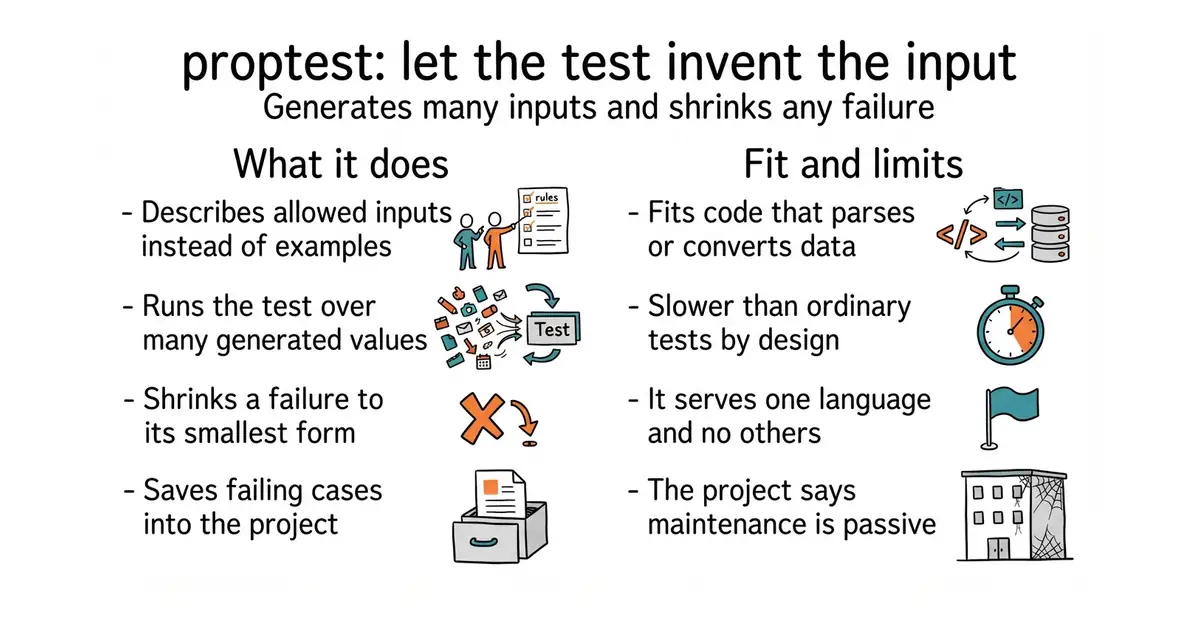
Generates random inputs to check that properties hold and shrinks failures to minimal examples, in Rust.
▶Repo detailsthe review · specs · pros & cons · install
What it does
It is a library added to a project's test dependencies. You write a rule rather than an example: for any two numbers, sorting then reversing gives the same answer as reversing then sorting, say. You then describe the inputs with what the library calls a strategy, which can be as simple as "any whole number" or built up into something complex such as "a list of between one and ten records, each with a name of at most twenty letters". It generates values from that description, runs the test for each, and if one fails it begins shrinking: halving numbers, shortening lists, removing fields, until any further simplification makes the test pass again. The failing case is saved to a file in the project so the same input is tried first on every later run, which turns a lucky catch into a permanent test. Generation and shrinking are defined per value rather than per type, which is what lets a strategy be assembled from parts. The project is clear about the limits: it cannot explore an input space exhaustively, and its README says property testing is "extremely unlikely to find single-value edge cases in a large space", so ordinary tests are still needed alongside it. The README also says the crate "mainly sees passive maintenance", which is the project's own wording.
Why it matters
Who it suits. Anyone writing Rust code that parses, converts or compares things, because those are the places where the mistakes live in inputs nobody imagined: an empty list, a string with no letters in it, two values that happen to be equal. It also suits anyone who has just fixed a bug and wants to be sure the whole family of that bug is gone rather than the one case reported. Skip it if the code is mostly wiring between other systems, where the interesting failures are about the systems rather than the values.
Verdict. Worth an afternoon on the two or three functions in a project that actually transform data, and not worth applying everywhere. The shrinking is the part that earns it: a random failure is noise, and a failure shrunk to "an empty list" or "the number zero" is a bug report that explains itself. Three things to know. The tests are slower than ordinary ones by their nature, so they belong in the slower part of a test run. Writing a good description of the inputs is a real skill, and a sloppy one generates values that are either all alike or all invalid. And the "passive maintenance" note deserves to be read as the project wrote it rather than as a warning sign: version 1.12.0 was published to the Rust package registry on 10 October 2026, eighteen days before this was written. BurntSushi/quickcheck is the simpler alternative in the same language, and HypothesisWorks/hypothesis is where this whole approach is most developed, in Python.
Summary (Key Points)from the README
Key features
- Per-value strategies: Generation and shrinking are defined per value rather than per type, so you can define many different strategies for the same type.
- Automatic minimal shrinking: When a failing input is found, proptest reduces it to a much simpler case, such as reducing a failing date to 0000-10-01.
- Failure persistence: Failing cases are saved in a `proptest-regressions` directory, which the README recommends adding to source control.
- Regex-driven string generation: Strings can be generated from regular expressions, such as `\\PC*` for arbitrary non-control characters or `\\d{4}-\\d{2}-\\d{2}` style patterns for a fixed format.
- Range and expression strategies: Any `Strategy` can be used as a generator, including integer ranges like `0..100`.
- Composition with `prop_map`: You can build a tuple of components and map it into a struct, without hand-written bidirectional mappings.
- Constraint-aware generation: Strategies avoid generating or shrinking to values that violate simple constraints, which reduces input rejections.
- Configurable test runs: The `proptest!` macro accepts configuration, such as the number of test cases to generate.
Important
- Passive maintenance: The crate is described as fairly close to feature-complete, with no substantial architectural changes in quite some time, and it mainly sees passive maintenance.
- MSRV of 1.88: The current minimum supported Rust version is 1.88, and the README promises it will not exceed a stated bound (the text reads "7"), though it may be lower in practice.
- Breaking MSRV changes: Changing the MSRV policy in a backwards-incompatible way would be a major version bump.
- Slower than QuickCheck for complex values: Generating complex values can be up to an order of magnitude slower than in QuickCheck, because proptest keeps intermediate states for its richer shrinking.
- Random sampling limits: Only a random portion of the input space is explored, so single-value edge cases in large spaces are very unlikely to be found; hand-picked unit tests are still needed.
- Strategy design matters: Overly broad strategies, such as `.{1,4096}`, may be good for fuzzing but unlikely to produce inputs that reach deeper code.
Written by an AI model from the project’s README; not part of the review, and it can be wrong.
- Shrinks a failure to the smallest example, which usually explains the bug on sight.
- Saves failing cases to a file, so a one-off catch becomes a permanent test.
- Input descriptions are built from parts, so a complex shape can be described precisely.
- Noticeably slower than ordinary tests, so it does not belong in a fast feedback loop.
- Writing a good input description takes practice, and a poor one finds nothing.
- The project says it sees passive maintenance, so expect few new capabilities.
- BurntSushi/quickcheck
The same approach for the same language: simpler to start with, and less able to describe awkward inputs.
Track this in Rising ↗  HypothesisWorks/hypothesis
The most developed library of this kind, for Python, and the one that inspired this.
Track this in Rising ↗- dubzzz/fast-check
The same approach for JavaScript and TypeScript, the natural choice for a web project.
Track this in Rising ↗
cargo add proptest --dev

41,082 stars · ⚠ Business Source Licence 1.1 — NOT OPEN SOURCE, in the licence file's own words. Licensor General Outline, Inc.; change date 12 October 2030, after which that version is available under Apache-2.0; one Additional Use Grant restriction, which forbids using it for a Document Service, defined as a commercial offering that lets third parties create teams and documents of their own. The About sidebar links the licence without naming it, so the file had to be read. · v1.12.0 (2026-10-23) · Track this in Rising ↗ · Share this tool
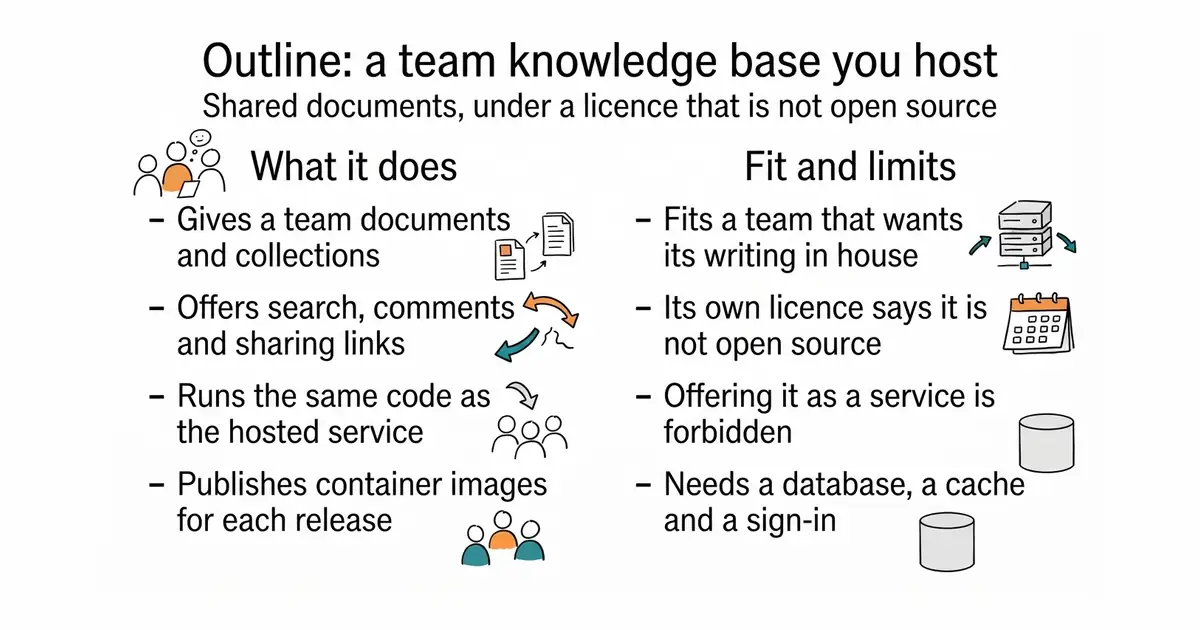
A team knowledge base you can run yourself, under a licence whose own text says it is not open source.
▶Repo detailsthe review · specs · pros & cons · install
What it does
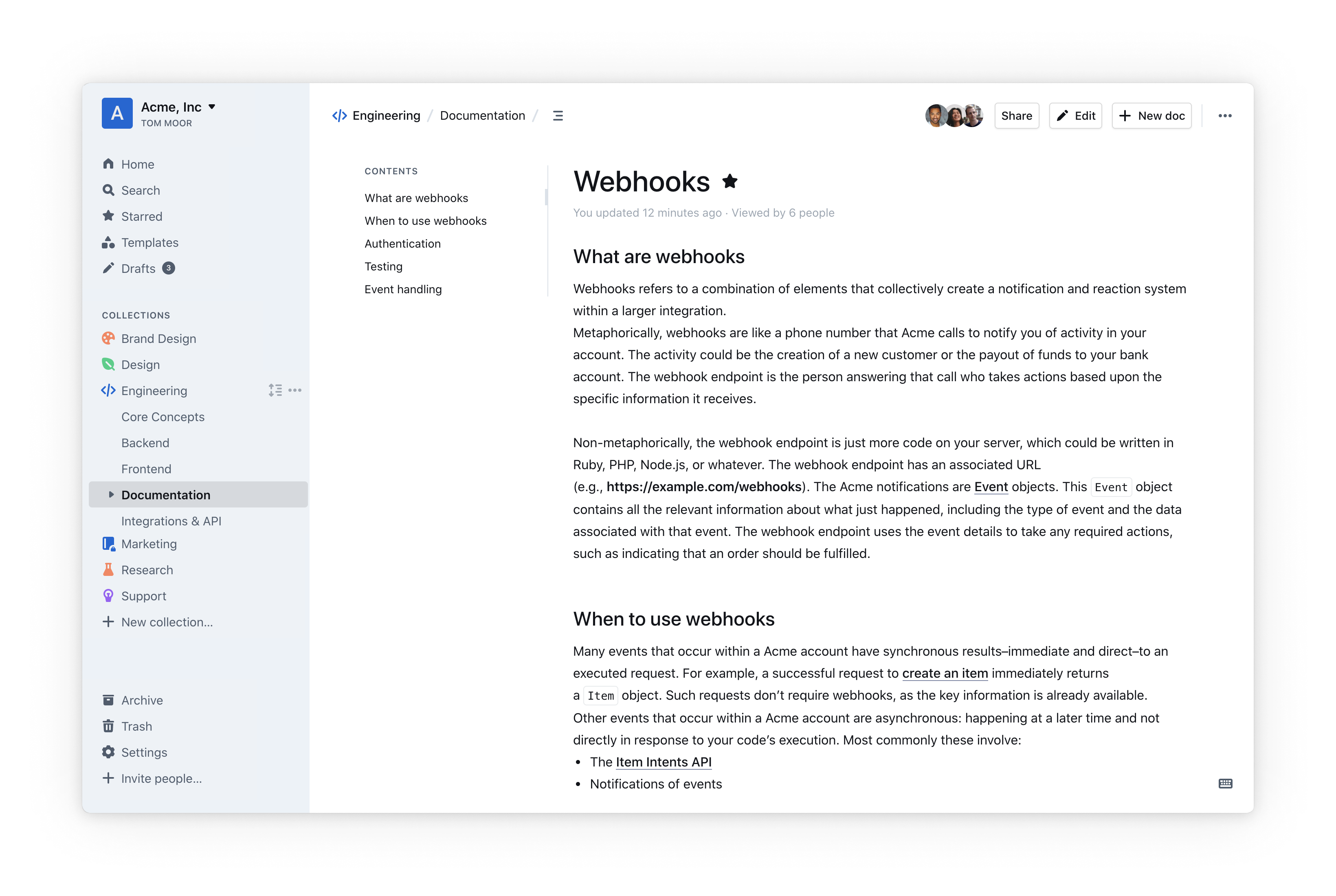
It is a web application written in React and Node.js that gives a team documents organised into collections, with search, comments, sharing links and a rich editor. It is the same code that runs the company's own hosted service, published for anyone who would rather run it themselves. Container images are published for each release, and the project's documentation covers the setup. It needs a database, a cache and a way for people to sign in, which is why this is the heaviest installation in today's twelve. The repository has 10,648 commits, its tests run with Vitest, and in production it writes its logs as structured records rather than plain lines. Now the part that decides whether anyone should use it. The licence file is the Business Source Licence 1.1, and its own text states that it "is not an Open Source license". The licensor is General Outline, Inc. The change date is 12 October 2030, after which that version becomes available under the Apache 2.0 licence. Until then there is one stated restriction: the licence permits use but not for a "Document Service", which it defines as a commercial offering that lets other people create teams and documents of their own. It does not publish releases on its repository page, and it states no hardware requirements, so sizing a machine for it means reading the documentation rather than the README.
Why it matters
Who it suits. A team of ten to a few hundred people who want a wiki that is pleasant enough that people actually write in it, and who want the contents on infrastructure they chose. The restriction is narrow and specific: running it for one organisation, including a company that charges its own customers for something else entirely, is permitted. Skip it if the plan is to offer document hosting to other people as a product, because that is precisely the use the licence excludes, and skip it if a small installation is wanted, since the moving parts are not small.
Verdict. Judge this on the licence first and the software second, because the software is genuinely good. The Business Source Licence is a real arrangement rather than a trick: every version becomes Apache 2.0 four years after its release, so the October 2030 date on today's code is a promise rather than a threat, and in the meantime anybody can read, run and modify it. What it is not is open source, and it should not be described that way, because "open source" carries a specific meaning and this does not meet it. Code landed on 27 October 2026, the day before this was written, so the project is plainly active. For a fully open alternative, Edition 62 covered docmost/docmost, and BookStackApp/BookStack is the plainest choice of the three with the fewest moving parts.
Summary (Key Points)from the README
Key features
- Hosted option: A hosted version is available at getoutline.com, so you can use Outline without running this code.
- Self-hosting: The README points to documentation for running your own copy in a production configuration.
- Container images: Container images are listed for self-hosting, though the README gives no further detail on them.
- Stack: The app is built with React and Node.js.
- Logging: Development logs go to the console with category prefixes. Production logs are JSON, which log ingestion pipelines can parse.
- Debug control: Logging is set through environment variables such as `DEBUG=http`, `DEBUG=*`, `DEBUG=database`, and `LOG_LEVEL=debug` or `LOG_LEVEL=silly`.
- Testing: Tests are written with Vitest in `.test.ts` files next to the code. All API endpoints and authentication code should be thoroughly tested.
- Migrations: Sequelize creates and runs database migrations, including on the test database.
Ways to install
| Platform or method | What it needs | Effort |
|---|---|---|
| Hosted version at getoutline.com | Nothing to install; use the hosted service | Lowest |
| Self-hosted production copy | Container images and the production documentation; the README does not list requirements | Not stated in README |
| Development environment | The short development guide in the repository; the test database is created with `make test` | Not stated in README |
Important
- Not needed for end users: If you only want to use Outline, the README says you do not need to run this code.
- Discuss before coding: Contributors must discuss changes with the core team in a GitHub issue before submitting a pull request.
- No AI-generated PRs: The maintainers ask contributors not to submit AI-generated pull requests, which they say are almost never mergeable.
- License: Outline is licensed under BSL 1.1, so review its terms before running or redistributing it.
- Test setup order: Create the test database with `make test` before running the frontend or backend tests directly with Vitest.
- HTTP logs off by default: HTTP request logging must be enabled manually with `DEBUG=http`.
Written by an AI model from the project’s README; not part of the review, and it can be wrong.
- A genuinely pleasant editor and search, which is why people write in it rather than around it.
- The same code as the company's hosted product, so it is not a stripped-down free edition.
- Every version converts to a fully open licence four years after release, and the date is written into the file.
- Not open source, in the licence's own words, with a stated restriction on offering it as a service.
- The heaviest installation in today's twelve: a database, a cache and a sign-in provider before a single page exists.
- No releases listed on the repository page and no stated hardware requirements, so sizing it means reading documentation.
 docmost/docmost
A collaborative wiki with a similar feel, genuinely open source at its core, and younger.
Track this in Rising ↗ BookStackApp/BookStack
A deliberately plain documentation platform with the fewest moving parts of the three.
Track this in Rising ↗ requarks/wiki
A long-established wiki application, broader in features and slower-moving.
Track this in Rising ↗
mkdir outline && cd outline
curl -O https://raw.githubusercontent.com/outline/outline/main/docker-compose.yml
curl -O https://raw.githubusercontent.com/outline/outline/main/.env.sample
mv .env.sample .env

2,600 stars · AGPL-3.0 with three section 7 additional terms, read from /blob/master/LICENSE on 28 October 2026 because the About sidebar names nothing. The FIRST added term is an extra PERMISSION rather than a restriction: it releases the user from the AGPL's section 13 duty to offer source to network users, provided they do not offer it as third-party software as a service, do not run a service deriving its value mainly from it, do not offer a service with the same primary purpose, and do not use it to organise, promote or sell third parties' products. The other two are an attribution notice that may not be removed (a powered-by credit linking pretix.eu is allowed on a modified version) and a no-implied-endorsement rule. Both of those are terms AGPL section 7 expressly permits, so the base licence remains open source and NO not-open-source tag is applied. Parts of the tree are Apache-2.0 instead: src/pretix/static, src/pretix/locale, doc/ and deployment/. · Track this in Rising ↗ · Share this tool
A ticket shop for events that anyone may run free for their own events and nobody may resell as a service.
▶Repo detailsthe review · specs · pros & cons · install
What it does
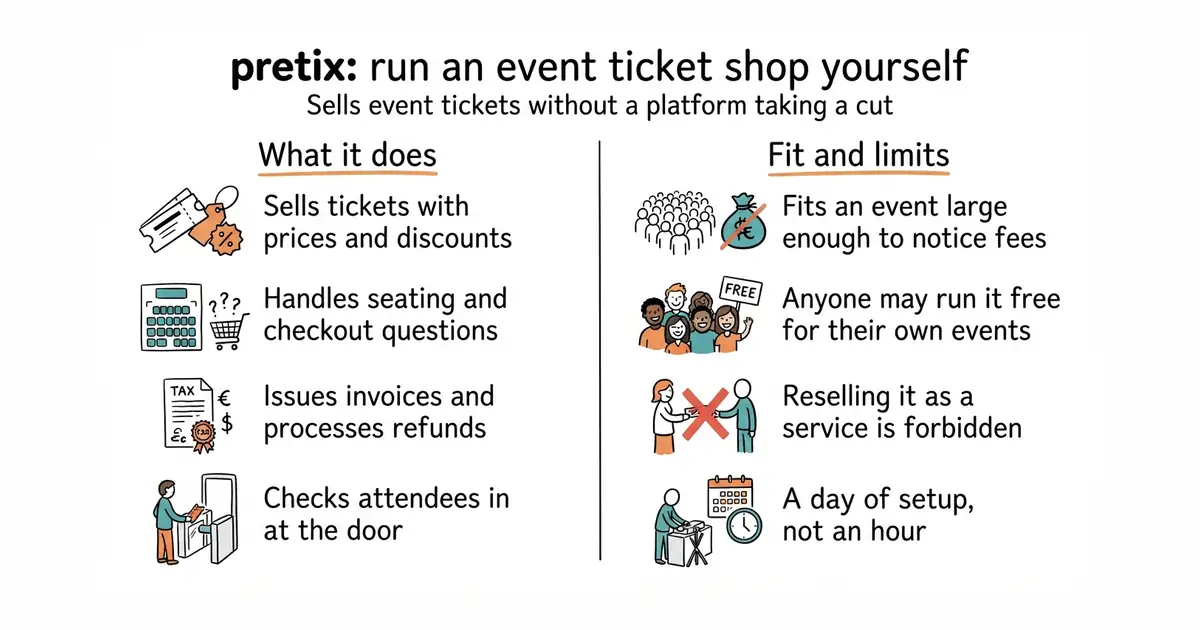
It is a web application that presents a shop to buyers and an administration area to organisers. It handles the pieces an event actually needs: ticket types and prices, discounts, seating, questions asked at checkout, invoices, refunds and check-in at the door. The project says it has been used for thousands of events and for conferences selling millions of tickets between them. The stable version to install is the one on the Python package index or in a release/X.Y branch, and the project warns that the main development branch changes its interfaces without notice, so building against that branch is a choice with consequences. Version 2026.8.0 was published on 30 September 2026 and it needs Python 3.11 or newer. The licence is the part to read carefully, and it is more interesting than most. The code is the AGPL-3.0 licence with three added terms. The first is an extra permission rather than a restriction: it releases you from the licence's usual duty to offer source code to people using the software over a network, provided you do not offer it as a service to third parties, do not run a service whose value comes mainly from it, do not offer a service with the same primary purpose, and do not use it to sell other companies' products. The other two are an attribution notice that may not be removed, and a rule against implying that a modified version is an official one. Several folders are under the Apache 2.0 licence instead, including the translations, the documentation and the deployment scripts. Private support by email or telephone is available only to paying customers of the company's hosted service.
Why it matters
Who it suits. A conference, festival or venue that sells enough tickets for a platform's percentage to be a real number, and that would rather hold its own attendee list. It also suits anyone whose event has awkward requirements, such as unusual seat rules or questions that must be answered at checkout, since those are the things a hosted platform will not bend for. Skip it if the event is small and occasional, because a day of setup and a server to maintain is not worth it to sell sixty tickets once a year.
Verdict. A strong, mature piece of software with a licence worth understanding rather than skimming, and the understanding is reassuring. Read the added terms carefully and the position is this: anyone may run it for their own events, free, forever, including commercially. What the terms exclude is becoming a ticketing provider on the back of it. That is a narrow and honest line, and it is the reason the project can publish all of its code and still exist as a business. The practical warnings are ordinary. Payment handling means a payment provider's account and real money, so testing properly is not optional. The main branch is not the thing to install. And the hosted service exists, so for a one-off event it is worth pricing both before committing to a server. HiEventsDev/hi.events is the closest alternative and uses almost exactly the same licence approach.
Summary (Key Points)from the README
Key features
- Proven scale: The README says pretix has been used for thousands of events and conferences that sold millions of tickets combined.
- Stable release line: The project treats pretix as stable and ready to use, with the latest stable version on PyPI or in the release/X.Y branch.
- Announced releases: Releases are announced on the project blog, which the README recommends following.
- Development branch: The master branch holds a development version that is kept from breaking your data, though its APIs may change without notice.
- Free and open source: The project is described as 100 percent free and open source software.
- Community support: Questions can be asked in the GitHub repository.
- Documentation: An installation guide for self-hosting and a developer documentation for contributors are provided.
- Code of Conduct: A Code of Conduct covers issues, pull requests and other contributions.
Ways to install
| Platform or method | What it needs | Effort |
|---|---|---|
| PyPI (latest stable release) | Not stated in README | Not stated in README |
| release/X.Y branch of the repository | Not stated in README | Not stated in README |
| master branch (development version) | Not stated in README | Not stated in README |
Important
- Development version: The master branch may change its APIs without prior notice, so use release branches if you depend on stable interfaces.
- Support limits: Community help comes through GitHub questions. Private support by email or phone is only offered to customers of pretix Hosted or pretix Enterprise.
- Mixed licensing: The README says the code is covered by different licenses. Most of it is under the GNU AGPL v3 with additional terms, so check the LICENSE file before reuse.
- Self-hosting requirements: The README does not list server requirements. Read the installation guide before setting up your own server.
Written by an AI model from the project’s README; not part of the review, and it can be wrong.
- Covers the awkward parts of real events, including seating, checkout questions and door check-in.
- Anyone may run it free for their own events, commercial ones included.
- A tested release line, so there is a stable version to pin rather than a moving branch.
- A day of setup: a database, a cache, a web server, a mail setting and a payment account.
- The added licence terms rule out offering it as a service to other people, which is worth reading before building a business plan.
- The main development branch changes its interfaces without notice, so only the release line is safe to install.
- HiEventsDev/hi.events
An event and ticketing platform with a very similar licence arrangement: younger, lighter, and less able on complex events.
Track this in Rising ↗ - attendize/attendize
A ticket-selling and attendee management application built in PHP: simpler and much quieter.
Track this in Rising ↗
python3 -m venv venv
source venv/bin/activate
pip install pretix

3,300 stars · Apache-2.0 from the About sidebar on 28 October 2026 and from the package index page; the README adds that the documentation is under CC-BY-4.0. · v0.236.4 (2026-10-22) · Track this in Rising ↗ · Share this tool
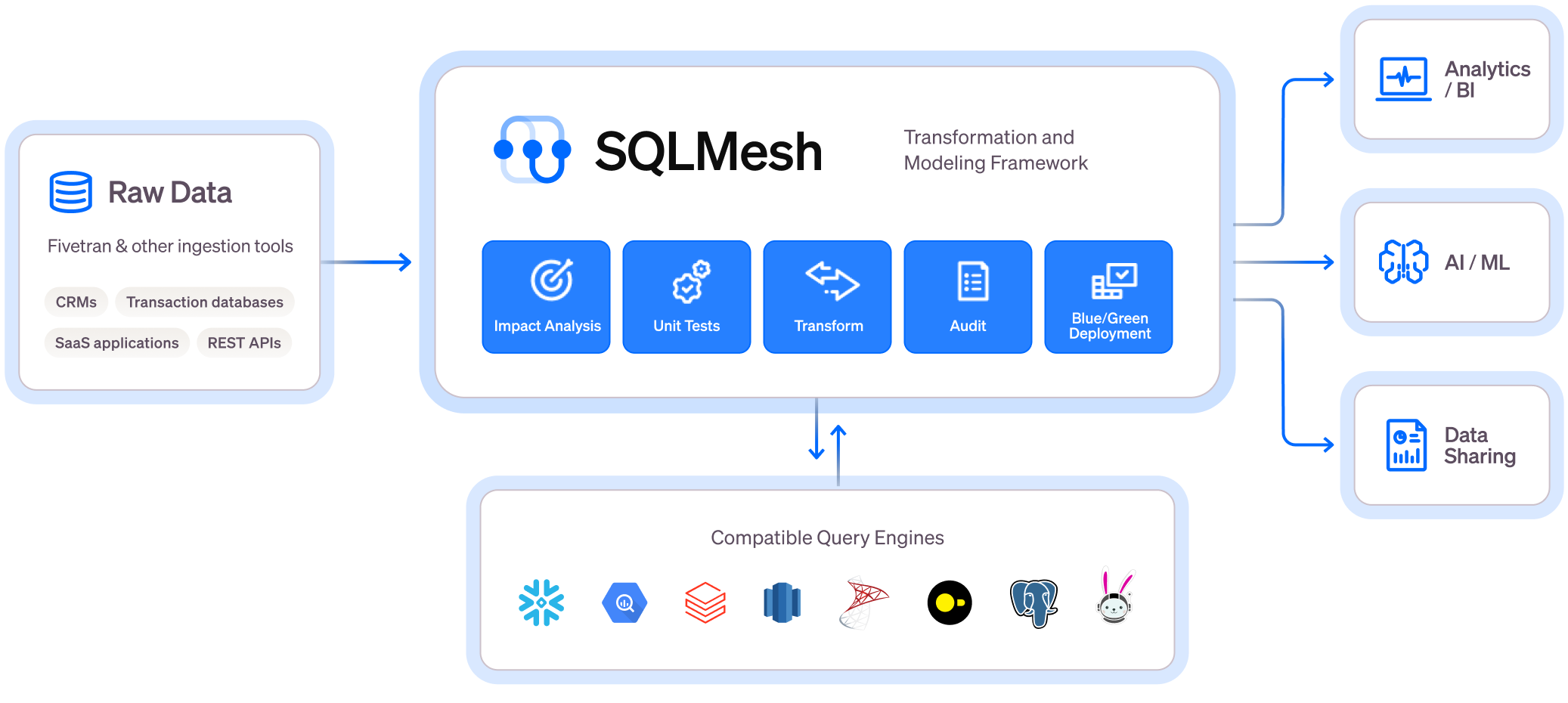
Plans, tests and applies changes to a chain of database queries, describing what a change would affect before anything runs.
▶Repo detailsthe review · specs · pros & cons · install
What it does
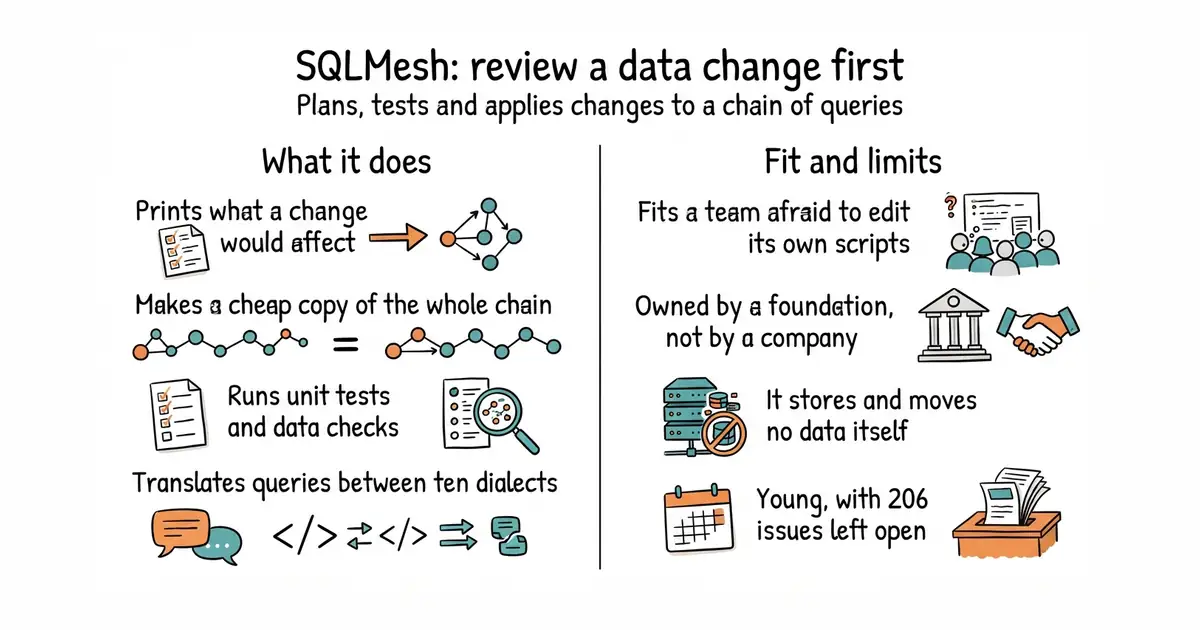
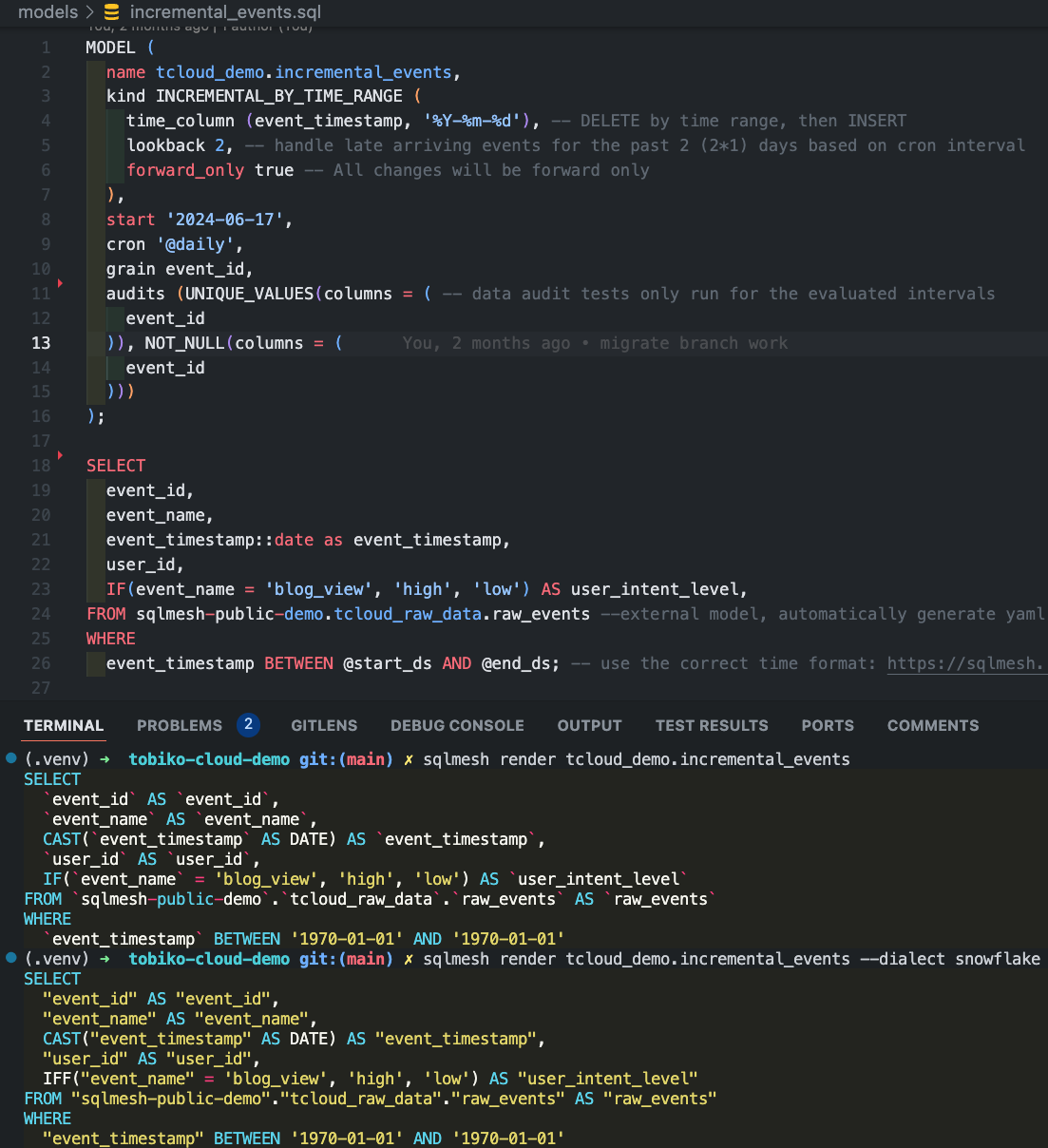
It takes the queries that build a company's tables, written in SQL or Python, and treats them as a set of models with known dependencies. The central command is plan, which compares what the code now says against what has already been built, works out what would have to change, and prints that for a person to approve before anything runs. The project compares this to the plan-and-apply pattern used by infrastructure tools, which is the right comparison. Development happens in what it calls a virtual environment: a separate copy of the whole chain that reuses the existing tables wherever the code is unchanged, so making one costs almost nothing. It can run unit tests against a model with sqlmesh test, run data checks it calls audits, show the difference between two versions of a table, work out which column came from which earlier column, and translate a query written in one database's dialect into another's across more than ten dialects. Engine support includes BigQuery, Snowflake, Databricks, Redshift, Athena, Trino, Postgres and DuckDB. Version 0.236.4 was published on 22 October 2026 and it needs Python 3.9 or newer. It stores no data of its own, it does not move data in from other systems, and it does not replace a scheduler for anything outside its own runs.
Why it matters
Who it suits. A small data team that has outgrown a folder of scripts and is now afraid to change any of them. The specific pain this answers is the one where a change looks fine, is applied, and three reports break the next morning. It also suits anyone paying per query on a cloud warehouse, because the cheap development copies remove the usual habit of rebuilding everything to test a change. Skip it if the work is one dashboard over one table, since this is machinery for a chain of them.
Verdict. The most interesting fact in today's twelve is not a feature. The repository has moved out of the company's own account and its README now states that it is a project of the Linux Foundation, which for a tool sitting at the centre of a company's reporting is the thing worth knowing: a foundation does not get bought. The software itself is good and the plan command is the part that justifies it, because approving a described change is a different activity from running a script and watching. Three cautions. It is young by the standards of the thing it replaces, with 206 open issues. The documentation assumes some fluency with the vocabulary of data modelling, so a complete beginner will struggle. And its claimed compatibility with the established alternative is real but not total, and the project publishes no list of the gaps, so a migration needs a trial rather than a plan. dbt-labs/dbt-core is that established alternative and the honest default for most teams; dagster-io/dagster solves the neighbouring problem of running the whole thing on a schedule.
Summary (Key Points)from the README
Key features
- Change impact in the CLI and IDE: Shows the SQL impact and context of your changes, both in the CLI and in the SQLMesh VSCode Extension.
- Virtual Data Environments: Creates isolated development environments without data warehouse costs.
- Plan/Apply workflow: Works like Terraform, so you can see the potential impact of changes before applying them.
- CI/CD bot: An easy-to-use bot for blue-green deployments.
- Unit test generation: A command generates a unit test file (for example, test_stg_payments.yaml in the tests/ folder) by running a live query to produce the model's expected output.
- Efficient builds: Never builds a table more than once, and for incremental models it runs only the transformations needed for modified data.
- Table diffs: Runs table diffs between prod and dev for the tables and views affected by a change.
- SQL transpilation: Write SQL in any dialect and SQLMesh transpiles it to your target dialect before sending it to the warehouse, with error debugging across 10+ SQL dialects.
- Column-level lineage: Shows the impact of changes before you run them in your warehouse.
Important
- Python install: You may need to use python3 or pip3 instead of python or pip, depending on your Python installation.
- Windows setup: The README has a Windows Installation heading but gives no instructions under it, so check the quickstart guide or documentation for Windows steps.
- Documentation pointers only: The README points to external quickstart, crash course, and walkthrough material rather than detailing usage itself.
- Contribution requirements: Contributions require DCO sign-off, and the README asks you to review the Code of Conduct and Governance documents.
- Licensing: The code is licensed under Apache License 2.0, and the documentation is licensed under CC-BY-4.0.
Written by an AI model from the project’s README; not part of the review, and it can be wrong.
- The plan command describes a change before applying it, which turns a risky edit into a review.
- Development copies of the whole chain are nearly free, so testing does not mean rebuilding.
- Now a Linux Foundation project, which settles the usual worry about a single company owning it.
- 206 open issues and a young project, against alternatives with years more use behind them.
- The documentation assumes the reader already knows the vocabulary of data modelling.
- Compatibility with the established alternative is partial and the gaps are not listed anywhere.
- dbt-labs/dbt-core
The established tool for the same job, far more widely used, with no equivalent of the plan step.
Track this in Rising ↗ - dagster-io/dagster
Organises data work around the tables it produces and runs it on a schedule: the neighbouring problem.
Track this in Rising ↗
python3 -m venv venv
source venv/bin/activate
pip install "sqlmesh[duckdb]"


43,400 stars · BSD-3-Clause, named in the About sidebar on 28 October 2026 · v0.29.6 (2026-10-24) · Track this in Rising ↗ · Share this tool
A self-hosted replacement for the coordinating service behind a popular private-network tool, built for one network at a time.
▶Repo detailsthe review · specs · pros & cons · install
What it does
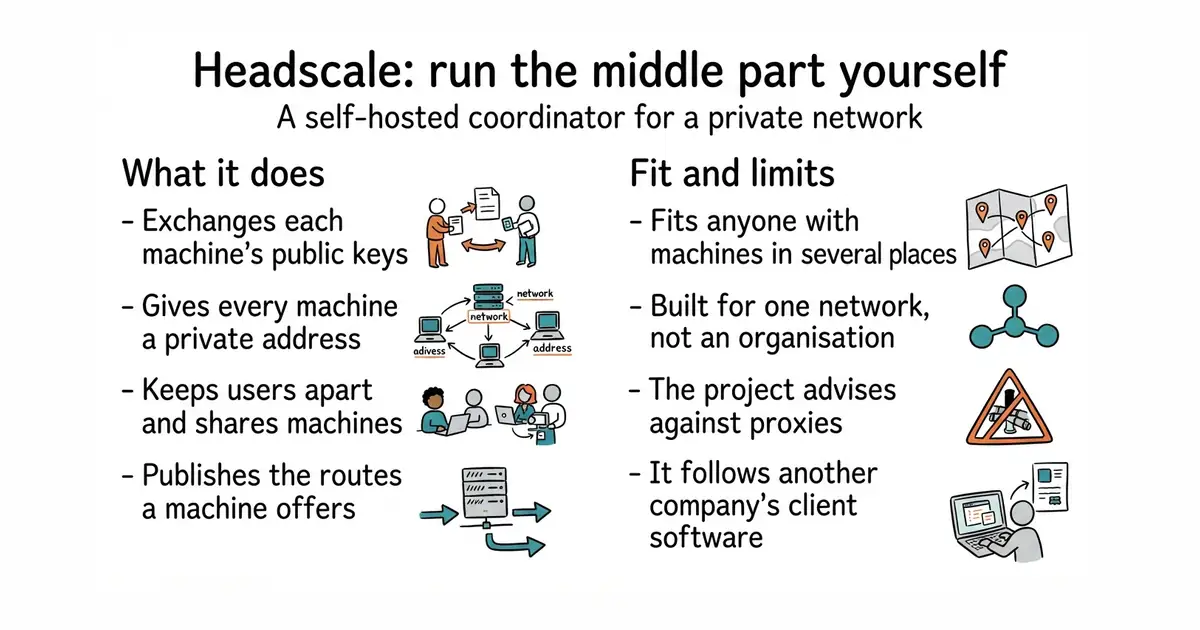
It is the piece in the middle of a private network built on WireGuard, which is the encryption technology underneath. Its job is introductions: it holds each machine's public key and hands it to the others, gives each machine an address on the private network, keeps users separate from each other, allows one user to share a machine with another, and publishes the routes a machine says it can reach. The ordinary client programs that run on each laptop, phone and server are the official ones, unchanged, pointed at this instead of at the company's service. The repository has 4,438 commits, and version v0.29.6 was published on 24 October 2026. There is a module for the NixOS distribution in the project's own tree. Three limits are stated plainly and all three matter. It is not associated with the company whose service it replaces. It is built for one private network for personal use or a small open-source organisation, so several separate networks and large-organisation features are out of scope. And the project says it does not support or encourage running it behind a reverse proxy or inside a container, which rules out the way most people's first instinct would be to deploy it.
Why it matters
Who it suits. Anyone with machines in several places who wants them on one private network, and who would rather the coordinating part not be somebody else's service. That covers a lot of people: a few rented servers, a machine at home, a couple of laptops. The honest second audience is anyone who has hit the free tier's limits on the commercial service and does not want a bill for a hobby network. Skip it if the network has to serve a real organisation with many teams, because the project says that is not what it is for, and it says so clearly enough to be believed.
Verdict. Worth an afternoon, and the warnings are unusually specific, which is a good sign about the project. The strong recommendation against reverse proxies and containers is the one to pay attention to: it is not a suggestion about taste, it is the maintainers saying that most of the problems reported to them come from exactly that. Run it directly on a small machine with a real certificate and the experience is smooth. Two more notes. It follows the commercial service's own client software, so a client update can occasionally land before support for it does. And making this the only coordinator for a network means that when it stops, machines already connected keep working but new connections do not form, so it deserves the same care as anything else that is a single point of failure. tailscale/tailscale is the client software itself, which anyone using this will also be running, and netbirdio/netbird is the alternative worth comparing if a fully self-hosted system matters more than compatibility with existing clients.
Summary (Key Points)from the README
Key features
- Control server replacement: An open source, self-hosted implementation of the Tailscale control server, aimed at self-hosters and hobbyists.
- Key exchange and addressing: Acts as the exchange point for WireGuard public keys and assigns IP addresses to clients.
- User boundaries: Creates the boundaries between users and enables sharing machines between users.
- Route advertising: Exposes the advertised routes of your nodes.
- Single-tailnet scope: Implements one Tailscale network (tailnet), suited to personal use or a small open-source organisation.
- NixOS module: A module is provided in `nix/` for NixOS users.
- Development builds: Builds from the main branch are published as container images and binaries.
- Versioned documentation: Separate documentation exists for the stable release and the development version, so you can match the docs to your release tag.
- Integration testing: The project has presented on using integration testing to reimplement Tailscale (FOSDEM 2023 talk).
Ways to install
| Platform or method | What it needs | Effort |
|---|---|---|
| Container images (development builds from main) | Not specified in the README | Not stated |
| Binaries (development builds from main) | Not specified in the README | Not stated |
| NixOS module (from `nix/`) | NixOS | Not stated |
Important
- Unsupported deployment: The maintainers state they do not support nor encourage running Headscale behind reverse proxies or in containers.
- Tag selection: Use the GitHub tag matching your released version, because the main branch may contain unreleased changes.
- Narrow scope: Headscale targets a single tailnet for personal or small organisation use, not large multi-tenant deployments.
- No affiliation: The project is not associated with Tailscale Inc., although one active maintainer is employed by Tailscale and may contribute during work hours. Other maintainers review those contributions.
- Setup details are external: Installation and running instructions are in the documentation, not in the README itself.
Written by an AI model from the project’s README; not part of the review, and it can be wrong.
- Uses the official unmodified client programs, so every platform they support is supported here.
- One compiled program with a simple configuration file, and a published package for several systems.
- States its own limits plainly, including the deployment shapes it will not help with.
- Built for one private network only, so several separate networks are out of scope by design.
- The project advises against reverse proxies and containers, which is how most people would try first.
- It follows another company's client software, so a client update can arrive before support for it.
- tailscale/tailscale
The client software this coordinates: not an alternative but the other half, running on every machine.
Track this in Rising ↗ - netbirdio/netbird
A private network system with its own clients and its own coordinator, fully self-hostable by design.
Track this in Rising ↗ - zerotier/ZeroTierOne
A different approach to the same goal, joining machines as if on one switch, with its own protocol.
Track this in Rising ↗
sudo apt install ./headscale_0.29.6_linux_amd64.deb

Checked, and left out
Nothing to show for this edition. Recording the repositories that were checked and rejected began with Edition No. 4, and every edition from there on has the list.
Know a repository we should check?
Coming tomorrow