In simple English
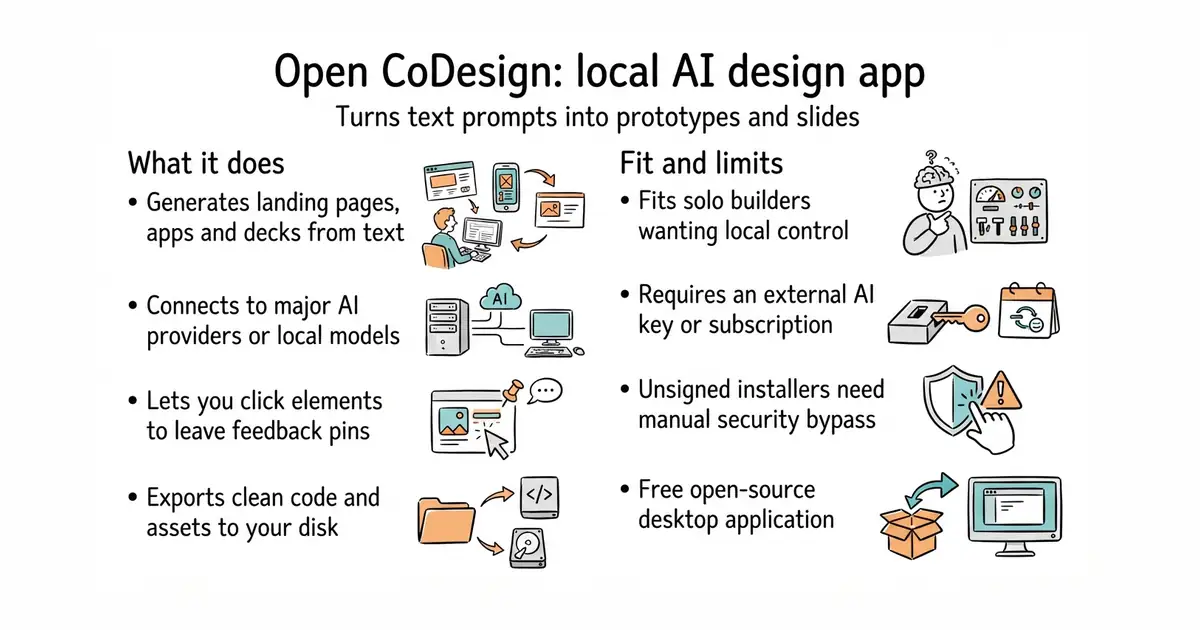
This program turns your written ideas into polished visual prototypes and slide decks. It runs as a desktop app on your own computer. You bring your own API key for an AI provider or sign in with an existing subscription. It does not lock you into a single company or cloud service. It is free to use under an open-source licence.
What it is
Open CoDesign is an open-source desktop application that generates design prototypes, web pages, and slide decks from natural language prompts. It connects to multiple AI providers including Anthropic, OpenAI, Google Gemini, and local models via Ollama.
What it is good for
Solo builders who want to quickly generate user interfaces, landing pages, or marketing materials without paying for a cloud-based design subscription.
- Runs locally on your computer with your choice of AI model.
- Exports code and assets to standard formats like HTML, PDF, and ZIP.
- Includes a live inspector and interactive comment mode for making changes.
- Requires an external API key or active subscription for an AI provider to generate designs.
- Installers are currently unsigned, so your operating system may show security warnings.
- Desktop app requires sufficient memory to run local browser components and AI tasks.
Closed-source AI prototyping tools like Claude Design, v0, and Lovable
Ollama for running models locally without sending data to the cloud
- BuilderIO/figma-html3.7k stars
Converts designs between formats, focusing on moving layouts into code rather than generating them from scratch with an agent.

- SVG-Edit/svgedit7.8k stars
A vector drawing editor that runs in a browser and can be embedded in a web page.
- viliusle/miniPaint3.5k stars
A layered image editor that runs in a browser, with no upload and nothing installed.
- johanmattssonm/birdfont561 stars
A free desktop editor for drawing a typeface and exporting it as an installable font file.
brew install --cask opencoworkai/tap/open-codesign