Overview
Summary
The useful answer before the supporting detail.
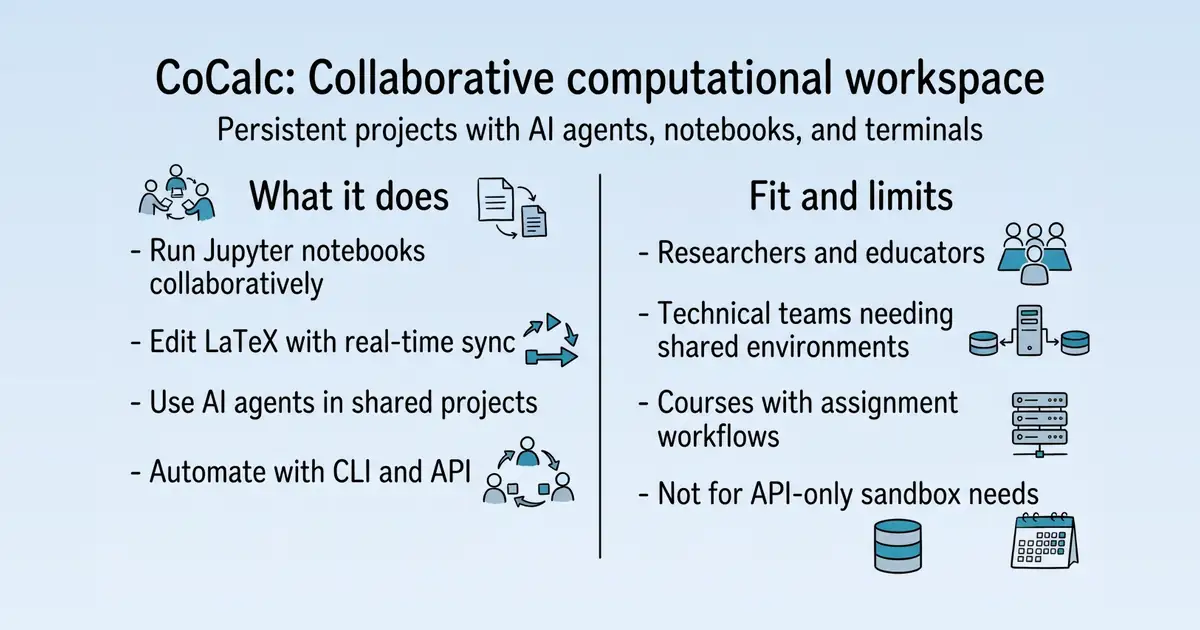
CoCalc is a web-based platform for collaborative computational work, providing persistent projects with files, notebooks, terminals, and integrated AI agents S1. It serves researchers, educators, and technical teams who need shared, reproducible environments for experiments, courses, and long-lived projects S1. Its main value is keeping work, context, and collaboration together in one durable workspace, avoiding dependence on a single laptop or chat window S1.
Product identity and positioning
Name, category, positioning, audience, and first-party claims.
- Identity: CoCalc is a collaborative computational workspace with integrated AI agents S1.
- Core purpose: It solves the problem of technical work being trapped in isolated environments or chat contexts S1.
- Intended users: Individual researchers, collaborative groups, educators, and organizations with governance needs S1.
- Product scope: A web application with persistent projects, notebooks, terminals, and agent tools; also available as self-hosted CoCalc Star S6 S13.
- Positioning: CoCalc positions itself as an agent platform where agents work alongside teams in shared projects S1.
- Claimed distinction: It emphasizes persistent, shared, inspectable environments over API-managed sandboxes S25.
Use cases and audiences
Who the product serves and the jobs it is designed to handle.
| Audience | Practical use case |
|---|---|
| Individual researchers | Run experiments, papers, and long-lived computational projects in a persistent environment S1. |
| Educators and instructors | Manage assignments, grading, and live help for technical courses S6 S1. |
| Universities and laboratories | Deploy consistent environments with governance and collaboration support S1. |
| Technical teams | Use shared projects for reproducible research and engineering work S1 S13. |
Traffic and search
SEO analysis
Collected Oct 24, 2026cocalc.ai: an estimated 267,212 total monthly visits and about 6,005 monthly organic visits across 748 ranking keywords. Scout crawled 15 pages and measured a technical health score of 98/100.
Search summary
The useful answer before the supporting detail.
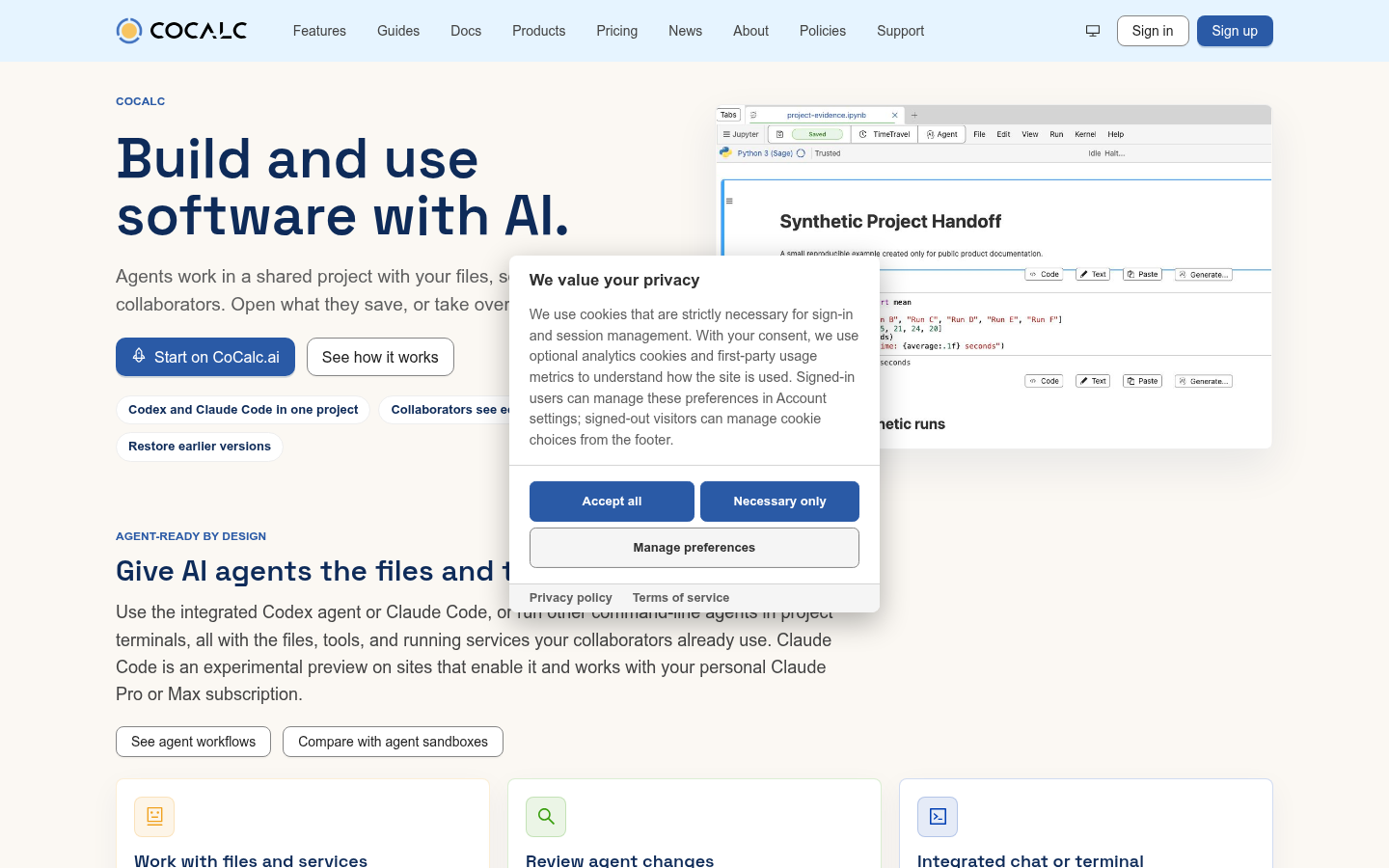
CoCalc helps people and teams build and use software with AI. Agents work in shared Linux projects with your files, notebooks, terminals, and collaborators. cocalc.ai: an estimated 267,212 total monthly visits and about 6,005 monthly organic visits across 748 ranking keywords. Scout crawled 15 pages and measured a technical health score of 98/100.
- Total traffic (modeled): 267,212 monthly visits across all channels.
- Organic search traffic (estimated): 6,005 monthly visits from search.
- Strongest sampled ranking: cocalc at position 1.
- Leading page in the collected evidence: https://cocalc.ai/features/sage.
- Closest measured organic competitor: jupyter.org, appearing 1 times in the sampled first-page SERPs.
- Technical crawl: 15 pages, health score 98/100.
Website intelligence — Collected evidence
Company identity and positioning
| Page type | Evidence | Source |
|---|---|---|
| other | CoCalc helps people and teams build and use software with AI. Agents work in shared Linux projects with your files, notebooks, terminals, and collaborators. | https://cocalc.ai/ |
| features | This error was reported automatically. If reloading does not recover or this happens repeatedly for a specific file or action, please add those details to a support ticket, email help@cocalc.ai, or consult our other support resources. | https://cocalc.ai/features |
| features | Move a project onto a dedicated machine, or connect a remote Jupyter kernel. See Research Compute for requirements. | https://cocalc.ai/features |
| features | Use a persistent Linux environment for shells, packages, processes, and services. | https://cocalc.ai/features |
| features | Use the language your work needs for analysis, modeling, and reproducible research. | https://cocalc.ai/features |
| features | Use Python in Jupyter notebooks, scripts, terminals, JupyterLab, and VS Code. Choose an environment and available compute for your workload.](/features/python)[ | https://cocalc.ai/features |
| features | Use SageMath for computational math in notebooks, courses, SageTeX documents, and research.](/features/sage)[ | https://cocalc.ai/features |
| features | Use GNU Octave for MATLAB-style numerical computing in collaborative projects with notebooks, .m files, terminals, plots, and teaching workflows.](/features/octave) | https://cocalc.ai/features |
| features | Run courses with shared projects for assignments, grading, live help, and reproducible technical work. | https://cocalc.ai/features |
| features | Manage assignments, shared environments, collection, grading, and student help for technical courses and labs. | https://cocalc.ai/features |
| features | We use cookies that are strictly necessary for sign-in and session management. With your consent, we use optional analytics cookies and first-party usage metrics to understand how the site is used. Signed-in users can manage these preferences in Account settings; signed-out visitors can manage cookie choices from the footer. | https://cocalc.ai/features |
| features | This error was reported automatically. If reloading does not recover or this happens repeatedly for a specific file or action, please add those details to a support ticket, email help@cocalc.ai, or consult our other support resources. | https://cocalc.ai/features/ai |
Domain performance
Modeled total traffic, six-month trend, engagement, countries, and domain identity.
Total website traffic
| Month | Modeled visits |
|---|---|
| 2026-04 | 0 |
| 2026-05 | 401 |
| 2026-06 | 741 |
| 2026-07 | 46,769 |
| 2026-08 | 163,109 |
| 2026-09 | 267,212 |
Top visitor countries
| Country | Name | Traffic share |
|---|---|---|
| US | United States | 54.3% |
| IN | India | 10.1% |
| CA | Canada | 4.7% |
| VN | Vietnam | 3.1% |
| FR | France | 3.0% |
Domain identity
| Signal | Value |
|---|---|
| Registered | Apr 25, 2023 |
| Last changed | Aug 12, 2026 |
| Expires | Apr 25, 2027 |
| WHOIS server | whois.nic.ai |
| DNSSEC | Not signed |
| Nameservers | candy.ns.cloudflare.com, rajeev.ns.cloudflare.com |
Website capture
Organic keywords
Top keywords and an independent Google result page.
Top organic keywords
| Keyword | Volume | CPC | Estimated value |
|---|---|---|---|
| cocalc | 8,130 | $0.00 | $12,870 |
| jupyter notebook online | 20,510 | $1.43 | $630 |
| cocal c | 400 | $0.00 | $350 |
| sagemath | 7,940 | $3.08 | $320 |
| sage math | 2,700 | $3.08 | $290 |
Independent Google result page
Query: cocalc
| Position | Title | URL | Description |
|---|---|---|---|
| 1 | CoCalc: Build and Use Software with AI | https://cocalc.ai/ | CoCalc helps people and teams build and use software with AI. Agents work in shared Linux projects with your files, notebooks, terminals, and collaborators. |
| 2 | https://cocalc.com/projects | https://cocalc.com/projects | No information is available for this page. |
| 3 | sagemathinc/cocalc | https://github.com/sagemathinc/cocalc | CoCalc is web-based software that enables collaboration in research, teaching, and scientific publishing. It includes Jupyter Notebooks, Sage Worksheets, a ... |
| 4 | What is CoCalc? — CoCalc Manual documentation | https://doc.cocalc.com/index.html | CoCalc, an online platform for learning, teaching, writing, research, development - anything where you need to calculate or collaborate! |
| 5 | CoCalc | https://en.wikipedia.org/wiki/CoCalc | CoCalc (formerly called SageMathCloud) is a web-based cloud computing (SaaS) and course management platform for computational mathematics. |
| 6 | Online Linux Environment | https://cocalc.cs.wallawalla.edu/doc/linux.html | CoCalc offers a full, collaborative, real-time synchronized Linux Terminal in your browser. CoCalc also supports MySQL and SQLite. |
| 7 | Cocalc | https://academiccloud.de/services/cocalc/ | CoCalc offers a comprehensive workspace for computational research and education. Users collaboratively edit LaTeX documents with live preview, code in Jupyter |
Important pages
Pages earning the most estimated search traffic in the sample.
| URL | Ranking keywords | Estimated traffic | Best position |
|---|---|---|---|
| https://cocalc.ai/features/sage | 11 | 1,916.5 | 2 |
| https://cocalc.ai/ | 2 | 887.7 | 1 |
| https://cocalc.ai/features/jupyter-notebook | 1 | 469.8 | 2 |
| https://cocalc.ai/auth/sign-in | 2 | 36.5 | 1 |
| https://cocalc.ai/features/terminal | 1 | 34 | 2 |
| https://cocalc.ai/features/linux | 2 | 13 | 2 |
| https://cocalc.ai/features/latex-editor | 1 | 9.1 | 1 |
Website intelligence — Collected evidence
Prioritized website intelligence pages
| Type | Page | Words | Change | URL |
|---|---|---|---|---|
| other | Build and Use Software with AI \ | static | 117 | new |
| pricing | Choose Your CoCalc Membership | 726 | new | https://cocalc.ai/pricing |
| features | CoCalc Features | 908 | new | https://cocalc.ai/features |
| features | AI Agents – CoCalc | 947 | new | https://cocalc.ai/features/ai |
| features | CLI and API – CoCalc | 757 | new | https://cocalc.ai/features/api |
| features | CoCalc vs AI Agent Sandboxes – CoCalc | 797 | new | https://cocalc.ai/features/compare |
| features | Secure Computational Scratchpads for In-Person Exams – CoCalc | 434 | new | https://cocalc.ai/features/exam-scratchpads |
| features | Run Julia Online – CoCalc | 832 | new | https://cocalc.ai/features/julia |
| features | Online Jupyter Notebooks – CoCalc | 1,200 | new | https://cocalc.ai/features/jupyter-notebook |
| features | Online LaTeX Editor \ | static | 173 | new |
| features | Online Linux Environment \ | static | 181 | new |
| features | Run GNU Octave Online \ | static | 186 | new |
| features | Online Python Environment \ | static | 204 | new |
| features | R Statistical Software Online \ | static | 176 | new |
| features | CPU, RAM, and GPU Compute for Research \ | static | 321 | new |
Features
| Page type | Evidence | Source |
|---|---|---|
| features | CoCalc Crashed× | https://cocalc.ai/features |
| features | Sorry to interrupt your work. An error happened in CoCalc's web application. | https://cocalc.ai/features |
| features | Don't worry, your CoCalc files are securely stored on our servers! | https://cocalc.ai/features |
| features | Browser outdated? Please check if your browser is up to date. CoCalc requires running a recent version of a modern browser. | https://cocalc.ai/features |
| features | Extensions/AdBlocker? If you have any browser extensions enabled, they can break CoCalc and there is nothing we can do about it. You may want to try CoCalc in incognito mode or otherwise try disabling browser extensions to see if your ad blocker (or grammar checker, etc.) is breaking CoCalc. | https://cocalc.ai/features |
| features | Reload this browser tab in order to recover from this. You might also try a new session. | https://cocalc.ai/features |
| features | Dismiss this error and continue using CoCalc. | https://cocalc.ai/features |
| features | This error was reported automatically. If reloading does not recover or this happens repeatedly for a specific file or action, please add those details to a support ticket, email help@cocalc.ai, or consult our other support resources. | https://cocalc.ai/features |
| features | https://cocalc.ai/features | |
| features | Guides | https://cocalc.ai/features |
| features | Docs | https://cocalc.ai/features |
| features | Products | https://cocalc.ai/features |
| features | Pricing | https://cocalc.ai/features |
| features | News | https://cocalc.ai/features |
| features | About | https://cocalc.ai/features |
| features | Policies | https://cocalc.ai/features |
| features | Support | https://cocalc.ai/features |
| features | SystemLightDarkSign inSign up | https://cocalc.ai/features |
| features | CoCalc features | https://cocalc.ai/features |
| features | Agents, software, and compute in one project. | https://cocalc.ai/features |
Pricing and plans
| Page type | Evidence | Source |
|---|---|---|
| pricing | Pricing | https://cocalc.ai/pricing |
| pricing | 7-day free trial | https://cocalc.ai/pricing |
| pricing | $6/ month | https://cocalc.ai/pricing |
| pricing | $18/ month | https://cocalc.ai/pricing |
| pricing | $150/ month | https://cocalc.ai/pricing |
| pricing | Pay at the end of the month for powerful dedicated VMs | https://cocalc.ai/pricing |
| pricing | \ | Free \ |
| pricing | \ | — \ |
| pricing | Organization licensing and billing | https://cocalc.ai/pricing |
| pricing | Discuss organization pricing | https://cocalc.ai/pricing |
| pricing | Run CoCalc on your own computer with CoCalc Plus, or on a computer or server you control with CoCalc Star. You operate either one, and CoCalc Star is free of charge. | https://cocalc.ai/pricing |
Integrations and supported platforms
No supporting public-page evidence was collected for this category.
Product and company updates
No supporting public-page evidence was collected for this category.
Rank tracking
Persistent keyword baselines and position movement.
This analysis created the first position baseline at 2026-10-24T15:22:47.227Z. Movement appears after the next fresh analysis using the same location and language.
| Keyword | Current | Previous | Movement | Volume | Ranking URL |
|---|---|---|---|---|---|
| cocalc | 1 | Baseline | Baseline | 2,900 | https://cocalc.ai/ |
| jupyter notebook online | 2 | Baseline | Baseline | 2,900 | https://cocalc.ai/features/jupyter-notebook |
| math sage | 2 | Baseline | Baseline | 2,900 | https://cocalc.ai/features/sage |
| sage math | 2 | Baseline | Baseline | 2,900 | https://cocalc.ai/features/sage |
| sagemath notebook | 2 | Baseline | Baseline | 2,400 | https://cocalc.ai/features/sage |
| sagemath jupyter | 2 | Baseline | Baseline | 1,000 | https://cocalc.ai/features/sage |
| sagemath-jupyter | 2 | Baseline | Baseline | 1,000 | https://cocalc.ai/features/sage |
| sage notebook | 2 | Baseline | Baseline | 720 | https://cocalc.ai/features/sage |
| sage online math | 2 | Baseline | Baseline | 390 | https://cocalc.ai/features/sage |
| sagemath online | 2 | Baseline | Baseline | 390 | https://cocalc.ai/features/sage |
| linux command tester | 2 | Baseline | Baseline | 210 | https://cocalc.ai/features/terminal |
| cocalc sign in | 1 | Baseline | Baseline | 90 | https://cocalc.ai/auth/sign-in |
| sage cell server | 2 | Baseline | Baseline | 70 | https://cocalc.ai/features/sage |
| cocalc latex editor | 1 | Baseline | Baseline | 30 | https://cocalc.ai/features/latex-editor |
| cocalc login | 1 | Baseline | Baseline | 30 | https://cocalc.ai/auth/sign-in |
| free online terminal | 2 | Baseline | Baseline | 40 | https://cocalc.ai/features/linux |
| online linux environment | 2 | Baseline | Baseline | 40 | https://cocalc.ai/features/linux |
| what is cocalc | 1 | Baseline | Baseline | 20 | https://cocalc.ai/ |
| online sagemath | 2 | Baseline | Baseline | 30 | https://cocalc.ai/features/sage |
| sage cell math | 2 | Baseline | Baseline | 30 | https://cocalc.ai/features/sage |
Features
Features and capabilities
Core functions and evidence-backed product capabilities.
| Capability | What it does |
|---|---|
| Persistent projects | Provides a durable Linux workspace with files, terminals, and services that persist across sessions S87 S6. |
| Jupyter notebooks | Runs collaborative notebooks with cell chat, TimeTravel history, and course workflows S39 S6. |
| LaTeX editor | Enables real-time collaborative LaTeX editing with PDF preview and anchored discussions S40. |
| AI agents | Integrates Codex and AI modelCode (experimental) to work with project files and live notebook state S17 S6. |
| CLI and API | Offers a CLI and HTTP API for automating project and computation tasks S21. |
| Course management | Supports assignments, grading, and live help for technical courses S6. |
| Remote kernels | Allows connecting to remote Jupyter kernels over SSH for dedicated compute S6 S17. |
Integrations and ecosystem
Connected products, exports, APIs, and workflow compatibility.
| Integration or interface | Type | What it enables |
|---|---|---|
| Codex | AI integration | Works with project files, terminals, and live notebook state through project chat S17. |
| AI modelCode | AI integration (experimental) | Allows using AI modelCode with a personal AI modelPro or Max subscription S6 S17. |
| HTTP API | API | Provides a documented way to reach projects and computations directly S21. |
| CoCalc CLI | CLI | Automates project, file, and notebook tasks from within projects S21 S6. |
| SSH | Integration | Connects to cocalc.ai projects from a computer or another project S87. |
| Remote Jupyter kernel | Integration | Connects a notebook to an existing machine over SSH S6 S17. |
Pricing
Pricing and plans
Published plans, free access, trials, credits, and pricing limitations.
| Plan or offer | Verified price and billing | Included | Limits |
|---|---|---|---|
| Free | $0 S1 | Just enough resources to explore and do basic work S1 | Lowest CPU priority; shared hosts S1 |
| Basic | $6 per user per month, billed annually S1 | Research allowance not published S1 | 4 GB RAM and 8 GB disk per project; 10 owned and 2 running projects S1 |
| Standard | $18 per user per month, billed annually S1 | Research allowance not published S1 | 8 GB RAM and 16 GB disk per project; 20 owned and 5 running projects S1 |
| Pro | $150 per user per month, billed annually S1 | Research allowance not published S1 | 16 GB RAM and 50 GB disk per project; 250 owned and 50 running projects S1 |
Competition
Competitive landscape
Domains competing for the same organic search demand.
Sampled competitors
| Competitor | First-page appearances | Sampled queries | Average position | Queries observed |
|---|---|---|---|---|
| jupyter.org | 1 | 1 | 1 | jupyter notebook online |
| nextleap.app | 1 | 1 | 2 | jupyter notebook online |
| reddit.com | 1 | 1 | 4 | jupyter notebook online |
| cocalc.cs.wallawalla.edu | 1 | 1 | 5 | cocalc |
| jupyterlite.readthedocs.io | 1 | 1 | 5 | jupyter notebook online |
| linkedin.com | 1 | 1 | 6 | cocalc |
| my.newtonschool.co | 1 | 1 | 6 | jupyter notebook online |
| sagemath.org | 1 | 1 | 7 | cocalc |
| doc.cocalc.com | 1 | 1 | 9 | cocalc |
Website intelligence — Collected evidence
Customers, testimonials, and first-party review claims
No supporting public-page evidence was collected for this category.
Independent review sources discovered
No links to supported independent review platforms were discovered on the collected pages.
Backlink profile
Authority and referring-domain signals.
Backlink comparison profile
- Domain rating: 56/100
- Backlinks: 979,574
- Referring domains: 3,176
- Dofollow backlinks: 100.0%
- Dofollow referring domains: 77.0%
Collection decision
The Scout search index remains intentionally excluded from automatic Scout analysis. This Scout traffic model profile costs 5 credits (0.5 cents) and is included in the first comparison run so its usefulness can be judged before the recurring collection is finalized.
AI visibility
Measured ChatGPT and Google AI mentions with cited sources.
AI-assistant referral traffic
- Estimated current generative-AI referral share: 1.7%
| Month | Traffic share | Source |
|---|---|---|
| — | — | All AI assistants |
| — | — | All AI assistants |
Website intelligence — Collected evidence
Site-stated AI capabilities
| Page type | Evidence | Source |
|---|---|---|
| other | CoCalc helps people and teams build and use software with AI. Agents work in shared Linux projects with your files, notebooks, terminals, and collaborators. | https://cocalc.ai/ |
| features | This error was reported automatically. If reloading does not recover or this happens repeatedly for a specific file or action, please add those details to a support ticket, email help@cocalc.ai, or consult our other support resources. | https://cocalc.ai/features |
| features | This error was reported automatically. If reloading does not recover or this happens repeatedly for a specific file or action, please add those details to a support ticket, email help@cocalc.ai, or consult our other support resources. | https://cocalc.ai/features/ai |
| features | Codex guideResearch computeCompare with agent sandboxesWhere to run CoCalcContact support | https://cocalc.ai/features/ai |
| features | This error was reported automatically. If reloading does not recover or this happens repeatedly for a specific file or action, please add those details to a support ticket, email help@cocalc.ai, or consult our other support resources. | https://cocalc.ai/features/api |
| features | CLI documentationAPI documentationAsk about API integrationContact support | https://cocalc.ai/features/api |
| features | This error was reported automatically. If reloading does not recover or this happens repeatedly for a specific file or action, please add those details to a support ticket, email help@cocalc.ai, or consult our other support resources. | https://cocalc.ai/features/compare |
| features | This error was reported automatically. If reloading does not recover or this happens repeatedly for a specific file or action, please add those details to a support ticket, email help@cocalc.ai, or consult our other support resources. | https://cocalc.ai/features/exam-scratchpads |
| features | This error was reported automatically. If reloading does not recover or this happens repeatedly for a specific file or action, please add those details to a support ticket, email help@cocalc.ai, or consult our other support resources. | https://cocalc.ai/features/julia |
| features | This error was reported automatically. If reloading does not recover or this happens repeatedly for a specific file or action, please add those details to a support ticket, email help@cocalc.ai, or consult our other support resources. | https://cocalc.ai/features/jupyter-notebook |
| features | CoCalc's notebooks support both automatic and manual grading via nbgrader. The teacher's notebook contains exercise and test cells; students run some of them for immediate feedback. After collecting assignments, instructors run the autograder and review the results. The course's nbgrader settings choose whether grading runs in student projects or a selected grading project; see the nbgrader workflow. | https://cocalc.ai/features/jupyter-notebook |
| features | That means AI help starts from the real state of your analysis, not from guessing what a stale file might have produced. | https://cocalc.ai/features/jupyter-notebook |
| features | Open a hosted notebook on CoCalc.ai and bring your team into the same workspace. | https://cocalc.ai/features/jupyter-notebook |
| features | This error was reported automatically. If reloading does not recover or this happens repeatedly for a specific file or action, please add those details to a support ticket, email help@cocalc.ai, or consult our other support resources. | https://cocalc.ai/features |
| features | Start on CoCalc.aiExplore AI agents | https://cocalc.ai/features |
| features | ](/features/ai)[ | https://cocalc.ai/features |
| features | This error was reported automatically. If reloading does not recover or this happens repeatedly for a specific file or action, please add those details to a support ticket, email help@cocalc.ai, or consult our other support resources. | https://cocalc.ai/features/ai |
| features | AI Agents in CoCalc | https://cocalc.ai/features/ai |
| features | AI agents in persistent projects | https://cocalc.ai/features/ai |
| features | This error was reported automatically. If reloading does not recover or this happens repeatedly for a specific file or action, please add those details to a support ticket, email help@cocalc.ai, or consult our other support resources. | https://cocalc.ai/features/api |
These are first-party product claims, not independent measurements of AI-search visibility.
Marketing opportunities
Actions calculated directly from the collected evidence.
| Opportunity | Recommended action | Evidence |
|---|---|---|
| Competitor gap | Review the sampled queries where jupyter.org appears. | 1 first-page appearances across jupyter notebook online |
Website intelligence — Collected evidence
Website evidence gaps
- integrations: no usable public page was collected; verify whether the site publishes this evidence.
- customers: no usable public page was collected; verify whether the site publishes this evidence.
- reviews: no usable public page was collected; verify whether the site publishes this evidence.
- changes: no usable public page was collected; verify whether the site publishes this evidence.
- identity: no usable public page was collected; verify whether the site publishes this evidence.
- technical: no usable public page was collected; verify whether the site publishes this evidence.
Trust and proof
Customers, proof, and reviews
Published proof, customer signals, and review evidence.
Independent reviews
No citation-grounded independent review links were found.
Customer proof
No named customers, testimonials, or customer case studies were found.
Independent mentions
- Announcing: CoCalc+ --- early alpha version · sagemathinc/cocalc · Discussion #8651 · GitHub — AI support, which was a significant amount of work to add. To configure AI, click on the settings icon in the UPPER RIGHT, then click on "AI" and paste in a key and click ... . You might need to refresh your browser, but you'll get full AI integration for
- Build and Use Software with AI / CoCalc — # Build and use software with AI. Agents work in a shared project with your files, software, and collaborators. Open what they save, or take over the work yourself. - Codex and AI modelCode in one project - Collaborators see edits live - Restore earlier versions ... Use the integrated Codex agent or AI modelCode, or run other command-line agents in project terminals, all with the files, tools, and running services your collaborators already use. AI modelCode is an experimental preview on sites that
- CoCalc Features / CoCalc — CoCalc Features / CoCalc ... # Agents, software, and compute in one project. ... See what you can use in a CoCalc project: Codex agents, the CoCalc CLI, installed software, compute options, and tools such as Jupyter, LaTeX, R, Julia, and SageMath. - ## Work with agents ... Ask Codex, or AI modelCode (experimental preview) with your personal AI modelPro or Max subscription, to build or use software. What it makes stays in the project, where you can open the files and the terminal yourself. - ## Run
- sagemathinc/cocalc-ai — CoCalc Plus: a local, single-user CoCalc runtime - CoCalc Launchpad: a multi-user CoCalc with project hosts - CoCalc CLI: the operator and agent CLI used to drive projects, browsers, workspaces, and automation - `CoCalc Rocket
- Online Python Environment / CoCalc — Use Python online with Jupyter notebooks, scripts, terminals, and web apps. Select and verify the environment used by each tool; use compatible hosted GPU resources where available. ... , and VS Code. Choose an environment and available compute for your
- CoCalc by SageMath, Inc. — Keep the work behind the result within reach: source files, data, tools, compute, history, and collaborators. Inspect the details when you need to, continue where you left off, and build systems you can reuse
- Watch for events with sensors - Documentation / CoCalc — : CoCalc's own one-shot checks that an agent sets for itself (for example "wake me when the CI checks on this pull request ... or "run this build in a terminal and wake me when it exits"). They need no approval; they wake the agent once
- AI Assistant — CoCalc Manual documentation — CoCalc does NOT have any automatic/background communication with LLMs. Your code, requests ... and documents are sent to LLMs ONLY when you explicitly ask for it. Our ... your work to the chosen LLM, but you have full control over it and can preview what
External links were grounded in one live web search. Search snippets are leads, not independently scraped page content; rejected links remain available in Review evidence.
Company, security, and trust
Ownership, policies, security signals, and public trust evidence.
| Signal | Finding | Source |
|---|---|---|
| Company and ownership | William Stein, Founder and CEO | source |
| Contact and support | This error was reported automatically. If reloading does not recover or this happens repeatedly for a specific file or action, please add those details to a support ticket, email help@cocalc.ai, or consult our other supp | source |
| Legal and privacy | Privacy policy Terms of service | source |
| Security and compliance | SOC 2 Independent security audit | source |
| Uptime and status page | Not published on the collected pages. | — |
| Domain registered | 2023-04-25 | — |
| Domain expires | 2027-04-25 | — |
Not found on the collected pages: uptime and status page. This only means Scout did not find it on the pages it read; it says nothing about the company itself.
Documentation and product updates
Help resources, product guidance, and visible changes over time.
| Resource or update | Type | What is available | Date or freshness |
|---|---|---|---|
| CoCalc Documentation / CoCalc | Documentation | Browse CoCalc documentation for projects, files, notebooks, terminals, teaching, account management, and administration. (source) | Not dated |
Not found in the collected public sources: public roadmap, changelog or release notes, status page, separate help center or knowledge base.
Technical
Technical and delivery signals
Delivery model, platforms, API, data ownership, reliability claims and release activity.
| Signal | Finding | Source |
|---|---|---|
| Delivery model (cloud, self-hosted, desktop, browser extension) | Offered as hosted CoCalc.ai or self-hosted CoCalc Star S13. | S13 |
| Platforms and apps | Web-based; runs in a browser S6. | S6 |
| API and extensibility (API, SDK, webhooks, MCP, plugins) | Provides a CLI and HTTP API for automation S21. | S21 |
| Data ownership and export | Files are securely stored on CoCalc servers S6. | S6 |
| Performance and reliability claims | Not published on the collected pages. | — |
| Release activity | Not published on the collected pages. | — |
Measured infrastructure
Domain, certificate, and hosting signals, measured directly.
| Signal | Finding |
|---|---|
| Domain registered | 2023-04-25 — NameCheap, Inc. |
| Domain expires | 2027-04-25 |
| First archived | 2026-07-17 — web archive |
| TLS certificate | Google Trust Services, valid, expires 2026-12-17 |
| Security headers | X-Content-Type-Options, Referrer-Policy |
| Headers not served | HSTS, CSP, X-Frame-Options |
| Server header | cloudflare |
| Mail handled by | smtp.google.com |
| Nameservers | candy.ns.cloudflare.com, rajeev.ns.cloudflare.com |
Technical site audit
A bounded multi-page crawl with page-level issues and URLs.
Scout — Bounded technical crawl
- Pages crawled: 15 of 15 maximum
- Technical health: 98/100
- Critical issues: 0
- Warnings: 3
- Notices: 6
Issues
| Severity | Issue | Value | Affected URL |
|---|---|---|---|
| notice | Low visible word count | 123 | https://cocalc.ai/ |
| warning | Page should have one primary H1 | 0 | https://cocalc.ai/auth/sign-up |
| notice | Page is marked noindex | — | https://cocalc.ai/auth/sign-up |
| notice | Low visible word count | 0 | https://cocalc.ai/auth/sign-up |
| notice | Meta description length should be reviewed | 14 | https://cocalc.ai/features/compare |
| notice | Low visible word count | 84 | https://cocalc.ai/support |
| warning | Page should have one primary H1 | 0 | https://cocalc.ai/news |
| notice | Low visible word count | 0 | https://cocalc.ai/news |
| warning | Title length should be reviewed | 69 | <https://cocalc.ai/docs/ai/AI modelcode> |
Crawled pages
| Status | Title | H1s | Words | Response | URL |
|---|---|---|---|---|---|
| 200 | Build and Use Software with AI \ | CoCalc | 1 | 123 | 70 ms |
| 200 | Create your CoCalc account \ | CoCalc | 0 | 0 | 130 ms |
| 200 | AI Agents \ | CoCalc | 1 | 168 | 132 ms |
| 200 | CoCalc vs AI Agent Sandboxes \ | CoCalc | 1 | 276 | 131 ms |
| 200 | CoCalc Features \ | CoCalc | 1 | 698 | 132 ms |
| 200 | Where to run CoCalc \ | CoCalc | 1 | 333 | 69 ms |
| 200 | CoCalc.ai Pricing and Licensing \ | CoCalc | 1 | 398 | 122 ms |
| 200 | CoCalc Documentation \ | CoCalc | 1 | 1984 | 125 ms |
| 200 | CoCalc Guides \ | CoCalc | 1 | 303 | 70 ms |
| 200 | CoCalc Support \ | CoCalc | 1 | 84 | 104 ms |
| 200 | About CoCalc \ | CoCalc | 1 | 482 | 107 ms |
| 200 | CoCalc News \ | CoCalc | 0 | 0 | 106 ms |
| 200 | Open Codex chat - Documentation \ | CoCalc | 1 | 326 | 107 ms |
| 200 | AI modelCode in CoCalc (Experimental Preview) - Documentation \ | CoCalc | 1 | 2722 | 94 ms |
| 200 | Online Linux Terminal \ | CoCalc | 1 | 319 | 92 ms |
This is a bounded Scout crawl. Core Web Vitals and Lighthouse scores are not claimed unless a dedicated performance audit is connected.
Search Console and Analytics
First-party search and behavioral data connection state.
Modeled acquisition channels
| Channel | Estimated share |
|---|---|
| direct | 54.0% |
| search | 34.3% |
| search organic | 34.3% |
| search paid | 0.0% |
| social | 1.6% |
| social organic | 1.6% |
| social paid | 0.0% |
| referrals | 5.8% |
| paid referrals | 0.1% |
| 2.5% | |
| gen ai | 1.7% |
| affiliate | 0.0% |
| other | 0.0% |
First-party connections
| Integration | Status | Data available after connection |
|---|---|---|
| Google Search Console | Not connected | Clicks, impressions, CTR, average position, queries, pages, countries, and devices |
| Google Analytics | Not connected | Organic sessions, engagement, landing pages, conversions, geography, and devices |
No first-party Search Console or Analytics numbers are shown until the site owner authorizes the corresponding Google account. Scout traffic model values above are modeled estimates, not private analytics totals.
Limits and method
Limitations and open questions
Known constraints and missing evidence from the collected pages.
The collected pages do not mention specific competitors by name. Evidence gaps include lack of customer testimonials, independent reviews, security certifications, uptime status, and release history. Pricing details for research allowances are not published. The comparison with agent sandboxes is generic and does not name specific products S25.
Sources, method, and limitations
Evidence inventory, collection method, provider use, and constraints.
This report is based on 15 collected pages from cocalc.ai, including product, feature, and documentation pages, plus an authoritative pricing table. The collector used static and browser rendering rendering; external proof search was enabled but only one search was performed. Limitations: no third-party reviews or customer evidence were collected, and some pages may have been incomplete.
- Official Websitehttps://cocalc.ai/Verified
- Official Websitehttps://cocalc.ai/aboutVerified
- Official Websitehttps://cocalc.ai/featuresVerified
- Official Websitehttps://cocalc.ai/productsVerified
- Official Websitehttps://cocalc.ai/features/aiVerified
- Documentationhttps://cocalc.ai/docsVerified
- Pricing Pagehttps://cocalc.ai/pricingVerified
- Official Websitehttps://cocalc.ai/features/apiVerified
- Official Websitehttps://cocalc.ai/features/compareVerified
- Official Websitehttps://cocalc.ai/features/juliaVerified
- Official Websitehttps://cocalc.ai/features/jupyter-notebookVerified
- Official Websitehttps://cocalc.ai/features/latex-editorVerified
- Official Websitehttps://cocalc.ai/features/linuxVerified
- Official Websitehttps://cocalc.ai/features/octaveVerified
- Official Websitehttps://cocalc.ai/features/pythonVerified
- Articlehttps://github.com/sagemathinc/cocalc/discussions/8651Verified
- Articlehttps://github.com/sagemathinc/cocalc-aiVerified
- Articlehttps://linkedin.com/company/sagemath-inc.Verified
- Articlehttps://cocalc.ai/docs/ai/codex-automationVerified
- Articlehttps://doc.cocalc.com/ai.htmlVerified
- Articlehttps://doc.cocalc.com/getting-started.htmlVerified
- Articlehttps://github.com/sagemathinc/cocalc-ai/blob/main/docs/self-host.mdVerified