1.6k stars · Apache-2.0 · 2026.08.17 (2026-08-18) · Track this in Scout
Runs your tests and other jobs in fresh isolated environments, described in an ordinary Python file.
▶Repo detailsthe review · specs · pros & cons · install
What it does
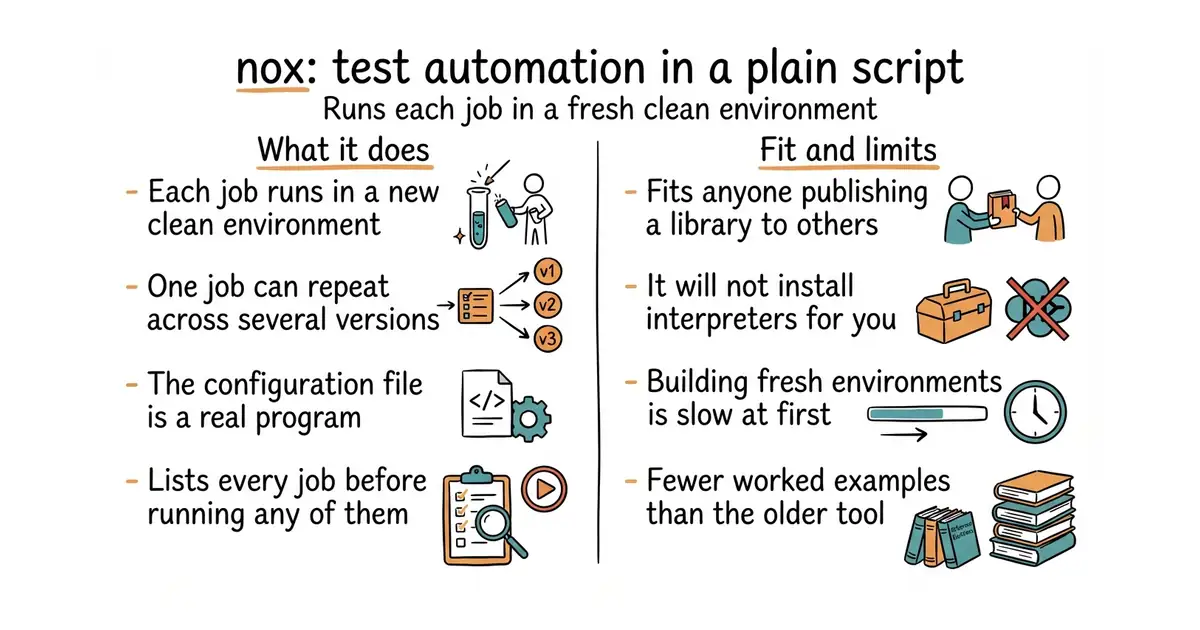
You write a file called noxfile.py containing functions marked with a decorator. Each function is a session: a job nox will run inside a clean virtual environment it creates for you. A session can be parameterised over several Python versions, so one function becomes four runs. Inside a session you say which packages to install and which commands to run, using plain Python — loops, conditions and variables all work, because it is a program and not a configuration file. Running nox executes every session; nox -s tests runs one; nox -l lists them. It can use uv or conda to create the environments instead of the standard venv. Version 2026.8.17 landed on 18 August 2026 and code was pushed on 13 October 2026. It does not install Python versions for you, and it does not publish packages or build wheels on its own.
Why it matters
Who it suits. Anyone publishing a Python library that other people install, where "works on my machine" is not enough. Also anyone whose test, lint and documentation jobs have drifted into a pile of shell scripts nobody can read. Skip it if you ship a single application pinned to one Python version, because one virtual environment is all you need and nox adds a layer for nothing.
Verdict. Worth an hour to set up, and then it mostly disappears, which is the right behaviour for this kind of tool. The choice here is between nox and tox-dev/tox, and it is a genuine preference rather than a ranking: tox is older, more widely used and configured in an .ini file, while nox is configured in Python. If you have ever written a conditional into a tox file and found yourself fighting the format, nox is the answer to that specific frustration. If you prefer a declarative file that cannot surprise you, stay with tox. Pairs well with the test tools above: Edition 50 covered vitest-dev/vitest for the JavaScript side of the same problem. One caution: you still need the Python versions themselves on the machine, and that is the step people forget.
- Configuration is real Python, so a loop is a loop and a condition is a condition.
- Every session runs in a clean environment, so a test cannot pass because of something left over.
- Small, stable and quick to read. The whole idea fits on one page.
- It will not install Python 3.9 for you. You need the interpreters already present, which usually means another tool.
- Creating fresh environments is slow the first time, especially for several versions at once.
- Fewer worked examples online than tox, so an unusual setup means reading the source.
- tox-dev/tox
The older and more common tool for the same job, configured declaratively in a file rather than in Python.
Track this in Scout - pypa/hatch
A wider project manager that covers environments, testing, building and publishing, so it replaces more than nox does and takes more buying into.
Track this in Scout
pipx install nox