In simple English
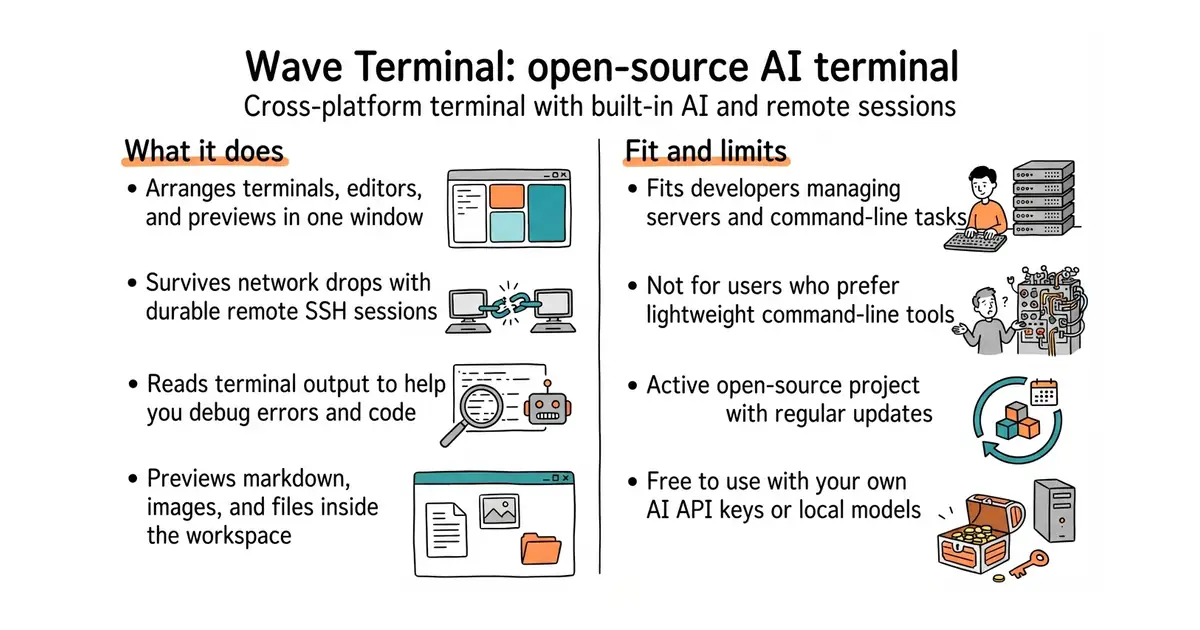
Wave Terminal is a desktop application that replaces your computer's standard command window. It lets you arrange multiple command prompts, file editors, and web pages in one window. It includes an assistant that can read your command output and help you debug errors. It connects to remote servers over SSH and keeps those connections alive if your network drops. It costs nothing to download and use, though you pay for your own AI API keys if you use cloud models.
What it is
Wave Terminal is a cross-platform terminal emulator (a desktop program that lets you interact with your operating system through a command line) built with Go and web technologies. It combines command-line interfaces, file previews, remote connections, and artificial intelligence into a single workspace.
What it is good for
It helps developers and server administrators manage multiple remote servers and command tasks without losing their place when the internet drops.
- Keeps remote sessions alive across network drops and app restarts.
- Includes built-in file previews for images, markdown, and code.
- Supports both local models and major cloud AI providers.
- Requires downloading a desktop installer rather than a simple command.
- Consumes more memory than a lightweight native terminal emulator.
- Relies on third-party API keys or local software for AI features.
standard terminal emulators and separate file transfer tools
tmux
- wezterm/wezterm29k stars
A GPU-accelerated terminal emulator and multiplexer with extensive configuration options.

- jj-vcs/jj32k stars
A version control system that stores its history in Git repositories but handles changes and conflicts differently.
- WerWolv/ImHex55k stars
A hex editor with its own small language for describing the layout of a binary file.
Download the installer for macOS, Windows, or Linux directly from the official website at www.waveterm.dev/download.