In simple English
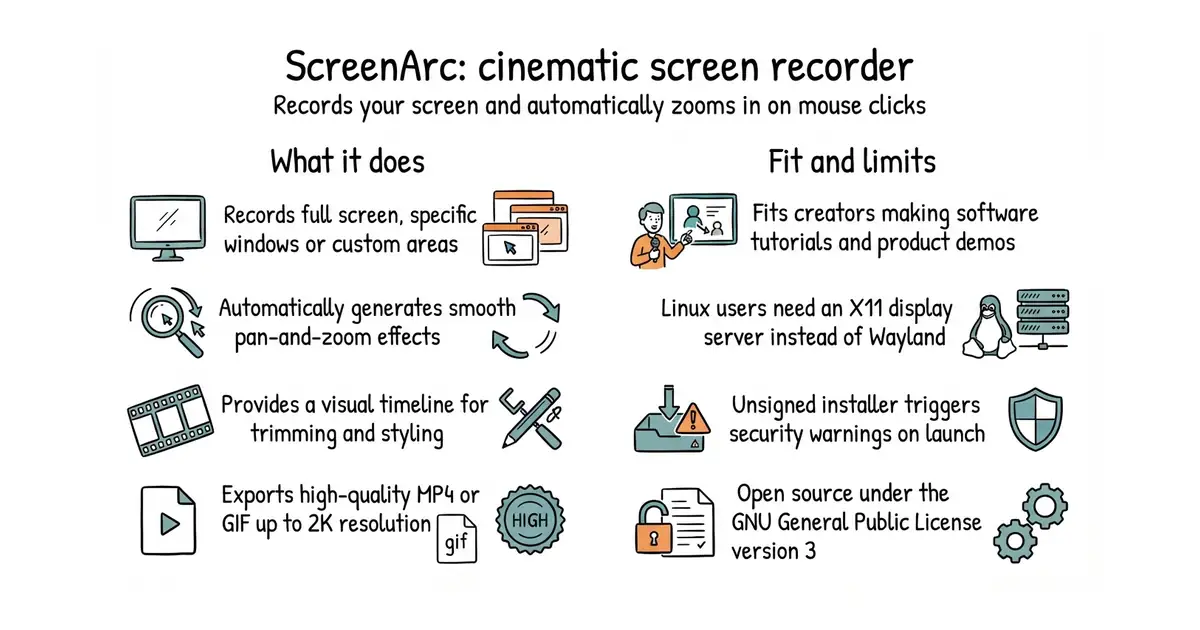
ScreenArc is a free desktop application for recording your computer screen. It watches your mouse movements and automatically zooms in where you click. This makes software demos and video tutorials look polished without manual editing. You download the installer for your operating system and run it. The project is fully open source under the GNU General Public License version 3.
What it is
ScreenArc is a cross-platform screen recorder and video editor built with Electron (a framework for building desktop apps using web technologies) and FFmpeg (a command-line tool for processing video and audio files). It generates smooth pan-and-zoom animations based on mouse activity and provides a timeline for trimming and styling clips.
What it is good for
This is good for solo builders, developers and educators who create software tutorials or product demos and want professional-looking zoom effects without spending hours on video editing.
- Automatically zooms in on mouse clicks without manual keyframing.
- Exports videos in common aspect ratios for YouTube, TikTok and Instagram.
- Includes a visual timeline for trimming clips and adding backgrounds.
- Requires an X11 display server on Linux and does not support Wayland yet.
- Unsigned builds trigger security warnings on Windows and macOS during installation.
- Video export processing needs a modern processor and enough memory for rendering.
Manual keyframing in complex video editors like Premiere or ScreenFlow.
OBS Studio for advanced multi-source live streaming and recording setups.
- snapcast/snapcast8.0k stars
A server and clients that play one audio stream in several rooms, kept in time with each other.
- MusicPlayerDaemon/MPD2.8k stars
A background music player with no interface of its own, controlled over a network by separate client programs.
- AcademySoftwareFoundation/OpenTimelineIO2.0k stars
An interchange format and library for editing timelines: the order and length of cuts, and references to the media, but not the media.
Download the latest installer or AppImage for your operating system from the GitHub Releases page and run it.