Radar check
What we found when we opened it. Every bar is one fact, with its date.
Last code pushed 27 Oct 2026, one day before this check.
Latest release core-v1.0.1 on 26 Oct 2026.
Public since August 2026, 2 months.
190 stars and 3 forks.
67 commits and 1 new issues in the last 90 days.
3 contributors. No pull requests merged in 90 days; changes go in directly. A small team carries it.
A security policy says how to report a problem. No published security advisories.
How the bars are scored
- Alive. Days since the last code push: a week or less 100, a month 90, three months 70, six months 50, a year 30, eighteen months 15, older 0.
- Releases. Age of the latest GitHub release, on a similar scale; no bar when the project publishes no releases.
- Maturity. Age of the project: eight years 100, five 90, three 70, two 55, one 40, six months 25, younger 10.
- Adoption. Stars on a log scale: 100,000 stars is 100, 10,000 is 80, 1,000 is 60, 100 is 40.
- Activity. Commits in the last 90 days: 300 or more 100, 100 85, 30 65, 10 45, any 25.
- Community. People who have contributed: 100 or more 100, 30 80, 10 60, 5 40, 2 25, one 10.
- Security. A published security policy 80, none 40; published advisories are listed, not scored.
Checked by Repo Radar on 28 Oct 2026 from the repository on GitHub.
In simple English
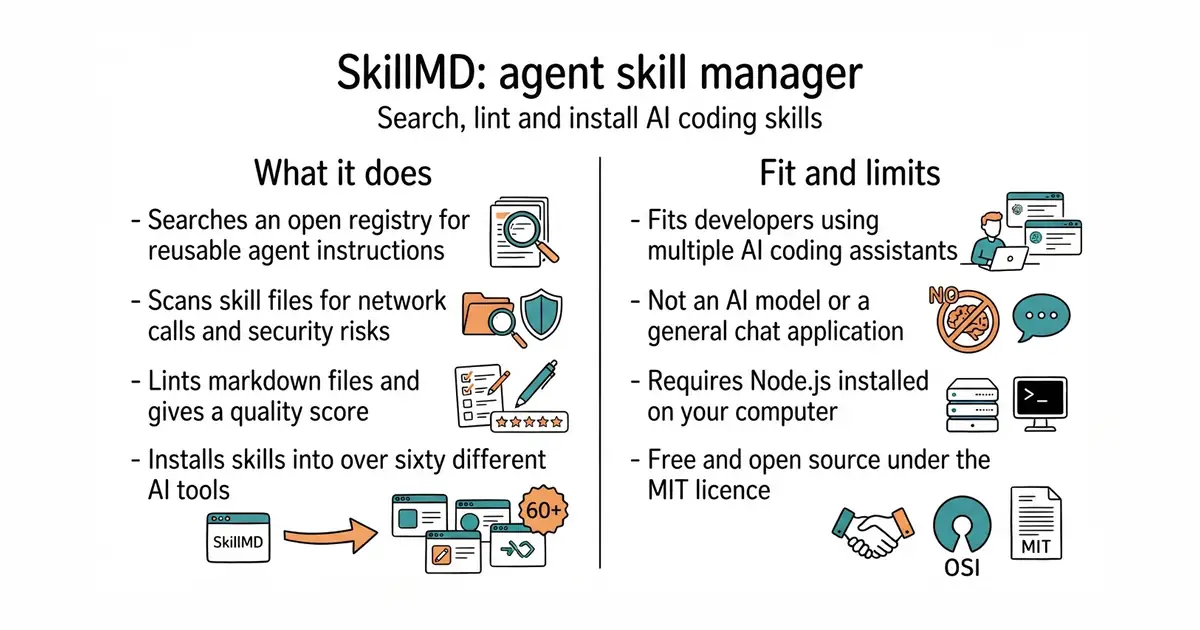
Different coding assistants need helper instructions in specific files. This tool lets you search for those helper files across the web. You can check them for safety problems before they touch your computer. It installs them into the right folder for sixty different coding tools. It costs nothing to use and runs right on your own machine.
What it is
A toolkit with a command-line helper, a Model Context Protocol server and a linting engine for agent skill files. It helps developers share, validate and install markdown instructions for AI coding assistants.
What it is good for
Solo builders who use AI coding assistants and want a fast way to find, test and install reusable instructions across different tools without writing them from scratch.
Summary (Key Points)from the README
Key features
- Registry scale: Lists 1,000,000+ skills from 30,000+ publishers, each linted, security-scanned and pinned to a commit.
- Agent coverage: `skillmd add` detects 68 agents by their config directories and writes skills to each one's own folder.
- Linting: Nine lint rules, a 0–100 quality score and `--fix` for mechanical problems. Output can be SARIF, JSON or GitHub annotations.
- Capability flags: The scanner tags each skill as `docs_only`, `network_calls`, `executes_scripts`, `reads_secrets` or `untrusted_install`, and `--deny` can refuse specific flags on install.
- MCP server: Gives MCP-capable agents six tools: search, get, install, trending/recommend, list saved, and lint.
- Plugins: Bundles of skills install as one unit. In Claude Code they become real plugins that can be enabled, disabled or uninstalled as a set.
- CI integration: The GitHub Action lints every skill in a repo and uploads SARIF to GitHub Code Scanning, so findings appear in pull requests.
- Publishing: `skillmd publish` runs the same lint as the CLI, is blocked on lint errors, and supports `--dry-run`. Published skills get a verdict page and a README badge.
Ways to install
| Platform or method | What it needs | Effort |
|---|---|---|
| Global CLI via npm (`npm i -g skillmds`) | Node and npm | Low |
| One-off run via `npx skillmds` | Node and npm | Minimal |
| Engine library (`npm i @skillmds/core`) | Node or a browser/edge runtime, npm | Low |
| Local MCP server (`claude mcp add skillmd -- npx -y skillmds`, or a JSON config entry) | Node and npm; an MCP-capable agent | Low |
| Hosted remote MCP server (`https://api.skillmd.com/mcp`) | An agent that supports streamable HTTP | Minimal |
| GitHub Action (`skillmds/skillmd/action@v1`) | A GitHub repository with workflows | Low |
| Claude Code marketplace (add `skillmds/skillmd`) | Claude Code | Low |
Important
- Account needed for some actions: Publishing requires `skillmd login` with a token from a skillmd.com account, and saved skills need `SKILLMD_TOKEN`. Search and install need no account.
- Install does not run code: Installing writes files only and never executes scripts. Scan flags describe what a skill can do, not a guarantee that it is safe.
- Registry is hosted, not local: The MIT-licensed repo holds the CLI, MCP server, Action and engine. The registry itself runs on skillmd.com and the API at api.skillmd.com.
- Marketplace coverage is partial: The Claude Code marketplace lists only the flagship plugins kept in this repo, refreshed weekly. Other plugins install with `npx skillmds add plugin:...`.
- Other agents get individual skills: Outside Claude Code, a plugin installs as separate skills, not as one managed unit.
- Publishing gate: `skillmd publish` refuses skills with lint errors, so fix them before sharing.
- Vulnerability reports: Send them to hi@skillmd.com, as described in SECURITY.md.
Written by an AI model from the project’s README; not part of the review, and it can be wrong.
- Installs skills automatically into dozens of different AI coding tool folders.
- Scans skill files for security risks and hidden network calls before installation.
- Includes an offline linter with a zero to one hundred quality score.
- Requires Node.js and a package manager installed on your system.
- Relies on an online registry for searching and downloading community skills.
- Managing skills across many different AI assistants can get confusing over time.
manually copying prompt instructions into various hidden coding assistant configuration folders
Claude Code or Cursor
- modelcontextprotocol/servers92k stars
Provides server integrations for AI assistants, but focuses on data access rather than skill file distribution.

- vllm-project/vllm96k stars
A serving engine that makes one graphics card answer many requests at once.
- infiniflow/ragflow93k stars
A question-answering system built on a document collection, with the sources shown beside every answer.
- basicmachines-co/basic-memory4.3k stars
Gives an AI assistant a memory that is stored as plain text files you can read.
npm i -g skillmds
skillmd search "pdf"