1.1k stars · Apache-2.0 and MIT · v1.24.0 (2026-05-20) · Track this in Scout
Turns comments above bash functions into a real command-line interface with flags, subcommands and usage text, and doubles as a task runner through an Argcfile.
▶Repo detailsthe review · specs · pros & cons · install
What it is
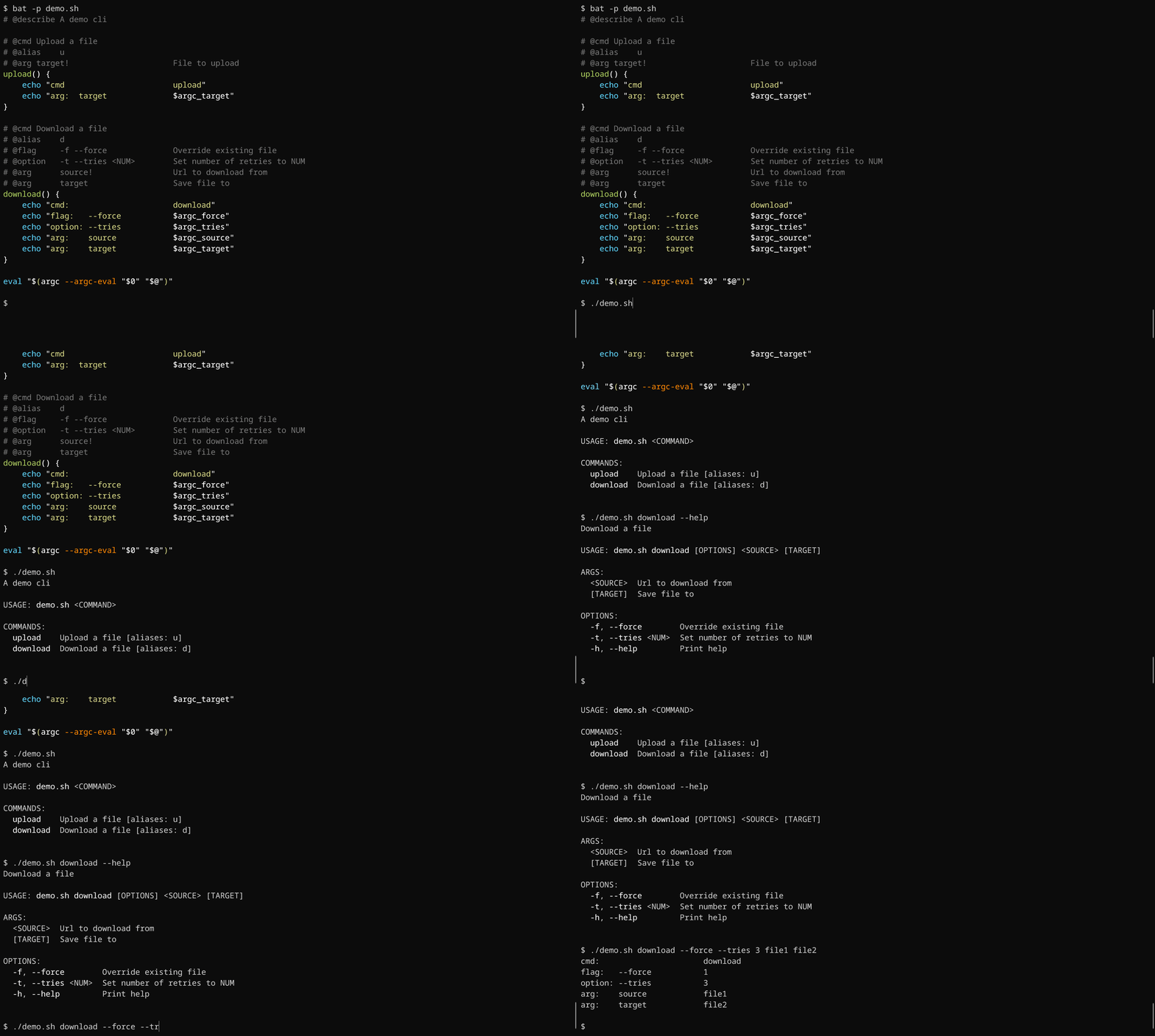
A framework for bash, the standard command language on Linux and Mac, that reads tags written as comments and generates the argument parsing, the help screen and the tab completion for you. The same file doubles as a task runner, which is a tidier replacement for a folder of one-line scripts.What it is good for. Anyone with a folder of scripts they wrote and then forgot. The problem it removes is the small daily cost of not remembering. It matters more than it looks for somebody who builds with a coding assistant: an assistant writes a far better script when the script's shape is declared in comments it can read, and a help screen is the cheapest documentation there is.
- The description of the command lives inside the script, so it cannot drift away from the code.
- One small program, with nothing to install beside it.
- You get help text, argument checking and tab completion for nothing.
- Bash only. A Python or JavaScript script gets no benefit at all.
- The comment tags are one more small language to learn, and they only work with this tool.
- A very small project at 1.1k stars. If the author stops, your scripts keep working, but nothing new arrives.
 casey/just
The same job of collecting small project commands into one file, with its own simple syntax rather than bash comments, and no generated help for arguments.
Track this in Scout- go-task/task
The same task-running idea written in YAML, with dependencies between tasks and file-change detection, aimed more at builds than at wrapping your own scripts.
Track this in Scout - matejak/argbash
Does only the argument-parsing half, and does it by generating plain bash code you keep, so the finished script needs nothing installed to run.
Track this in Scout
# The easiest route if Rust's package manager is installed:
cargo install argc
# Otherwise take the binary for your system from
#   https://github.com/sigoden/argc/releases/latest
chmod +x ./argc
sudo mv ./argc /usr/local/bin/argc
# A one-file example. Save it as Argcfile.sh:
cat > Argcfile.sh <<'EOF'
#!/usr/bin/env bash
# @describe Small jobs for this project
# @cmd Back up the database
# @arg name!  The database name
backup() {
    pg_dump "$1" > "$1-$(date +%F).sql"
}
eval "$(argc --argc-eval "$0" "$@")"
EOF
chmod +x Argcfile.sh
./Argcfile.sh backup --help