In simple English
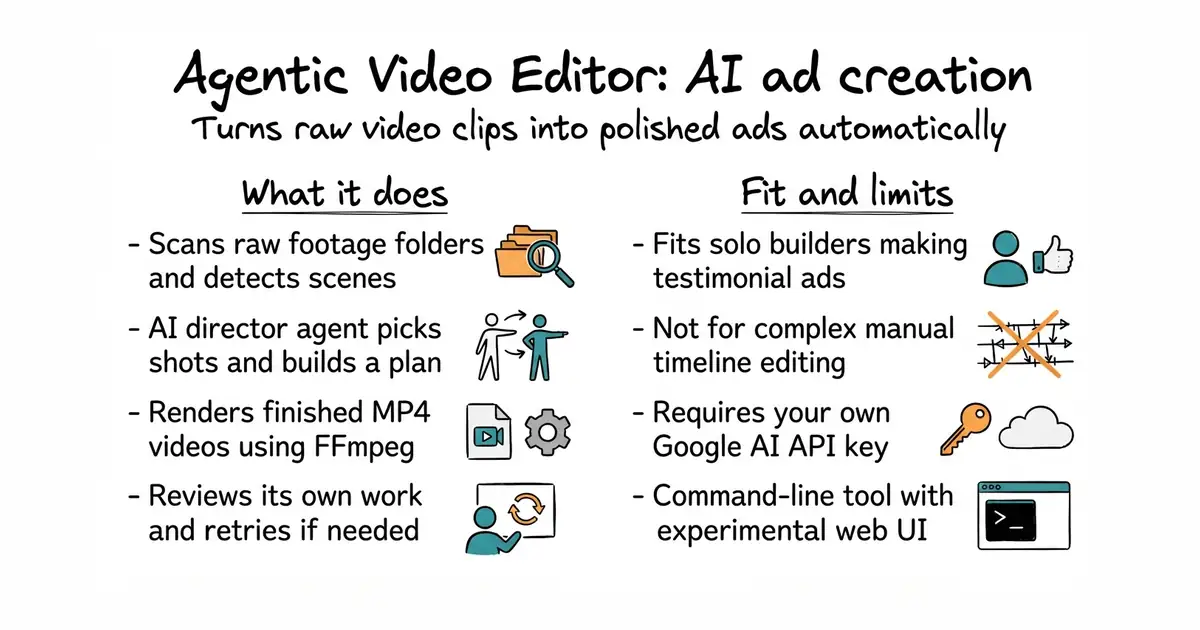
This tool takes a folder of raw video clips and turns them into a finished advertisement. You write a short text brief about what you want. Artificial intelligence agents pick the best shots, cut them together, and render a final video. If the first try is not good enough, the system reviews its own work and tries again. You need your own paid API key for the brain part.
What it is
A command-line program that uses Google Gemini (a large language model, which is a computer program trained on a vast amount of text to understand and generate human language) and FFmpeg (a command-line tool for recording, converting and streaming digital audio and video) to automate video editing. It runs a pipeline of agents that handle scene detection, shot selection, rendering, and quality scoring.
What it is good for
Solo builders and marketers who need to produce testimonial ads or product videos quickly without manual timeline editing.
- Automates the entire video editing workflow from raw footage to final render.
- Includes a self-review loop that checks the output and retries if quality is low.
- Custom style templates let you control pacing, segment duration, and tone.
- Requires a Google AI API key, which costs money based on usage.
- Requires FFmpeg installed on your system and available in your command path.
- The web interface is an unfinished work in progress, so you must use the command line.
manual video editing in timeline software
FFmpeg
- openai/openai-python32k stars
Provides general API access to language models, but lacks a built-in video editing pipeline.
- kkroening/ffmpeg-python11k stars
Offers Python bindings for FFmpeg, but requires you to write your own editing logic.


- motion-canvas/motion-canvas19k stars
A code-written animation tool with a live editor, for explanatory videos built from shapes and text.
- paulpacifico/shutter-encoder2.8k stars
A desktop window over FFmpeg for converting, trimming and processing video, audio and images.
- htekdev/vidpipe232 stars
It watches a folder for recordings and produces captions, clips and draft social posts from each one.
git clone https://github.com/poseljacob/agentic-video-editor.git
cd agentic-video-editor
python -m venv .venv
source .venv/bin/activate
pip install -e ".[dev]"
cp .env.example .env