In simple English
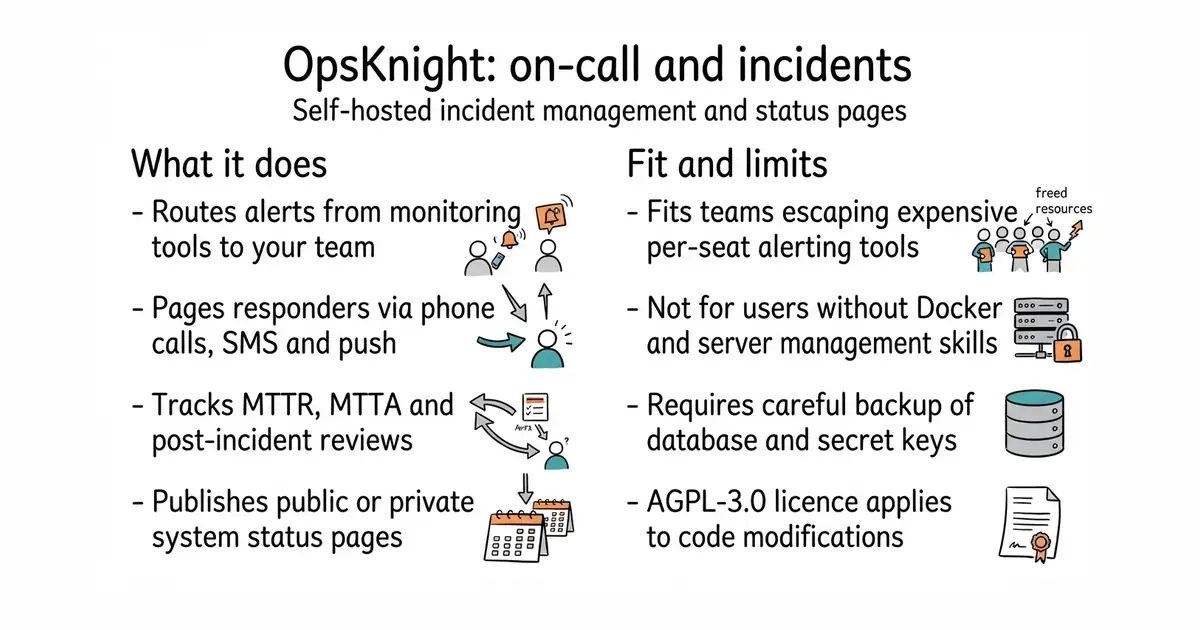
When your server breaks in the middle of the night, this tool wakes up the right person. It calls phones, sends text messages, and pings chat apps until someone answers. You can host it on your own server instead of paying a monthly fee to an external company. It keeps all your system data and incident reports locked safely inside your own database. You need a little technical skill to set up Docker and a PostgreSQL database.
What it is
OpsKnight is an open-source incident response and on-call management platform built with TypeScript and Next.js. It gives engineering teams self-hosted tools for alert routing, rotation schedules, escalation policies, and customer status pages.
What it is good for
This is good for solo builders and small engineering teams who want pager alerts and status pages without paying expensive per-seat cloud software fees.
- No per-seat pricing or user limits.
- Runs entirely on your own server and database.
- Includes a mobile web app for responding to alerts on the go.
- Requires Docker and PostgreSQL knowledge to install and maintain.
- AGPL-3.0 licence requires you to share modifications if you offer it as a hosted service.
- Losing your encryption key makes all stored integration passwords unreadable.
PagerDuty
Prometheus
- statping/statping7.3k stars
Status page and monitoring tool, but lacks the deep on-call paging features of OpsKnight.
- louislam/uptime-kuma93k stars
Popular self-hosted uptime monitor, but does not provide multi-layer on-call schedules or incident command workflows.


- vectordotdev/vector23k stars
One collector that gathers logs and numbers from machines and sends them to one or more monitoring services.
- bluewave-labs/Checkmate11k stars
A self-hosted monitor that checks whether sites and services answer, records response times and sends alerts.
- statping-ng/statping-ng2.0k stars
A single-file status page and uptime checker that works with SQLite, PostgreSQL or MySQL.
git clone https://github.com/opsknight-labs/OpsKnight.git
cd OpsKnight

cat << 'EOF' > .env
OPSKNIGHT_IMAGE=ghcr.io/opsknight-labs/opsknight:2.0.0
POSTGRES_USER=opsknight
POSTGRES_DB=opsknight_db
POSTGRES_PORT=5432
APP_PORT=3000
NEXTAUTH_URL=http://localhost:3000
NEXT_PUBLIC_APP_URL=http://localhost:3000
EOF

printf 'POSTGRES_PASSWORD=%s\n' "$(openssl rand -hex 32)" >> .env
printf 'NEXTAUTH_SECRET=%s\n' "$(openssl rand -base64 32)" >> .env
printf 'API_KEY_SECRET=%s\n' "$(openssl rand -base64 32)" >> .env
printf 'ENCRYPTION_KEY=%s\n' "$(openssl rand -hex 32)" >> .env

docker compose --env-file .env -f deploy/compose/docker-compose.yml pull
docker compose --env-file .env -f deploy/compose/docker-compose.yml up -d --wait