In simple English
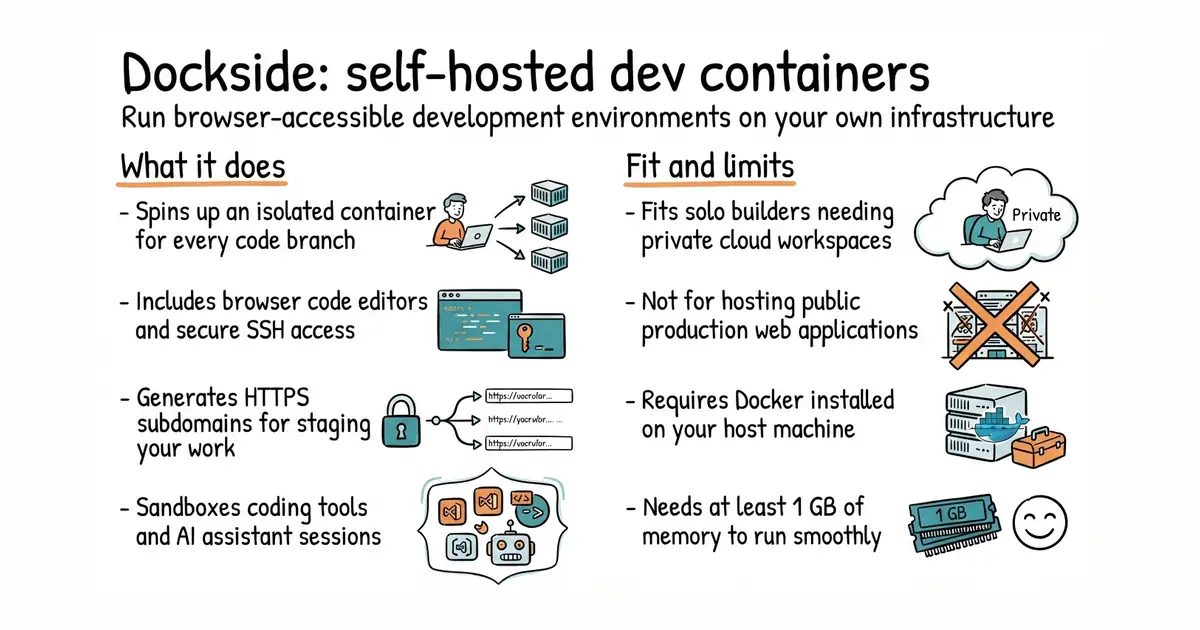
This tool lets you run a private workspace for every project branch you make. You can open your code in a web browser or connect with your usual text editor. It runs on your own computer or server, so you do not need to pay monthly fees to a giant cloud company. Each workspace is sealed off from the rest of your system. You can also let colleagues view your running work by sharing a simple web link.
What it is
Dockside is a self-hosted platform that provisions isolated development containers with built-in web code editors and secure reverse proxy access. It serves as an open-source alternative to cloud-based workspace services like GitHub Codespaces.
What it is good for
Solo builders and small teams who want cloud-style development environments on their own hardware without paying per-seat fees or sending their code to third-party servers.
- Runs entirely on your own server or local machine.
- Provides browser-based code editors alongside traditional SSH access.
- Generates secure HTTPS links automatically for testing work in progress.
- Requires Docker (a way to run a program inside its own sealed box, so it cannot break anything else on your server) installed and running on your host machine.
- Needs at least 1 GB of memory to operate reliably.
- Setting up public wildcard SSL certificates requires configuring your own DNS records.
GitHub Codespaces or manual virtual machine setup
Docker
- coder/coder17k stars
Coder provisions remote development workspaces on your own infrastructure using Terraform, whereas Dockside focuses on Docker containers.

- vectordotdev/vector23k stars
One collector that gathers logs and numbers from machines and sends them to one or more monitoring services.
- bluewave-labs/Checkmate11k stars
A self-hosted monitor that checks whether sites and services answer, records response times and sends alerts.
- statping-ng/statping-ng2.0k stars
A single-file status page and uptime checker that works with SQLite, PostgreSQL or MySQL.
curl -o docker-compose.yml https://raw.githubusercontent.com/newsnowlabs/dockside/refs/heads/main/docker-compose.yml && \
mkdir -p ~/.dockside && \
docker compose up -d