In simple English
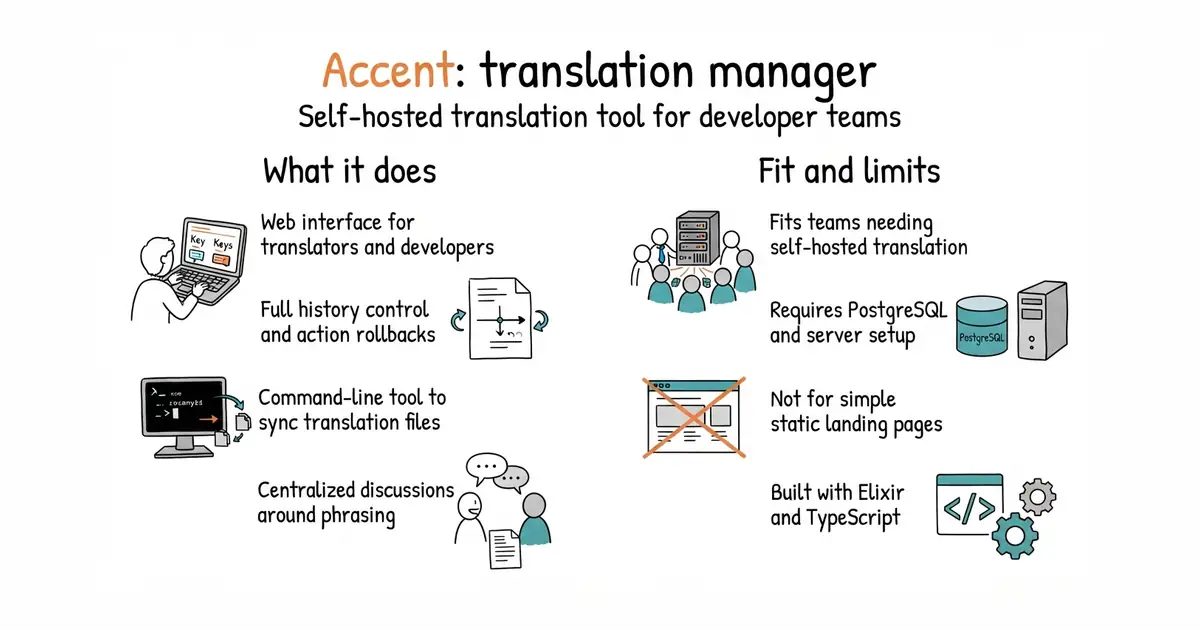
Managing text translations for a growing software project gets messy quickly. Spreadsheets and email chains cause confusion between developers and translators. Accent provides a dedicated web interface where your whole team can manage phrases and target languages. It keeps a complete history of every change so you can see who edited what and when. You can host this tool on your own server for free. Setting it up takes some technical knowledge and a PostgreSQL database (a structured system for storing data on a server).
What it is
Accent is a translation management tool built with Elixir (a programming language designed for fast and reliable web apps) and TypeScript (a programming language that adds extra safety checks to JavaScript). It provides a web dashboard and a command-line interface (a text-based way to run programs) for syncing your localization files.
What it is good for
This is good for solo builders and product teams who want to separate translation text from source code without paying for expensive hosted translation services.
- Keeps a complete history of all translation edits and rollbacks.
- Includes a command-line tool to push and pull translations in your workflow.
- Supports many authentication providers for team sign-in.
- Requires running a PostgreSQL database and an Elixir runtime environment.
- Setup is complex for non-programmers who are unfamiliar with Docker or servers.
- Documentation assumes prior experience with web application deployment.
managing app translations in scattered spreadsheets or email attachments
PostgreSQL

- sphinx-doc/sphinx8.1k stars
Builds a documentation website, and a PDF, from text files and from the comments beside the code.
- facebook/docusaurus67k stars
A static site generator from Meta that turns Markdown files into a documentation website.
docker run --env-file .env -p 4000:4000 mirego/accent