1.8k stars · EUPL-1.2 · v1.6.0 (2024-09-15) — two years old; crates.io agrees on September 2024. The release is old, the project is not: ungh.cc reports code pushed 2026-03-09 · Track this in Scout
A terminal folder browser that leaves you in the folder you picked.
▶Repo detailsthe review · specs · pros & cons · install
What it is
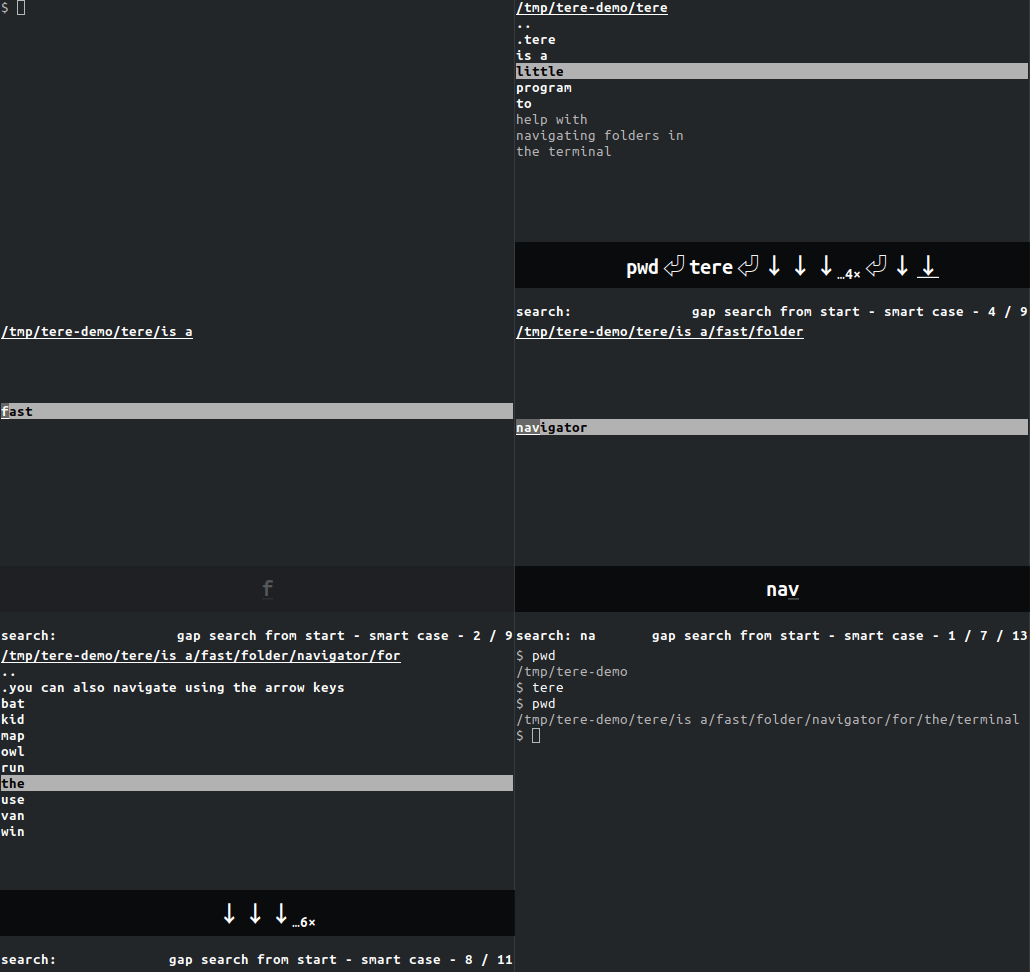
A small Rust program that draws a list of the current folder's contents, filters it as you type, and prints the chosen path when it exits. A short function in your shell configuration turns that printed path into a directory change.
What it is good for. Anyone who works in a terminal and does not remember the shape of a project by heart. The gain is not that it is clever; it is that looking and moving become one action instead of two. It matters most in deep trees you visit rarely, where the ordinary cost is three or four listings before you find the folder you meant. It is deliberately not a file manager, and that is why it starts instantly and why there is nothing to learn beyond the arrow keys.
- It does one thing, so it is fast to start and there is no configuration to read.
- Type-ahead search means a few letters usually select the folder outright, with no arrow keys at all.
- It installs from Homebrew, Cargo, Nix, pacman and Scoop, and there are ready-built binaries.
- It needs a small function added to your shell configuration before it can change directory, because no program can change its parent shell's folder on its own. Skipping that step makes it look broken.
- EUPL-1.2, the European Union's own licence. It is a copyleft licence with a compatibility list, and it is rare enough that a lawyer may have to read it before it goes into a commercial product.
- Its newest release, v1.6.0, is dated 15 September 2024 — two years ago. The code was last pushed on 9 March 2026, six months ago, so it is alive and quiet, not abandoned. Edition 26 describes how that contradiction was settled.
- sxyazi/yazi
It is a full terminal file manager with previews, copying and plugins, so it does far more and takes far longer to learn.
Track this in Scout - jarun/nnn
It is also a complete file manager and is famously light on memory, and it needs its own plugin to leave you in the chosen directory.
Track this in Scout - ranger/ranger
It is the long-established Python file manager with VI keys and three-column previews, and it is heavier to start.
Track this in Scout
cargo install tere        # or: brew install tere
# then add this to ~/.bashrc so it can change directory
tere() {
  local result=$(command tere "$@")
  [ -n "$result" ] && cd -- "$result"
}