28.1k stars · MIT · 2.46.5 (2026-09-07), read from /releases/latest; the bare date '07 Sep' is in the past, so it is 2026 · Track this in Scout
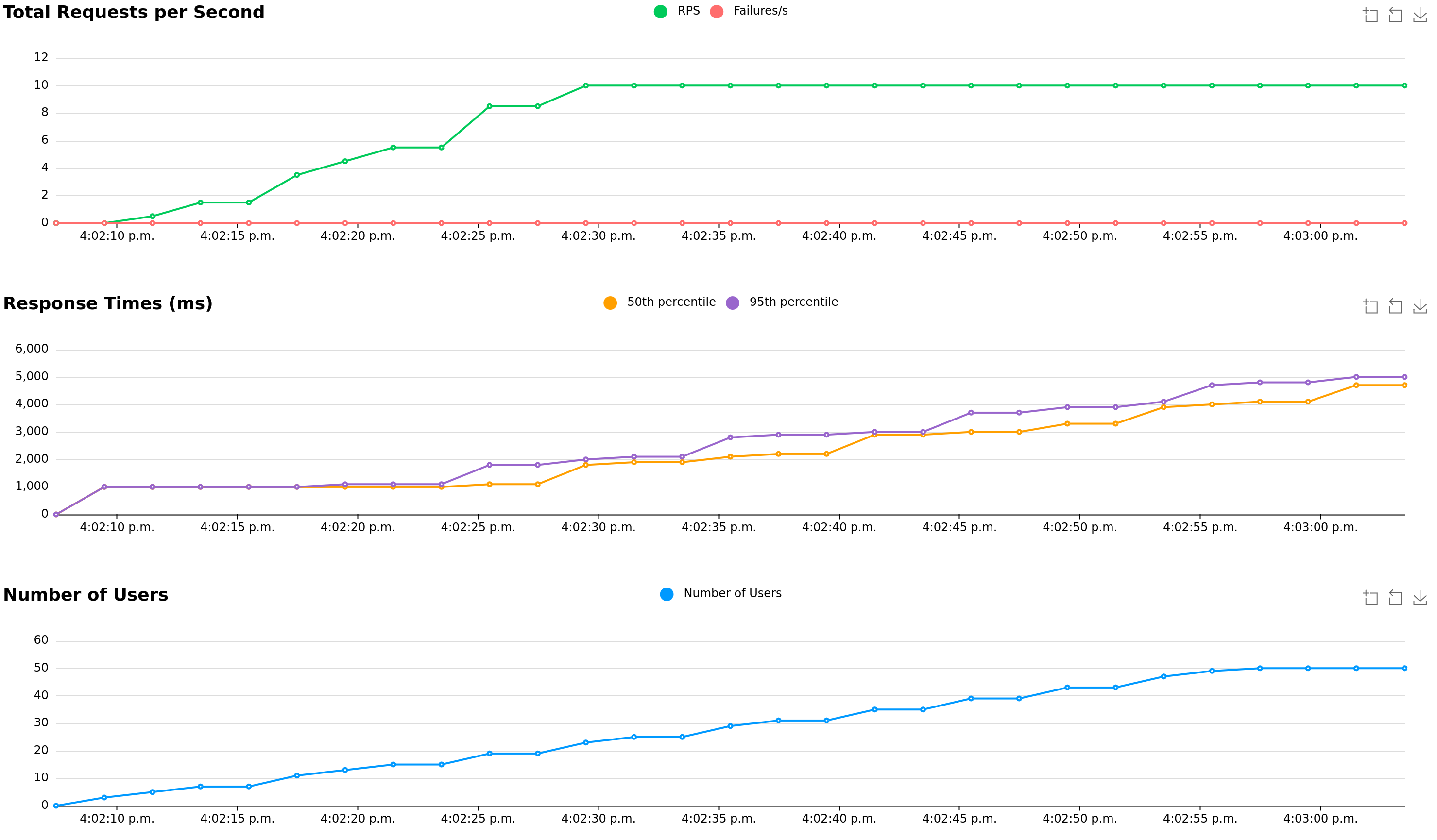
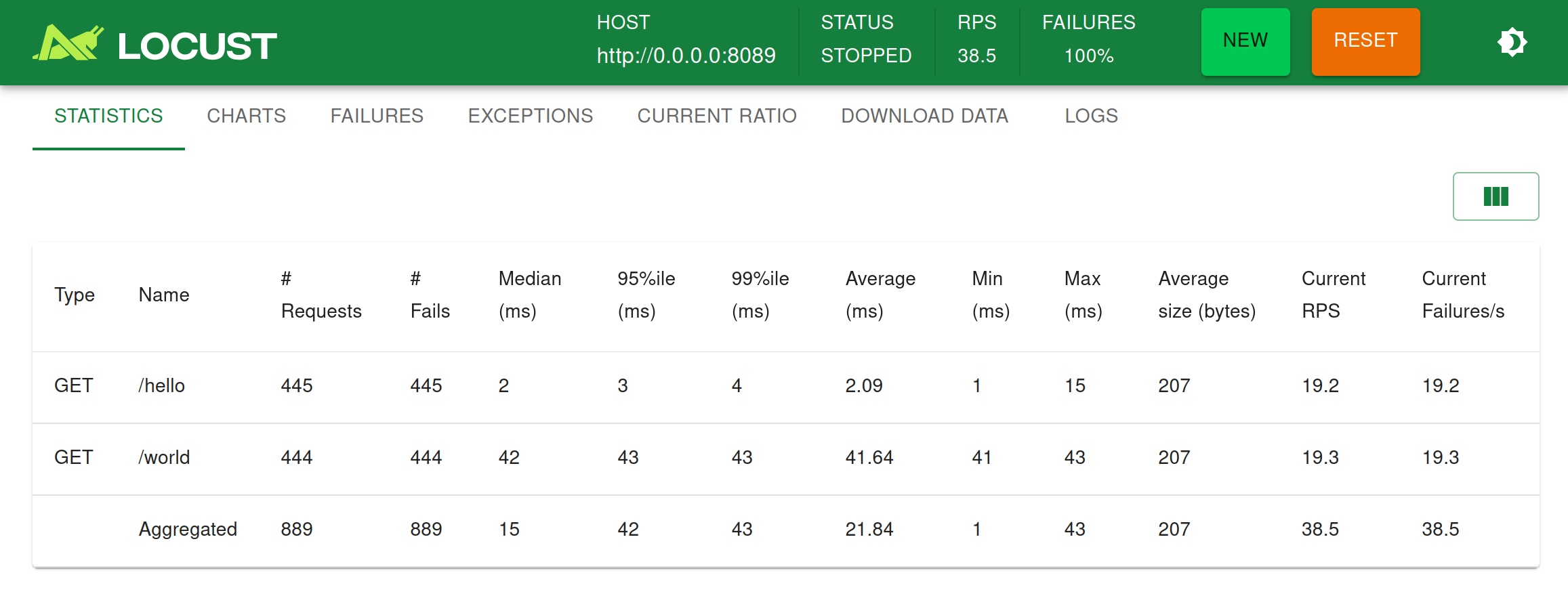
Starts many simulated visitors from a short Python file and shows response times, throughput and failures on a live web page while the test runs.
▶Repo detailsthe review · specs · pros & cons · install
What it is
A load-testing tool in which the test itself is ordinary Python code. It starts many simulated visitors, each following the steps you wrote, and shows response times, requests per second and failures in a live web page while the test runs.What it is good for. Any solo builder who is about to be written about, posted, or launched. One mention on a busy site is fifty people in a minute, and the first thing you learn should not be that the server fell over. Nineteen editions of this radar have handed over tools to build, measure and monitor, and not one has asked whether the thing holds up. Grasppy's map screen does real work per request, which makes it exactly the kind of page that is fine for one person and slow for twenty.
- The test is Python, so you write it the way you write everything else and keep it in git beside the code.
- A live web page shows the numbers as the test runs, so you can stop the moment you learn something.
- MIT licence, and there is no service to keep running between tests.
- You have to describe what a visitor does. A lazy description gives you a comforting answer that is wrong.
- Running the test from your own laptop measures your home internet as much as your server. Run it from a second cheap server for a real number.
- It does not run a browser, so the JavaScript on your page is never measured. This tests your server, not the page a person sees.
- grafana/k6
The same job with tests written in JavaScript instead of Python, faster per machine, but licensed AGPL-3.0, which matters if you ever ship it inside something.
Track this in Scout - tsenart/vegeta
Hits one address at a fixed rate from the command line, which is far simpler and gives no way to describe a visitor's journey.
Track this in Scout - hatoo/oha
The same one-address speed test with a live picture in your terminal, pleasant for a quick check and not meant for a scripted journey.
Track this in Scout
# Python 3.10 or newer
python3 -m venv venv
source venv/bin/activate
pip install locust
# Write a file called locustfile.py, for example:
cat > locustfile.py <<'EOF'
from locust import HttpUser, task, between
class Visitor(HttpUser):
    wait_time = between(1, 3)
    @task
    def home(self):
        self.client.get("/")
EOF
locust -f locustfile.py --host https://example.com
# then open http://localhost:8089 and choose how many visitors