1.2k stars · MIT · v4.4.3 (2026-09-13) · Track this in Scout
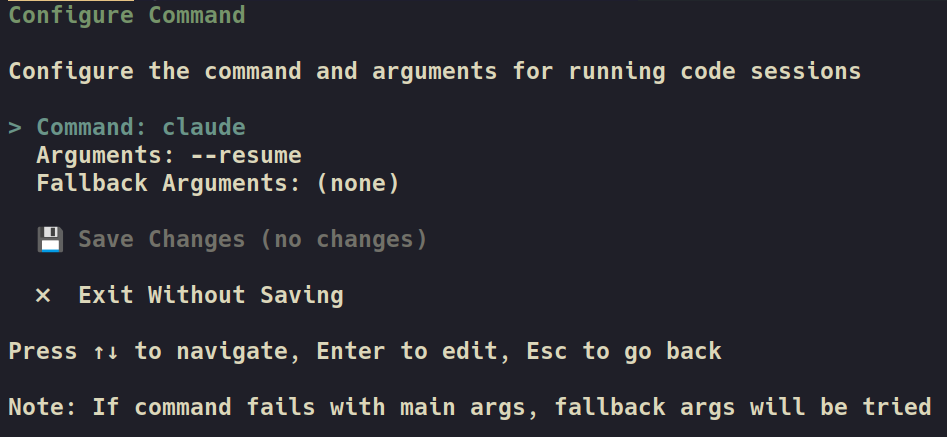
A terminal screen that runs several coding assistants at once, each in its own git worktree, showing which session is busy and which is waiting for an answer.
▶Repo detailsthe review · specs · pros & cons · install
What it is
ccmanager is a terminal program written in JavaScript. It uses git worktrees, which is git's own way of having several separate working copies of one project on disk at the same time, and it starts one assistant session inside each.What it is good for. Anybody whose day is now mostly reviewing what an assistant wrote. The bottleneck stops being how fast the model types and becomes how many things you can have in flight without losing track. It does not care which assistant you use: Claude Code, Gemini CLI, Codex CLI, Cursor Agent, Copilot CLI, OpenCode and several others all work. It creates, merges and deletes the working copies from inside the app, so you are not typing git commands between tasks. For you: you build Grasppy, ScalpingMate and the channel's tooling with a coding assistant, and those are three separate projects. This is the screen that shows all three at once.
- Each assistant works in its own copy, so two of them cannot overwrite each other.
- One screen shows which sessions are waiting for you, which is the thing you actually lose track of.
- It released version 4.4.3 on the morning this edition was written, so it is under active work.
- It assumes you understand git worktrees and are comfortable merging branches. If you are not, this will create confusion rather than remove it.
- Four assistants running at once cost roughly four times as much as one, and it is easy to leave a session burning money.
- Essentially one maintainer. The npm package is also a few versions behind the GitHub tag, so
npm install -gmay not give you the newest fixes.
- smtg-ai/claude-squad
The same job of many assistants in separate branches, built on tmux and Go, but licensed AGPL-3.0, which matters if you ever bundle it.
Track this in Scout - dagger/container-use
The same problem solved by giving each assistant its own Docker container rather than its own folder, which is safer and much heavier.
Track this in Scout - BloopAI/vibe-kanban
The same orchestration of several assistants on one project, but presented as a task board with planning and review columns instead of a terminal.
Track this in Scout
npm install -g ccmanager
ccmanager            # or try it once with: npx ccmanager