Radar check
What we found when we opened it. Every bar is one fact, with its date.
Last code pushed 28 Aug 2026, 2 months before this check.
Latest release v2.5.1 on 28 Aug 2026.
Public since September 2023, a little over 3 years.
1,430 stars and 80 forks.
80 commits and 31 new issues in the last 90 days.
1 contributor. No pull requests merged in 90 days; changes go in directly. A small team carries it.
No security policy file says how to report a problem. No published security advisories.
How the bars are scored
- Alive. Days since the last code push: a week or less 100, a month 90, three months 70, six months 50, a year 30, eighteen months 15, older 0.
- Releases. Age of the latest GitHub release, on a similar scale; no bar when the project publishes no releases.
- Maturity. Age of the project: eight years 100, five 90, three 70, two 55, one 40, six months 25, younger 10.
- Adoption. Stars on a log scale: 100,000 stars is 100, 10,000 is 80, 1,000 is 60, 100 is 40.
- Activity. Commits in the last 90 days: 300 or more 100, 100 85, 30 65, 10 45, any 25.
- Community. People who have contributed: 100 or more 100, 30 80, 10 60, 5 40, 2 25, one 10.
- Security. A published security policy 80, none 40; published advisories are listed, not scored.
Checked by Repo Radar on 28 Oct 2026 from the repository on GitHub.
In simple English
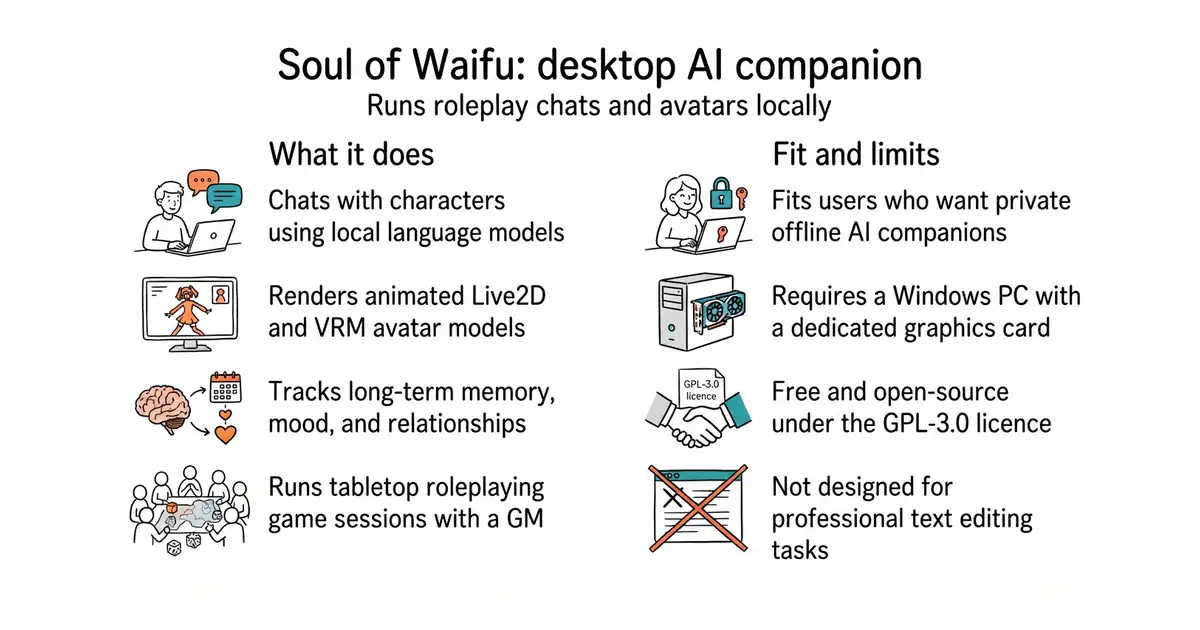
This program lets you chat with custom AI characters on your computer. Your characters remember past conversations, express emotions, and can even act as game masters for tabletop roleplaying sessions. You can run everything entirely offline on your own hardware or connect to cloud services. It costs nothing to download and use. You only pay if you choose to use paid cloud artificial intelligence providers.
What it is
Soul of Waifu is an open-source desktop application that combines local language models, voice synthesis, avatars, and autonomous desktop tools into one package. It includes specialized modules for memory management, text-based roleplaying games, and desktop automation.
What it is good for
It is good for solo builders who want a feature-rich, self-hosted platform to create, converse with, and build custom applications around persistent AI characters without relying on closed web services.
Summary (Key Points)from the README
Key features
- Four connected modes: One character spans text and voice chat, a tabletop RPG engine, a desktop companion and a persistent memory system.
- Soul Memory: Continuously rewrites four memory files (Psychology Layer, Relationship Profile, Episodic Topic Archive, Personal Diary) and applies emotional decay, self-healing and duplicate merging.
- Soul Stage: Runs a tabletop RPG under an AI Game Master, with deterministic dice rolls, hidden Story Arcs, a Campaign Board with Pressure Clocks and Scene Folders.
- Soul Companion: Runs as a transparent desktop overlay that can move the mouse, type, browse with a headless Playwright browser, run sandboxed Python/PowerShell and organize files.
- Custom State Variables HUD: Builds no-code stat systems in character cards, with 11 built-in presets for Romance, RPG, Survival, Horror and similar genres.
- Voice and avatars: Offers 6 text-to-speech engines, Silero VAD with Faster Whisper for full-duplex calls, and Live2D, VRM, GIF or static avatars with a 28-state emotion classifier.
- Text sampling controls: Includes Dynamic Temperature, DRY, XTC and Min-P samplers to reduce repetitive output.
- Local and cloud LLMs: Supports Llama.cpp with CUDA, HIP, SYCL and Vulkan, plus 10 cloud providers and custom OpenAI-compatible endpoints.
- Access and integrations: Provides a local web client on port 8000 for phones and tablets, a Discord Gateway, and image generation through Automatic1111, ComfyUI, NovelAI, DALL-E 3 and FLUX.
Important
- Windows only: The README lists Windows 10/11 (64-bit) as the only supported OS.
- Do not run as Administrator: Running `installer.bat` as Administrator causes installation path errors, so use a normal double-click.
- Path restrictions: Extract to a path with no spaces or Cyrillic characters.
- Hardware needs: The minimum is 8 GB RAM and 10 GB free storage. Local models need an NVIDIA or AMD GPU with 6+ GB VRAM, while cloud use works without a GPU.
- Computer-use risk: Soul Companion can control your mouse, keyboard and files. Each risky action waits for approval on a banner with a 25-second fail-safe countdown, but you should still review what it is about to do.
- Data leaves the PC with cloud providers: Cloud providers and web tools send data over the internet when used. The README says the core experience works offline, but a cloud provider or web tool is an exception.
- Solo-developer project: The README describes it as maintained by one developer, and it is GPL-3.0 licensed.
Written by an AI model from the project’s README; not part of the review, and it can be wrong.
- Runs completely offline by default to keep your conversations private.
- Includes built-in support for live 2D and 3D avatars with voice synthesis.
- Features an advanced memory architecture that tracks relationships and mood over time.
- Requires a dedicated graphics card with at least 6 GB of memory to run local artificial intelligence models smoothly.
- Complex feature set with many configuration menus can feel overwhelming at first.
- Only officially supports Windows operating systems for the desktop client.
SillyTavern
Ollama
- SillyTavern/SillyTavern35k stars
A popular frontend for interacting with large language models and character cards.
- oobabooga/textgen48k stars
A comprehensive web server for running language models locally with extensions.


- vllm-project/vllm96k stars
A serving engine that makes one graphics card answer many requests at once.
- infiniflow/ragflow93k stars
A question-answering system built on a document collection, with the sources shown beside every answer.
- basicmachines-co/basic-memory4.3k stars
Gives an AI assistant a memory that is stored as plain text files you can read.
1. Download the latest release archive from the GitHub releases page.
2. Extract the archive using 7-Zip or WinRAR to a folder path without spaces.
3. Run installer.bat as a standard user, then launch the app using start.bat.