Radar check
What we found when we opened it. Every bar is one fact, with its date.
Last code pushed 8 Oct 2026, 18 days before this check.
Latest release 0.35.1 on 31 Jul 2026.
Public since November 2020, a little over 5 years.
2,731 stars and 545 forks.
32 commits and 14 new issues in the last 90 days.
22 contributors. No pull requests merged in 90 days; changes go in directly.
No security policy file says how to report a problem. No published security advisories.
How the bars are scored
- Alive. Days since the last code push: a week or less 100, a month 90, three months 70, six months 50, a year 30, eighteen months 15, older 0.
- Releases. Age of the latest GitHub release, on a similar scale; no bar when the project publishes no releases.
- Maturity. Age of the project: eight years 100, five 90, three 70, two 55, one 40, six months 25, younger 10.
- Adoption. Stars on a log scale: 100,000 stars is 100, 10,000 is 80, 1,000 is 60, 100 is 40.
- Activity. Commits in the last 90 days: 300 or more 100, 100 85, 30 65, 10 45, any 25.
- Community. People who have contributed: 100 or more 100, 30 80, 10 60, 5 40, 2 25, one 10.
- Security. A published security policy 80, none 40; published advisories are listed, not scored.
Checked by Repo Radar on 26 Oct 2026 from the repository on GitHub.
In simple English
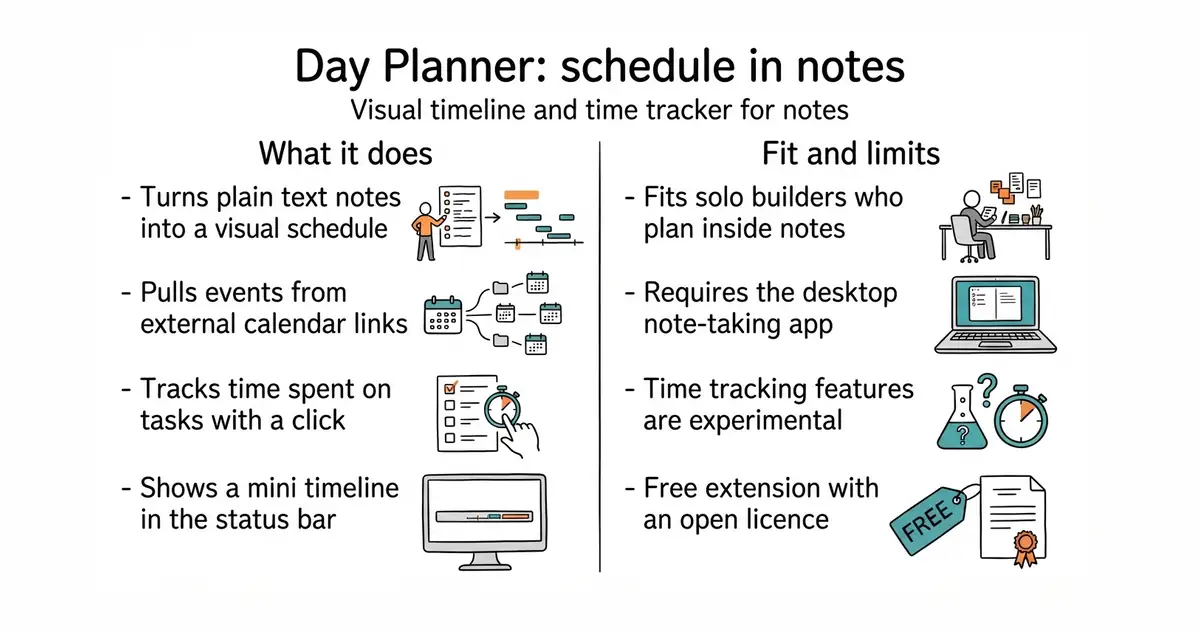
This tool turns your plain text notes into a visual daily schedule. You write tasks with times inside your regular notes, and they show up on a clean timeline sidebar. It also pulls in events from Google Calendar, Outlook, and iCloud. You can track how long tasks take with simple start and stop buttons. It is free to use and runs entirely inside your existing note-taking app.
What it is
An Obsidian (a desktop and mobile app for keeping notes in plain text files) community plugin that adds an editable timeline, multi-day planner views, and basic time tracking. It reads task times from daily notes or other Markdown files and syncs with external calendar feeds.
What it is good for
Solo builders who use Obsidian for daily planning and want a visual schedule without switching to a separate calendar app.
- Displays tasks and external calendar events side by side in your notes.
- Tracks time spent on specific tasks with a simple right-click menu.
- Free and open-source with an MIT licence.
- Requires the Obsidian app to be installed and running.
- Time-tracking features are currently experimental and subject to change.
- Dependent on third-party plugin integrations for advanced task filtering.
External calendar applications and separate time-tracking software
Obsidian
- obsidian-tasks-group/obsidian-tasks4.1k stars
Manages tasks across your vault with custom queries and dates, while Day Planner focuses on timelines and schedules.
- liamcain/obsidian-calendar-plugin2.3k stars
Adds a visual calendar widget to your sidebar, whereas Day Planner provides a detailed hour-by-hour schedule view.


- sphinx-doc/sphinx8.1k stars
Builds a documentation website, and a PDF, from text files and from the comments beside the code.
- facebook/docusaurus67k stars
A static site generator from Meta that turns Markdown files into a documentation website.
Open Obsidian, go to Settings, select Community plugins, turn on community plugins if prompted, search for Day Planner, and click Install.