32,881 stars · GPL-3.0, read from /blob/dev/LICENSE on 2026-09-27; verbatim upstream GPLv3 with no added terms and no enterprise carve-out · v2.4.0 (2026-09-17), read from /releases/latest · Track this in Scout
One self-hosted page that links to every service you run and shows a live figure from each of them.
▶Repo detailsthe review · specs · pros & cons · install
What it is
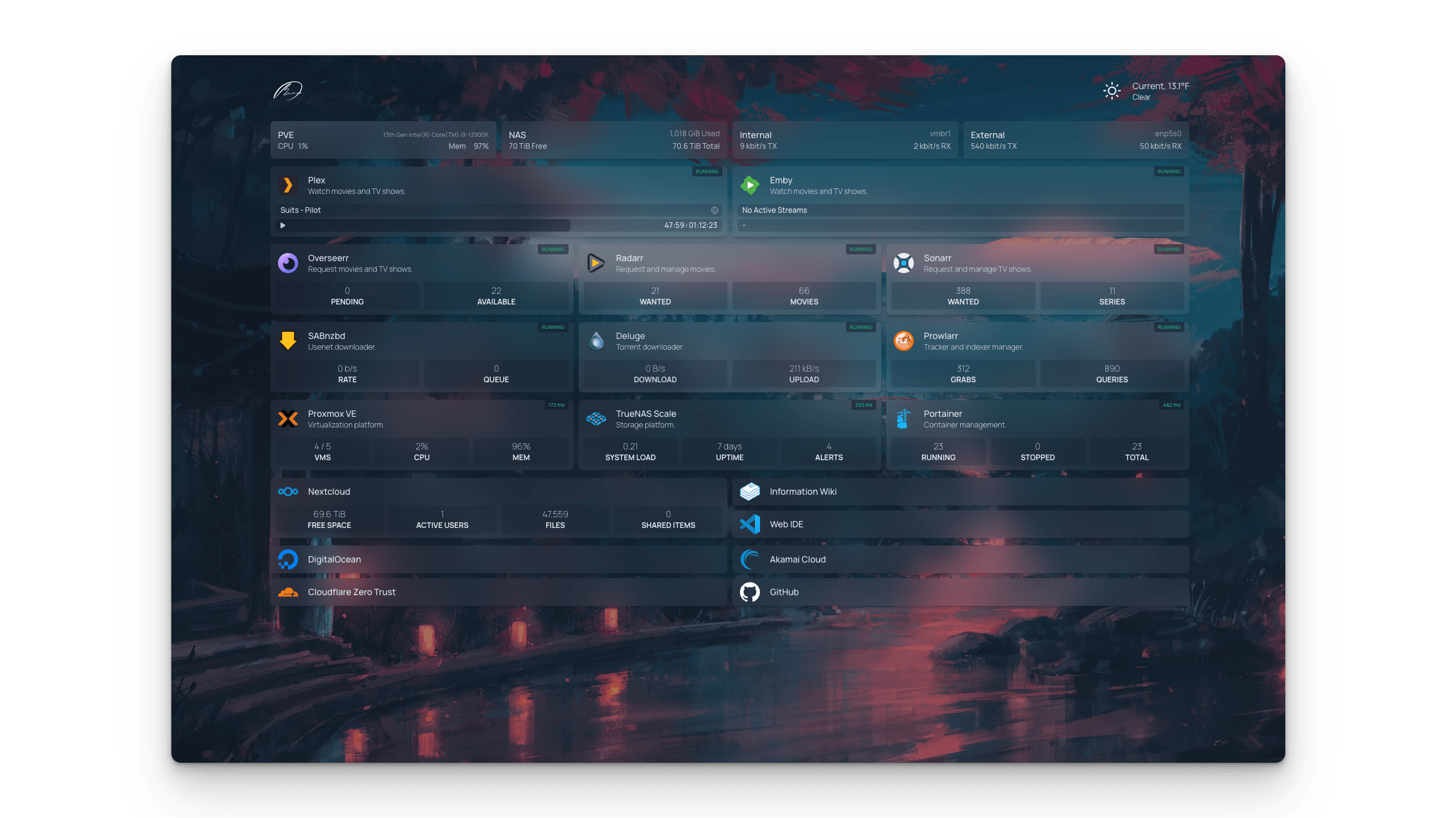
Homepage is a self-hosted start page and dashboard, shipped as a container image. It builds a grid of service tiles, bookmarks and information widgets from configuration files you put in a folder it can read.
What it is good for. Anyone running more than three or four services on a machine of their own. The tiles are not just links: they call each service's own API and show a real figure, so the page doubles as a status board. It can also find containers on its own by reading the Docker socket, and it can read Kubernetes services by label. Edition 30 covered glanceapp/glance, which answers the same question with feeds and machine statistics; homepage is the one with the deeper catalogue of service widgets.
- Active to the day. Code landed on 27 September 2026 and version 2.4.0 was released on 17 September 2026, on a project running since August 2022.
- The widget catalogue for self-hosted applications is large, so the page reports live state instead of being a list of links.
- Plain GPL-3.0 read from the LICENSE file, with no paid tier and no feature held back.
- Everything is configured by editing YAML files. The project's own documentation says "Homepage uses YAML for configuration" and advises checking it with a linter before deploying. There is no settings screen, and one misplaced space breaks the page. For someone who does not edit configuration files, that is the entire cost.
- The documented install mounts the Docker socket into the container. The documentation itself calls this optional and "not recommended as primary integration method for non-root setups", because it hands the container control of Docker.
- No memory or disk figures appear anywhere in the installation documentation, so sizing is guesswork. Two smaller frictions: the default branch is
devrather thanmain, and a source install has to be rebuilt on every upgrade.
 glanceapp/glance
37,192 stars, covered in Edition 30; feeds, weather and machine statistics rather than a deep catalogue of service widgets.
Track this in Scout- bastienwirtz/homer
11,570 stars, a much simpler static page from one YAML file, with no live API widgets at all.
Track this in Scout - ajnart/homarr
7,208 stars, the one with a drag-and-drop editor instead of hand-edited files; its last code landed 1 June 2026.
Track this in Scout
docker run -p 3000:3000 \
  -e HOMEPAGE_ALLOWED_HOSTS=your.host:3000 \
  -v /path/to/config:/app/config \
  -v /var/run/docker.sock:/var/run/docker.sock:ro \
  ghcr.io/gethomepage/homepage:latest