In simple English
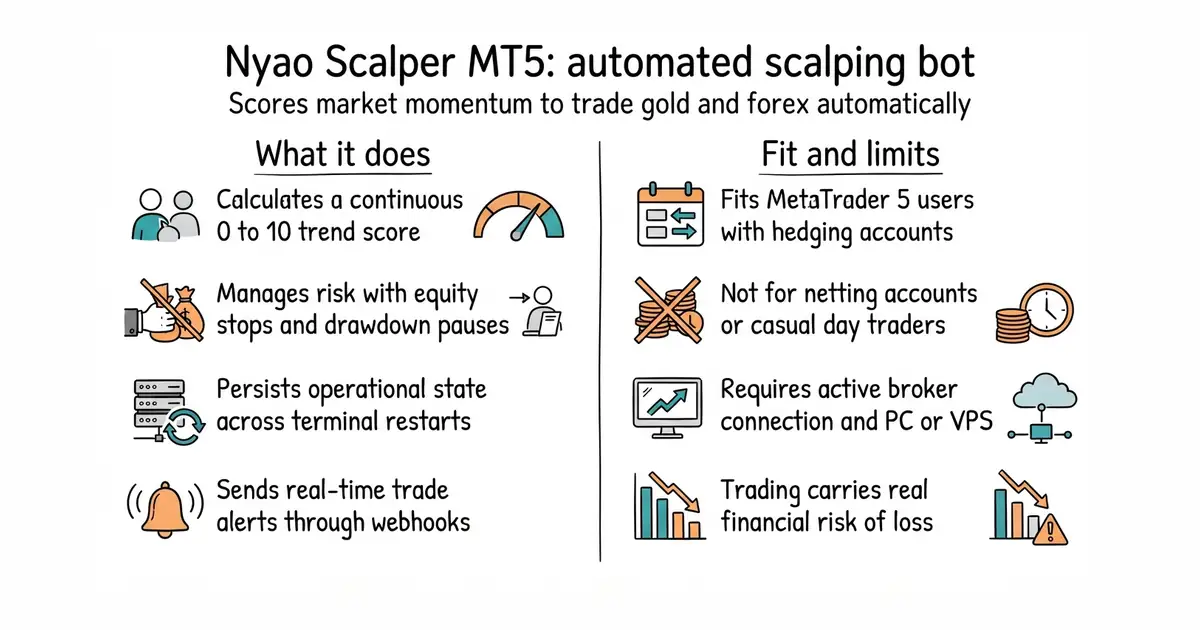
This program watches currency and metal charts on MetaTrader 5 and places trades automatically. It scores market momentum and trend strength before every entry to decide when to buy or sell. You can adjust its settings to control risk, set stop-losses, and trail winning trades. It requires a funded trading account and a live MetaTrader terminal running on your computer or a virtual private server. It is free to use under an open source licence.
What it is
An automated Expert Advisor written in MQL5 for MetaTrader 5 that executes scalping strategies using weighted indicator scores. It features strict risk controls, news filters, basket stops, and optional hedging recovery modes.
What it is good for
Traders who want to run automated scalping strategies on MetaTrader 5 without writing code, and developers who want a well-documented MQL5 trading robot codebase to study.
- Calculates a continuous score from multiple technical factors instead of relying on a single indicator.
- Includes built-in risk management tools like drawdown pauses, equity protection, and spread filters.
- Saves its operational state to disk so it recovers safely after a terminal restart.
- Requires a hedging account on MetaTrader 5 and will refuse to run on netting accounts.
- Trading carries significant financial risk, and automated scalping can incur rapid losses during volatile market shifts.
- Requires manual setup in MetaEditor and familiarity with the MetaTrader 5 platform.
manual chart monitoring and order placement
MetaTrader 5
- freqtrade/freqtrade56k stars
A popular open source crypto trading bot with backtesting and strategy management features.

- jesse-ai/jesse8.7k stars
A Python framework for writing crypto trading strategies, testing them against past prices, and running them live.
- hummingbot/hummingbot20k stars
A free framework for writing and running automated trading programs on cryptocurrency exchanges.
- lballabio/QuantLib7.7k stars
The long-established free library for pricing and risk-managing financial instruments.
Place the file into your MetaTrader 5 Experts folder, open it in MetaEditor, and press F7 to compile it before attaching it to a chart.