In simple English
This program takes a text file or Word document and turns it into a finished video. A digital hand draws cartoons and writes notes on the screen while a computer voice reads your words out loud. It works entirely on your computer without an internet connection. You do not need to pay for a subscription or create an account to use it. It is free and open source.
What it is
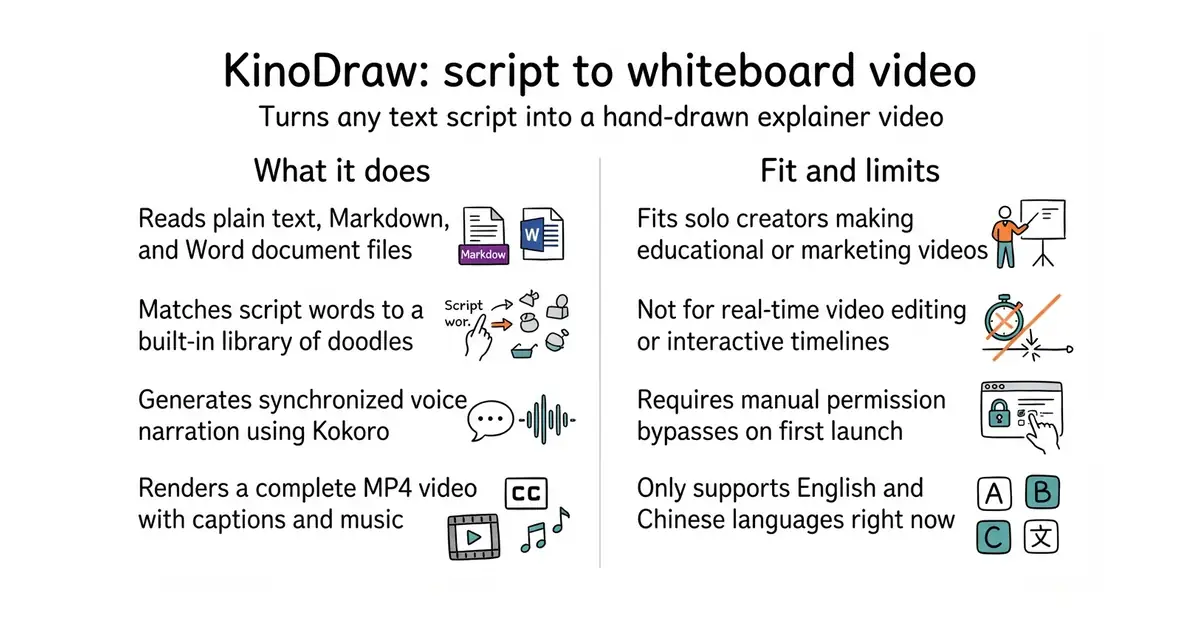
KinoDraw is a desktop application and command-line tool that combines text-to-speech voice generation, vector drawing matching, and video rendering. It parses your script into sections, generates synchronized audio timings, and creates an MP4 video complete with captions and background music.
What it is good for
Solo creators and educators who want to make whiteboard explainer videos from written scripts without paying for expensive video editing software or cloud services.
- Runs completely offline without requiring an account or API key.
- Includes over 1,700 built-in drawings and emoji icons in a matching hand-drawn style.
- Outputs a finished MP4 video with synchronized voice narration, captions, and chapters.
- Requires manual security permission bypasses on first launch because the app is not code-signed.
- Rendering takes about as long as the final video length, which requires patience on older processors.
- Only supports English and Chinese languages for script reading and voice generation.
manual whiteboard animation software and paid video creation tools
uv
- snapcast/snapcast8.0k stars
A server and clients that play one audio stream in several rooms, kept in time with each other.
- MusicPlayerDaemon/MPD2.8k stars
A background music player with no interface of its own, controlled over a network by separate client programs.
- AcademySoftwareFoundation/OpenTimelineIO2.0k stars
An interchange format and library for editing timelines: the order and length of cuts, and references to the media, but not the media.
uv tool install git+https://github.com/edwardaiwang-svg/kinodraw
kinodraw studio