In simple English
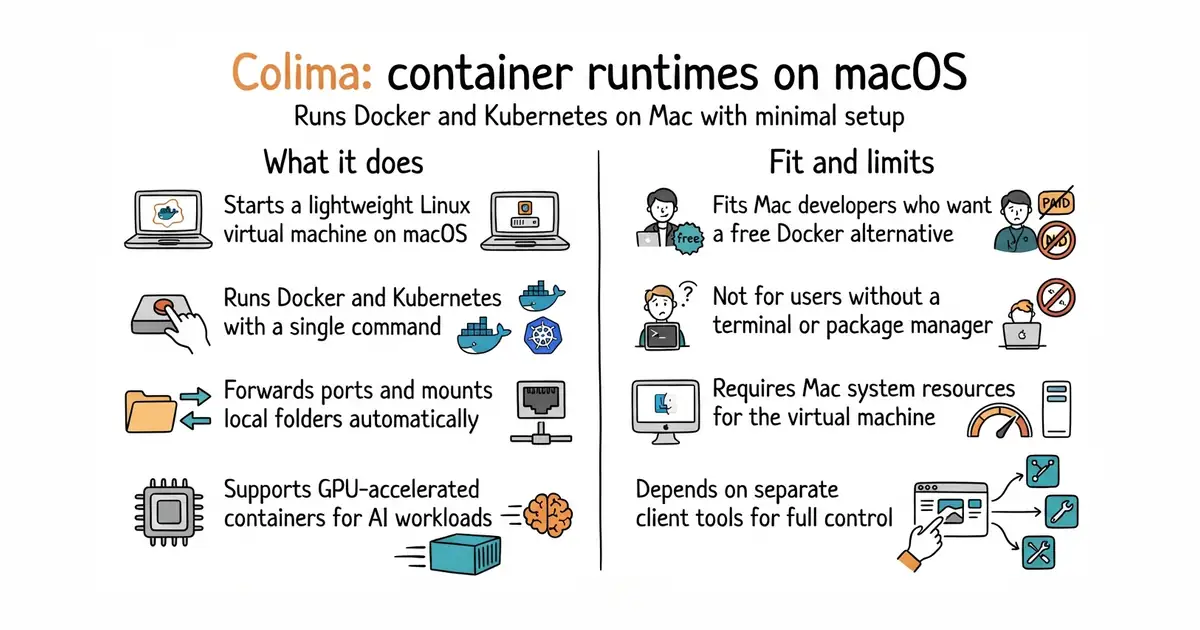
Colima lets you run Docker and Kubernetes on a Mac without heavy software. It sets up a small virtual machine in the background and connects it to your terminal. You type one command to start it. It uses your existing Docker commands as if Docker ran directly on your Mac. It costs nothing to download and use.
What it is
Colima is a command-line tool (a program you control by typing text instructions in your terminal) that manages lightweight Linux virtual machines (a program that emulates a separate computer inside your own) on macOS. It runs Docker (a way to run a program inside its own sealed box, so it cannot break anything else on your server), containerd, and Kubernetes (a system for running many programs across multiple servers) with simple start commands.
What it is good for
Solo builders who use a Mac and need to run Docker containers or local Kubernetes clusters without heavy commercial apps.
- Starts and stops quickly with simple commands.
- Supports Docker, containerd, and Kubernetes.
- Includes options for port forwarding and file sharing.
- Requires the Homebrew package manager to install on macOS.
- Uses memory and storage from your Mac to run its background virtual machine.
- Requires separate command-line clients for Docker or Kubernetes to be installed on your Mac.
Docker Desktop
Docker
- lima-vm/lima22k stars
Lima runs Linux virtual machines on macOS, which Colima uses underneath for its setup.
- podman-container-tools/podman33k stars
Podman runs containers without a daemon, serving as an alternative to Docker and Colima.


- vectordotdev/vector23k stars
One collector that gathers logs and numbers from machines and sends them to one or more monitoring services.
- bluewave-labs/Checkmate11k stars
A self-hosted monitor that checks whether sites and services answer, records response times and sends alerts.
- statping-ng/statping-ng2.0k stars
A single-file status page and uptime checker that works with SQLite, PostgreSQL or MySQL.
brew install colima
colima start