In simple English
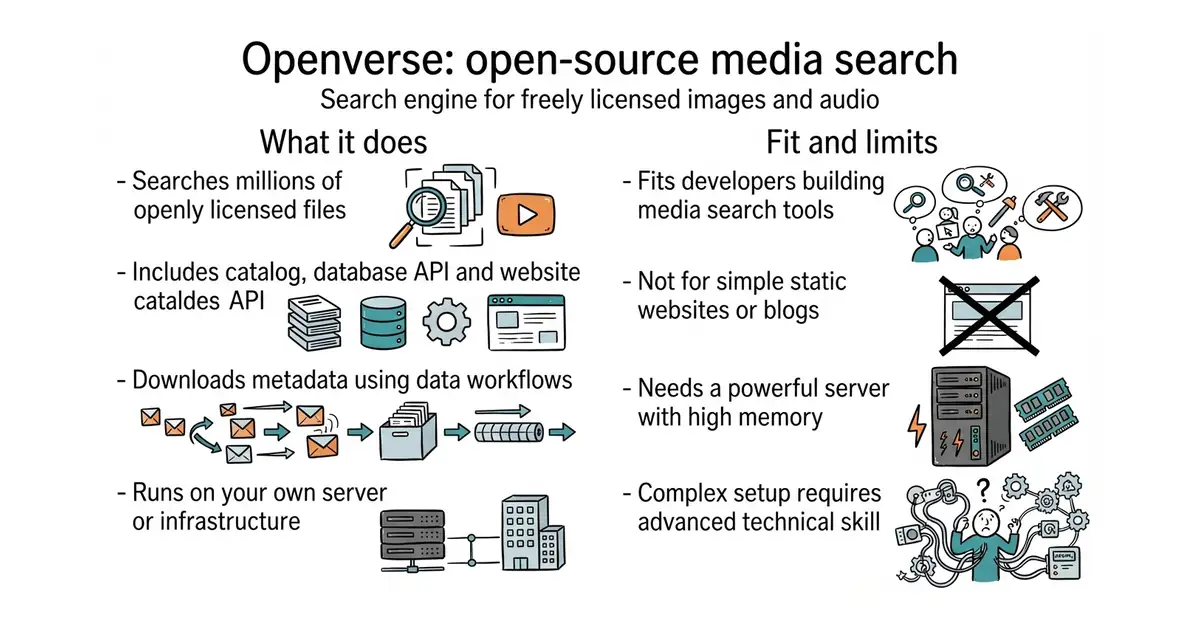
Openverse is a search engine for free pictures, sound and other media files. It lets you find content you can legally use in your own projects without paying fees or asking for permission. The project brings together a database, an application programming interface (a way for computer programs to talk to each other), and a website. You can run your own copy on your own server for free. Setting it up takes heavy technical work and a powerful server.
What it is
Openverse is the official open-source repository for the search engine previously known as Creative Commons Search. It packs the data catalog, the ingestion server, the search API, and the frontend website into a single large repository.
What it is good for
Solo builders who want to host a private or public search engine for free media files. It gives you a complete, ready-made system instead of forcing you to build search infrastructure from scratch.
- Includes every piece of the project from database tools to the public website.
- Built with familiar tools like Python, Django, Vue, and Apache Airflow.
- Comes with an MIT licence that lets you modify and run the code freely.
- Very large and complex project with over 700 open issues to navigate.
- Requires a powerful server with plenty of memory and storage to run all parts.
- Setup is difficult for a non-programmer and needs experience with Docker and data pipelines.
building a custom media search engine from scratch
Docker
- meilisearch/meilisearch60k stars
Fast search engine that you can host yourself for any kind of text or media metadata.
- algolia/docsearch4.4k stars
Hosted search tool focused on documentation and web content instead of media catalogs.


- GoogleChrome/lighthouse-ci7.1k stars
Runs the standard page audit on every code change and fails the change if the page got slower.
- harlan-zw/nuxt-seo1.5k stars
Seven search-engine and answer-engine modules for Nuxt sites, installed as one package.
- Swetrix/swetrix1.2k stars
Website analytics with no cookies, plus performance monitoring and error tracking, which you can host yourself.
git clone https://github.com/WordPress/openverse.git
cd openverse
# Follow the detailed developer setup guide in the repository documentation