In simple English
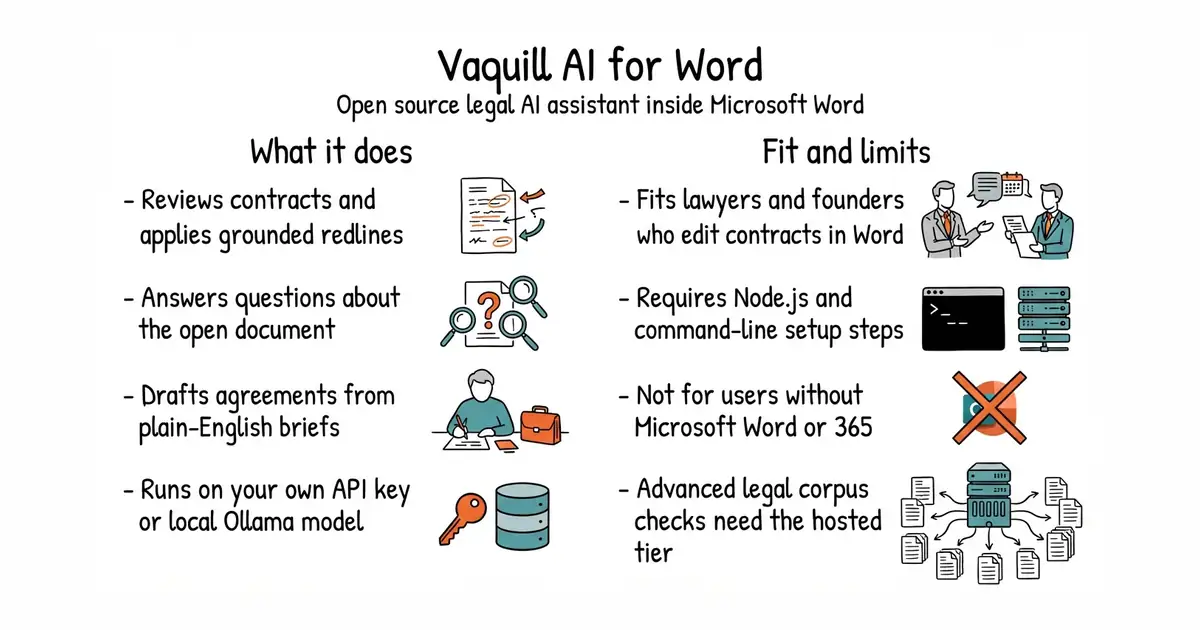
This is an assistant that runs inside Microsoft Word to help you read and edit legal contracts. It checks documents, suggests changes, and drafts new clauses. You can connect it to your own AI key from providers like OpenAI or Anthropic, or use a local model. It runs right inside Word on Windows, Mac, or the web. You need some technical comfort with the command line to set it up yourself.
What it is
An open source task-pane add-in for Microsoft Word built with TypeScript, React, and Vite. It interacts with your open document through the Office JavaScript API to apply changes directly as tracked edits and comments.
What it is good for
Lawyers, founders, and solo builders who review and redline contracts inside Microsoft Word and want to use AI without sending sensitive documents to a closed proprietary service.
- Runs locally with your own API key or a fully private local model via Ollama.
- Applies changes directly into your Word document as native tracked changes and comments.
- Includes dedicated tools for contract review, redlining, defined terms, and cross-references.
- Requires Node.js, the command line, and sideloading manifest files to install.
- Advanced legal research features like statute verification need a paid hosted backend or API tokens.
- Microsoft Word is required, along with an active Microsoft 365 account.
manual contract review and commercial legal AI tools
Microsoft Word
- Future-Scholars/paperlib2.3k stars
A desktop library for research papers that looks up the title, authors and year of a dropped document itself, and leaves the files in an ordinary folder.
- mozilla/pdf.js54k stars
A PDF reader written in JavaScript that renders documents inside a web page with no plugin.
- Hack-with-Github/Awesome-Hacking123k stars
An index of 81 curated security reading lists, with one line on each.
git clone https://github.com/Vaquill-AI/ms-word-addin.git
cd ms-word-addin
npm install
npx office-addin-dev-certs install
npm run dev:community