54k stars · Apache-2.0 · v6.4.299 (2026-10-03) · Track this in Scout
A PDF reader written in JavaScript that renders documents inside a web page with no plugin.
▶Repo detailsthe review · specs · pros & cons · install
What it does
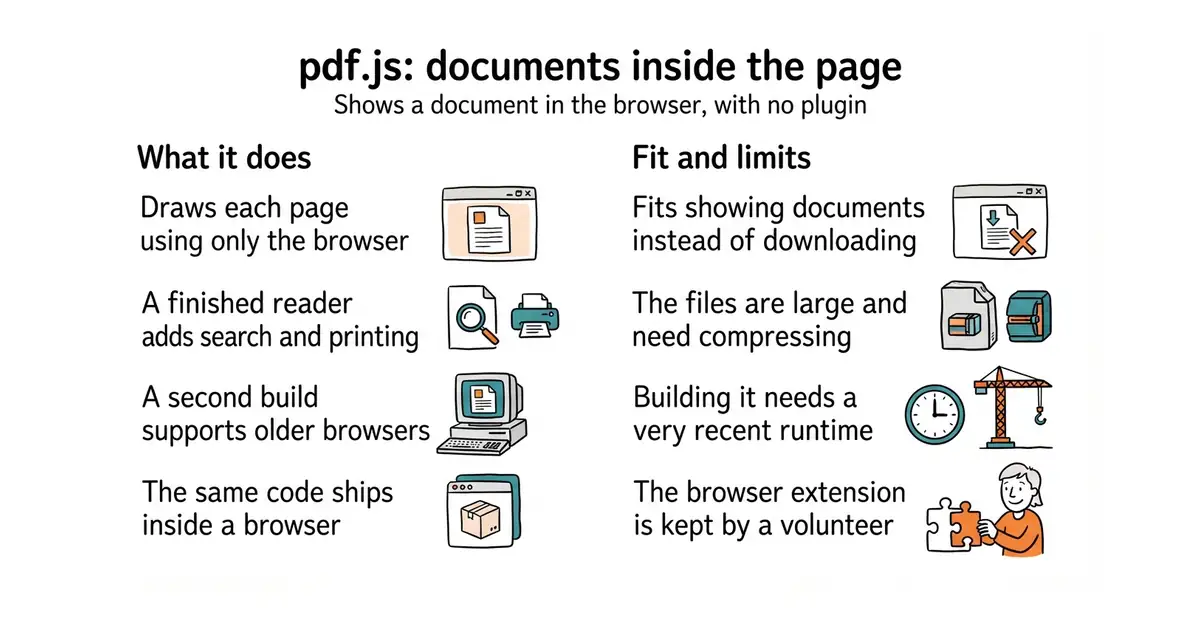
It reads a PDF file and draws it in the browser. It comes in two parts: a library that parses and renders, and a complete viewer built on top with page navigation, zoom, text selection, search and printing. The stated aim is a general-purpose platform for parsing and rendering PDFs built on web standards, rather than a single application. Firefox has shipped it as the built-in PDF viewer since version 19. It is published for other projects as the pdfjs-dist package, currently version 6.4.299, released on 3 October 2026, which asks for Node.js 22.13 or newer to build. Two builds are produced: a modern one that assumes a current browser, and a legacy one for older browsers. The repository has more than twenty-four thousand commits. Three things worth knowing before you use it. The project warns that its files are large and should be compressed before going on a live site. Some browsers refuse to open a PDF loaded from a plain file path, so a small local web server is needed while developing. And the official Chrome extension is maintained by a volunteer rather than by Mozilla, which the README states.
Why it matters
Who it suits. Anyone putting documents on a web page who wants them read rather than downloaded. It suits an invoice, a report, a contract or a manual, because the reader stays on the page and the document can be searched. It also suits a project that needs to draw one page of a PDF as an image, since the rendering part can be used on its own. Skip it if you only need to change PDFs rather than show them, which is a different job and a different tool.
Verdict. As safe a dependency as exists in this area: Apache-2.0, released three weeks before this edition, and shipped inside a browser used by tens of millions of people, which is a kind of testing no test suite provides. Two practical notes. Compress the files before they go live, because the project says so itself and the difference is large. And start from the finished viewer rather than the library if what you want is a reader, since rebuilding page navigation, search and printing is a week you do not need to spend. If the job is pulling text or data out of PDFs rather than showing them, pymupdf/PyMuPDF is the tool; if it is splitting, merging and signing them, Stirling-Tools/Stirling-PDF is.
- Apache-2.0, and the same code Firefox uses, so it is tested by an enormous number of readers.
- A finished viewer with search, zoom and printing, not just a rendering library.
- A legacy build exists for older browsers, so support is a choice rather than a cliff.
- The files are large and must be compressed before going on a live site.
- Building from source needs Node.js 22.13 or newer, which is a recent version.
- The Chrome extension is maintained by a volunteer, not by Mozilla.
 pymupdf/PyMuPDF
AGPL-3.0, a Python library for pulling text and data out of PDFs and converting them; the right answer when nobody is going to look at the page.
Track this in Scout Stirling-Tools/Stirling-PDF
A self-hosted web application for splitting, merging, signing and converting PDFs; its README describes the project as open-core, so check which features that covers.
Track this in Scout
# use it in a project
npm install pdfjs-dist
# or build the viewer from source
git clone https://github.com/mozilla/pdf.js.git
cd pdf.js
npm install
npx gulp generic                 # the viewer, for current browsers
npx gulp generic-legacy          # the viewer, for older browsers
npx gulp server                  # http://localhost:8888/web/viewer.html