In simple English
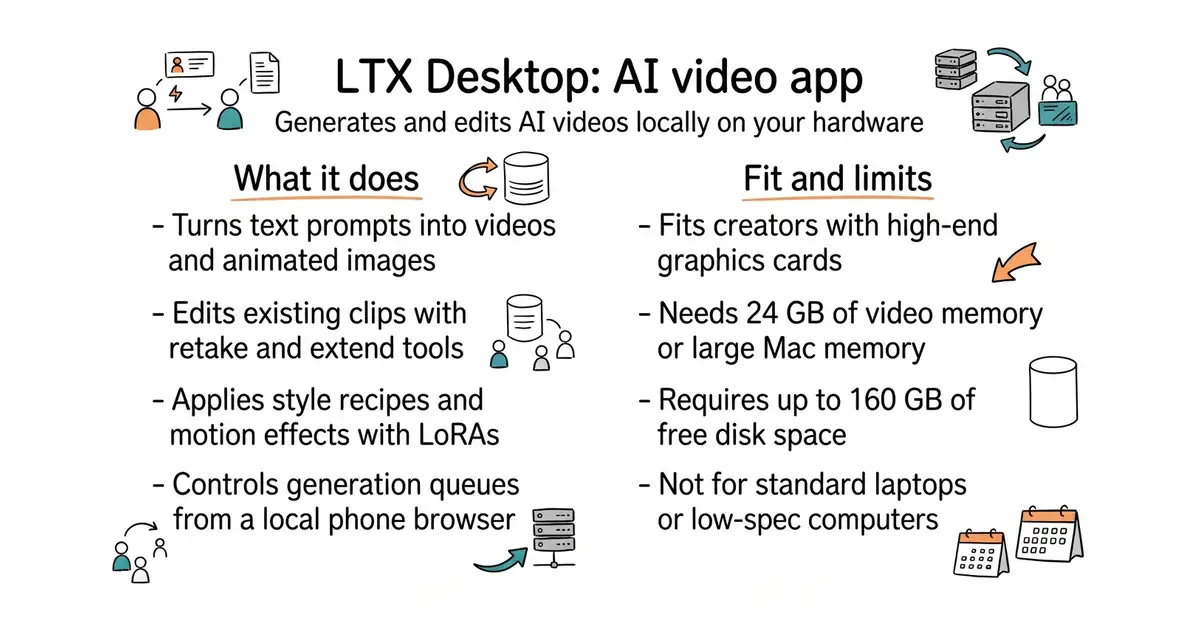
This program makes artificial intelligence videos on your own computer. You type what you want to see, and the app builds the clip. It also edits existing videos, changes their style, and turns audio into motion. You need a powerful computer with a dedicated graphics card to run it. The software is free to download and use.
What it is
LTX Desktop is an open-source desktop application for local AI video generation using LTX models. It provides a visual interface for text-to-video, image-to-video, video editing, and style recipes that run directly on your hardware.
What it is good for
Solo creators and builders who want to generate and edit AI videos locally without paying cloud subscription fees for every run.
- Generates videos and applies style effects entirely on your own hardware.
- Includes a built-in assistant chat that queues jobs based on your text prompts.
- Lets you control the app from your phone over your local network using Remote.
- Needs an expensive computer with at least 24 GB of video memory or an Apple Silicon Mac with 48 GB of memory.
- Requires up to 160 GB of free disk space to store models and weights.
- Some model weights are gated on Hugging Face and require an account sign-in.
Cloud video generators
Hugging Face
- Comfy-Org/ComfyUI140k stars
A node-based visual interface for running complex AI generation pipelines locally.
- AUTOMATIC1111/stable-diffusion-webui165k stars
A popular desktop interface focused on running image and video models on local hardware.


- motion-canvas/motion-canvas19k stars
A code-written animation tool with a live editor, for explanatory videos built from shapes and text.
- paulpacifico/shutter-encoder2.8k stars
A desktop window over FFmpeg for converting, trimming and processing video, audio and images.
- htekdev/vidpipe232 stars
It watches a folder for recordings and produces captions, clips and draft social posts from each one.
pnpm setup:dev
pip install example