Radar check
What we found when we opened it. Every bar is one fact, with its date.
Last code pushed 27 Oct 2026, one day before this check.
Latest release v1.43.1 on 27 Oct 2026.
Public since March 2026, 8 months.
6,975 stars and 560 forks.
229 commits and 161 new issues in the last 90 days.
43 contributors. 61 pull requests merged in 90 days.
No security policy file says how to report a problem. No published security advisories.
How the bars are scored
- Alive. Days since the last code push: a week or less 100, a month 90, three months 70, six months 50, a year 30, eighteen months 15, older 0.
- Releases. Age of the latest GitHub release, on a similar scale; no bar when the project publishes no releases.
- Maturity. Age of the project: eight years 100, five 90, three 70, two 55, one 40, six months 25, younger 10.
- Adoption. Stars on a log scale: 100,000 stars is 100, 10,000 is 80, 1,000 is 60, 100 is 40.
- Activity. Commits in the last 90 days: 300 or more 100, 100 85, 30 65, 10 45, any 25.
- Community. People who have contributed: 100 or more 100, 30 80, 10 60, 5 40, 2 25, one 10.
- Security. A published security policy 80, none 40; published advisories are listed, not scored.
Checked by Repo Radar on 28 Oct 2026 from the repository on GitHub.
In simple English
This app lets you collect custom instructions and helper functions for coding assistants in one place. You can turn them on or off for tools like Claude Code, Cursor, and Copilot with a single click. It also syncs your collection across different computers using a private Git repository. The app is free to use and runs locally on your computer. It requires a modern desktop operating system and a small amount of disk space.
What it is
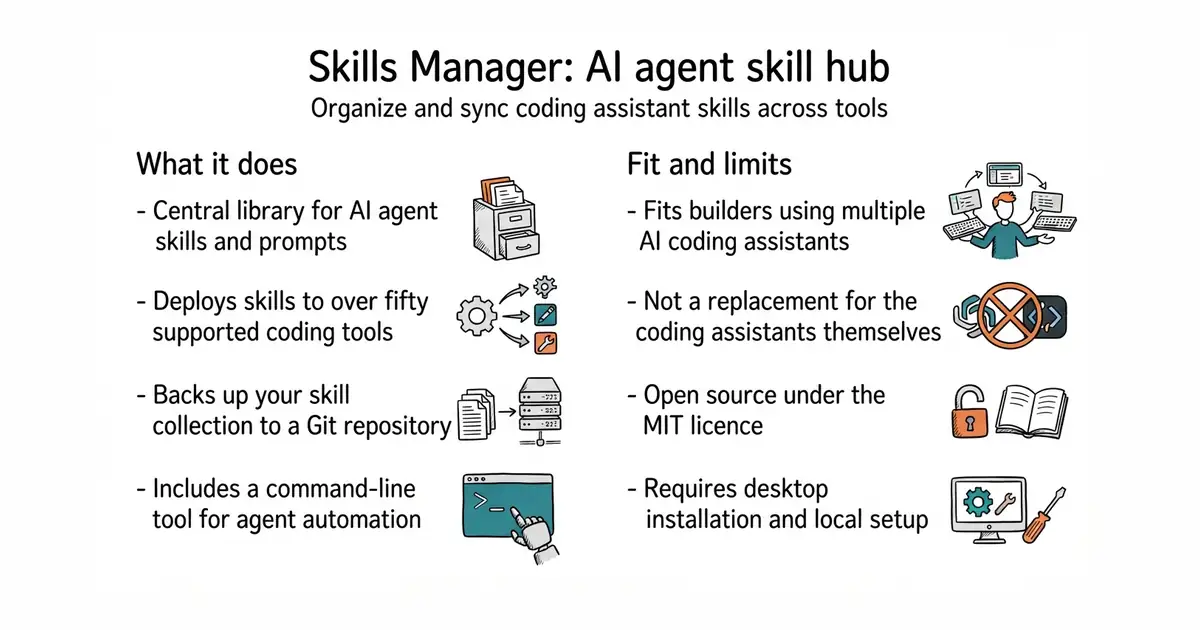
Skills Manager is a desktop application built with Tauri and Rust that acts as a central library for AI agent skills. It supports over fifty different coding tools and lets you deploy skills via symlinks or copies.
What it is good for
Solo builders who use multiple AI coding assistants and want to share the same custom prompts and helper tools across all of them without copying files manually.
Summary (Key Points)from the README
Key features
- Unified skill library: Installs skills from Git repos, local folders, `.zip` / `.skill` archives, or the skills.sh marketplace into one central repo, which defaults to `~/.skills-manager`.
- Presets: Groups skills into named presets that activate or deactivate in one click, though applying one is a one-time copy rather than a live sync.
- Global Workspace: Shows each agent's global skills, including ones installed outside Skills Manager, and lets you add or remove them per agent.
- Project Workspaces: Manages project-local skill folders for supported agents and syncs changes with the central library in either direction.
- Multi-tool sync: Deploys skills to agents by symlink or copy, with a badge on each skill card for per-agent install state.
- Agents manage skills: Claude Code, Codex, Cursor and others can install, deploy and report skills by driving the app's CLI, which keeps source metadata and presets intact.
- Backup and multi-device sync: Versions the library in a Git repository, merges changes per skill, and keeps conflicting skills on the local version until you choose how to resolve them.
- Update tracking: Checks Git-based skills for upstream changes and re-imports local ones.
- Custom tools and CLI: Adds custom agents with their own skills directories, and provides a CLI with `--json` output for scripts.
Ways to install
| Platform or method | What it needs | Effort |
|---|---|---|
| macOS via Homebrew | Homebrew, then `brew install --cask skills-manager` | Low |
| macOS `.dmg` | Download from the latest release | Low |
| Windows `.exe` or `.msi` | Download from the latest release | Low |
| Linux `.AppImage`, `.deb` or `.rpm` | Download from the latest release (x64 or arm64) | Low |
| Windows via Scoop | Scoop, then add the extras bucket and install | Low |
| Standalone CLI binary | Download the matching binary (macOS arm64/x64, Windows x64, Linux x64) and place it on PATH | Low to medium |
| Build from source | Node.js 20.19+ or 22.12+, Rust 1.77.2+, and Tauri prerequisites for your OS | High |
Important
- macOS versions: Releases before v1.29.0 are not signed or notarized, so macOS may refuse to open them. Upgrading fixes this, and macOS may then ask once for the `skills-manager-git-backup` keychain entry.
- WSL agents: The Windows app can only copy skills into WSL, not link them. Run the Linux CLI inside WSL to get symlinks.
- Automatic updates: In-app installation is available only on macOS and Windows. Checking for updates only notifies you.
- Backup limits: Skills over 100 MB stay local and are excluded from backup. The SQLite database is not in Git, and secrets and machine-specific settings never leave the machine.
- Concurrent use: If the app was suspended during a CLI command, trigger one manual refresh.
- Destructive commands: `skills remove` requires `--yes` to actually delete.
Written by an AI model from the project’s README; not part of the review, and it can be wrong.
- Manages skills for over fifty different AI coding tools in one central library.
- Backs up your collection automatically to a private GitHub repository with conflict-free merging.
- Includes a command-line interface so your AI agents can install and manage skills themselves.
- Requires installing a desktop application and configuring your tool paths correctly.
- Needs a GitHub account if you want to use the automated multi-device sync feature.
- Building from source requires Rust and Node.js developer tools installed on your system.
manual file copying between different AI coding assistant configuration directories
Claude Code, Cursor, GitHub Copilot
- vercel/ai28k stars
Provides developer tools and libraries for building applications with artificial intelligence models.


- musistudio/claude-code-router38k stars
One local address that many coding assistants can talk to, pointed at whichever model the operator chooses.
- Kong/insomnia40k stars
A desktop application for sending requests to an interface and reading what comes back.
- microsoft/playwright-mcp39k stars
A server that lets an AI assistant drive a real browser, using the page's own structure rather than screenshots.
brew install --cask skills-manager