4.6k stars · AGPL-3.0, named in the About sidebar; the README records that versions before 3 were GPLv2 · v6.0.6, read from /releases/latest as '02 Oct' with no year, which falls in the past and is therefore 2026 · Track this in Scout
A desktop program to split, merge, mix, rotate and extract pages from PDF files.
Radar check
What we found when we opened it. Every bar is one fact, with its date.
Last code pushed 2 Oct 2026, 25 days before this check.
Latest release v6.0.6 on 2 Oct 2026.
Public since September 2013, about 13 years.
4,644 stars and 409 forks.
16 commits and 5 new issues in the last 90 days.
20 contributors. 1 pull requests merged in 90 days.
No security policy file says how to report a problem. No published security advisories.
How the bars are scored
- Alive. Days since the last code push: a week or less 100, a month 90, three months 70, six months 50, a year 30, eighteen months 15, older 0.
- Releases. Age of the latest GitHub release, on a similar scale; no bar when the project publishes no releases.
- Maturity. Age of the project: eight years 100, five 90, three 70, two 55, one 40, six months 25, younger 10.
- Adoption. Stars on a log scale: 100,000 stars is 100, 10,000 is 80, 1,000 is 60, 100 is 40.
- Activity. Commits in the last 90 days: 300 or more 100, 100 85, 30 65, 10 45, any 25.
- Community. People who have contributed: 100 or more 100, 30 80, 10 60, 5 40, 2 25, one 10.
- Security. A published security policy 80, none 40; published advisories are listed, not scored.
Checked by Repo Radar on 27 Oct 2026 from the repository on GitHub. Covered in Edition 63.
▶Repo detailsthe review · specs · pros & cons · install
What it does
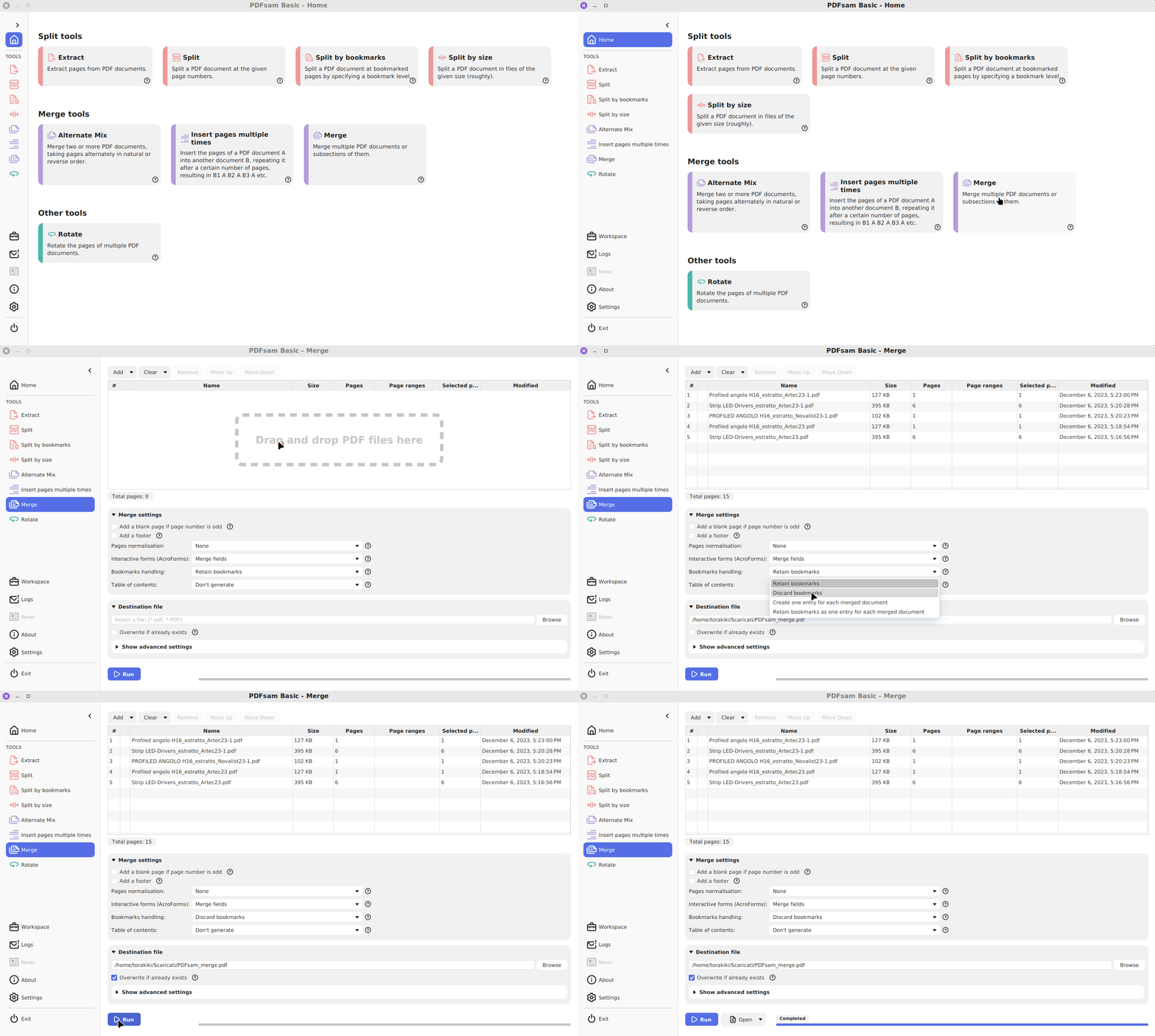
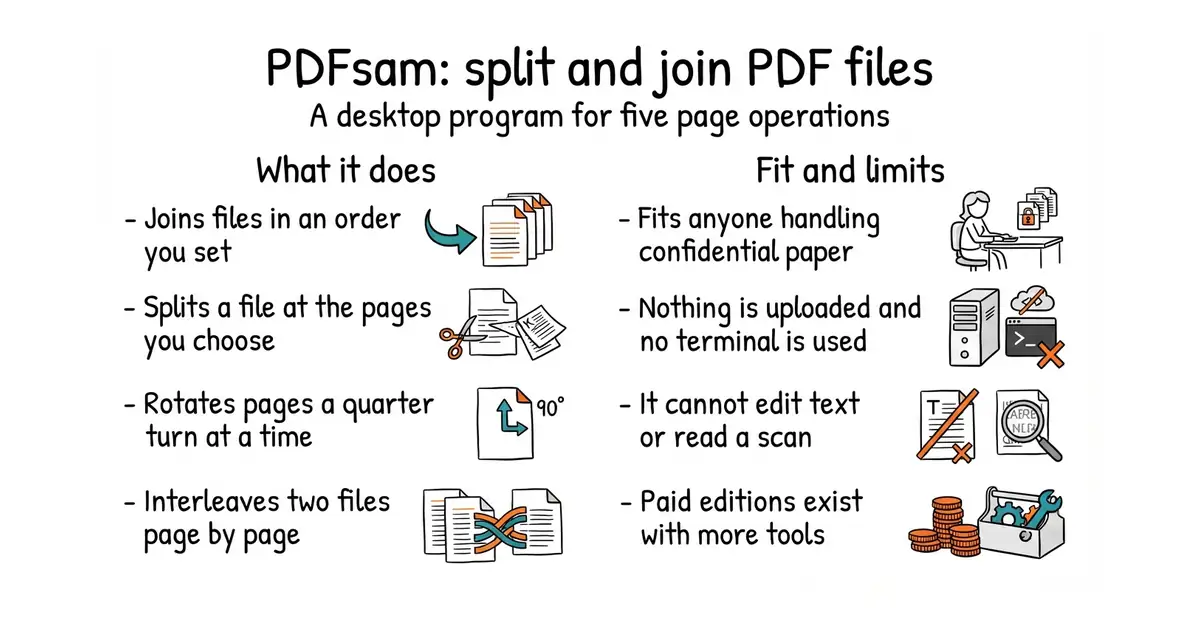
It opens as an ordinary desktop window and offers one tool per job. Merge joins files in an order you set. Split cuts a file at chosen pages, or every so many pages. Extract pulls out a page range into a new file. Rotate turns pages by a quarter turn at a time. Mix interleaves the pages of two files, which is what you need after scanning the fronts and backs of a stack of paper separately. It runs on Windows, macOS and Linux, and from version 4 onward the download includes the Java runtime it needs, so nothing has to be installed beside it. Version 6.0.6 was published on 2 October 2026. This repository holds the free version only: it does not edit text inside a page, it does not fill in forms, and it does not read a scanned page to find words in it.
Why it matters
Who it suits. Anyone who handles paper documents and does not want them leaving the building. Scanned contracts, signed forms, invoices from a shoebox: all of those arrive as the wrong PDF and need one of five operations. The whole point is that no file is uploaded to a website to be processed by a stranger, which is the normal alternative and a poor one for anything confidential. Skip it if the need is to search inside scanned pages, or to edit the words on them, because neither is on offer here.
Verdict. The easiest recommendation in today's twelve, and the only one that needs no terminal. It has been maintained for well over a decade, releases arrive steadily, and the job it does has not changed in that time, which is a virtue rather than a sign of neglect. Two things to know. The author also sells paid versions with more tools, so the website will show features that this free program does not have, and it pays to check which tier a feature belongs to before expecting it. AGPL-3.0 applies, which matters only to someone building it into software offered to other people. For a version that runs in a browser on a machine you control, Stirling-Tools/Stirling-PDF does far more and asks for Docker in return.
- Needs no terminal, no account and no internet connection.
- The download carries its own Java runtime, so there is nothing to install alongside it.
- Mixing two files page by page solves the scanned-both-sides problem that nothing else handles neatly.
- The author sells paid editions, so the website advertises tools this free program lacks.
- It cannot edit text on a page, fill in forms, or read words out of a scan.
- Being a desktop program, it cannot be put on a schedule or called from a script.
 Stirling-Tools/Stirling-PDF
A PDF workshop that runs in a browser on a machine you control, with many more tools, and Docker required.
Track this in Scout pdfarranger/pdfarranger
A small desktop program for merging, splitting, rotating and cropping pages, lighter, and best on Linux.
Track this in Scout
Open pdfsam.org , download the installer for the operating system in use, and run it.