13.3k stars · MIT · v0.23.0 (2026-08-07) · Track this in Rising ↗
Visual editor built natively for React components.
Radar check
What we found when we opened it. Every bar is one fact, with its date.
Last code pushed 27 Oct 2026, the same day before this check.
Latest release v0.23.0 on 7 Aug 2026.
Public since June 2023, a little over 3 years.
13,532 stars and 1,009 forks.
111 commits and 32 new issues in the last 90 days.
91 contributors. 47 pull requests merged in 90 days.
A security policy says how to report a problem. No published security advisories.
How the bars are scored
- Alive. Days since the last code push: a week or less 100, a month 90, three months 70, six months 50, a year 30, eighteen months 15, older 0.
- Releases. Age of the latest GitHub release, on a similar scale; no bar when the project publishes no releases.
- Maturity. Age of the project: eight years 100, five 90, three 70, two 55, one 40, six months 25, younger 10.
- Adoption. Stars on a log scale: 100,000 stars is 100, 10,000 is 80, 1,000 is 60, 100 is 40.
- Activity. Commits in the last 90 days: 300 or more 100, 100 85, 30 65, 10 45, any 25.
- Community. People who have contributed: 100 or more 100, 30 80, 10 60, 5 40, 2 25, one 10.
- Security. A published security policy 80, none 40; published advisories are listed, not scored.
Checked by Repo Radar on 27 Oct 2026 from the repository on GitHub. Covered in Edition 16.
▶Repo detailsthe review · specs · pros & cons · install
What it does
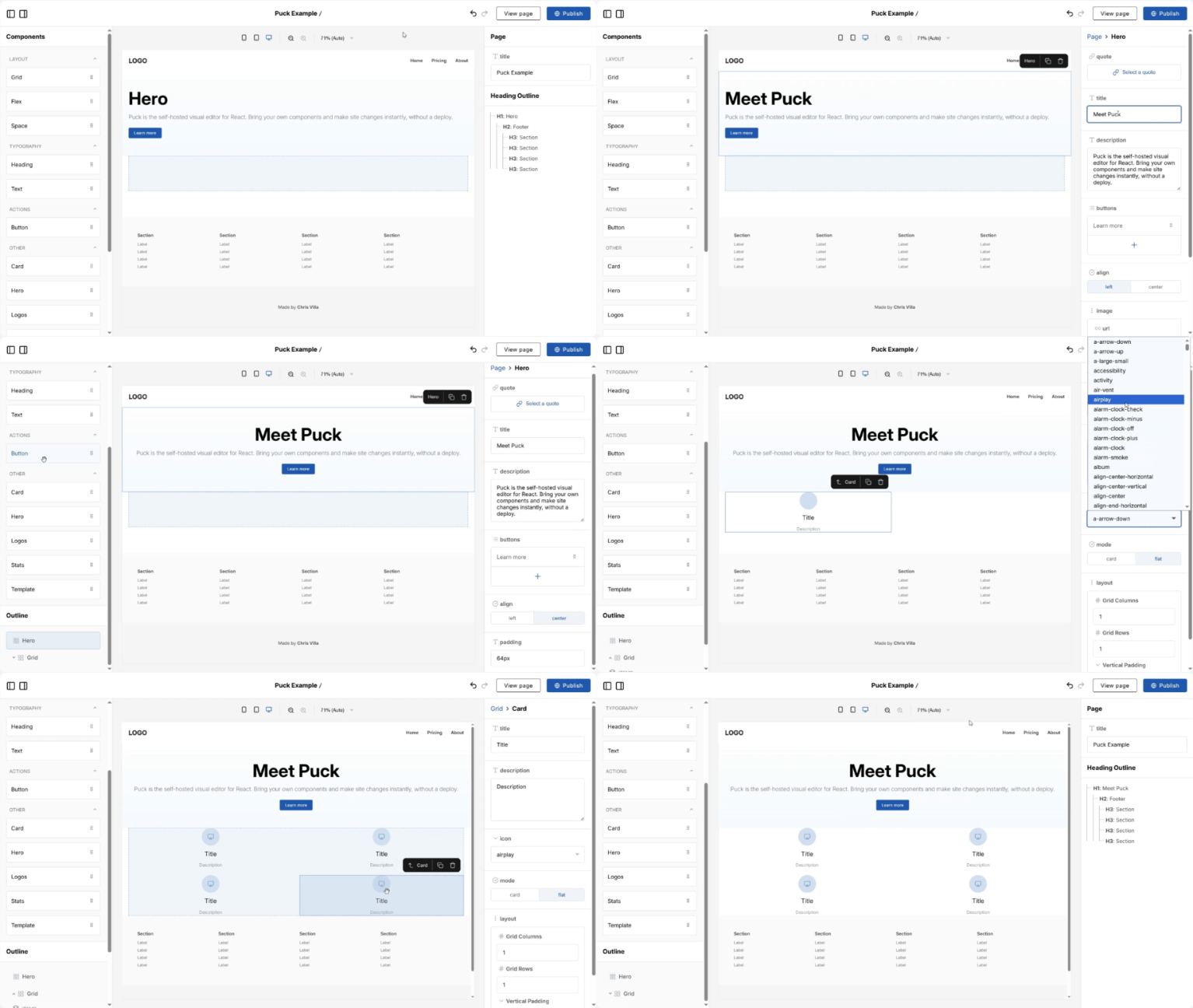
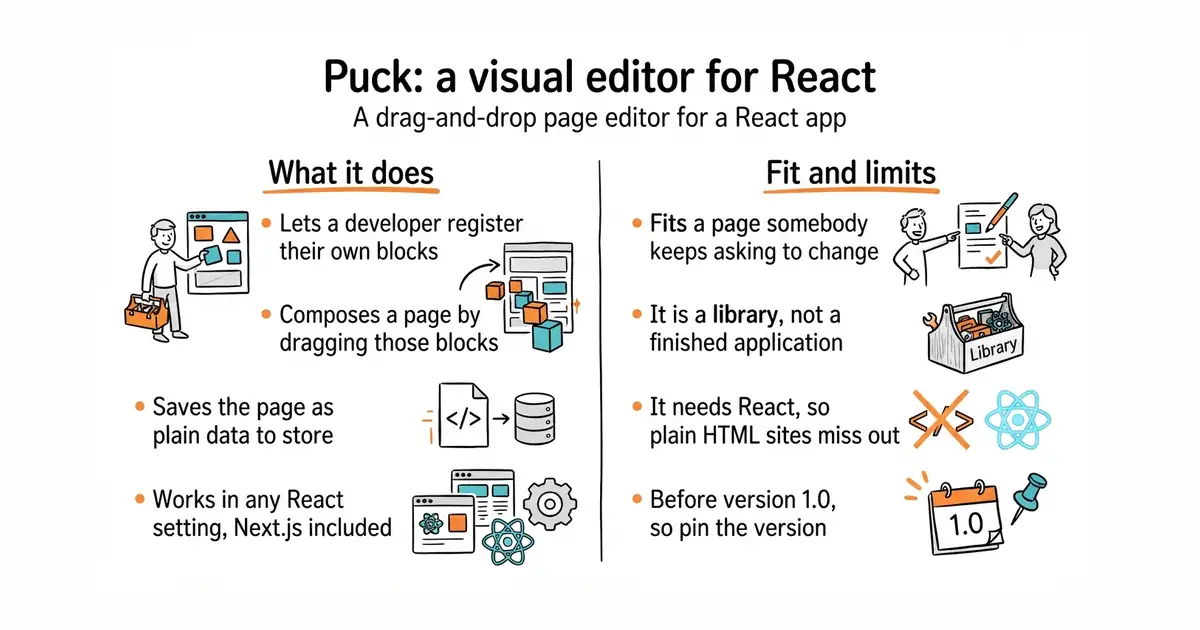
Puck is a visual editor that is itself a React component. A developer registers their own components with it, says which settings each one exposes, and the person editing composes a page by dragging those blocks around. The output is a plain JSON structure describing the page, which the developer stores wherever their data already lives and renders themselves. The editor works in any React setting, including Next.js, and the project states there is no lock-in because the data belongs to whoever stored it. The npm package is @puckeditor/core, renamed from @measured/puck, so older tutorials point at the wrong name. It is a library rather than an application: it supplies no storage, no sign-in and no hosting page, and it does not manage content outside the layout of the page it is editing.
Why it matters
Who it suits. It fits a developer who keeps being asked to change wording and move sections on a landing page, and who would rather hand that job to the person asking. Because the components are registered in code, the page cannot end up off-brand: the editor only offers the blocks that were allowed, with the settings that were allowed. Skip it if the public site is Astro or plain HTML, because this needs React, and skip it if what is really wanted is a full content system with users, drafts and a database.
Verdict. Worth half a day if there is a React app already running and a page somebody else keeps asking to change. Be clear what it is not: it edits the layout of a page built from your components, and it does not own the content or the database. That boundary is the main difference from a full content system, and it is a feature rather than a gap. It is still before version 1.0, so pin the version. GrapesJS/grapesjs is the one to look at if React is not in the picture.
Summary (Key Points)from the README
Key features
- Modular design: Puck is described as a modular, open-source visual editor built as a React component.
- Custom drag-and-drop: You build drag-and-drop experiences using your own application and React components.
- Framework compatibility: Because it is a React component, the README says it works across React environments, including Next.js.
- Data ownership: The README states you own your data and there is no vendor lock-in.
- MIT license: The project is MIT licensed, which the README says suits both internal systems and commercial applications.
- Starter recipes: create-puck-app scaffolds a pre-configured app from provided recipes, including a Next.js App Router example with static page generation and a React Router v7 example with dynamic routes.
- Community resources: A Discord server for discussion and the awesome-puck repo for plugins and custom fields are listed.
Ways to install
| Platform or method | What it needs | Effort |
|---|---|---|
| Install the package and render the editor and page yourself | A React application; the README does not list other requirements | Manual setup, with separate steps to render the editor and the page |
| create-puck-app with a recipe (next or react-router) | Not specified in the README beyond choosing a recipe | Lower, since it generates a pre-configured app |
Important
- Missing requirements: The README does not state supported React, Next.js or Node versions, so check these before starting.
- Install commands not shown: The README text omits the exact install and create-puck-app commands, so refer to the full documentation for them.
- Community plugins: The awesome-puck plugins and custom fields come from a community repo, so their quality and maintenance are not covered by the README.
- Hands-on support: The README points to a discovery call for hands-on support and consultancy, and gives no details on terms or cost.
Written by an AI model from the project’s README; not part of the review, and it can be wrong.
- MIT, and the project states it is fine for commercial use. There is no paid edition of the editor.
- The person editing can only use blocks a developer defined, so the page cannot end up off-brand.
- The output is plain JSON. It goes wherever the data already lives, and rendering stays in your hands.
- It is a library, not an application. The storage, the sign-in and the page that hosts it all have to be supplied.
- It needs React. On an Astro or plain-HTML site this is not a small addition.
- Still before version 1.0, and the package was renamed from
@measured/puckto@puckeditor/core. Old tutorials send you to the wrong package.
npm i @puckeditor/core --save