In simple English
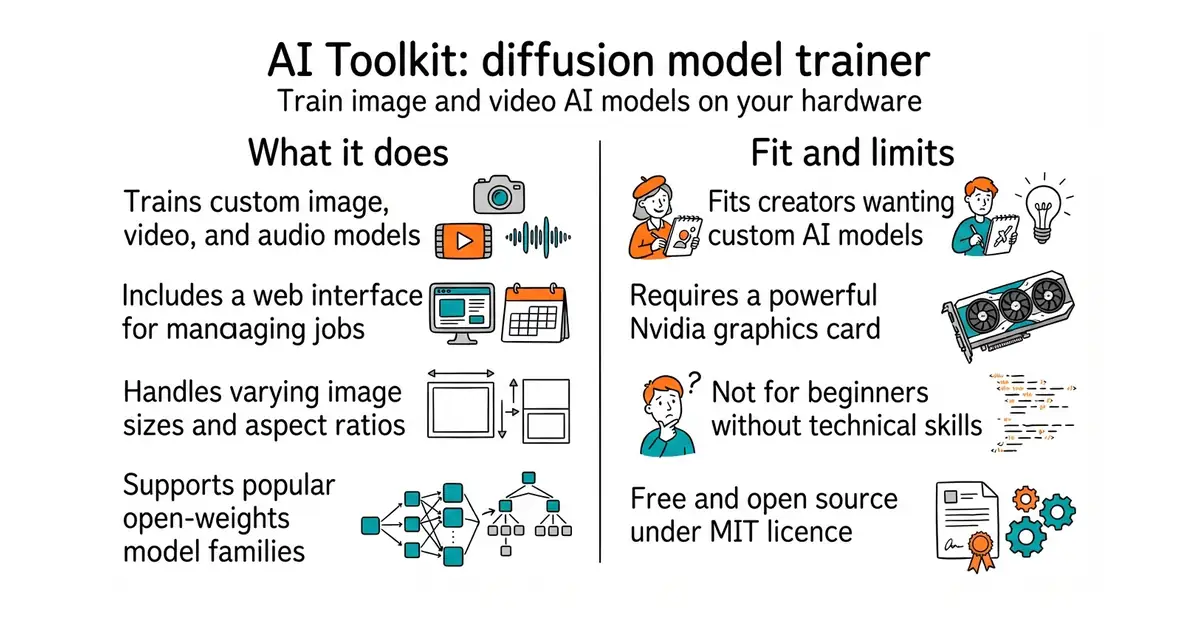
This tool lets you teach image and video AI models new faces, styles or objects on your own computer. You feed it a folder of pictures with text descriptions and it runs the training process. It supports all the newest image and video models right now. You can run it from a web page interface or a command-line tool. It is free and open source, but you need a powerful graphics card to use it.
What it is
Ostris AI Toolkit is a training suite that supports finetuning for diffusion models across images, video, and audio. It handles everything from dataset preparation to checkpoint saving through a web interface or configuration files.
What it is good for
Anyone who wants to train custom image or video generation models using their own photo collections without paying a cloud service to do it for them.
- Supports a massive range of modern image, video, and audio models.
- Includes a built-in web interface for starting and monitoring jobs.
- Runs on consumer hardware with configurable memory settings.
- Requires an expensive Nvidia graphics card with plenty of memory.
- Setting up Python dependencies and config files can be tricky for non-programmers.
- Interrupting the save process can corrupt your training checkpoint.
Manual script writing and complex command-line training setups
Hugging Face Hub for downloading base model weights
- kohya-ss/sd-scripts7.2k stars
A popular alternative set of training scripts for stable diffusion models, though less focused on newer architectures.
- cloneofsimo/lora7.6k stars
An older and simpler library for training low-rank adaptation weights on diffusion models.


- ggml-org/llama.cpp132k stars
A C and C++ library and command-line tool for running language models locally.
- EleutherAI/lm-evaluation-harness14k stars
Runs standard question sets against a language model and reports the scores.
- mudler/LocalAI50k stars
Serves text, vision, speech, image and video models from one self-hosted service that imitates the paid interfaces.
git clone https://github.com/ostris/ai-toolkit.git
cd ai-toolkit
python3 -m venv venv
source venv/bin/activate
pip3 install --no-cache-dir torch==2.13.0 torchvision==0.28.0 torchaudio==2.11.0 --index-url https://download.pytorch.org/whl/cu130
pip3 install -r requirements.txt