3.9k stars · MIT · no tagged releases; active main branch · Track this in Rising ↗
Self-hosted Opus Clip — long video in, LLM-picked 9:16 clips with word-level captions out.
Radar check
What we found when we opened it. Every bar is one fact, with its date.
Last code pushed 26 Oct 2026, one day before this check.
No releases published on GitHub; the code date above is the one to trust.
Public since December 2025, 10 months.
7,124 stars and 1,564 forks.
306 commits and 17 new issues in the last 90 days.
9 contributors. 7 pull requests merged in 90 days. A small team carries it.
No security policy file says how to report a problem. No published security advisories.
How the bars are scored
- Alive. Days since the last code push: a week or less 100, a month 90, three months 70, six months 50, a year 30, eighteen months 15, older 0.
- Releases. Age of the latest GitHub release, on a similar scale; no bar when the project publishes no releases.
- Maturity. Age of the project: eight years 100, five 90, three 70, two 55, one 40, six months 25, younger 10.
- Adoption. Stars on a log scale: 100,000 stars is 100, 10,000 is 80, 1,000 is 60, 100 is 40.
- Activity. Commits in the last 90 days: 300 or more 100, 100 85, 30 65, 10 45, any 25.
- Community. People who have contributed: 100 or more 100, 30 80, 10 60, 5 40, 2 25, one 10.
- Security. A published security policy 80, none 40; published advisories are listed, not scored.
Checked by Repo Radar on 26 Oct 2026 from the repository on GitHub. Covered in Edition 2.
▶Repo detailsthe review · specs · pros & cons · install
What it does
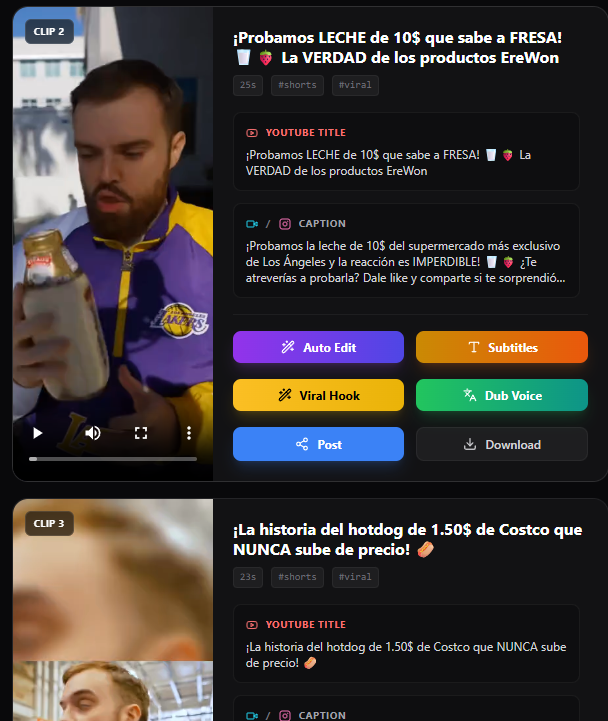
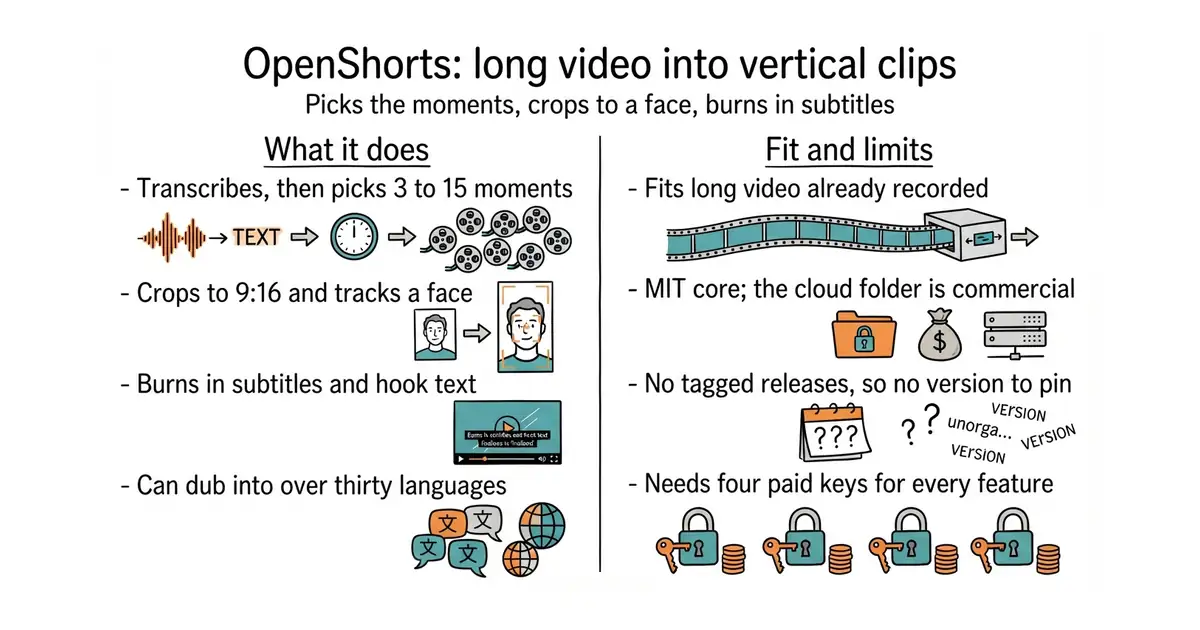
It transcribes the video locally, sends only the transcript to a language model to choose between three and fifteen moments, then cuts those moments and reframes them to a 9:16 shape. It can track a face while cropping, split the frame between two speakers, add subtitles, overlay hook text, and dub into more than thirty languages through a separate paid service. A second mode generates marketing clips from a product description or a web address. A third generates titles, thumbnails and descriptions with chapter times, and can publish to a video platform. Clips can be posted or scheduled to three social platforms through an upload service. For automation it ships an MCP server, a REST interface, completion webhooks and a command-line tool. What it does not do is work without keys: the README states that a Gemini key is "required for all AI features", and that without one the layout chooser and the on-screen content detection fall back to plain face tracking, while a silent video fails outright.
Why it matters
Who it suits. Anyone already recording long video who wants short clips from it without spending an afternoon per video in an editor. Doing this by hand is exactly the task people abandon in week three. Skip it if there is no appetite for paying per batch, and skip it if there is no machine with 8 GB of memory free, because that is the README's own figure for self-installing.
Verdict. Worth a weekend if the long videos already exist, and it is no longer a small project: 5,920 stars against about 2,400 when this edition first went out, with code on 1 October 2026. Four specifics. The licence is MIT for the core, read from the file, copyright 2024 OpenShorts, with the cloud/ directory carved out under a commercial licence that forbids offering it to other people as a paid service; the README says self-installing the core never needs that directory. There are still no tagged releases at all, so there is no version to pin and the main branch is whatever landed that day. The paid dependencies are real and should be capped before the first run: a language model key, an effects key, a voice key and an upload key, each billed by its own provider. And the model's taste in clips is the part to distrust, which the project half-admits by documenting that small local models do not reliably return usable answers.
Summary (Key Points)from the README
Key features
- Viral moment detection: Gemini 3.1 Flash-Lite analyzes transcripts and scene boundaries to find 3-15 high-potential moments per video.
- Smart 9:16 cropping: TRACK, GENERAL, SPLIT and SCREENCAST layouts are chosen per video by Gemini or forced from the dashboard.
- Auto subtitles: faster-whisper word-level timestamps, styled and burned into clips.
- AI voice dubbing: ElevenLabs integration for 30+ languages, with voice cloning on your own key.
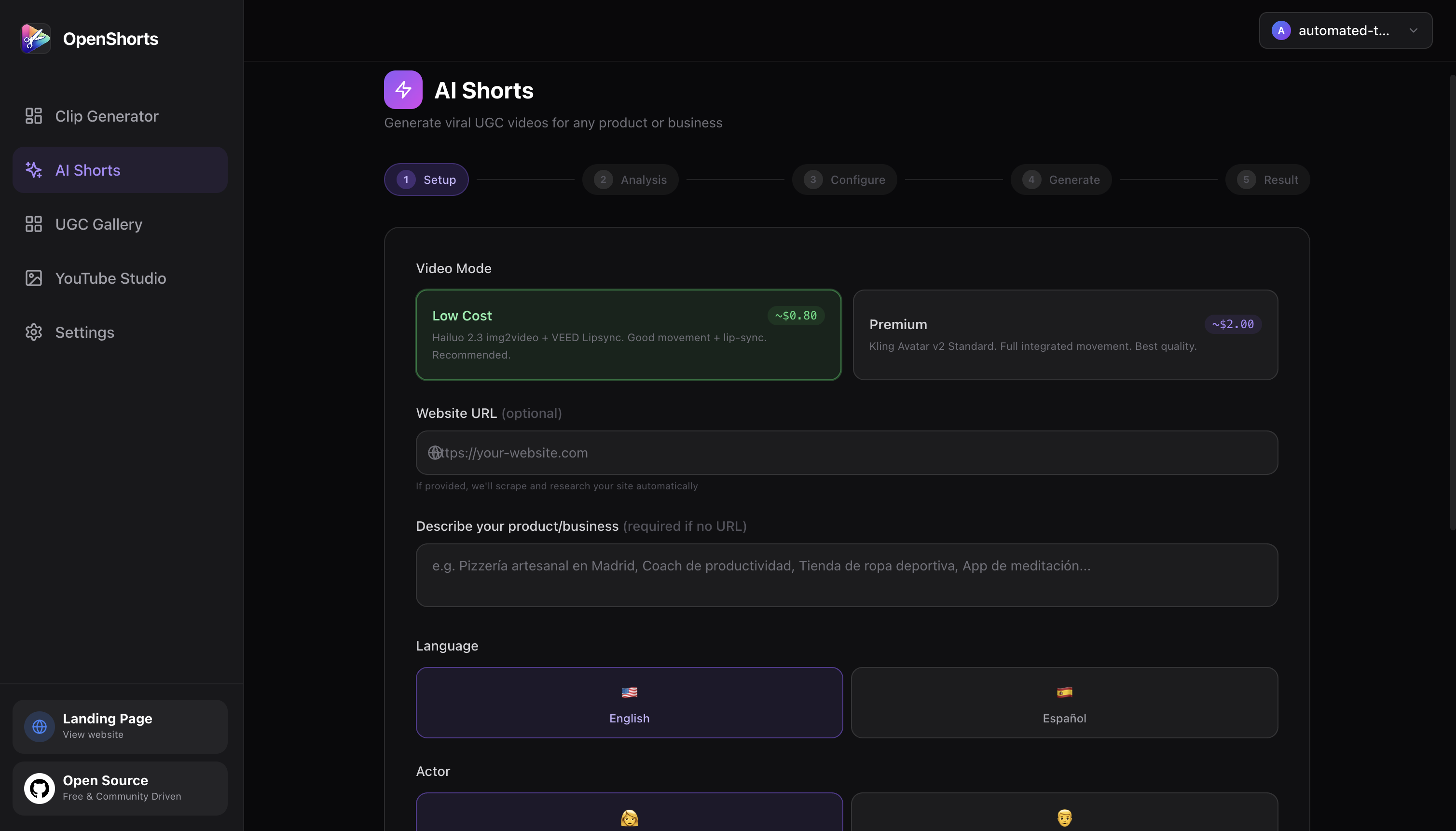
- AI Shorts pipeline: scrapes a URL or takes a manual description, writes hook-problem-solution-CTA scripts, generates AI actors, voiceover, talking heads and b-roll, then composites and publishes.
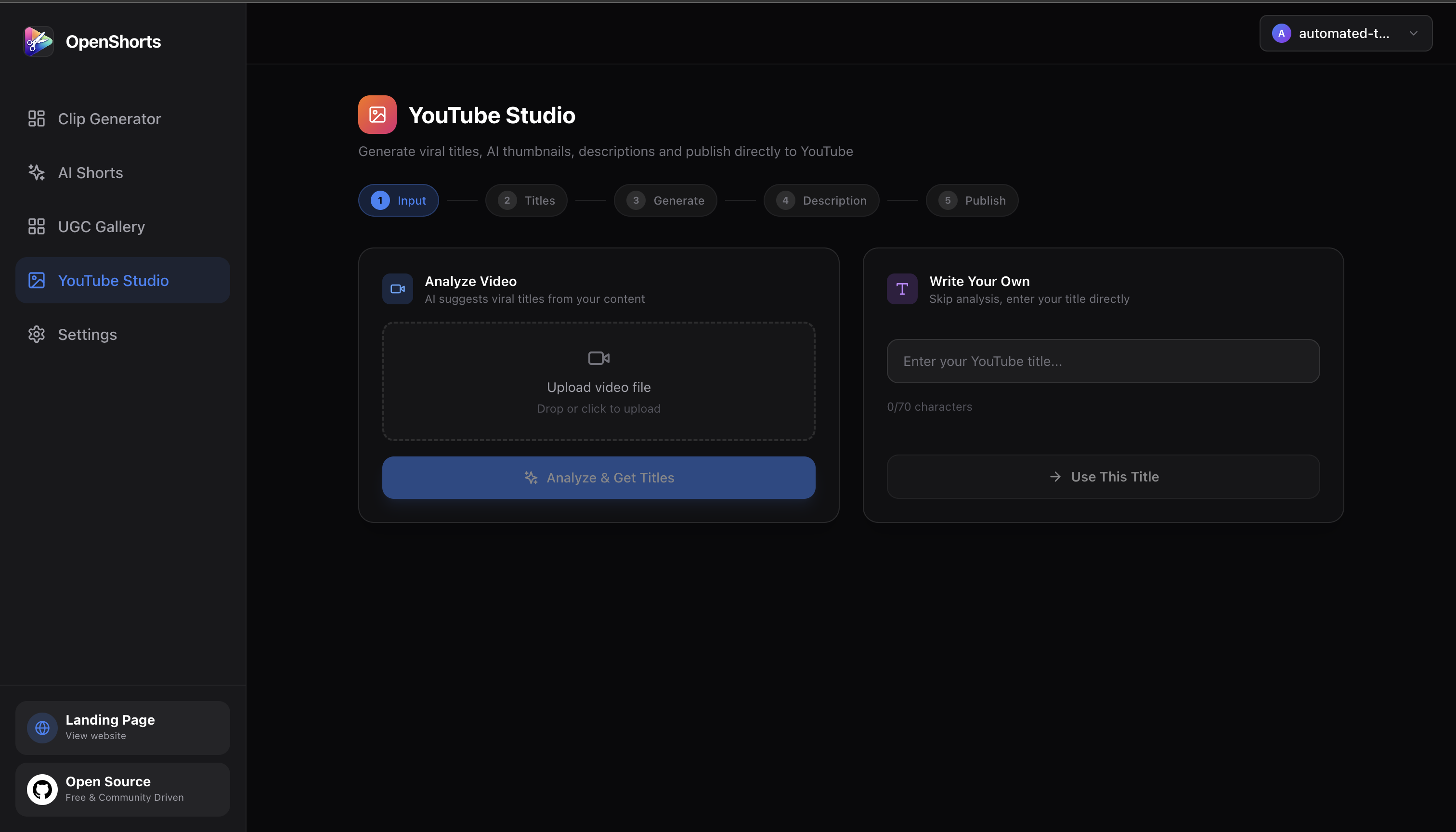
- YouTube Studio: 10 viral title options with a refinement chat, AI thumbnails with face overlay, and descriptions with chapter timestamps.
- Social auto-publishing: one-click or scheduled posting to TikTok, Instagram Reels and YouTube Shorts via Upload-Post.
- Agent access: built-in MCP server at /mcp, REST API with osk_ keys, signed completion webhooks, a zero-dependency CLI and an n8n workflow example.
Ways to install
| Platform or method | What it needs | Effort |
|---|---|---|
| Self-hosted, Docker (CPU image) | Docker and Docker Compose, 8GB+ RAM, model downloads, your own Gemini, fal.ai, ElevenLabs and Upload-Post keys | Moderate: clone, configure, launch, keep it running |
| Self-hosted, NVIDIA GPU add-on | NVIDIA driver with nvidia-smi working, NVIDIA Container Toolkit, a card with NVENC (e.g. RTX 4060), and on Windows Docker Desktop with WSL2 | Extra host setup on top of Docker |
| Hosted on openshorts.app | Sign in and paste a link; the Gemini key is included | Lowest |
Important
- Self-hosting is not free to run: you pay for the machine and for the AI APIs you use. fal.ai is about $0.50-1.50 per AI Short, and AI Shorts is listed at about $0.65 (Low Cost) or $2 (Premium) per video.
- Keys required by feature: Gemini is needed for all AI features unless a local LLM is set, fal.ai for AI Shorts, ElevenLabs for voiceover and dubbing, and Upload-Post for social posting.
- CPU speed: a CPU run takes 5 to 8 minutes per 8-minute video. The hosted GPU does it in about 50 seconds.
- GPU VRAM: 8 GB of VRAM is enough for large-v3-turbo fp16 plus the detection models.
- Local LLM limits: Ollama defaults to a 4096-token context and truncates silently, so set OLLAMA_CONTEXT_LENGTH=16384. Models of 3B parameters did not return valid JSON reliably; 7-8B models did. Layout picking, the on-screen content detector and silent videos still need a Gemini key.
- Hosted free plan: 20 minutes a month, with a watermark. Paid plans start at $12/mo for 100 minutes without watermark.
- Self-hosted MCP: the endpoint works only while your machine is on. The hosted endpoint at mcp.openshorts.app is always on.
- Upload size: uploads are capped at 2GB.
- Licensing: the core is MIT, but the cloud/ directory is under the OpenShorts Commercial License. You may self-host it for personal or internal use, not offer it to third parties as a paid or hosted service.
Written by an AI model from the project’s README; not part of the review, and it can be wrong.
- MIT for the core, read from the file, with no watermark and no per-clip fee when self-installed.
- Only the transcript leaves the machine for the moment picker, and a local model can replace even that.
- Reframing, face tracking and subtitle burn-in are the tedious half of the job, and they are the half automated.
- No tagged releases of any kind, so there is no version to pin and the main branch is what runs.
- It needs four separate paid keys for its full feature set, and each batch has a real cost.
- The
cloud/directory is under a commercial licence, the upload limit is 2 GB, and the self-installed service works only while the machine is on.
git clone https://github.com/mutonby/openshorts.git
cd OpenShorts
cp .env.example .env          # optional, for storage keys
docker compose up --build