
46.6k stars · GPL-2.0 · 3.12.1 (2026-10-08) · Track this in Rising ↗
Converts any document format into any other in one command, including Markdown to Word and Markdown to PDF.
Radar check
What we found when we opened it. Every bar is one fact, with its date.
Last code pushed 26 Oct 2026, one day before this check.
Latest release 3.12.1 on 8 Oct 2026.
Public since March 2010, a little over 16 years.
46,700 stars and 5,842 forks.
566 commits and 113 new issues in the last 90 days.
664 contributors. 37 pull requests merged in 90 days.
A security policy says how to report a problem. 1 published security advisory.
How the bars are scored
- Alive. Days since the last code push: a week or less 100, a month 90, three months 70, six months 50, a year 30, eighteen months 15, older 0.
- Releases. Age of the latest GitHub release, on a similar scale; no bar when the project publishes no releases.
- Maturity. Age of the project: eight years 100, five 90, three 70, two 55, one 40, six months 25, younger 10.
- Adoption. Stars on a log scale: 100,000 stars is 100, 10,000 is 80, 1,000 is 60, 100 is 40.
- Activity. Commits in the last 90 days: 300 or more 100, 100 85, 30 65, 10 45, any 25.
- Community. People who have contributed: 100 or more 100, 30 80, 10 60, 5 40, 2 25, one 10.
- Security. A published security policy 80, none 40; published advisories are listed, not scored.
Checked by Repo Radar on 26 Oct 2026 from the repository on GitHub. Covered in Edition 14.
▶Repo detailsthe review · specs · pros & cons · install
What it does
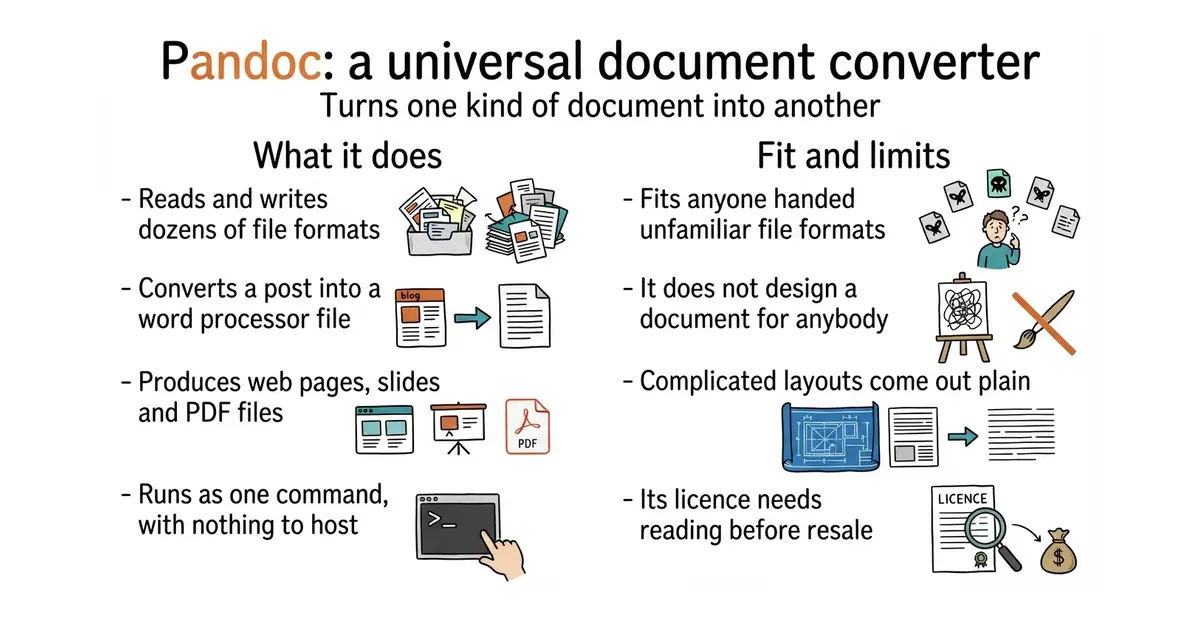
Pandoc is a document converter that runs as a command on a computer. It reads and writes Markdown, HTML, Word, LaTeX, EPUB, PowerPoint, Jupyter notebooks and dozens of other formats. Markdown is plain text with simple marks for headings and lists. One command names the input file and the output file, and the formats are taken from the file endings. Filters can change the document on the way through, and templates control how the output looks. It is sixteen years old and still releases every few weeks; version 3.12.1 was published on 8 October 2026. It does not design a document for anybody: complicated layouts come out plain, and tables and images often need tidying by hand.
Why it matters
Who it suits. It suits anyone handed documents in formats they did not choose, and anyone who writes in Markdown but has to deliver Word or PDF. It suits a one-off job, because there is no service to run and nothing to configure. Skip it when the output has to look designed, since that is a typesetting job rather than a conversion.
Verdict. Install it even with no job in hand. It costs minutes and it answers a question that comes back every few weeks. Use --pdf-engine=typst or --pdf-engine=weasyprint to avoid the very large LaTeX download. GPL-2.0 is fine for running the command and needs reading before building it into something sold. typst/typst is the choice when a document must be designed rather than converted, and #7 wraps Pandoc in a friendlier front end.
Summary (Key Points)from the README
Key features
- Library and command-line tool: Pandoc is a Haskell library for converting between markup formats, and a command-line tool built on that library.
- Wide format support: It reads from dozens of formats, including Markdown variants, HTML, LaTeX, DOCX, EPUB, JATS, reStructuredText, Org, and bibliography formats such as BibTeX and BibLaTeX. It writes to a similarly broad set, including slide shows such as Beamer, reveal.js, and Slidy.
- Modular design: Readers parse a format into a native abstract syntax tree, and writers convert that tree into a target format. Adding a format means adding a reader or writer.
- Pandoc's Markdown extensions: The enhanced Markdown syntax covers tables, definition lists, metadata blocks, footnotes, citations, and math.
- PDF output: PDF is produced via LaTeX, Groff ms, or HTML.
- Filters: Custom pandoc filters can modify the intermediate AST, and Lua filters are supported.
- Custom Lua readers and writers: You can supply your own Lua reader or writer by giving its path in place of a format name.
- Documentation and demos: A full User's Guide is available, along with examples, a limited online demo, and a WebAssembly-based online demo.
Important
- Lossy conversions: Pandoc keeps structural elements but not formatting details such as margin size. Conversions from formats more expressive than pandoc's Markdown can be expected to be lossy.
- Complex elements: Complex tables and other elements may not fit pandoc's document model.
- Deprecated format names: `markdown_github` is deprecated and less accurate than `gfm`, so use it only when you need extensions that `gfm` does not support. `asciidoctor` is a deprecated synonym for `asciidoc`.
- Licence: Pandoc is released under the GPL, version 2 or greater, and carries no warranty of any kind.
Written by an AI model from the project’s README; not part of the review, and it can be wrong.
- It handles almost every document format a person is likely to be sent. Nothing else comes close.
- One command, no settings, nothing left running afterwards.
- Very stable: sixteen years of releases, and the newest one ten days old.
- GPL-2.0. Running the command is fine. Building it into a product that is sold needs the licence read carefully.
- Making a PDF the default way needs LaTeX, which is a very large download. Name another PDF engine instead.
- Complicated layout does not survive the trip. Tables and images move, so expect to tidy the result by hand.
brew install pandoc
pandoc post.md -o post.docx
pandoc post.md -o post.pdf --pdf-engine=typst