In simple English
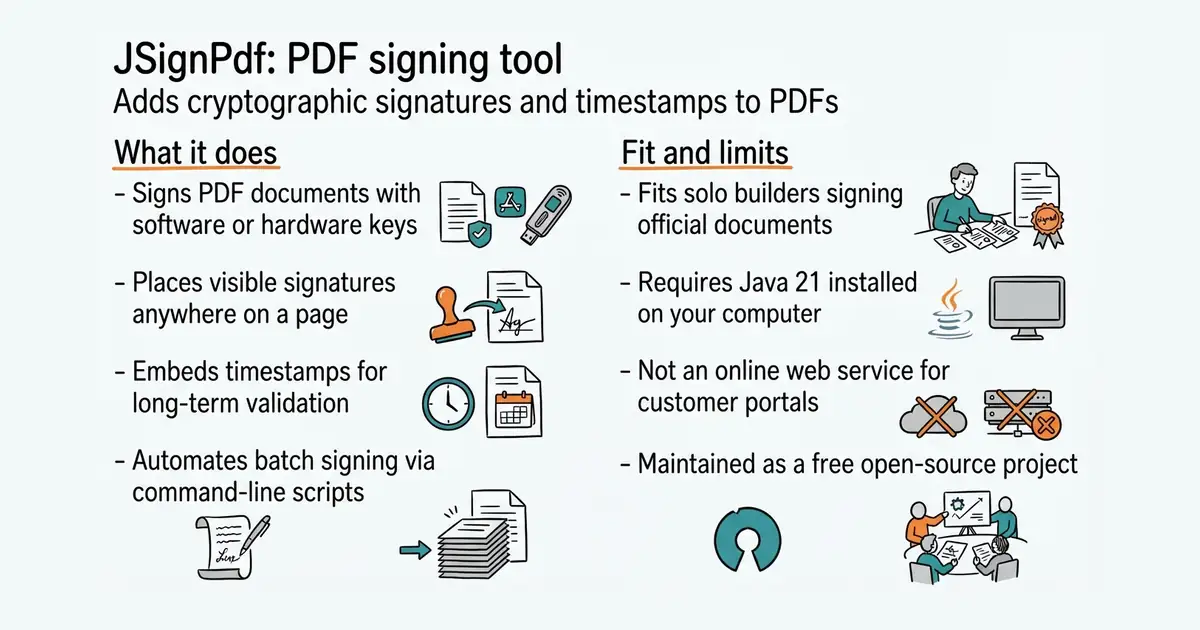
This program signs PDF files to prove who sent them and stop anyone from changing them. You can click and drag to place your signature on a specific page. It works with software files or physical smartcards and security tokens. You can run it on your computer using a window or through command-line scripts. It costs nothing to download and use.
What it is
A cross-platform desktop application and command-line tool written in Java that adds digital signatures, timestamps, and validation data to PDF documents. It supports both software keystores and hardware security modules.
What it is good for
Solo builders who need to legally sign invoices, contracts, or official documents in bulk or via an automated script without paying for expensive cloud signing services.
- Runs on Windows, macOS, and Linux with a graphical interface or command-line mode.
- Supports hardware smartcards and USB tokens for high-security signing.
- Adds timestamps and long-term validation data so signatures stay valid for years.
- Requires Java 21 or newer installed on your computer to run the cross-platform versions.
- Setting up physical hardware tokens or software keystores requires some technical knowledge.
- The graphical interface looks functional rather than modern.
Adobe Acrobat paid signing features or commercial PDF signing software
LibreOffice for generating PDF invoices before signing
- smallstep/certificates9.0k stars
Issues and renews the TLS and SSH certificates that machines on a private network need, speaking the same protocol as the public free services.
- michelp/pgsodium614 stars
A PostgreSQL extension that brings libsodium's encryption functions into SQL, with a root key the database cannot read back.
- pgaudit/pgaudit1.7k stars
A PostgreSQL extension that records what was done to the database, in the database's own log.
brew tap intoolswetrust/tap
brew trust --tap intoolswetrust/tap
brew install jsignpdf