In simple English
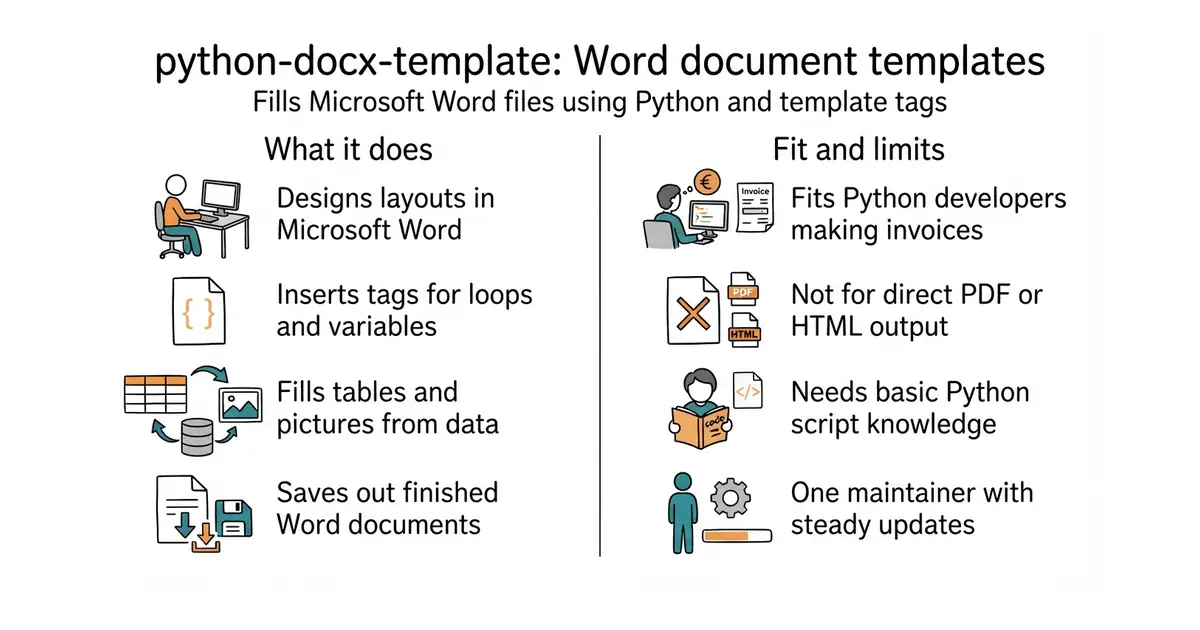
You often need to send customers formal Word documents filled with their own data. Writing code to build a Word document from scratch is painful and usually looks ugly. This tool lets you design your layout in Microsoft Word as you normally would. You then add special text tags inside that file for the data. Your Python script fills those tags and saves a finished copy.
What it is
A Python library that combines a document reader with a template engine (a system that fills blanks in a text file with data from a program). It takes a Word file and replaces your tags with real text, images or tables.
What it is good for
Generating invoices, certificates or contracts from a Python app without writing complex layout code.
- Design your document in Microsoft Word instead of writing code for every paragraph.
- Supports complex layouts like tables, headers, footers and embedded pictures.
- Uses familiar template tags so you can write loops and conditions right inside the document.
- Requires Python programming knowledge to set up and run.
- Only works with the Word file format, so you cannot use it for plain text or PDFs directly.
- The licence is LGPL-2.1 (a legal rule that allows you to use the code, but with specific conditions if you change the library itself).
Writing custom script code to build Word files from scratch or filling forms by hand.
Python (a popular programming language for scripts and web servers).
- python-openxml/python-docx5.7k stars
The base library for reading and writing Word files, but without the template system.
- carboneio/carbone2.1k stars
A similar template engine for office files, but runs on Node.js instead of Python.


- facebook/docusaurus67k stars
A static site generator from Meta that turns Markdown files into a documentation website.
- mkdocs/mkdocs23k stars
Turns a folder of Markdown files into a documentation website, controlled by one settings file.
- squidfunk/mkdocs-material28k stars
Turns a folder of Markdown files into a searchable documentation website, with every formerly sponsor-only feature now included.
source venv/bin/activate
pip install docxtpl