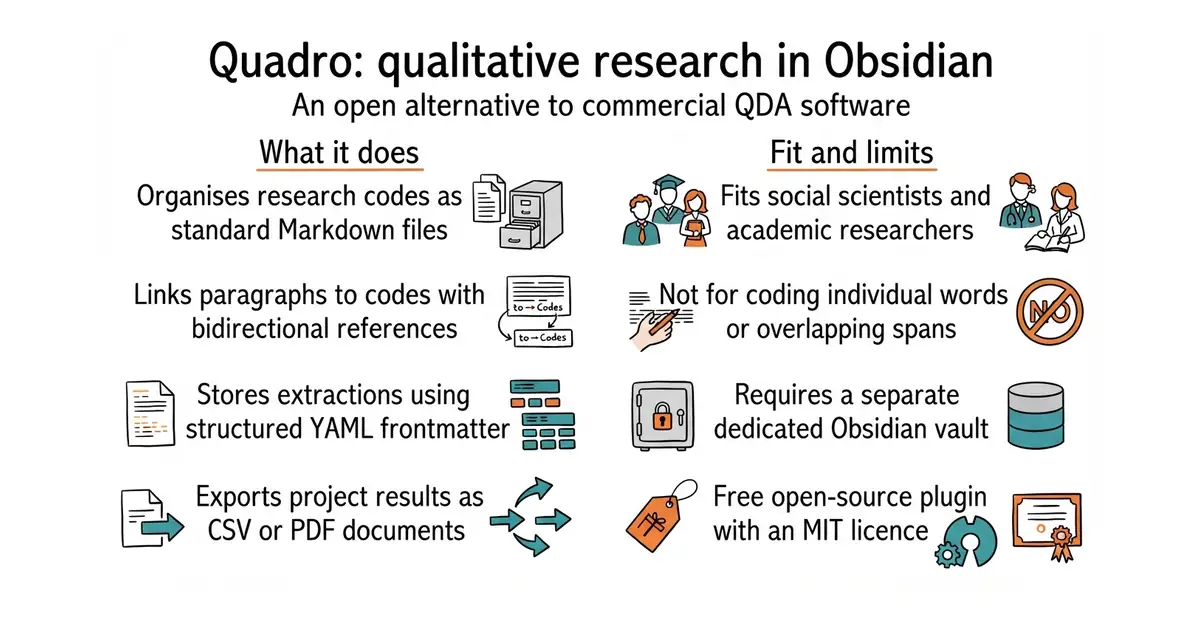
In simple English
Quadro helps researchers analyse interviews, field notes and other text inside the Obsidian note-taking app. It organises codes and structured extractions without locking your data into a proprietary database format. All your work stays as plain text files on your computer. It is free to use for academic purposes and personal research projects. You will need to learn how Obsidian works before you can use this plugin effectively.
What it is
An open-source plugin for the Obsidian note-taking application that turns a local folder of Markdown files into a qualitative data analysis workbench. It implements coding and structured content extraction using bidirectional block links and YAML metadata properties.
What it is good for
Researchers, students and social scientists who want to code qualitative data and extract structured themes without paying for expensive proprietary desktop applications like MAXQDA or atlas.tj.
- Stores all research data as plain Markdown files with zero vendor lock-in.
- Avoids expensive commercial software licences for academic researchers.
- Integrates directly with Obsidian graph views, search, and the wider plugin ecosystem.
- Requires learning the Obsidian app and its specific folder structure.
- Restricts text coding to paragraphs rather than individual words or overlapping segments.
- Moving or renaming files outside of Obsidian will break your reference links.
MAXQDA or atlas.ti
Obsidian
- obsidianmd/obsidian-releases22k stars
The core application container required to run the Quadro qualitative analysis plugin.

- facebook/docusaurus67k stars
A static site generator from Meta that turns Markdown files into a documentation website.
- mkdocs/mkdocs23k stars
Turns a folder of Markdown files into a documentation website, controlled by one settings file.
- squidfunk/mkdocs-material28k stars
Turns a folder of Markdown files into a searchable documentation website, with every formerly sponsor-only feature now included.
Install Quadro directly from the Community Plugins tab inside the Obsidian desktop or mobile application.