In simple English
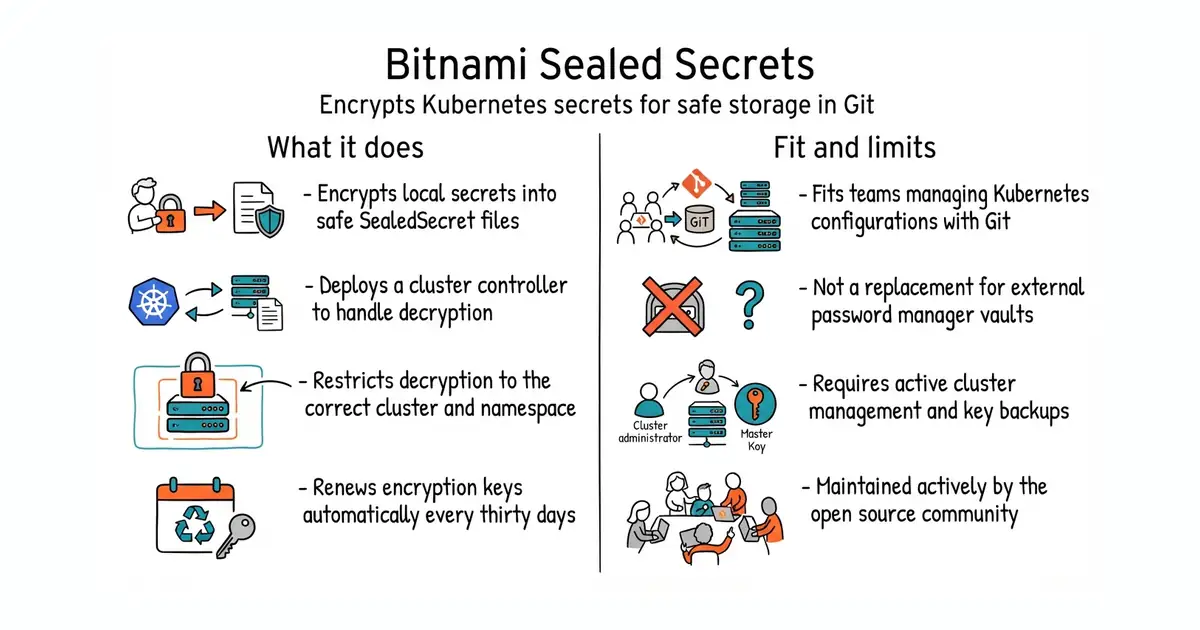
When you run Kubernetes, you need to store passwords and API keys safely. Standard Kubernetes secrets are just base64-encoded text, which is not true encryption. Putting them in a Git repository exposes your credentials to anyone who can read the code. This tool lets you encrypt your secrets into a special format called a SealedSecret. You can safely store this encrypted file in a public GitHub repository. Only the controller running inside your specific Kubernetes cluster can decrypt it back into a real secret.
What it is
Bitnami Sealed Secrets is a Kubernetes controller paired with a command-line utility named kubeseal. It uses asymmetric cryptography so that developers can encrypt sensitive configuration values without ever needing access to the private decryption keys stored inside the cluster.
What it is good for
Solo builders and teams using GitOps workflows to manage Kubernetes clusters who want to store all their configuration manifests in Git without leaking database passwords or API keys.
- Store sensitive Kubernetes secrets safely in public or private Git repositories.
- Allows developers to encrypt secrets without having direct read access to cluster secrets.
- Supports automatic key rotation and manual backup of encryption keys.
- Requires a running Kubernetes cluster and administrative access to install the controller.
- If you lose the cluster private keys and have no backup, you cannot decrypt your configuration files.
- Misconfiguring scopes or namespaces can lead to decryption errors that are tricky to debug.
storing plain-text Kubernetes secrets in private repositories or managing secrets out-of-band
Argo CD
- hashicorp/vault36k stars
A heavier, dedicated secrets management system that handles dynamic secrets and leases across multiple platforms.
- getsops/sops23k stars
Encrypts individual configuration files using cloud KMS or PGP keys instead of running a dedicated Kubernetes controller.
- external-secrets/external-secrets6.9k stars
Syncs Kubernetes secrets from external password managers like AWS Secrets Manager or 1Password instead of Git.


kubectl apply -f https://github.com/bitnami/sealed-secrets/releases/download/v0.40.0/controller.yaml
brew install kubeseal