In simple English
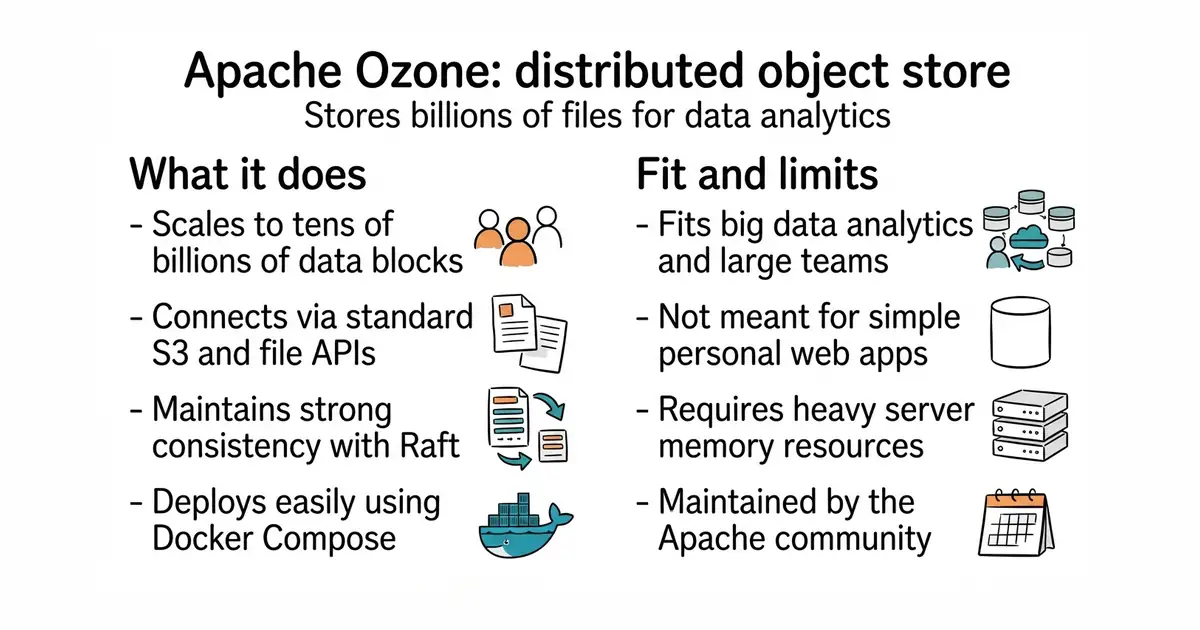
Apache Ozone is a system that stores large amounts of files across multiple computers. It is built to handle billions of digital objects for data analysis. It works well inside Docker (a way to run a program inside its own sealed box, so it cannot break anything else on your server) and Kubernetes (a system that manages many program containers across different servers at once). You can connect to it using standard file commands or S3 (Simple Storage Service, an industry-standard way to store and read files over the internet). It is free to use under the Apache-2.0 licence.
What it is
Apache Ozone is a scalable, redundant, and distributed object store designed for Hadoop and cloud-native environments. It uses protocols like Raft (a method computers use to agree on data changes across a network) to keep data strongly consistent and safe.
What it is good for
This tool is good for solo builders and teams who run large data analytics pipelines and need a self-hosted storage system that scales to billions of files without losing speed or reliability.
- Handles tens of billions of files and blocks without slowing down.
- Supports standard S3 APIs so existing tools work right away.
- Integrates with Kubernetes and Docker Compose for easy cluster deployment.
- Complex setup requires managing multiple nodes and services.
- Demands significant RAM and CPU resources to run a full cluster.
- Maintained as enterprise big-data infrastructure, which is heavy for small projects.
Hadoop HDFS or cloud object storage
Kubernetes
- apache/hadoop16k stars
Apache Hadoop includes HDFS, the traditional distributed file system that Ozone was designed to improve upon.

- dbeaver/dbeaver52k stars
A free desktop program that connects to more than a hundred kinds of database and lets you browse and edit them.
- dimitri/pgloader6.5k stars
Loads data into PostgreSQL from other databases and from files, keeping going when individual rows fail.
curl -O https://raw.githubusercontent.com/apache/ozone-docker/refs/heads/latest/docker-compose.yaml
docker compose up -d --scale datanode=3