6.8k stars · Apache-2.0 · v2.2.0 (2026-07-31) · Track this in Rising ↗
Extracts the actual article from any web page as clean Markdown, with no browser and negligible memory.
Radar check
What we found when we opened it. Every bar is one fact, with its date.
Last code pushed 23 Oct 2026, 4 days before this check.
Latest release v2.3.1 on 6 Oct 2026.
Public since April 2019, a little over 7 years.
7,021 stars and 468 forks.
65 commits and 23 new issues in the last 90 days.
92 contributors. 65 pull requests merged in 90 days.
No security policy file says how to report a problem. No published security advisories.
How the bars are scored
- Alive. Days since the last code push: a week or less 100, a month 90, three months 70, six months 50, a year 30, eighteen months 15, older 0.
- Releases. Age of the latest GitHub release, on a similar scale; no bar when the project publishes no releases.
- Maturity. Age of the project: eight years 100, five 90, three 70, two 55, one 40, six months 25, younger 10.
- Adoption. Stars on a log scale: 100,000 stars is 100, 10,000 is 80, 1,000 is 60, 100 is 40.
- Activity. Commits in the last 90 days: 300 or more 100, 100 85, 30 65, 10 45, any 25.
- Community. People who have contributed: 100 or more 100, 30 80, 10 60, 5 40, 2 25, one 10.
- Security. A published security policy 80, none 40; published advisories are listed, not scored.
Checked by Repo Radar on 25 Oct 2026 from the repository on GitHub. Covered in Edition 6.
▶Repo detailsthe review · specs · pros & cons · install
What it does
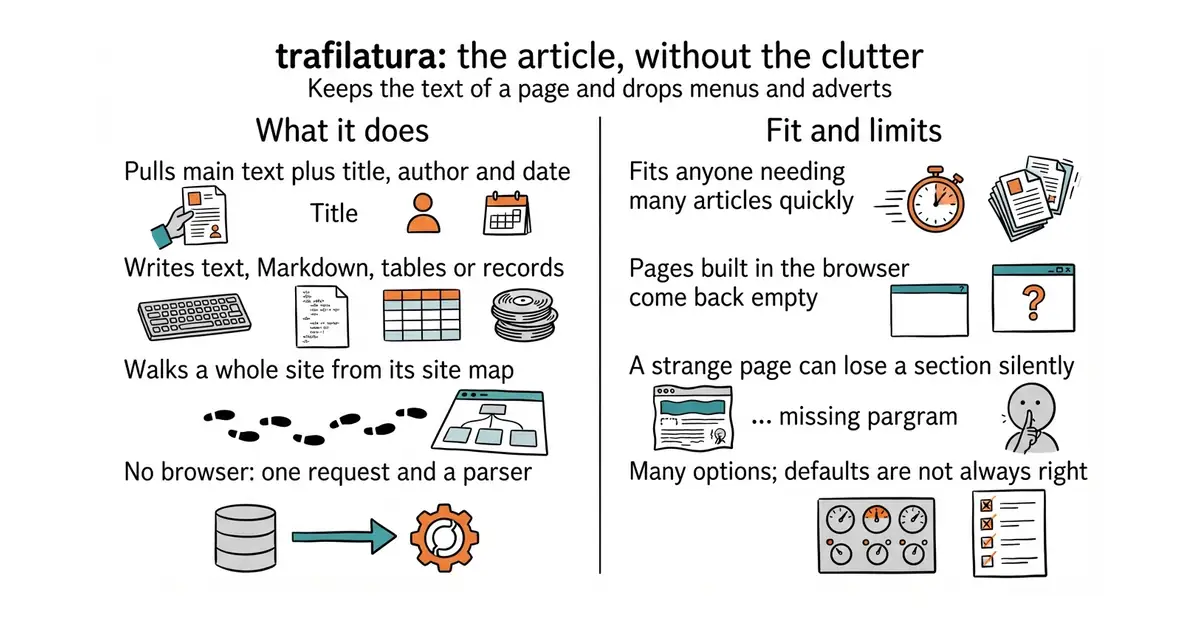
It fetches a page and works out which part of it is the main text. It returns that text along with the details it can find: title, author, date and tags. Output can be plain text, Markdown, structured data or a table, which makes it easy to feed into something else. Given a site map or a feed, it walks a whole site and does the same thing to every page. It is much lighter than scraping tools that drive a browser, because it only makes a plain request and reads the result. The licence has been Apache-2.0 since v1.8.0, and the latest release is v2.3.1, from 6 October 2026. What it does not do is run a page's own code, so a page that assembles its article in the browser comes back empty.
Why it matters
Who it suits. Anyone who needs a lot of article text quickly and cleanly. Pointed at a competitor's site map, it returns everything that site has published as clean files, which turns a vague writing brief into a list of questions already answered and questions nobody has answered well. It also suits a product that takes text from a reader, because pasting a link is less work than uploading a file. Skip it if the target pages build themselves in the browser.
Verdict. Worth twenty minutes, and it is the cheapest way to get a text collection. It is light enough to run on a small busy machine, which matters, because browser-driven scrapers are not. Two limits to expect. Finding the article is a judgement the tool makes, so an unusual page can quietly lose a section without reporting an error. And the command has a great many options, so one sitting with the documentation is worth it before trusting the defaults. unclecode/crawl4ai is the tool to reach for when pages need a real browser.
Summary (Key Points)from the README
Key features
- Web discovery: Supports sitemaps (TXT, XML) and feeds (ATOM, JSON, RSS), with smart crawling, URL filtering and deduplication.
- Flexible input: Processes live URLs with efficient and polite download queues, as well as previously downloaded HTML files and parsed HTML trees.
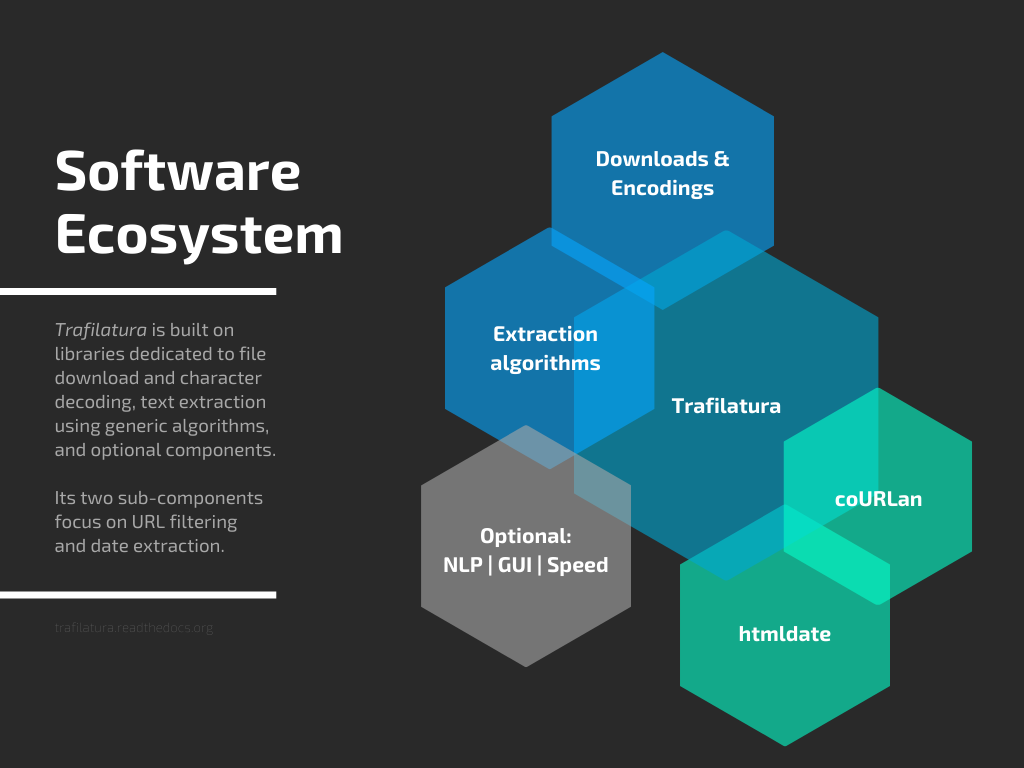
- Main text extraction: Uses its own rule-based extractor, with jusText and readability-lxml as fallbacks.
- Metadata: Extracts title, author, date, site name, categories and tags.
- Structure preservation: Keeps paragraphs, titles, lists, quotes, code, line breaks and in-line text formatting.
- Optional elements: Can also extract comments, links, images and tables, plus optional language detection and speed optimizations.
- Output formats: Writes TXT, Markdown, CSV, JSON, HTML, XML and XML-TEI.
- Benchmarks: The README reports that it is the most efficient open-source library in ScrapingHub's article extraction benchmark, and cites third-party evaluations ranking it best overall or best single tool.
Important
- License change: The package is Apache 2.0, but versions prior to v1.8.0 are under GPLv3+.
- Precision and recall trade-off: The extractor balances limiting noise against including all valid content, so results may still miss or include some parts of a page.
- Community dependence: The README states that the project's continued maintenance depends on community support and sponsorship.
- Benchmark source: The performance claims come from the README and the cited studies; the evaluation readme is needed to rerun them on current data and packages.
- No install command: The README gives no installation command and points to the external documentation for installation and usage.
Written by an AI model from the project’s README; not part of the review, and it can be wrong.
- Apache-2.0 since v1.8.0, so it is safe inside a paid product; older versions and some copies are stricter.
- No browser at all, just a request and a parser, so it uses very little memory.
- It walks a whole site from a site map or a feed with one command.
- It does not run a page's own code, so pages that build themselves in the browser come back empty.
- Finding the article is a judgement, so a strange page can lose a section with no error.
- The command has many options and the defaults are not always what is wanted.
source venv/bin/activate
pip install trafilatura
# one page
trafilatura --markdown -u "https://example.com/some-article"
# a whole site, as Markdown files
trafilatura --sitemap "https://competitor.com/sitemap.xml" \
  --markdown -o ./corpus