779 stars · MIT · no releases at all; 909 commits; commit history unreachable (robots) · Track this in Rising ↗
Self-hosted SEO auditing and reporting tool in Go — crawls a site and dashboards the technical issues.
Radar check
What we found when we opened it. Every bar is one fact, with its date.
Last code pushed 8 Oct 2026, 19 days before this check.
No releases published on GitHub; the code date above is the one to trust.
Public since March 2022, a little over 4 years.
832 stars and 143 forks.
4 commits and 2 new issues in the last 90 days.
9 contributors. 1 pull requests merged in 90 days. A small team carries it.
No security policy file says how to report a problem. No published security advisories.
How the bars are scored
- Alive. Days since the last code push: a week or less 100, a month 90, three months 70, six months 50, a year 30, eighteen months 15, older 0.
- Releases. Age of the latest GitHub release, on a similar scale; no bar when the project publishes no releases.
- Maturity. Age of the project: eight years 100, five 90, three 70, two 55, one 40, six months 25, younger 10.
- Adoption. Stars on a log scale: 100,000 stars is 100, 10,000 is 80, 1,000 is 60, 100 is 40.
- Activity. Commits in the last 90 days: 300 or more 100, 100 85, 30 65, 10 45, any 25.
- Community. People who have contributed: 100 or more 100, 30 80, 10 60, 5 40, 2 25, one 10.
- Security. A published security policy 80, none 40; published advisories are listed, not scored.
Checked by Repo Radar on 25 Oct 2026 from the repository on GitHub. Covered in Edition 16.
▶Repo detailsthe review · specs · pros & cons · install
What it does
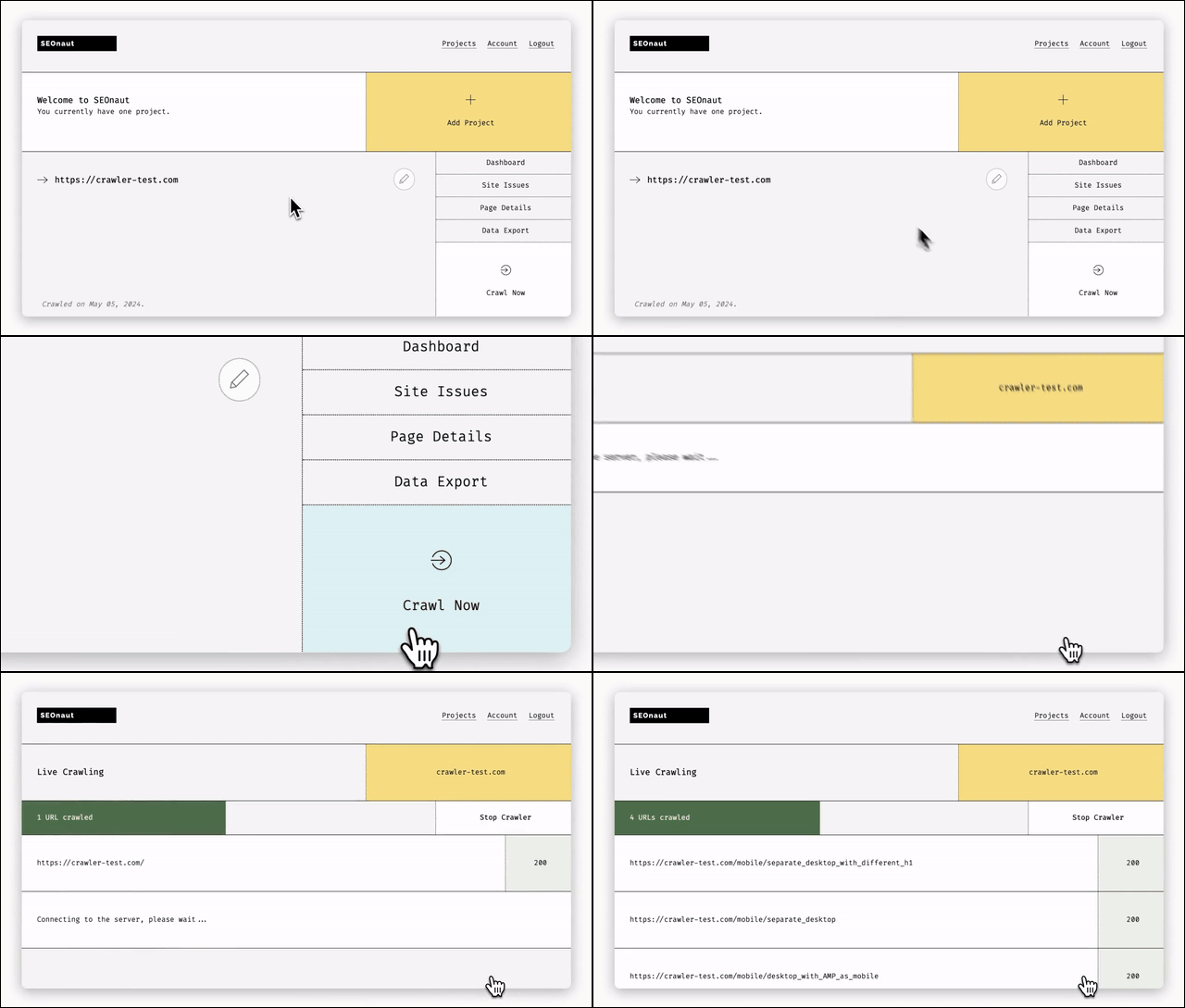
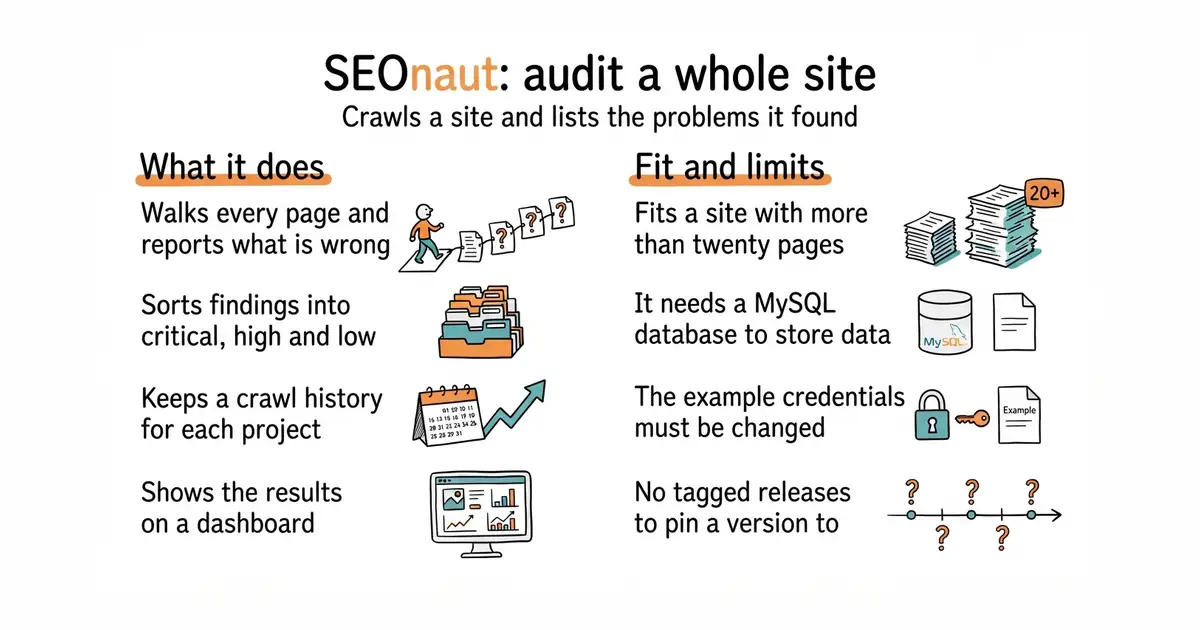
SEOnaut is a web application written in Go that you run yourself. It walks a site page by page and reports what it found, sorted into critical, high and low severity. It looks for broken links, redirect problems including temporary redirects, permanent redirects and loops, missing or duplicated title and description tags, and headings used in the wrong order. It keeps separate projects, so one site can be tracked over time while another is checked once, and it stores the history of each crawl so a fix can be proved rather than hoped for. Results are shown on a dashboard with charts. It stores its data in MySQL, and the example setup uses version 8.4. It publishes no tagged releases, so the thing you track is the container image. It serves plain unencrypted HTTP on port 9000 by default, and the project says to put a reverse proxy in front of it for HTTPS.
Why it matters
Who it suits. It fits a site with more than about twenty pages, which is the point where nobody can keep them in their head any more. It also fits anyone running several sites, because each one gets its own project and its own history. The history is the part a one-off command-line audit cannot give you. Skip it if a site is five pages long, and skip it if adding a MySQL database to the machine is more work than the problem is worth.
Verdict. Worth an afternoon if a site matters for search traffic, and the no-page-limit part is the real argument — every commercial version of this charges by the page. Two things to fix before it is reachable from outside. The example setup ships with the user seonaut and the password seonaut, and the default port serves plain HTTP. Change the first and put a proxy in front of the second. janreges/siteone-crawler is the lighter option when a one-off audit is all that is wanted and no database is welcome.
Summary (Key Points)from the README
Key features
- Severity-ranked audit: Issues are grouped into three levels: critical, high, and low.
- Broken link detection: Finds broken links that can cause 404 errors.
- Redirect analysis: Flags temporary and permanent redirects as well as redirect loops.
- Meta tag checks: Detects missing or duplicate meta tags.
- Heading order checks: Identifies incorrectly ordered headings.
- Interactive dashboard: Uses Apache ECharts to present results in an interactive view.
- Hosted option: A hosted version is available at seonaut.org.
- MIT license: Open-source under the MIT license.
Ways to install
| Platform or method | What it needs | Effort |
|---|---|---|
| Docker Compose | Docker and a docker-compose.yml file that defines the database and app | Low, uses default settings that can be overridden with environment variables |
| Docker from source code | Docker, Git, and a clone of the repository | Low to moderate, requires cloning and building with docker compose |
| Manual build | A configured MySQL database and a manual compile of the Go application | Higher, the README advises against it in favor of the Docker files |
Important
- Recommended setup: The README recommends the provided Docker files because they remove manual configuration.
- Unencrypted by default: SEOnaut runs on port 9000 over plain HTTP, so HTTPS through a reverse proxy is advised.
- Database required: The Docker route needs a MySQL database, which the compose setup supplies.
- Further setup details: Full installation and configuration steps are in the INSTALL.md file, which the README points to rather than repeating.
Written by an AI model from the project’s README; not part of the review, and it can be wrong.
- MIT, runs on a machine you control, no paid tier and no crawl limits. Commercial versions of this charge by the page.
- It keeps history per project, so a fix can be proved instead of guessed at.
- Findings are grouped into critical, high and low, so the list arrives in a usable order.
- It needs MySQL, which is an extra thing to install and look after. The example setup uses version 8.4.
- The example setup ships with the user
seonautand the passwordseonaut. Change both before it is reachable from outside. - No tagged releases at all. You track the container image, and you cannot pin a version by release number.
docker pull ghcr.io/stjudewashere/seonaut:latest