In simple English
This tool turns your WordPress website into a home for your audio shows. You can upload audio files and publish episodes just like writing a normal blog post. It creates the audio feed that apps like Apple Podcasts need to find your show. It is free to use because it is an open-source add-on for your site. You only need a self-hosted WordPress site to make it work.
What it is
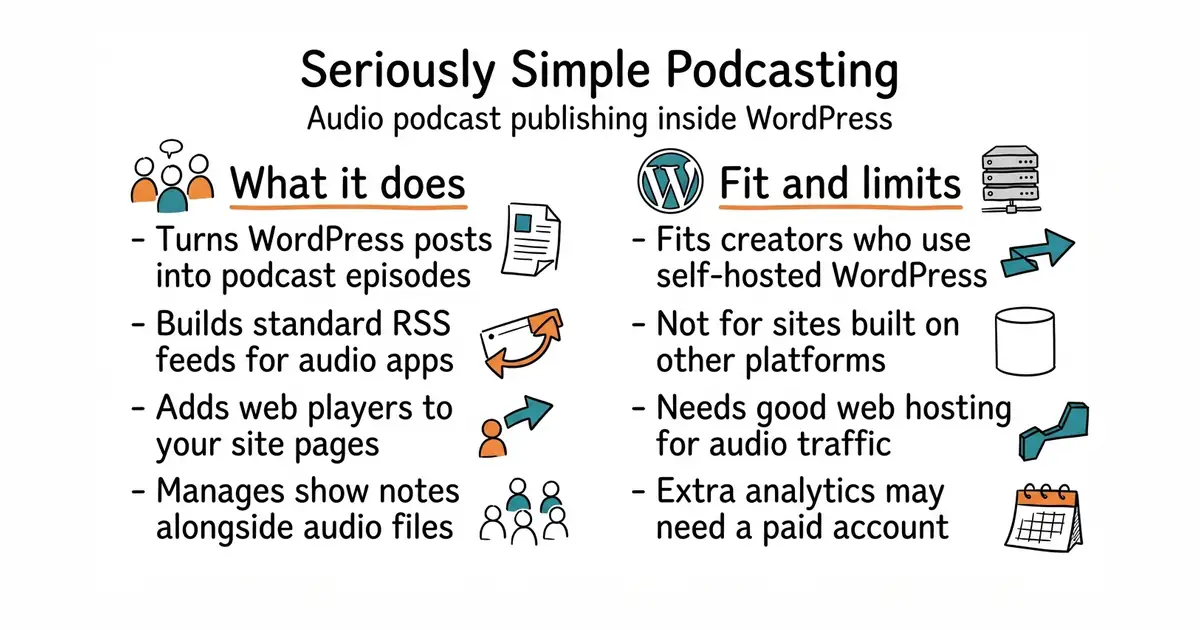
Seriously Simple Podcasting is an extension for WordPress (a popular content management system that powers websites) that adds audio publishing features. It handles episode management, audio player placement and RSS feeds (a standard way websites share updates with apps) without extra software.
What it is good for
Solo creators and small business owners who already run a WordPress site and want to launch a podcast. It removes the need for a separate hosting service just to publish audio episodes and manage your show notes.
- Runs entirely inside your existing WordPress dashboard.
- Generates standard RSS feeds for podcast directories automatically.
- Comes with built-in audio players for your site.
- Requires an active self-hosted WordPress website to operate.
- Heavy audio traffic can slow down a cheap web hosting server.
- Advanced features like deep analytics may require a paid account with the host company.
External podcast hosting platforms
WordPress
- Automattic/jetpack1.9k stars
A massive suite of WordPress tools that includes its own audio hosting and podcasting features.

- facebook/docusaurus67k stars
A static site generator from Meta that turns Markdown files into a documentation website.
- mkdocs/mkdocs23k stars
Turns a folder of Markdown files into a documentation website, controlled by one settings file.
- squidfunk/mkdocs-material28k stars
Turns a folder of Markdown files into a searchable documentation website, with every formerly sponsor-only feature now included.
Download the plugin from the WordPress plugin repository or search for 'Seriously Simple Podcasting' directly inside your WordPress site dashboard under Plugins, then click install.