6.1k stars · MIT · v3.20.0 (2026-09-02) · Track this in Rising ↗
A linter for your voice — the difference between a site that sounds like a company and one that sounds like nine separate afternoons.
Radar check
What we found when we opened it. Every bar is one fact, with its date.
Last code pushed 24 Oct 2026, 3 days before this check.
Latest release v3.25.1 on 22 Oct 2026.
Public since February 2017, a little over 9 years.
6,294 stars and 237 forks.
277 commits and 66 new issues in the last 90 days.
73 contributors. 15 pull requests merged in 90 days.
A security policy says how to report a problem. No published security advisories.
How the bars are scored
- Alive. Days since the last code push: a week or less 100, a month 90, three months 70, six months 50, a year 30, eighteen months 15, older 0.
- Releases. Age of the latest GitHub release, on a similar scale; no bar when the project publishes no releases.
- Maturity. Age of the project: eight years 100, five 90, three 70, two 55, one 40, six months 25, younger 10.
- Adoption. Stars on a log scale: 100,000 stars is 100, 10,000 is 80, 1,000 is 60, 100 is 40.
- Activity. Commits in the last 90 days: 300 or more 100, 100 85, 30 65, 10 45, any 25.
- Community. People who have contributed: 100 or more 100, 30 80, 10 60, 5 40, 2 25, one 10.
- Security. A published security policy 80, none 40; published advisories are listed, not scored.
Checked by Repo Radar on 27 Oct 2026 from the repository on GitHub. Covered in Edition 10.
▶Repo detailsthe review · specs · pros & cons · install
What it does
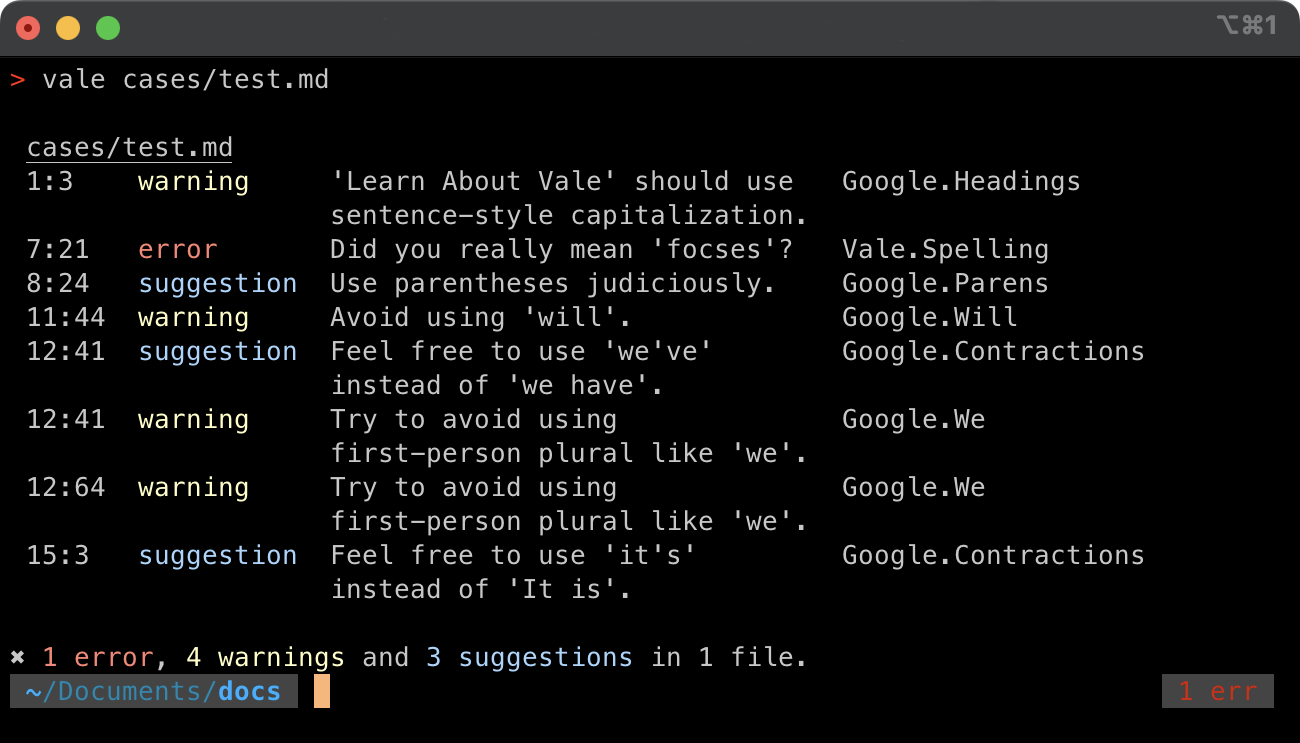
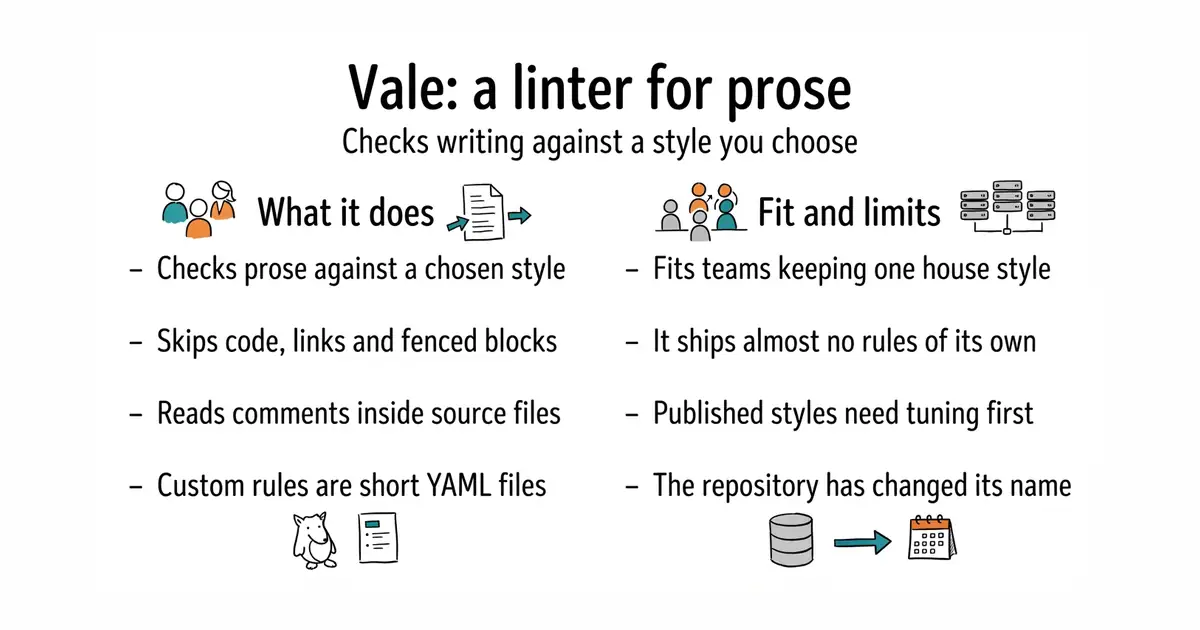
You point it at files and it reports style problems. It understands markup, so its rules skip code spans, links and fenced blocks instead of complaining about them. Markdown, AsciiDoc, reStructuredText and HTML are all supported, and the documentation lists more. It also pulls comments and docstrings out of source files and checks those as prose. Styles come from published packages — Microsoft's and Google's among them — which you name in a configuration file and download with vale sync. Custom rules are short YAML files, which is how a banned word or a required spelling becomes enforceable. What it does not do is bring opinions of its own: the README says plainly that it "doesn't ship opinions of its own", so with no style configured it reports almost nothing.
Why it matters
Who it suits. Teams and individuals producing documentation, release notes and web copy over a long period, who want one vocabulary rather than an average of everyone's habits. It suits writing that a machine will later quote, because consistent terms are what a reader or a search tool sees first. Skip it if the text is short, occasional, and written by one person in one sitting; the setup would cost more than the drift.
Verdict. Worth two hours, and the honest warning is that the second hour is tuning. Off-the-shelf styles produce false reports on technical writing until adjusted, and a checker that cries wolf gets switched off, which is worse than not having one. Once a small set of local rules exists, this is the cheapest way to keep one voice across hundreds of pages. Note the repository moved: errata-ai/vale now redirects to vale-cli/vale, and its default branch is v3 rather than main. For grammar rather than style, entry 1 on this page is the complement, and the two are commonly run together.
Summary (Key Points)from the README
Key features
- Markup-aware parsing: Markdown, AsciiDoc, reStructuredText, HTML and other formats go through a real parser, and code spans, URLs and fenced blocks are skipped before rules run.
- Comment and docstring linting: tree-sitter grammars pull comments and docstrings out of source code, so Markdown in a Rust doc comment is linted as its own file.
- Prose detection: Views find the writing in OpenAPI descriptions, notebook cells and commit messages, and Vale passes over the rest.
- Grammar-aware rules: YAML extension points range from token lists to part-of-speech patterns, cross-file relationships, readability formulas and scripts.
- Built-in fixes: a rule can carry its own fix, which an editor applies with one keystroke and an agent applies without deciding anything.
- Single binary: written in Go with no runtime to install, and files are linted in parallel.
- Offline and private: nothing leaves the machine, with no account, no upload and no training on your writing.
- Published styles: Microsoft, Google and Red Hat styles are one line in the config, and the Package Explorer lists them.
- Browser authoring: Vale CMS lets you build a full project (config, rules, vocabularies and tests) in the browser, with the real engine linting live.
Ways to install
| Platform or method | What it needs | Effort |
|---|---|---|
| macOS (Homebrew) | `brew install vale` | Low |
| Windows (Chocolatey or winget) | `choco install vale` or `winget install -e --id errata-ai.Vale` | Low |
| Linux (snap, pacman or apt) | `sudo snap install vale`, `sudo pacman -S vale` or `sudo apt install vale` | Low |
| Docker | Docker, then `docker pull jdkato/vale` | Low |
| Go | A Go toolchain, then `go install github.com/vale-cli/vale/v3/cmd/vale@latest` | Medium |
| Browser | A release `vale_*_wasm.tar.gz` loaded as a WebAssembly module | Medium |
| Prebuilt binaries | A download for your platform from a release | Low |
Scoop, MacPorts, FreeBSD ports, conda-forge and the APT archive are also listed on the installation page.
Important
- Configuration first: Vale needs a configuration file that names where styles live and which to apply before it lints anything.
- No built-in opinions: Vale enforces a style you choose or write, so it has no default rules of its own.
- Single maintainer: the README says Vale has one developer, so support and development capacity depend on that person and on sponsorship.
- Browser build setup: the WebAssembly option is a tarball you load yourself, not a one-command install.
Written by an AI model from the project’s README; not part of the review, and it can be wrong.
- MIT licensed, a single binary, and no runtime to install alongside it.
- Understands markup, so code and links are skipped rather than flagged.
- Twenty lines of YAML turn a house glossary into something a machine enforces.
- It ships almost no rules, so there are no useful results until a style is chosen and downloaded.
- Published styles report false problems on technical prose until they are tuned.
- The repository has changed owner names once already, which is worth watching on a tool a workflow depends on.
brew install vale
vale sync
vale docs/