5.6k stars · MIT · v1.16.4 (2026-07-10) · Track this in Rising ↗
Self-hosted comment engine with no external database and no third-party tracking — the reply box under the Starlight docs.
Radar check
What we found when we opened it. Every bar is one fact, with its date.
Last code pushed 25 Oct 2026, 2 days before this check.
Latest release v1.18.0 on 11 Oct 2026.
Public since December 2017, a little over 8 years.
5,637 stars and 459 forks.
107 commits and 22 new issues in the last 90 days.
170 contributors. 93 pull requests merged in 90 days.
A security policy says how to report a problem. 5 published security advisories.
How the bars are scored
- Alive. Days since the last code push: a week or less 100, a month 90, three months 70, six months 50, a year 30, eighteen months 15, older 0.
- Releases. Age of the latest GitHub release, on a similar scale; no bar when the project publishes no releases.
- Maturity. Age of the project: eight years 100, five 90, three 70, two 55, one 40, six months 25, younger 10.
- Adoption. Stars on a log scale: 100,000 stars is 100, 10,000 is 80, 1,000 is 60, 100 is 40.
- Activity. Commits in the last 90 days: 300 or more 100, 100 85, 30 65, 10 45, any 25.
- Community. People who have contributed: 100 or more 100, 30 80, 10 60, 5 40, 2 25, one 10.
- Security. A published security policy 80, none 40; published advisories are listed, not scored.
Checked by Repo Radar on 27 Oct 2026 from the repository on GitHub. Covered in Edition 5.
▶Repo detailsthe review · specs · pros & cons · install
What it does
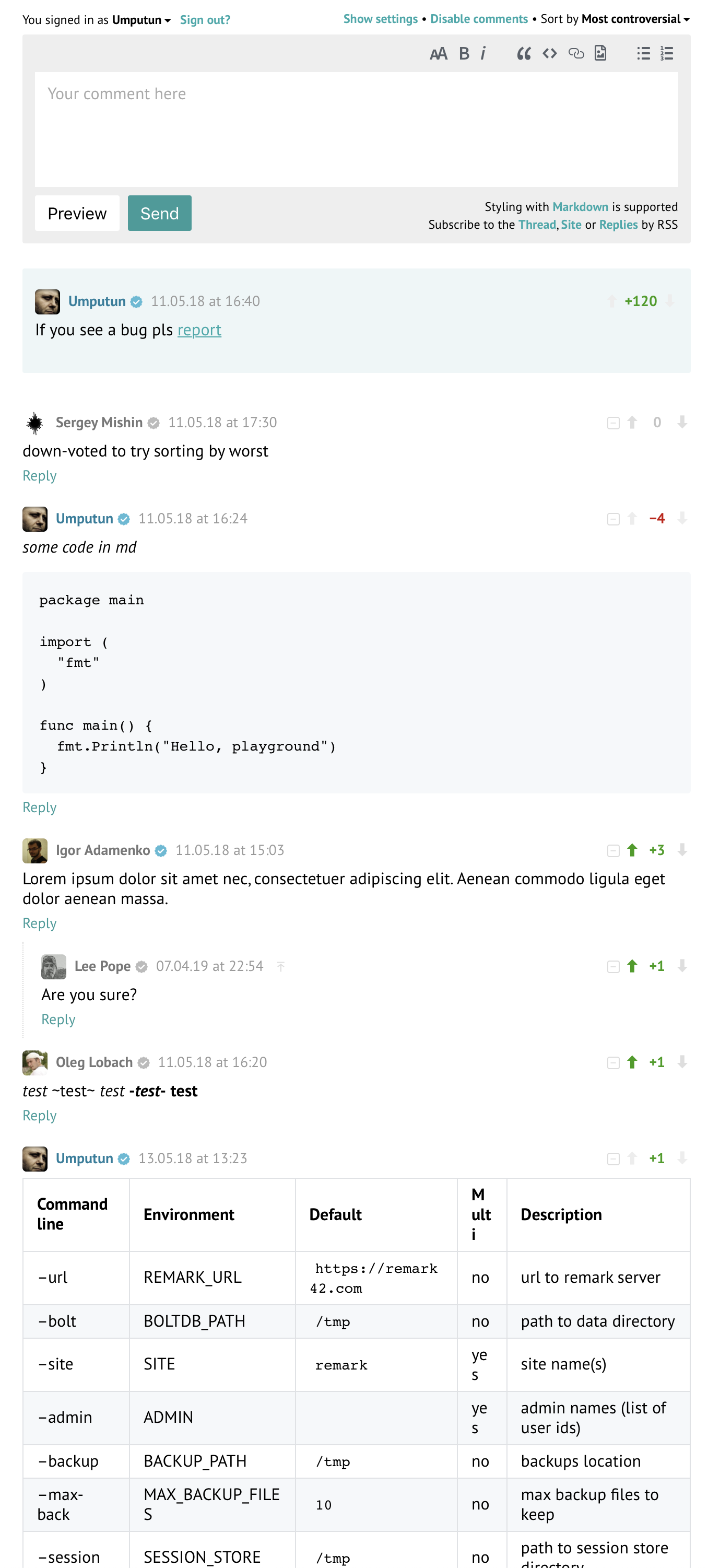
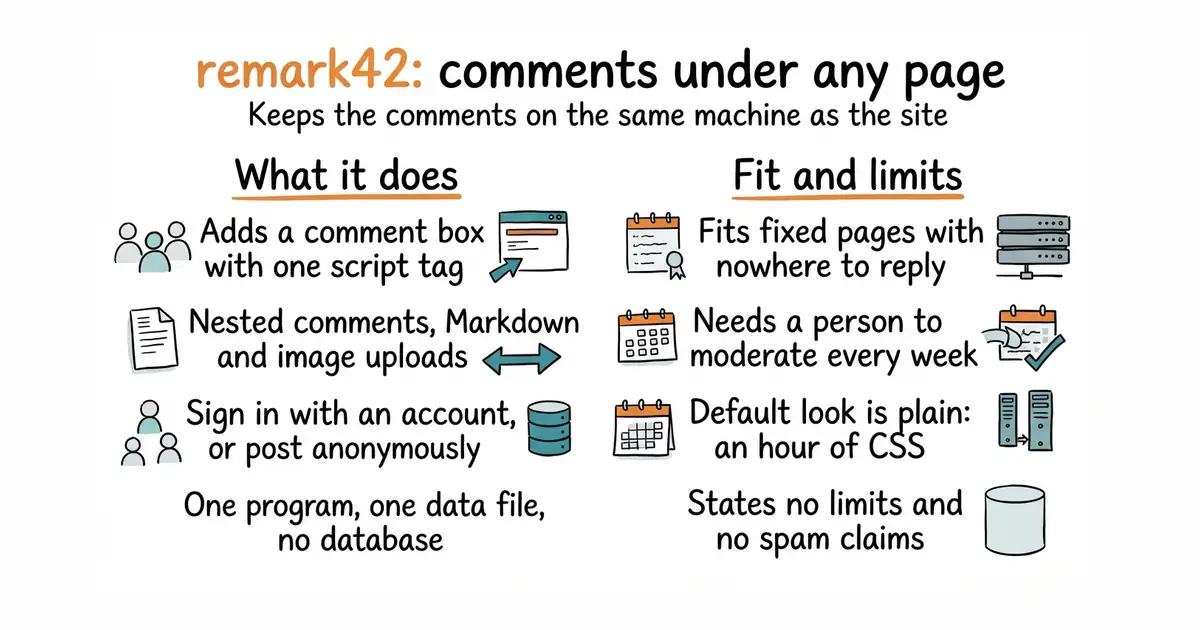
You run one program and add a short script tag to the pages that should carry comments. Readers then post under them. Comments can be nested, written in Markdown, and can include uploaded images. Sign-in works through Google, GitHub, Telegram, email, or anonymously, so a reader with no account can still ask a question. It keeps everything in a single embedded data file, which means the storage lives inside the program's own file rather than in a database you install separately. The owner gets moderation tools — edit, pin, block, delete — and is told about new comments by email or Telegram. What it does not do is state any limits: the README lists no unsupported cases, no size or memory figures, and makes no claim about filtering spam.
Why it matters
Who it suits. Sites built as fixed pages, where a reader has nowhere to reply: documentation, a handbook, a blog. Three real questions under a page are worth having twice over, because they read as evidence that other people use the thing, and because each one names the next page worth writing in the words somebody actually typed. Skip it if nobody has time to read and answer what arrives, because an unanswered comment box is worse than none.
Verdict. Worth an evening, and the cheapest of the three in this layer to run. One program, one data file, and a release landed on 11 October 2026, the day before this refresh. Three things to plan for. Spam arrives in the first week and the moderation tools only help somebody who opens them. The default styling is plain, so an hour of CSS is the price of looking as though it belongs. And an empty comment section under every page looks worse than no comment section, so turn it on where discussion is likely and leave it off elsewhere. giscus/giscus is the alternative that stores nothing itself, at the cost of requiring every commenter to have a GitHub account.
Summary (Key Points)from the README
Key features
- Social login: Google, Facebook, Microsoft, GitHub, Apple, Yandex, Patreon, Discord, Telegram and custom OAuth2 providers are supported.
- Flexible access: Readers can log in by email or use anonymous access, which is optional.
- Nested comments: Multi-level replies can be shown as a tree or as a plain list.
- Migration: Comments can be imported from Disqus and WordPress.
- Moderation: Moderators can remove comments, block users, and use voting, pinning and verification.
- Notifications: Admins can get Telegram, Slack, webhook or email alerts for each new comment, and users can get email or Telegram alerts when someone replies to them.
- Data handling: Data is stored in a single embedded file with no external database, and it can be exported to JSON with automatic backups.
- Multi-site and SSL: One instance can serve multiple sites, and automatic SSL is available directly or through nginx-le.
- Customization: The UI is lightweight and customizable, with white and dark themes.
Ways to install
| Platform or method | What it needs | Effort |
|---|---|---|
| Docker | A Docker environment | Single command, per the README |
| Self-contained executable | Linux, Windows or macOS | Not stated in the README |
| Helm chart (related project) | Kubernetes | Not stated in the README |
Important
- Self-hosted: You run and maintain the instance yourself, so hosting, updates and backups are your responsibility.
- Demo only for testing: The demo site shows all authentication methods, including email and anonymous access, but the README does not present it as a production service.
- Setup details are elsewhere: The README links to separate documentation for the Admin UI, configuration and development, and does not describe these steps itself.
- Related projects are separate: The Helm chart and django-remark42 are listed as related projects and are not part of this repository's core.
Written by an AI model from the project’s README; not part of the review, and it can be wrong.
- One program and one data file: no database to install, patch or back up separately.
- Anonymous commenting is supported, which matters when the audience is small and nobody will create an account to ask one question.
- MIT licence, 76 open issues, and a release on 11 October 2026, so it is actively worked on.
- No stated limits of any kind: no unsupported cases, no size figures, and nothing published about spam filtering.
- The default appearance is plain, and matching it to a site is hand-written CSS.
- Comment sections need a person. Moderation is a daily habit, not a setting.
docker run -d --name=remark42 \
  -p 8080:8080 \
  -v $PWD/var:/srv/var \
  -e SECRET=a-long-random-string \
  -e REMARK_URL=https://example.com \
  -e AUTH_ANON=true \
  umputun/remark42:latest