In simple English
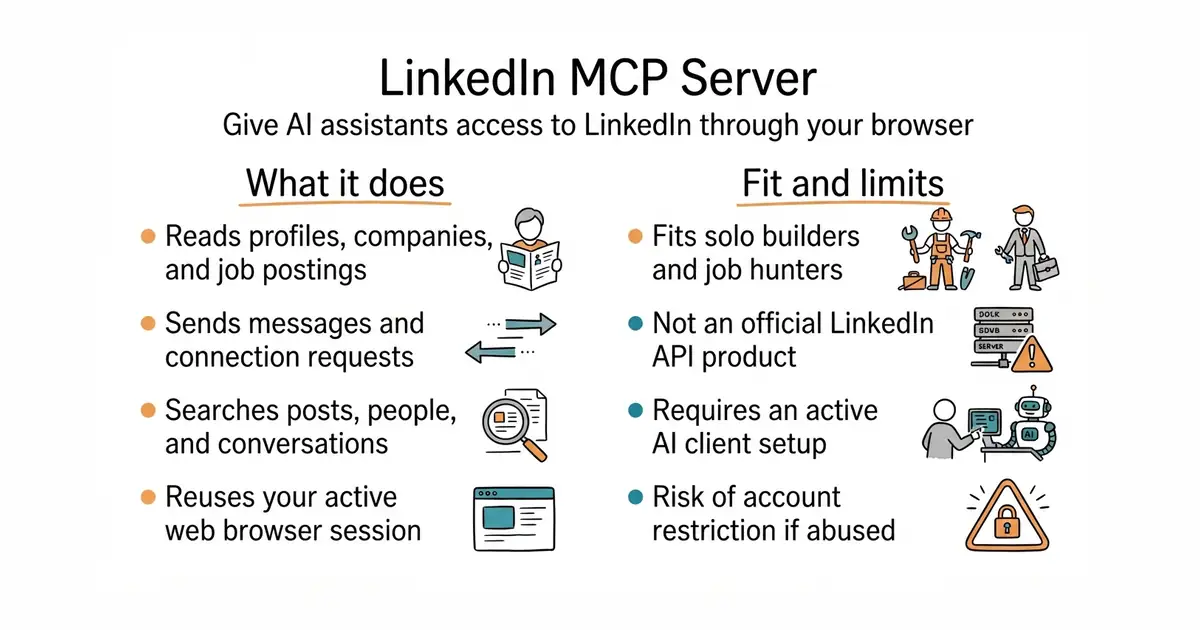
This tool lets an AI assistant read and write on LinkedIn using your own account. You can ask your AI to research a company, find open jobs, or draft messages to contacts. It runs locally on your computer and connects to programs like Claude Desktop. You need a normal LinkedIn account and a supported AI application to make it work. The project is free and open-source, but LinkedIn may flag automated browsing if you use it too heavily.
What it is
An MCP (Model Context Protocol, a standard way for AI assistants to talk to external tools and data sources) server that automates a headless web browser (a web browser running on a server without a graphical user interface) to interact with LinkedIn.
What it is good for
Solo builders who want to automate candidate sourcing, job hunting, or customer research on LinkedIn without paying for expensive enterprise software.
- Integrates directly with popular AI desktop apps and code editors.
- Reuses your existing browser session so you do not have to set up API keys.
- Supports reading profiles, sending messages, and searching for jobs.
- Risk of getting your LinkedIn account temporarily restricted for automated activity.
- Setup requires configuring JSON files for your AI client.
- Relies on browser automation, which can break when LinkedIn changes its website design.
manual LinkedIn browsing and copy-pasting into chat windows
Claude Desktop
- modelcontextprotocol/servers91k stars
Official collection of MCP servers for various services, though it does not include a dedicated LinkedIn integration.

- Notifuse/notifuse2.2k stars
Self-hosted newsletters, automations and transactional email, built on a delivery service you supply.
- krayin/laravel-crm24k stars
A self-hosted record of customers, leads and sales, built on the Laravel PHP framework.
- nikoksr/notify3.9k stars
A Go library that sends the same message to many messaging services through one call.
uvx mcp-server-linkedin@latest