2k stars · not shown on the GitHub page · no GitHub releases; 14,304 commits on main; paraglide-js v2.1.0 on npm (~54k weekly downloads) · Track this in Rising ↗
Compiler-based i18n (Paraglide JS) plus a web editor — the no-server alternative to Tolgee.
Radar check
What we found when we opened it. Every bar is one fact, with its date.
Last code pushed 20 Oct 2026, 7 days before this check.
No releases published on GitHub; the code date above is the one to trust.
Public since August 2021, a little over 5 years.
2,007 stars and 179 forks.
379 commits and 7 new issues in the last 90 days.
119 contributors. 105 pull requests merged in 90 days.
No security policy file says how to report a problem. No published security advisories.
How the bars are scored
- Alive. Days since the last code push: a week or less 100, a month 90, three months 70, six months 50, a year 30, eighteen months 15, older 0.
- Releases. Age of the latest GitHub release, on a similar scale; no bar when the project publishes no releases.
- Maturity. Age of the project: eight years 100, five 90, three 70, two 55, one 40, six months 25, younger 10.
- Adoption. Stars on a log scale: 100,000 stars is 100, 10,000 is 80, 1,000 is 60, 100 is 40.
- Activity. Commits in the last 90 days: 300 or more 100, 100 85, 30 65, 10 45, any 25.
- Community. People who have contributed: 100 or more 100, 30 80, 10 60, 5 40, 2 25, one 10.
- Security. A published security policy 80, none 40; published advisories are listed, not scored.
Checked by Repo Radar on 27 Oct 2026 from the repository on GitHub. Covered in Edition 17.
▶Repo detailsthe review · specs · pros & cons · install
What it does
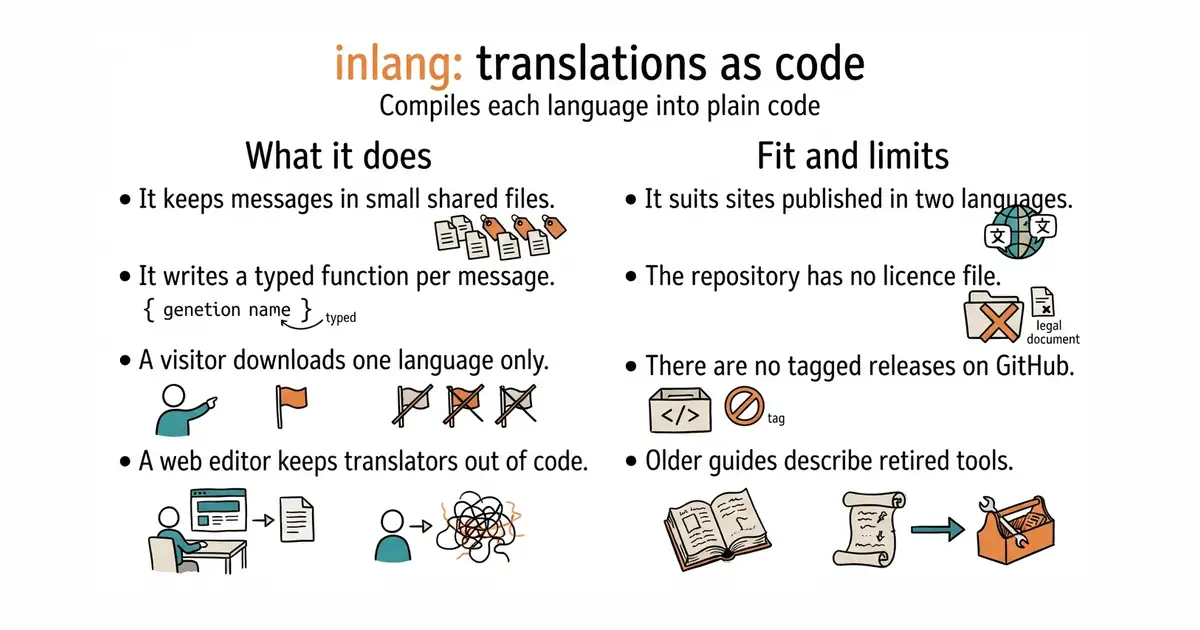
It is a set of tools around one shared file format for translations. The best known part is Paraglide JS, which reads the translation files and writes a small typed function for each message. Because the messages become code, a missing translation becomes a build error rather than a blank space on a page, and only the language in use is sent to the browser. There is also a web editor, so a translator never has to open a code editor. Paraglide JS 2.27.0 is the current npm release, declared MIT, and code landed on 14 October 2026. The project publishes no tagged releases on GitHub at all, so the npm package is the place to watch; a missing release is a publishing habit and not a sign of trouble. It handles the message files and the code they become; it does not translate anything for itself.
Why it matters
Who it suits. Anybody running a site in two or more languages who cares what the page weighs. A site published in two languages faces exactly this split, and the compiled approach keeps the two versions honest. Skip it if the site has a dozen strings, because a plain object in the code will do the same job with nothing to learn.
Verdict. Worth an afternoon, and the build-time error on a missing message is the part that pays for itself. Two warnings. The repository has no licence file at its root, and the package on npm says MIT; it is a large project with an active company behind it, so an oversight across a folder of many packages is the likelier reading, but read the individual package's licence field before committing. The project has also renamed and rearranged its parts more than once, so older guides describe tools that no longer exist. i18next/i18next is the conservative choice; lingui/js-lingui sits in between.
Summary (Key Points)from the README
Key features
- Shared localization model: An inlang project describes messages, variants, locales, and settings in one common format that tools can share.
- Plugin file support: Plugins connect the model to the files your app uses, including JSON and i18next resources.
- Shared SDK: Tools can use the SDK instead of each building its own parser and project model.
- Git-based workflow: Git tracks the translation files and project settings, and localization changes follow the same review path as code changes.
- CI checks: The CLI can run in CI to report project errors, missing translations, and missing or unknown variables.
- Unused message detection: For Paraglide projects, check also reports unused messages.
- Optional draft translations: An automation can create draft translations through a configured provider.
- Pull request review: Generated or edited translation files can be committed and reviewed in a pull request.
Important
- No quality judgment: check does not assess translation quality, so a clean check does not mean the translations are good.
- Review generated translations: Machine-generated drafts need human review before they ship.
- Provider setup required: Automatic translation needs a configured provider, and the README points to the CLI documentation for setup.
- Plugins needed for your files: A configured plugin must read and write your message files, so your file format must be supported by a plugin.
- Git stays the source of truth: The project is designed to keep translation files in your repo rather than a hosted TMS, so your workflow must be built around Git.
Written by an AI model from the project’s README; not part of the review, and it can be wrong.
- The visitor downloads one language, not all of them.
- A missing translation becomes a build error instead of a blank space on the page.
- A separate web editor keeps translators out of the code.
- No licence file at the repository root. The npm package says MIT.
- No tagged releases on GitHub, so changes have to be followed through npm.
- The project has renamed and rearranged its parts more than once, so older tutorials are misleading.
npx @inlang/paraglide-js@latest init
# answer the questions, then:
npm run build