Radar check
What we found when we opened it. Every bar is one fact, with its date.
Last code pushed 10 Sep 2026, 45 days before this check.
Latest release 2.7.1 on 17 Apr 2025.
Public since June 2023, a little over 3 years.
352 stars and 14 forks.
2 commits and 3 new issues in the last 90 days.
5 contributors. No pull requests merged in 90 days; changes go in directly. A small team carries it.
A security policy says how to report a problem. No published security advisories.
How the bars are scored
- Alive. Days since the last code push: a week or less 100, a month 90, three months 70, six months 50, a year 30, eighteen months 15, older 0.
- Releases. Age of the latest GitHub release, on a similar scale; no bar when the project publishes no releases.
- Maturity. Age of the project: eight years 100, five 90, three 70, two 55, one 40, six months 25, younger 10.
- Adoption. Stars on a log scale: 100,000 stars is 100, 10,000 is 80, 1,000 is 60, 100 is 40.
- Activity. Commits in the last 90 days: 300 or more 100, 100 85, 30 65, 10 45, any 25.
- Community. People who have contributed: 100 or more 100, 30 80, 10 60, 5 40, 2 25, one 10.
- Security. A published security policy 80, none 40; published advisories are listed, not scored.
Checked by Repo Radar on 26 Oct 2026 from the repository on GitHub.
In simple English
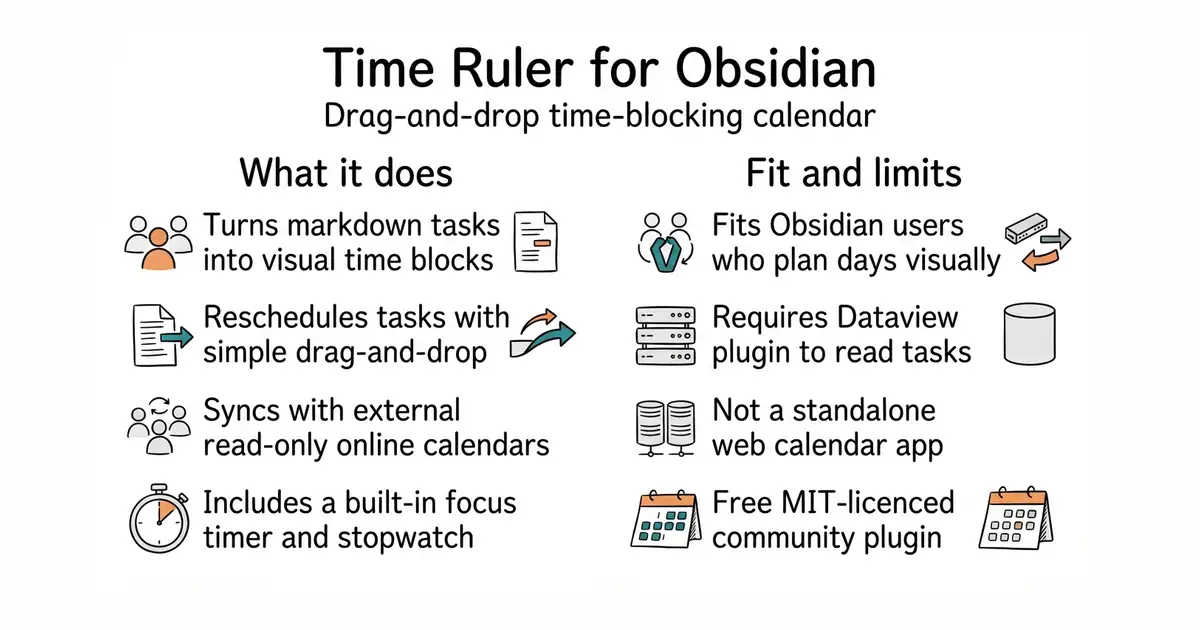
This tool turns your notes into a visual calendar inside Obsidian. You can drag your tasks around to schedule them at different times of the day. It works alongside popular task plugins you might already use. You need the Dataview plugin installed for it to read your notes. It is free to use and runs entirely on your own device.
What it is
An Obsidian community plugin that combines a nested task list with a time-blocking calendar view. It reads metadata from multiple formats like Dataview, Tasks, and Day Planner.
What it is good for
Solo builders who use Obsidian for daily planning and want to drag tasks onto a visual timeline without leaving their note vault.
- Drag tasks onto a time grid to schedule your day instantly.
- Reads tasks from popular plugins like Dataview and Tasks.
- Includes a built-in focus timer and stopwatch for tracking work sessions.
- Requires the Dataview plugin to be installed and configured first.
- Complex multi-format task syntax requires careful note formatting.
- Only works inside the Obsidian desktop and mobile application.
manual task scheduling in text files
Obsidian Dataview
- obsidian-tasks-group/obsidian-tasks4.1k stars
Manages and queries tasks across your vault but lacks a visual time-blocking calendar view.
- fullcalendar/fullcalendar21k stars
Provides a robust web calendar engine that inspires calendar views but is not an Obsidian plugin.


Install Time Ruler through the Community Plugins tab inside Obsidian, or download it directly from the Obsidian plugin browser.